What the double-reward actually does to your vouchers
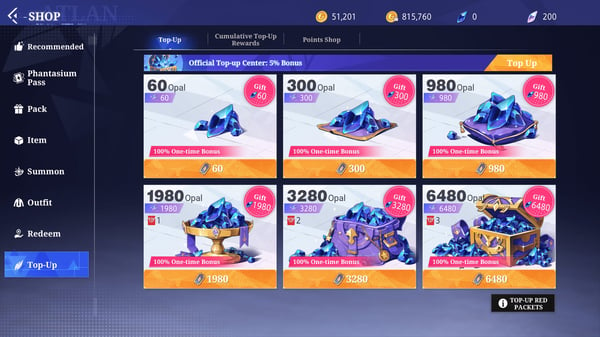
The mechanic itself is tidy. Any account that's never recharged gets double rewards on vouchers and opals for its first purchase, a behavior confirmed across resellers and community trackers (per LootBar, 2026). So the 60-voucher pack, listed at $0.99 on the official web shop according to Pocket Gamer, pays out 120 effective vouchers the one time you trigger it.
Two currencies are in play. Vouchers are the everyday workhorse you'll spend on in-game buys; opals sit a tier above as the premium currency. The doubling touches both. That's the whole reason this is the single highest-leverage dollar your account will ever see. You don't get the multiplier a second time.
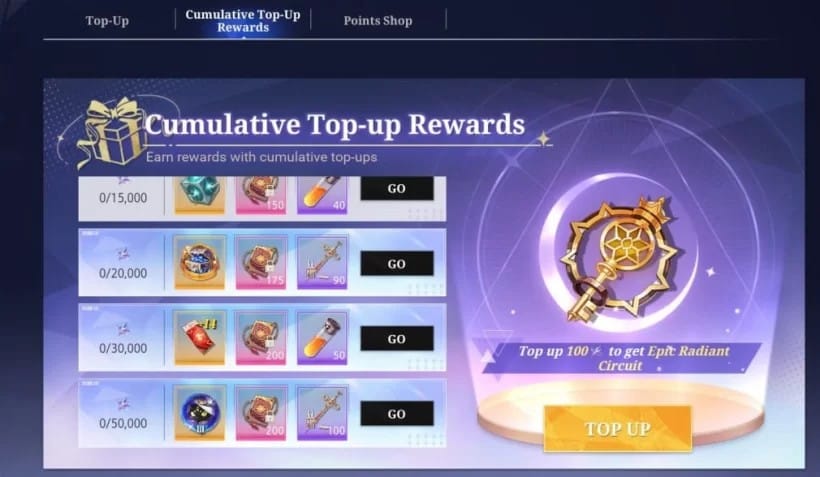
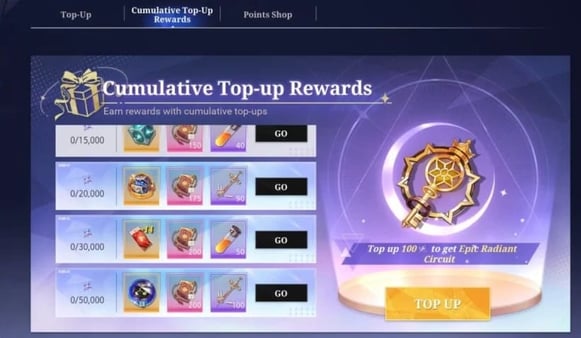
There's a separate layer underneath, and players smush it together with the bonus constantly: cumulative top-up rewards. Those scale with the lifetime points your account spends, not just that opening buy. Pocket Gamer's ladder lays it out cleanly. 100 points (~$1.6) unlocks an Epic Radiant Circuit, 300 points (~$5) hands you Advanced Circuit Components, and it climbs all the way to 2,500 points ($41.6) for a +13 Voucher (Shared). The first-top-up double and that ladder run side by side. One qualifying purchase can feed both at the same time.
Before any of this works, though, you have to clear the gate. The first recharge bonus opens at level 10 (per the Mumuplayer beginner guide, 2025). Below that, the option just won't fire, which explains the handful of day-one players who swear the bonus is "missing." They simply haven't hit the threshold.
Buying the cheapest pack to grab it is the rookie mistake
This is where the rush-to-claim crowd trips. The framing everywhere reads "one-time per account," and on the question that actually matters, whether it repeats per character, that's spot on. It's bound to the account, not each character (per r/crystalofatlan, 2025). Roll a brand-new class and there's no fresh double waiting.
But the doubling lands on the purchase you make, and its worth tracks pack size, full and simple. Buy the $0.99 pack and your double is worth 60 extra vouchers. That's the snare hiding inside the "secure it now" advice. Grabbing the smallest pack to lock the bonus forfeits the bigger uplift you'd get on a tier you were already going to buy. Pocket Gamer flags it outright: the smallest pack sacrifices the larger cumulative rewards that higher tiers unlock.
Lay the tiers side by side and the gap stops being abstract.
| Pack |
Base Vouchers |
Price (USD approx) |
First Top-Up Effect |
| Smallest |
60 |
$0.99 |
Doubles to 120 effective |
| Medium |
300 |
$5 |
Doubles + feeds cumulative ladder |
| Larger |
Various |
Higher |
Doubles + stronger cumulative tier |
Source: Pocket Gamer and LootBar (2025).
The multiplier never changes across tiers. What grows is the base it multiplies. So if you already know you'll drop $5 in your first fortnight, pushing that through a single first purchase doubles a 300-voucher pack instead of a 60-voucher one, and nudges you toward the ~$5 cumulative reward at the same time. Split it into a cheap "trigger" buy plus a "real" buy later and you torch the bigger double for good. The doubling isn't a box you tick. It's a multiplier you get to apply exactly once, to one pack.
My read: settle on an honest two-week spending ceiling first, then make the biggest purchase you're comfortable with at that level your opening top-up. Don't let the word "first" talk you into thinking small.
"Before it's gone" is mostly marketing — here's how to verify
The urgency angle deserves a cold stare, because it fuels a lot of rushed regret. Officially, the first top-up double is framed as a permanent one-time reward unless reset by maintenance (per the official Crystal of Atlan channel, 2025–2026). Structurally that's a first-purchase flag riding on your account, not a banner counting down to zero.
There's one genuine wrinkle, and it's the only real fault line in the community. A few official posts mention the double-reward resetting after certain maintenances, which would briefly let players who already used it claim it again. Reddit consensus treats it as strictly one-time-and-permanent; the official channel admits the occasional event-driven reset. Both hold up. The default state is permanent per account, with rare maintenance resets layered on as events. Either way the takeaway lands the same: there's no everyday expiry breathing down your neck, forcing you into a pack you haven't thought through.
So before you react to a flashing "limited time!" prompt, run the dead-simple check. Open the top-up menu in your own client and look for an actual timer. No countdown stapled to the first-recharge entry means you're staring at a permanent flag, and you can take however many days you need to figure out which pack your build wants. If a live timer really is sitting there in your specific client, treat it as real and plan around it. Just don't assume it's there.
Claiming it, step by step, on mobile and PC
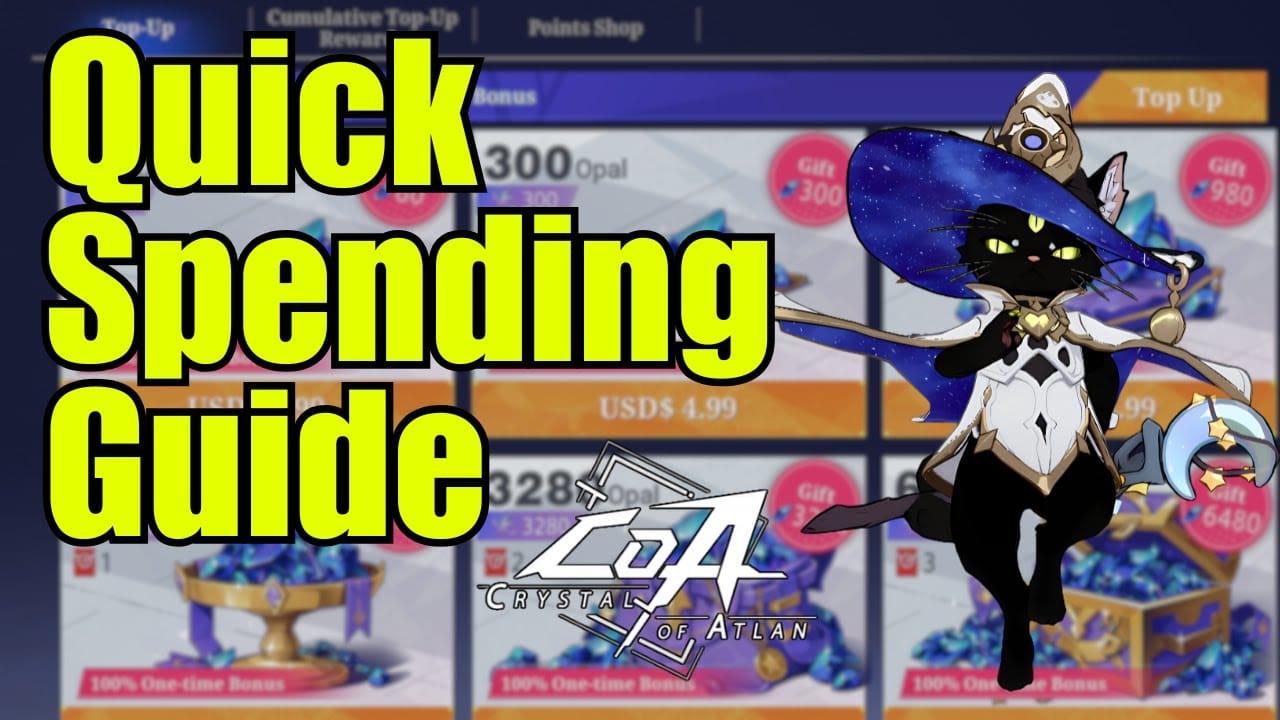
The claim flow is short, and it's the same in spirit on every platform. The only real differences are how you reach the store and where the reward pops up.
- Reach level 10 to unlock the first-recharge entry.
- Open the official top-up site — the web shop runs through Xsolla at coa.xsolla.site, with an official notice that it may relocate to topup.games.skystone.games (per the Xsolla web shop notice, 2026).
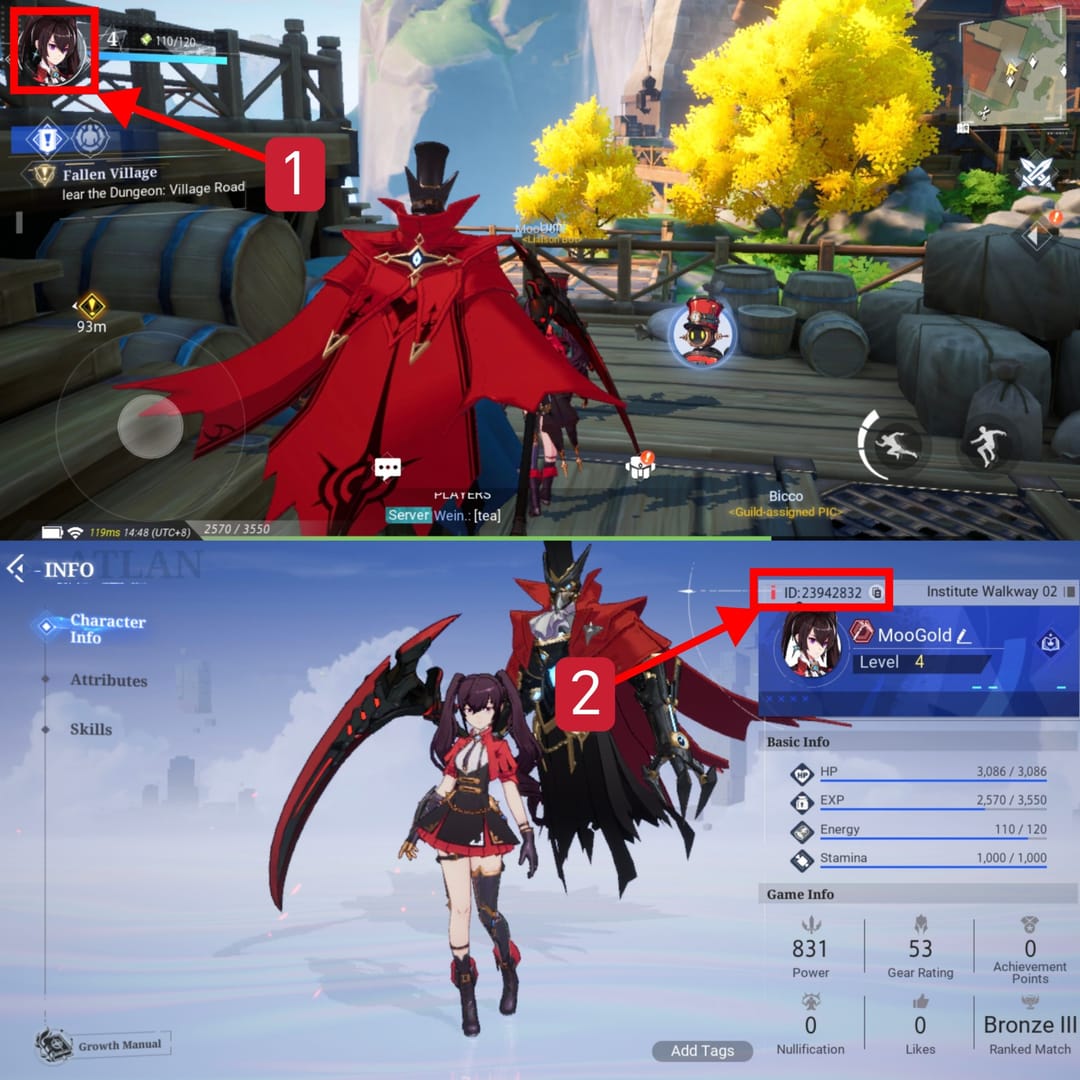
- Log in with your game account and confirm the right server/character is bound before you pay.
- Purchase any qualifying pack to trigger the first-top-up reward. Community testing confirms any cash amount in the official shop fires it (per r/crystalofatlan, 2025).
- Claim the double reward in-game, checking both your wallet and your mail.
On mobile you'll usually bounce out to the web shop in a browser, pay, then drop back into the client to collect. PC follows the identical path. Same shop, same account login. So yes, either platform works, since the bonus is bound to the account and not the device. There's no separate "mobile bonus" sitting apart from a "PC bonus." Pick whatever's convenient.
The one binding landmine worth your attention: set your account and server before you buy. Wrong character selected at checkout, and the reward can route somewhere you never meant it to go. Lock the destination, then pay.
When the crystals "don't show up" — almost always the mail inbox
The most common "I never got my bonus" report isn't a busted transaction at all. It's a delivery-location mix-up. Bonus crystals often land in the mail rather than dropping straight into the wallet (per community reports on r/crystalofatlan). Players stare at the wallet, watch nothing change, panic, and fire off a complaint while the reward sits quietly in mail.
So the first move when something looks off is boring on purpose: check your in-game mail. That one step clears most of the false alarms.
If mail truly is empty, run down this short list before you assume a real failure:
- Confirm you've actually cleared level 10 — below the gate, no first-recharge reward fires.
- Verify the purchase processed on the web shop side; a pending or failed payment triggers nothing.
- Check the bound account/server matches the character you're logged into. A mismatch can send rewards to the wrong place.
- Allow for a short delay. Most claims are instant, but if it isn't, give mail a few minutes before escalating.
Only once all of that comes back clean is it worth pinging support. The overwhelming majority of these threads trace back to the mail or the level gate, never a broken bonus.
Where to spend the doubled vouchers first
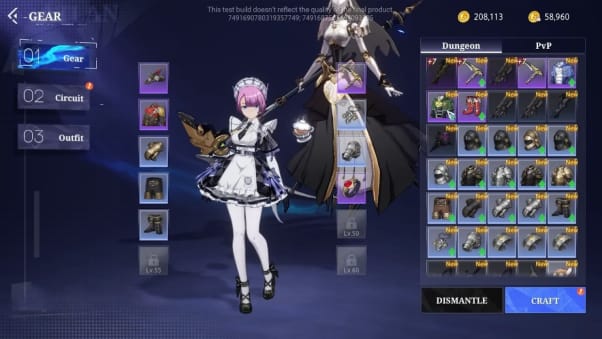
Doubling your vouchers is only half the value. The other half is not setting fire to them on the wrong thing. The misstep I see most: new players blow the bonus haul on cosmetics, when those same vouchers could've bought real progression.
Pocket Gamer's guide is blunt about where this currency earns its keep, noting the first recharge "significantly eases weapon upgrade process," with the bonus unlocking alongside the monthly card at level 10. Weapon and gear progression is where doubled vouchers compound, because they shave time off the exact systems gating your early power. A skin won't.
A simple order of priority for those doubled vouchers, sorted by goal:
- Pure progression (most players): push them toward weapon and gear upgrade materials first. That's where the doubling turns straight into faster clears.
- Cumulative-reward hunters: spending anyway? Route the purchase so it also ticks the next cumulative tier. The ~$1.6 and ~$5 thresholds hand over circuit components that feed builds.
- Cosmetics: dead last, always. They look gorgeous and do nothing for clear speed. Buy them with vouchers you never had to double.
The framing that keeps you honest: those doubled vouchers are a one-time progression accelerant. Treat them like one.
Who should pull the trigger now, and who should wait
The first top-up is the best ROI moment in the life of your account, and it isn't close. The doubling never repeats, and it beats stacking early daily packs for raw value. But "best ROI" doesn't translate to "everyone should rush it." The right call splits cleanly along spender lines.
Free-to-play, genuinely never spending: skip it. No shame, no real loss in passing on a paid bonus you'd only trigger by breaking your own no-spend rule. The double is only worth something if you were going to spend regardless.
F2P weighing one small spend: the $0.99 pack is the textbook play. Trigger the double, take the early-progression bump, then walk right back to free (per community spending guides, 2025–2026). It's the tiniest possible commitment that still pulls the one-time multiplier out. If a dollar to roughly double your early voucher value sounds fair, this is your lane.
Low-spender chasing maximum one-time value: pick the tier that maximizes the double and the cumulative reward together, instead of reflexively grabbing the cheapest (per LDShop and r/crystalofatlan, 2026). Since the multiplier scales with base size, your best one-time value lives at the largest pack you're honestly willing to buy.
Mid-spender still deciding a tier: hold until you know your build. Waiting costs you nothing, since the bonus isn't expiring under normal conditions, and rushing nails the double to a pack that might not fit your priorities. Work out what your build needs, then spend once, spend big, and double it.
The thread tying all four together: the only truly permanent mistake here is wasting the multiplier on a pack smaller than what you actually intended to spend. Patience costs nothing. Haste can cost you the entire point of the bonus.
For transparency, this piece is published by VGTopup, a third-party top-up channel, so weight it accordingly and cross-check the live pack list in your own client. If you've already settled on the tier that fits your goals, Crystal of Atlan Top-Up recharge is one straightforward way to complete that first purchase and trigger the bonus. The neutral advice above stands whichever channel you use.
Frequently Asked Questions
Does Crystal of Atlan give a bonus on your very first top up?
Yes. Your first paid purchase grants double rewards on vouchers and opals for any account with no prior recharge (per LootBar, 2026). The catch most people miss: it only fires once you've hit level 10, so a fresh day-one character won't see it trigger until that gate clears.
Is the first top up a true limited-time event or a permanent flag?
Under normal conditions it's a permanent one-time reward tied to your account, not a countdown (per the official Crystal of Atlan channel, 2025–2026). The lone exception is that certain maintenances can reset it as an event. Check your own client for a real timer before you buy into any "before it's gone" pressure.
What's the cheapest pack that triggers the bonus, and should I use it?
The 60-voucher pack at $0.99 is the cheapest trigger, doubling to 120 effective vouchers (per Pocket Gamer, 2025). Use it only if a single dollar is your honest ceiling. If you'll spend more anyway, that cheap pack permanently wastes the larger double, since the multiplier scales with pack size.
Why didn't my first top-up crystals show up in my wallet?
Almost always because they delivered to your in-game mail rather than the wallet (per community reports). Check mail first. If it's empty, confirm you've cleared level 10, that the payment genuinely processed, and that the correct server and character were bound at checkout before you contact support.
Can I claim it on both mobile and PC?
The bonus is bound to your account, not the device, so it doesn't matter which one you use. There's no separate mobile or PC version. Both route through the same official web shop login. Just make sure the right account and server are selected before you pay, whatever the platform.







Comments