Scenario 1: The third-party buy that mails you a receipt
Most people end up here, and it throws off the cleanest paper trail of the bunch, but only if you do one thing right at checkout. On a site like JollyMax, the steps run like this: punch in your Player ID (it's tucked under the avatar icon top-left in-game), choose the voucher product, pay, and then type your email so the platform can fire off a transaction receipt. That last step is the one nobody respects. Items credit in anywhere from a few seconds to 15 minutes, per JollyMax's own page.
So here's what caught me off guard. That email isn't automatic the way folks assume. It hangs entirely on whether you bothered to enter an email at checkout. A voucher guide on r/crystalofatlan hammers the same point: third-party buys spit out email receipts if you entered an email, while a direct in-game webshop buy with no email field might hand you nothing in your inbox at all. So the channel that's best at receipts is also the one where a sloppy checkout leaves you holding air.
Your fallback, even when the email ghosts you, is the site's own order log. Per LDShop, once you've logged in and paid, the order center shows status and lets you download the record after the fact. That page is your second copy of proof, and it doesn't care whether your spam filter is having a good day.
| What you get |
Where it lives |
Carries order # + timestamp? |
Refund-grade? |
| Email transaction receipt |
Your inbox (if email entered) |
Yes |
Yes |
| Site order history entry |
Portal account → Orders |
Yes |
Yes |
| In-game mail |
Mailbox icon in-game |
No |
No |
Source: JollyMax, LDShop, Xsolla (2026)
My read after running it: the order-history page beats the email, because it shrugs off a fat-fingered address. The inbox copy is convenience. The order page is the foundation.
Scenario 2: The Xsolla webshop barely makes you work for it
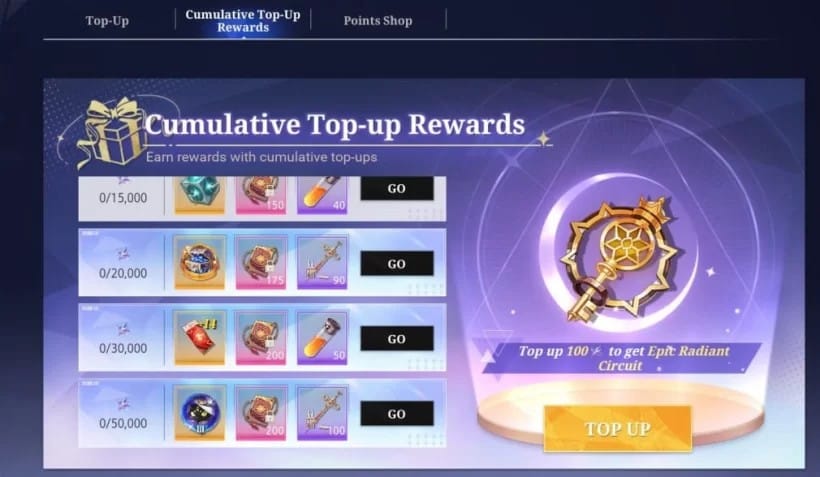
The official webshop gave me the smoothest result of the three. Per Xsolla, you sign in with your game account, buy, and the receipt either emails out or shows up on the site. Delivery's basically instant, and the record clings to your bound account instead of some free-text email box. That account binding is the quiet win. There's no "wrong email" trap here, because the receipt latches onto the same login that owns your crystals.
One thing that bit testers in 2026: the shop carried a relocation notice and jumped to a new URL on May 21, 2026. If you'd bookmarked the old spot and your missing-receipt panic kicked off right around then, your real problem might just be that you're staring at a dead or redirected page, not a vanished record. Confirm the live address before you assume the worst.
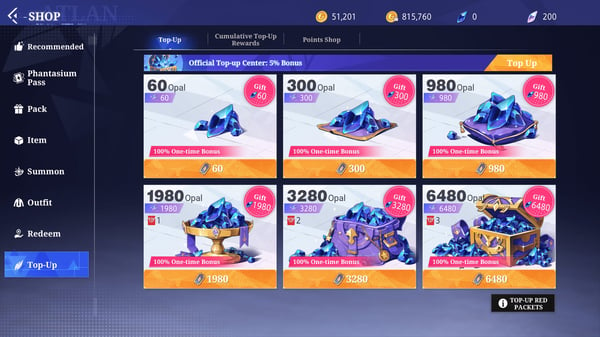
For anyone torn between first-party and third-party, the trade-off is real but slim. Voucher buys through outside portals run cheaper than standard top-up, per that same Reddit whale guide. But the webshop's receipt is structurally tougher to misplace. If you're weighing where to run a Crystal of Atlan Top-Up top up, that's the honest tension: a few points of value against a cleaner audit trail. As a F2P guy who hoards every gem, I lean toward the cheaper portal anyway, but only because I know the order page has my back.
Scenario 3: Voucher-code redemption, where the trail thins out
This is the run that failed the bar. When you redeem a voucher code, rewards drop into the in-game mailbox, and that's all the game hands you. Code-redemption walkthroughs on YouTube show the same loop: the mailbox delivers post-redemption, and your only durable proof is a screenshot of that mail stapled to the original site receipt.
Now here's the bit that quietly wrecks self-lookups. A redemption can log under the redemption time, not the original purchase time. So when you go digging through order history by date, the moment you remember (buying the code) and the moment the system filed (redeeming it) don't line up, and a rattled player decides the record is "gone" when it's actually parked one timestamp over. That mismatch is the single most confusing thing about chasing a voucher code.
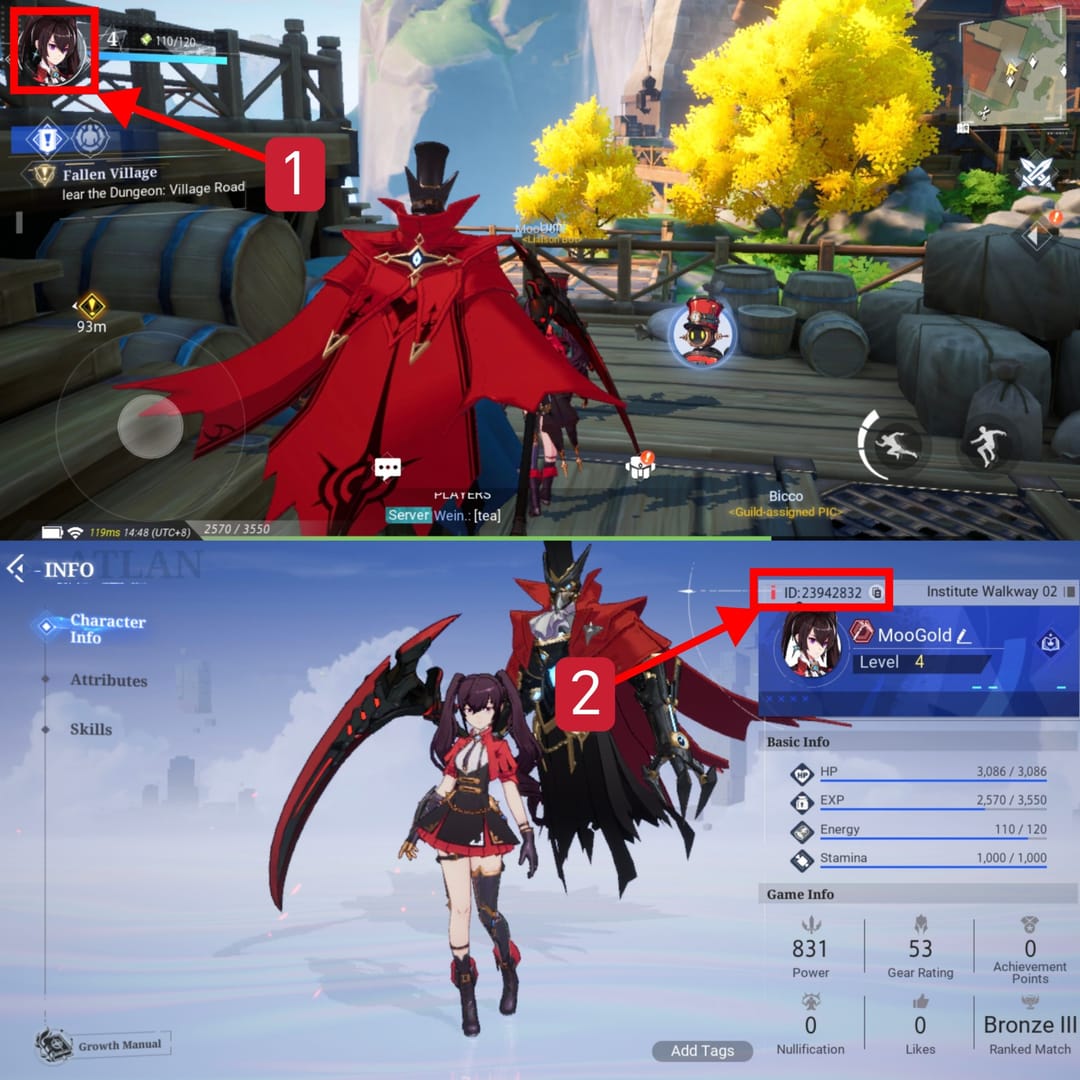
The structural landmine multiple guides flag, drawing on SEAGM and LDShop walkthroughs, is this: redeem to the wrong UID or server and there's no easy receipt link back to the right account. The crystals go somewhere. The proof points at the wrong place. No clean self-service fix exists for that, which is exactly why double-checking your Player ID before paying matters more for vouchers than for any card buy. Grabbing that ID off the avatar icon first is how you never wind up stuck.
So my verdict on this channel: the in-game mail confirmation is false comfort. It looks like a receipt. It feels like closure. And it does nothing in a dispute. Community top-up threads don't sugarcoat it, leaning on in-game mail as your sole refund proof loses you the case. Screenshot it, sure, but treat it as supporting color around the platform record, never the record itself.
Scenario 4: Charged but no crystals is usually a delay, not a death
I poked the failure path on purpose, and the most useful finding is also the dullest one: the "I paid and got nothing" scare is, way more often than not, just delivery lag. Third-party portals quote seconds to 15 minutes across their FAQs, the webshop's quicker, but "typical" isn't "instant," and a charge that's still settling looks exactly like a charge that died.
The real trap is re-buying. You spot the charge, see no crystals, figure the payment flopped, buy again, and congratulations, you just paid twice for the same pack. A pending charge that auto-reverses in a day or two looks identical to a failed top-up, but it needs zero action from you. So before you touch anything: ride out the sync window, refresh the mailbox, and check the order-history status instead of your in-game balance.
When the wait genuinely doesn't fix it, the proof file you assemble decides how fast support moves. Pulling from across the portal docs, here's the troubleshooting matrix I'd keep handy:
| Symptom |
Most likely cause |
Fix |
When to escalate |
| No receipt email |
Email not entered / wrong address / spam |
Check spam, confirm address, wait 5–15 min for sync |
Email still absent after sync → contact site support with order details |
| Charged, no crystals |
Delivery delay or pending charge |
Wait out the seconds-to-15-min window; recheck order status |
No credit + charge settled after 24h → open ticket with transaction ID |
| Voucher not applied |
Wrong UID/server, or redemption logged under redeem time |
Verify Player ID; search order history by both purchase and redeem dates |
Wrong account → support ticket, expect harder recovery |
Source: Joytify, LDShop, JollyMax, Reddit (2026)
The escalation move is the same every single time, per third-party support guidance: hand over the site transaction receipt, order number, timestamp, and Player ID to the ticket. Watch what's actually carrying the weight there. The order number and the timestamp. Everything else is context.
And there's a hidden edge that makes or breaks these tickets. The order timestamp on the payment channel should sit close to the in-game delivery time. When they match, your case verifies itself; when they're miles apart, that gap is often the fastest way support spots a real error, or spots that you're squinting at the wrong order entirely.
The one record that actually wins a dispute
If you steal a single habit from any of this: screenshot the order ID the second you buy, before you ever flip back into the game to peek at your balance. Don't go scavenging for it later. Voucher buys carry a thinner paper trail than straight card purchases. The email's optional, the in-game mail's worthless as proof, and the redemption timestamp drifts. That means they need more self-documentation, not less.
The record that wins, every time, is the platform confirmation: the transaction receipt with its order number and timestamp, whether that's the email in your inbox or the entry on your portal's order page. The in-game mailbox confirms delivery and nothing more. That's not me griping, it's how the receipt hierarchy is stacked across every portal I poked at. No official Crystal of Atlan support FAQ on receipts exists to override that, so the third-party and webshop records are what you've got under your feet.
So never trash the platform email before the purchase is fully verified and the crystals are sitting in your account. Delete it early and you've thrown away your backup for the exact charged-but-not-credited mess where you'll need it most. Bought through a portal? Your full order history and a reprintable receipt usually live on your account's Orders page. Worth having that open before you even start a ticket.
For most players the smartest play costs nothing, which is my favorite price. One screenshot at checkout, hands off the confirmation email. Do those two things and you've killed off the bulk of the receipt headaches that drag people into support tickets.
Frequently Asked Questions
Where is my Crystal of Atlan top-up confirmation email if it never arrived?
Usually it's a spam-folder snag or a mistyped address at checkout, and on some third-party flows the email only fires if you actually typed one. Per Joytify, work the fix in order: check spam, confirm the email you used, give it 5–15 minutes to sync, then ping site support with your order details. The portal's order-history page is your fallback proof either way.
Is the in-game mail confirmation the same as an official receipt?
No, and this is where most refund tickets die on the table. The in-game mailbox only confirms the reward showed up; it carries no order number, no payment detail. Across every portal, in-game mail counts as confirmation, not refund-grade proof. Keep a screenshot of it, sure, but pair it with the platform's transaction receipt, which is the record support will actually take.
How long should I wait before assuming my top-up failed?
Give it the full delivery window before doing a thing. Third-party sites quote seconds to 15 minutes in their FAQs, and the webshop's near-instant. A charge that's still settling looks identical to one that failed, so re-buying mid-wait is the genuine trap, you'll just pay twice. If the charge has settled and crystals still haven't landed after roughly 24 hours, that's your cue to open a ticket.
My voucher went to the wrong UID, can I still get a receipt linked to it?
This one's the toughest to claw back. Per SEAGM and LDShop guidance, redeeming to the wrong UID or server leaves no easy receipt link to your correct account, since the proof points wherever the crystals actually went. No clean self-service fix here; you'll need a support ticket and should brace for a harder resolution. Verify your Player ID before paying, it's the only real prevention.
Why doesn't my order history match the time I bought the voucher?
Because a redemption can log under the redemption time rather than the original purchase time. Search by the moment you bought the code and find nothing? Try the moment you redeemed it instead. The entry's usually parked one timestamp over, not missing. That drift is also why support cross-checks your payment timestamp against the in-game delivery time to confirm a genuine error.







Comments