Why a week of hoarding crushes spending live
The most valuable move you'll make for this event happens days before the thing even opens: put the speedups down. Stop tapping. This is the rule that flips the whole event sideways, and somehow nobody bothers telling new players about it. Speedups score points on use, not on possession. A 5-minute timer rotting in your inventory? Zero points. The second you tap it during the scoring window, it flips to points. So a player who's been sitting on seven days of stockpiled timers clears top personal milestones in one go, while the guy who burned his as they dropped shows up empty-handed.
Picture what most accounts do on autopilot. Building finishes, a speedup pops, you tap to skip the timer. Productive, right? Wrong. Every one of those reflex taps during a normal week is a point you gift-wrapped and handed off. Stretch that across a full Guild Fest cycle and a guild whose members bank for six days then fire together can swing personal milestones and guild ranking at once. The coordination beats anyone's clever individual task picks.
When I first priced this out, the gap quit looking like a preference and started looking like a rule. The speedup task is the heavyweight nobody outclasses. Stack it against gathering or training, both of which charge you setup, march time, or resources you genuinely feel, and speedups convert straight across with zero friction. That's why I build my whole week around one task type and treat the rest like parsley on the plate.
Rough ladder of where the effort actually pays:
- Speedups — top of the heap, instant conversion, no setup tax. The one task worth reshaping your week around.
- Troop training — solid, but it chews resources and time you'd probably rather spend elsewhere.
- Research — decent if you've been sitting on a research project, though each tech only counts once.
- Monster hunting — middling per action, capped by energy.
- Resource gathering — the runt of the litter per action; fine as a free-task filler, useless as a plan.
The exact point values shift between cycles, and IGG's tweaked task numbers more than once, so any specific "X points per speedup minute" figure floating around community threads is a ballpark, not scripture. Check it against your own event screen the day it opens. The order above holds steady. The integers wobble.
The case the refresh-and-grind crowd keeps making
The sprinters aren't fools. They're optimizing hard, just for the wrong thing if you're not loaded. Their reasoning runs like this: the personal leaderboard drops the fattest single chest, refreshing rerolls a weak task into a speedup task, and gems are "just currency." On a whale account with a bottomless gem pile and a mountain of stored speedups, sure, that tracks. Refresh into speedup tasks, top the board, scoop the reward.
Trouble starts when that advice gets parroted down to accounts it quietly mauls. A refresh costs gems (the price ratchets up the more you refresh in a window) and swaps your current task for a random new one. Nothing promises you land a speedup task. You might pay good gems to trade a gather task for a training task. Lateral. Sometimes worse. A paid refresh only goes positive when the task you draw is one you can finish and it scores enough to cover what the gems cost you.
The free refresh slot is where the sprinter logic springs a leak. There's a free refresh on a reset timer. Players in a rush jab the paid button first, torch gems, then watch the free one reset unused. Pure waste. Gems spent to do exactly what the game would've handed over for nothing if they'd waited out the clock. Burn the free refresh first, every single time, before you even glance at the paid one. It's the most common gem-leak I run into, and no shiny chest patches that hole.
Run the refresh through actual break-even logic

Gem refreshing is a value trap for F2P and low spenders, and I'd slap a spender warning on any guide telling beginners to "refresh your way to the top tier." The break-even reasoning is dead simple even without published gem prices in front of you.
A paid refresh only nets you something when the extra milestone diamonds it unlocks come out ahead of the gem cost, valued at what those gems could've bought outright. For a free-to-play player, gems are the rarest thing you hold and also the prize you're chasing. Spending the prize to chase the prize is a snake eating its tail, and you almost always finish behind.
| Spending profile |
Should you paid-refresh? |
Why |
| F2P (zero spend) |
No — never |
Gems are your most precious resource and the reward itself; burning them to chase points is net-negative |
| Low spender (~$5/mo) |
Free slot only |
Your gem budget is better held for events with guaranteed value; a random reroll isn't that |
| Mid spender (~$30/mo) |
Situationally, late |
Only when you're one refresh away from a milestone and the chest clearly beats the gem cost |
Those rows track spending tiers, not lab results. Your own gem balance and how close you're sitting to a milestone change the verdict.
Cleaner way to hold it in your head: the free refresh belongs to you, take it whenever it's lit. The paid refresh is a luxury that only earns its keep when you're a sliver short of a milestone chest clearly worth more than the gems it'd swallow. Refreshing over and over, praying for speedup tasks, means you've already lost. You're gambling gems to manufacture speedups you should've simply banked.
The week-before protocol nobody hands beginners

The work that wins this event is invisible because it's restraint, and restraint doesn't photograph well. Here's the prep I'd run, and it kicks off long before the event UI ever loads.

Quit using speedups about a week out. Let your timers tick in real time. Yeah, your buildings and research will crawl. That's the toll, and it's temporary. Every timer you don't tap is a point in the bank. Got a hefty research or build project? Start it before your hoard window so it's already cooking. Then leave it alone.
Stage a finishable research and a training queue. Both score, but each tech and each batch counts exactly once. Walking in with a research project ready to complete and a troop batch you can train during the window piles extra points on top of the speedup dump for almost no marginal cost.
Synchronize the guild dump. This single lever outweighs any solo task call. When R4/R5 leadership names a window, say, everyone release speedups Saturday night, the guild ranking climbs as a unit while every member also clears personal milestones. A scattered guild firing timers whenever they feel like it leaves guild-tier rewards sitting on the floor that cost nothing extra to grab if everyone times it together.
Keep an eye out for overlapping events. Some actions feed two scoreboards at once. If a kingdom-wide or migration event is live that rewards the same actions (training, gathering, killing monsters), one action double-dips across both. Aligning your speedup dump and training with an overlapping window is about as close to free points as this game gets. Don't release the hoard blind. See what else is running first.
What each spending profile can realistically clear

Quit measuring yourself against the whale parked at the top of your board. Their ceiling isn't yours, and chasing it is exactly where F2P players incinerate resources for chests they were never going to touch. Realistic targets, sorted by profile:
- F2P (zero spend): A disciplined week of banking clears the lower-to-mid personal milestones clean, and that's where most of the per-effort diamond value lives anyway. The top leaderboard slot isn't your fight and never should've been. Hoard, dump, claim, log off. You'll pocket real diamonds for genuinely zero gems.
- Low spender (~$5/mo): Same banking core, except you'll reach a tier or two higher since value packs feed you richer speedup income. Still no paid refreshes. Your edge is more timers, not gem roulette.
- Mid spender (~$30/mo): Now the upper milestones and a competitive personal rank come within reach, and the occasional late paid refresh can make sense to bridge that final tier. This is the lowest spend level where touching the paid button is even defensible, and only at the very margin.
The prep doesn't budge across all three. Hoard speedups, prime a research and training queue, time the guild dump. Spending only moves how high you climb, never what you do. That's why I tell newer players the playbook is identical for everyone. Only the ceiling shifts.
Clear the milestones, ignore the leaderboard
The personal milestone chests carry the lion's share of diamonds you can realistically claim, and the leaderboard grind everybody fixates on pays worse per hour the moment your milestones are done. That's my verdict and the contrarian spine of this whole piece. The leaderboard pays a handful of top finishers. The milestones pay everyone who crosses the point thresholds. For an F2P or low-spend account, the rational move is blunt and oddly freeing: clear the tiers you can hit, then quit. Don't burn one more timer, don't spend a gem, don't refresh chasing a rank whose marginal chest is a rounding error next to the gems it'd cost to climb there.
Wrangling your guild to dump on the same window matters more than any slick individual task pick. Banking for a week beats firing live for fast account growth, because the diamonds you stash fund that growth anyway, just on a schedule that respects the event. And the paid refresh stays a trap wearing an ambition costume for anyone below mid-tier spend.
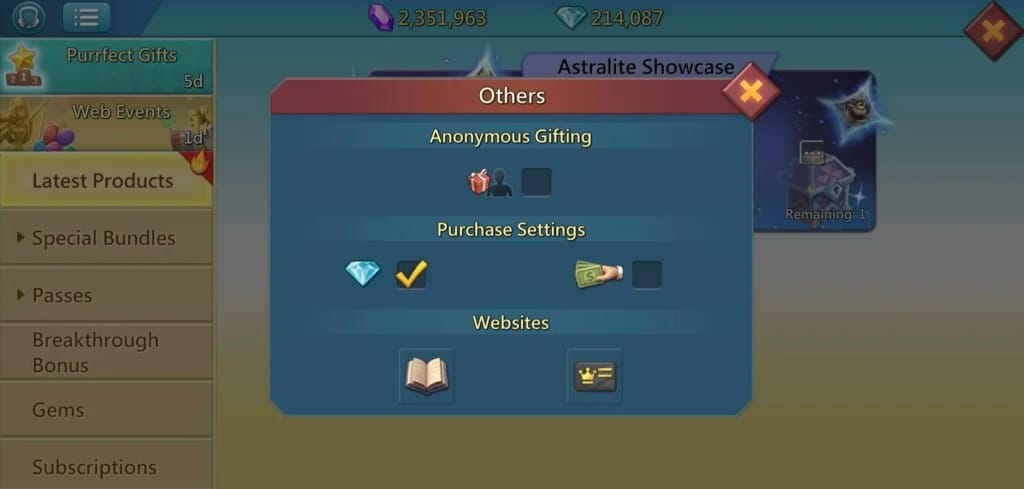
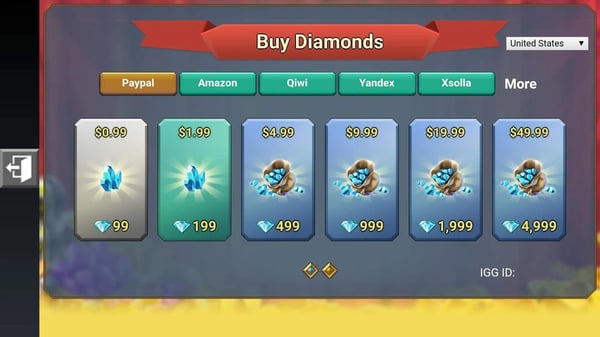
If you do choose to top up to push a specific milestone (and for a mid-spender that's a fair call), price the diamonds before you commit. Lords Mobile Diamonds top up through a transparent third-party route like VGTopup lets you compare what you're genuinely paying per diamond. Work the break-even first: does the chest clear the spend? Green light if yes. If you're squinting at the numbers, that squint is your no.
One thing to walk out with: the week before Allian Mobilization decides the day of it. Hold back now, get paid later.
Frequently Asked Questions
How many days before Allian Mobilization should I stop using speedups?
Roughly the length of the full Guild Fest cycle ahead of the scoring window. Give yourself the whole runway. Speedups only score on use during the event, so every timer you hold from the moment you decide to prep is a point banked. Earlier you start, bigger the single-session dump, cleaner you sweep the upper milestones. Floor: a few days minimum. Ideal: the entire prior cycle.
Is the free refresh slot really better than rolling paid refreshes?
For points without spending, yes, and it's the one refresh F2P players should lean on every time. The bit most people whiff: that free slot resets on its own timer, so panic-tapping a paid refresh first means you torch gems for something the game was about to hand you free. Exhaust the free one, wait out its reset, and only ever weigh a paid refresh when you're a sliver short of a milestone chest that's clearly worth it.
Can a totally free-to-play player clear the top Allian Mobilization milestone?
The very top tier is usually engineered for spenders pouring in gems and refreshes, so don't anchor on it. A disciplined F2P week of banking reliably clears the lower and mid personal milestones, which is right where most of the free, realizable diamond value already sits. Hit those, claim, walk away. Stretching for the absolute ceiling as F2P almost always costs more than it returns.
Should I feed guild ranking points or focus on my personal milestones?
Personal milestones first, always. They pay you directly and reward everybody who crosses the threshold, not just the top dogs. That said, these two aren't really fighting each other. A coordinated guild speedup dump climbs the guild ranking while every member clears personal tiers off the same action. So clear your milestones and sync your dump with your guildmates, and the guild board climbs as a free byproduct.
What if a kingdom or migration event is running at the same time?
That's your green light to let the hoard fly. Some actions feed two scoreboards at once, so one speedup dump or training batch scores in both this event and the overlapping one. Check what's live before you fire. Lining your release up with an overlapping window is the nearest thing to doubling your points for the same effort, and timing it right costs you nothing extra.









Comments