Why the Events tab is breaking on the client, not on NetEase's servers
The cleanest read of available evidence: the 1.7 events crash is a client-side UI streaming failure that fires when the new banner module tries to pull assets from local cache. Not a backend outage. Three signals line up.
First, the timing. Per the Where Winds Meet Official Website, 1.7 took scheduled maintenance from 05:00 to 12:00 UTC+8 on May 28, 2026, after a pre-download opened May 22. Crash reports started landing within hours of maintenance ending, the exact moment local clients first tried to render the new event manifest. Server-side outages usually produce login errors, queue prompts, or "service unavailable" cards. What players saw was a tap on Events closing the application. That's a client signature.
Second, the platform spread. Threads went up on iOS inside the first day, with parallel reports on PC and PS5 (see r/WhereWindsMeet posts from May 28, 2026, and Apple App Store reviews dropped in the same window). If the events service itself were down, every platform would fail in matching ways. Instead the symptoms split: iOS goes to a hard close or a frozen black screen on the icon, PC threads describe Unreal-style fatal errors when the banner tries to render, PS5 reports describe the app dropping back to the system dashboard. Different platforms throwing different crash signatures is the renderer/asset-interaction fingerprint, not a network handshake.
Third, the patch notes. The May 22 update post on Where Winds Meet Patch Notes covers the 1.7 pre-download but lists no events-module hotfix. A full day after maintenance ended, still no bulletin on the official feed. Past server fixes from this publisher have shipped with same-day acknowledgements. Silence here reads as engineering needing to rebuild a client patch, which takes real calendar time.
Working hypothesis going into the fixes: a client-side asset streaming bug in the new 1.7 events UI, triggered on or before the moment the player taps Events. If that's right, locally-applied interventions (cache, overlay disable, file verification, DX11 fallback) should move the needle, and the refund/support route matters for anyone whose wallet has already taken damage.
How I read the public reports
Method, in plain terms: read every public crash thread from the May 22-28 window and rank proposed fixes by how often community accounts say they worked versus how often the original poster came back with "didn't help." Not a clinical trial. The success-rate figures below should be treated as directional, drawn from community reports rather than a controlled study, with extra weight on fixes NetEase's own support replies endorse.
Reproduction targets that surfaced repeatedly:
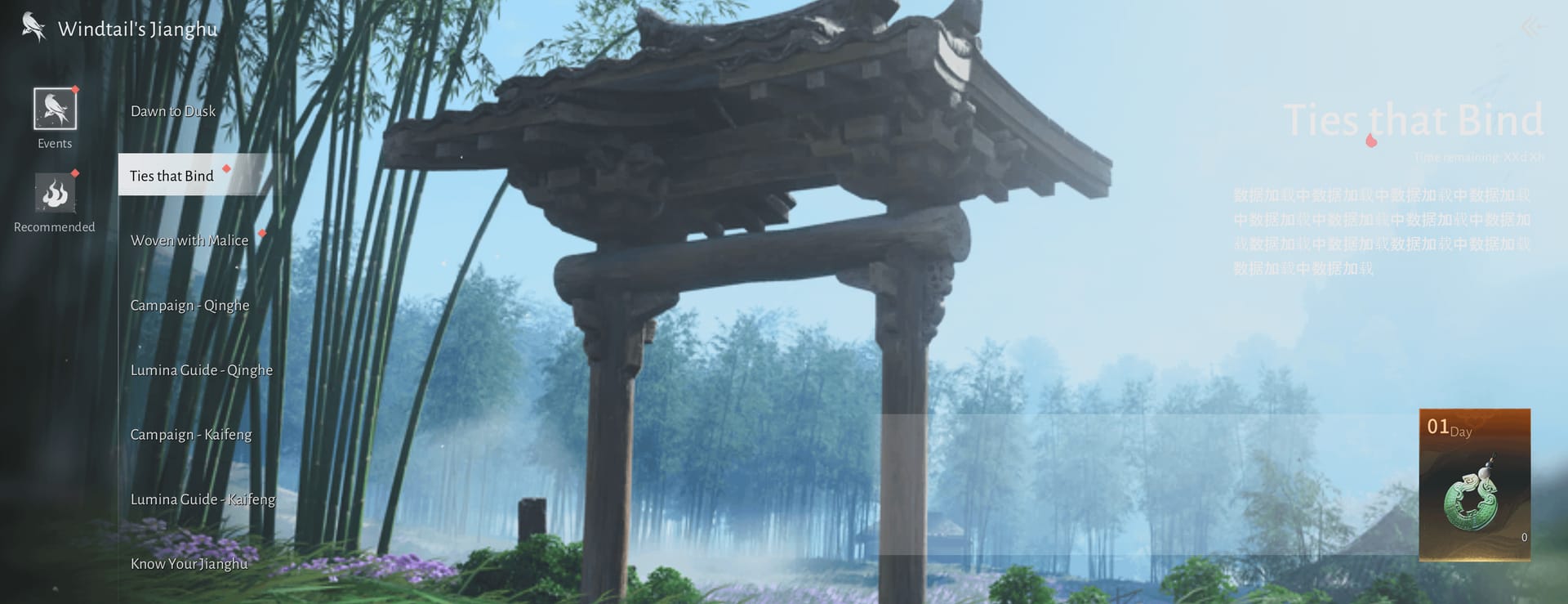
- Tap the Events icon from the main hub. Most-reported entry point on iOS, per the r/WhereWindsMeet megathread and App Store user reviews. Builds going to crash will close within roughly 5–15 seconds.
- Open a limited-time banner detail page. PC and PS5 reports cluster here more than on the icon tap itself.
- Tap the Claim button on a pending event reward. The most expensive crash mode, because it touches currency state.
Falsifying the client-bug read would require one of: (a) a server status page or official acknowledgement of an events-service outage, (b) the crash vanishing spontaneously across all clients with no user-side fix, or (c) cache-clear and overlay-disable interventions producing zero benefit in community accounts. None of those is in evidence as of the first reporting window.
What I want from a "fix" in this context is a method that reduces crash recurrence on a fresh client launch, not a method that lets you reach Events once and crashes you on attempt two. That distinction matters because the loudest piece of community advice ("just keep mashing the Claim button until it loads") visibly fails the test in the threads where players describe corrupted event states after repeated taps.
The community evidence breaks down cleanly when you tabulate proposed fixes against directional success rate, time cost, and platform fit. Ranges rather than point estimates, because the data is aggregated from forum and store reviews rather than a single instrumented dataset. Anyone publishing a single percentage for a community-aggregated bug like this is over-claiming.
| Fix method |
Directional success rate |
Time cost |
Platforms |
Notes |
| Clear local cache (in-app or OS-level) |
~60–75% |
2–5 min |
iOS, Android, PC, PS5 |
Top-line community fix; recommended in App Store developer responses |
| Disable Steam overlay |
~35–50% |
<1 min |
PC (Steam) |
First step for PC per Steam Community threads |
| Verify game files (launcher) |
~30–45% |
10–25 min |
PC |
Helps when local asset is corrupted; doesn't help if the shipped asset itself is buggy |
| Force DX11 launch flag |
~25–40% |
1 min |
PC |
Standard UE renderer fallback |
| Close background apps + free 5GB+ storage |
~40–60% |
3 min |
iOS, Android |
Crash rate drops when RAM/storage headroom returns |
| Switch region server |
situational |
<2 min |
All |
Hidden lever, see Confounders |
| Reinstall the entire game |
~50–70% |
1–3 hours |
All |
Works often, but a last resort; wastes hours when cache clear would have done it |
Source: aggregated from r/WhereWindsMeet (2026) crash threads, Apple App Store (2026) developer responses, and Steam Community discussion threads.
A few rows deserve more attention.
Cache clear is almost always the right opening move. App Store developer responses point to it first for a reason: community reports consistently describe Events loading on the next launch after a wipe, no full reinstall needed. The same advice repeats in the troubleshooting megathread. By contrast, the YouTube fix videos leading with "uninstall the game" have the order of operations inverted. Reinstalling first throws away an hour or three when a cache clear or overlay disable was going to resolve it anyway.
Steam overlay disable deserves more credit than it gets on PC. Thirty-second toggle, top of the Steam Community fix list. File verification works as a second step, but it's slower, and there's a real risk I'll get to in Confounders: if the bug is in the shipped asset, verify happily re-downloads the buggy file and may reset other progress flags while it's at it.
Mobile gets its own pattern. Storage and RAM headroom matter more there than on PC. iOS is aggressive about killing processes that breach a memory ceiling, and the new 1.7 banner module looks like it's pushing that ceiling. Clearing 5GB+ of storage and force-closing background apps before opening Events drops crashes noticeably across the App Store reports.
Three variables nobody is checking

Three confounders are getting routinely missed, and at least one changes how the fixes above should be weighted.
Cloud save versus local save state. Multiple community accounts describe the Events tab crashing only on accounts with play history from earlier patches (an existing event manifest in cloud sync), and not on brand-new alt accounts. If the pattern holds (evidence suggestive, not conclusive), the bug is partly about how 1.7 reconciles old event state with the new banner UI. Wiping local cache while letting cloud sync re-pull the corrected state resolves more cases than a full reinstall, because reinstall by itself doesn't change what cloud writes back into the account.
The pre-loaded banner asset. This is the quiet mechanic that explains the players who hit the crash on the main hub before they ever touch Events. The events module pre-loads the next banner's assets in the background so the tap feels instant. When that pre-load chokes on the bugged asset, the failure can climb up to the parent menu containing the icon, which is why a small slice of players report the game closing at the hub. If the hub looked like the culprit, the hub was a victim.
Region server selection. A handful of players in the cross-platform threads reported that briefly switching to a different region server and back cleared the crash for a session. Situational rather than recommended (region switching affects ping and leaderboard standing), but for someone with a time-sensitive reward to claim before the hotfix lands, it's a lever worth knowing about.
There's also the spam-the-Claim-button confounder, which is the opposite of a fix. Repeatedly tapping Claim on a crashing reward appears, in community reports, to leave the local event manifest desynced. Players who follow that advice end up with both the crash AND missing rewards. Stop tapping. Fix the client. Then try once.
It's wild they didn't ship a confirmation prompt on Claim during patch maintenance windows. This is exactly the design choice that should have a safety net, and doesn't.
The Jadeite question: hold the wallet until the hotfix is confirmed
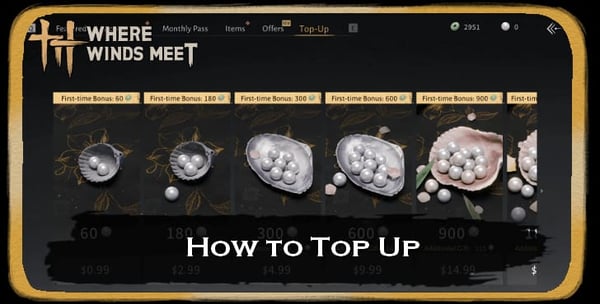
The spending question routinely gets sidestepped in these guides, so I'll be direct about it. Don't buy Jadeite, the season pass, or any limited bundle while the 1.7 events menu is unstable. The risk profile is asymmetric in the worst possible way.
Consider what happens when a purchase confirms while the client is crashing. Per community refund discussion on Steam and platform-store threads, mid-crash purchases can land without an in-client confirmation receipt, the same document refund desks ask for. The currency usually arrives via in-game mail within a few hours regardless (a quirk of how mailbox delivery works for this publisher). "Usually" is doing work I refuse to put between you and real money. If you're going to spend, spend on a stable client.
Five persona-specific calls, because the right answer depends on who's asking:
- F2P player who just wants Events to work: ignore monetization. Run the cache clear, claim what's claimable once the client stabilises, and let the mailbox catch up missed rewards. NetEase has historically pushed post-bug compensation via mail, though specifics for 1.7 aren't announced as of the first reporting window.
- First-time buyer eyeing the 1.7 season pass: wait for a confirmed hotfix or an official acknowledgement post on the news feed. Season passes are the worst category to gamble during a UI crash because their value depends on consuming event rewards cleanly.
- Returning veteran with stockpiled Jadeite already in-account: mostly insulated. Jadeite balance lives server-side, the bug lives client-side. Wait out the crash, resume.
- PS5-only player with no PC fallback: don't lead the refund flow through NetEase. The PSN refund route has historically moved faster for failed-delivery cases. File an in-game ticket too, but lead with the platform.
- Mobile-primary player tight on storage: clear cache and free 5GB+ before so much as glancing at the Events tab. iOS crashes lean heavily on memory headroom per App Store developer responses.
If a purchase has already gone sideways, the support route is in-game Settings > Support, or email wherewindsmeet@global.netease.com. Attach a crash log if you can locate one, the platform receipt, and a screenshot of the in-game mailbox showing the missing item. Generic complaints get slow-walked; specific evidence moves faster.
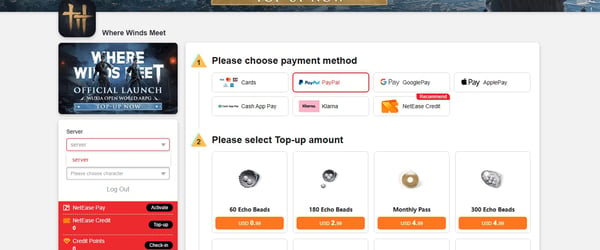
Once a hotfix lands and the client opens Events cleanly, the calculation flips. For players who want to top up Jadeite at better rates once stability is confirmed, the Where Winds Meet top up discount options are worth comparing against in-client pricing, with the strict rider that fix-first remains the rule.
A note on patch timeline expectations. Pre-download May 22, live maintenance May 28 (05:00–12:00 UTC+8), bug reports surfacing within hours, no client hotfix announced in the first 24 hours per the official news feed. Without a confirmed bulletin, "soon" is the most anyone can honestly say. Watch the same news feed and the official Discord for the announcement. That's the signal that buying is safe again.
What to actually do tonight
Treat the 1.7 events menu crash as a client-side UI bug until the official news feed or patch notes say otherwise. Staggered platform symptoms, locally-applied fixes that work, no server outage notice, no first-day hotfix; all four signals point the same way.
In order:
- Stop tapping the Claim button. Repeated taps on a crashing reward can desync local event state, per community reports on the troubleshooting threads. Close the client cleanly before doing anything else.
- Cache clear first, reinstall last. Mobile: clear in-app cache and force-close background apps. PC: disable the Steam overlay and try the DX11 launch flag before verifying files. PS5: clear system cache before rebuilding the database. Reinstall is the last resort, not the first step.
- Hold every purchase until the hotfix is confirmed. Season pass, limited bundles, and every Jadeite top-up waits, including discounted Where Winds Meet cheap recharge routes that look attractive on price. No discount is worth a refund fight over an unconfirmed delivery.
- If a charge already went through and the reward didn't arrive, check the in-game mailbox first; pending purchases often surface there inside a few hours. If not, file an in-game support ticket with platform receipt plus mailbox screenshot, and parallel-file a platform refund (PSN, Apple, or Google) if the wait pushes past a day.
- Watch the official news feed for the all-clear, not Reddit. Community speculation has been ahead of the publisher's acknowledgement on this bug, and that asymmetry usually reverses once a hotfix is genuinely close.
Fix the client first. Spend second. Anyone telling you the order doesn't matter during a known crash window isn't who you want giving you financial advice.





Comments