The night the official price stopped looking like a rip-off
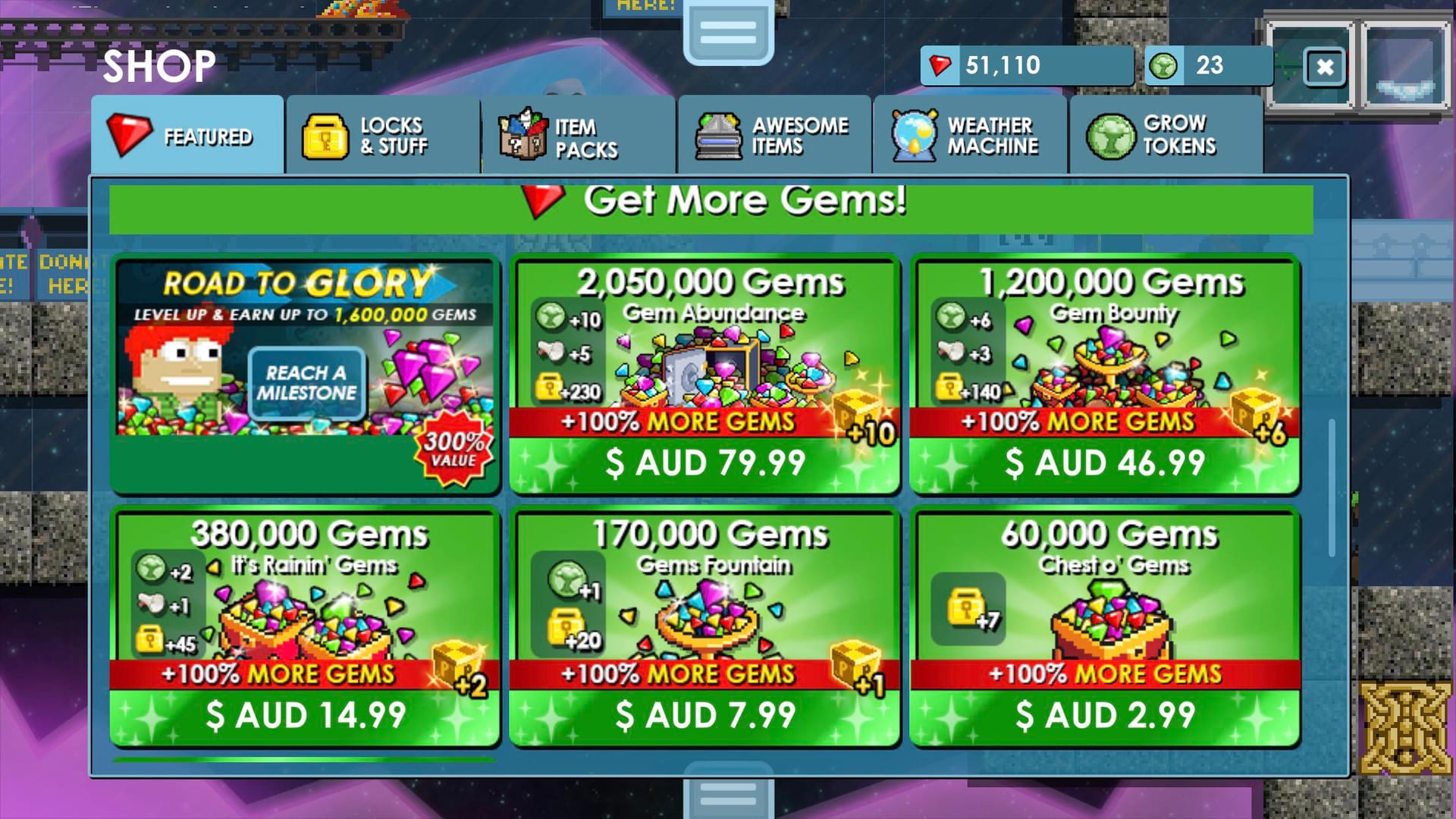
I ran the per-gem math right there. The entry pack, Gem Fountain, gives 205,000 gems plus 20 World Locks and 1 Growtoken for $4.99, per Growtopia Wiki. That lands the baseline at roughly $0.0000243 per gem before you count the bonus World Locks and tokens bundled in. Scale up and the rate improves: Gem Abundance hands you 2,460,000 gems with 230 World Locks, 5 Megaphones and 10 Growtokens, so a bigger buy drops the cost of each gem.
Casual buyers ignore that bonus stack. Compare an official pack to a "cheaper" third-party gem count and you often compare gems-only against gems-plus-WL-plus-tokens. The World Locks alone carry trade value in-game. So part of the official "premium" is an illusion. You pay for a bundle, not bare gems.
| Pack Name |
Gems |
Bonuses |
Price USD |
| Gem Fountain |
205,000 |
20 WL + 1 Growtoken |
$4.99 |
| It's Rainin' Gems |
455,000 |
45 WL + 1 Megaphone + 2 Growtokens |
$9.99 |
| Gem Bounty |
1,440,000 |
140 WL + 3 Megaphones + 6 Growtokens |
$29.99 |
| Gem Abundance |
2,460,000 |
230 WL + 5 Megaphones + 10 Growtokens |
$49.99 |
Source: Growtopia Wiki - Gems (2026)
There's also the Road to Glory Pack at $24.99, which front-loads 120,000 gems and drips progressive gems as you climb to level 50, a slower-burn value play rather than a bulk dump. For a low-spender, I read the $9.99 "It's Rainin' Gems" tier as the sweet spot. It doubles the gem-per-dollar feel of the entry pack and still throws in 45 World Locks. That's the pack I'd grab first.
How official top-up works, and why it's the zero-risk floor
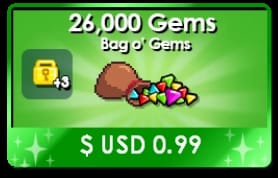
Official Gems flow through three accountable rails: in-app billing (Apple App Store / Google Play), Steam on PC, and web checkout via Codashop or Xsolla. The wiki calls this official route the only legal real-money purchase method, and everything outside it sits against the Terms of Service. That one sentence anchors the safety question.
Codashop needs a clarification most guides botch. It's an official-linked regional payment processor, not a discount reseller. Per Ubisoft's Growtopia Helpshift, Codashop handles official Gem purchases through local payment methods in certain countries. In Cambodia, the Codashop Growtopia page supports local rails like Bakong and Cellcard. So if you've seen someone "top up Gems on Codashop" and assumed a sketchy backchannel, you assumed wrong. It's the official store wearing a regional payment coat.
Why do official prices look high? The bonus bundle accounts for one part. Platform billing fees baked into app-store and Steam pricing account for the other. That second source opens one legitimate path to a small discount: mid-spenders chasing value can use official Xsolla web purchases, which some creators report carry extra bonuses and around a 5% affiliate discount on web checkout, per YouTube coverage in 2026. It's modest, it's legitimate, it runs on an official rail. No ban math attached.
Ubisoft's team framed the last pack rework plainly. Growtopia's official channel posted on Facebook (May 31, 2025): "We have updated the contents of our Gem Packs. These routine adjustments follow our standard economic review process." Pack contents shift over time, so treat the per-gem numbers above as a 2026 snapshot, not a permanent law. Re-check before a big buy.
Why third-party Gems are cheaper, the two sourcing stories
Third-party listings on the open marketplaces don't all come from the same place, and the "official only!" crowd flattens that nuance. The discount comes from one of two sources, and they carry wildly different risk.
Story one: regional billing arbitrage. Official Gem prices vary by region. The wiki notes USD packs convert to local currency, and some markets land cheaper after conversion. A reseller buying in a low-priced region and selling to a high-priced one captures that gap. The gems themselves are real, officially purchased, delivered through legitimate billing. This is the legit-cheap lane.
Story two: farmed or chargeback-sourced currency. Cheap turns toxic here. Some discounted gems trace back to stolen cards or accounts that later get charged back. Per general third-party warnings echoed across r/growtopia threads, chasing the deepest discounts risks landing currency that gets clawed back after you've spent it. Almost no guide spells out the mechanic: a chargeback on the original buyer's card can retroactively flag the gems delivered to you. You did nothing wrong on your end, but the currency is dirty, and enforcement doesn't always stop to ask. This single cause produces most avoidable bans.
So when you see a listing, ask which story this discount tells, not whether it's cheap. Regional arbitrage at a sensible margin is one thing. A price slashed far past what regional conversion could explain tells you you're in story two.
The risk nobody itemizes for you
The TOS reality first. Buying gems outside official channels does violate Growtopia's Terms of Service. The wiki states that official is the only sanctioned real-money method. So "is it against TOS?" has a clean answer: yes, strictly speaking.
But "does that mean you'll get banned?" gets messier, and I won't pretend otherwise. Reddit users have reported account bans linked to third-party software and unauthorized purchases, per ongoing r/growtopia threads from 2026 through 2026. Some of that reflects genuine enforcement. Some of the panic conflates "I bought third-party gems" with "I ran a third-party bot." My read of the documented reports: the ban risk is real and concentrated in the chargeback/farmed-sourcing lane, and overstated for clean regional-arbitrage purchases. You frequently can't tell which lane you're in from the outside, which is why the risk stands.
Then the non-ban risks, arguably more common:
- Scam / non-delivery. No escrow, irreversible payment, seller ghosts. You have no recourse.
- Chargeback recourse gap. Pay an unverified seller via an irreversible method and you get no refund path when something goes wrong.
- Unverifiable "instant delivery." You can't verify most instant-delivery guarantees from unknown sellers before you pay, and "instant" means nothing if the gems are dirty.
Discount depth roughly tracks risk. A small, explainable markdown sits in safe territory. A markdown too deep to come from regional pricing alone is where scam and ban probability climb, because the only way to price that low is to source that dangerously.
If you're buying third-party anyway, and plenty of players will, vet it like any payment you can't reverse. The trust signals worth demanding:
- A reversible, accountable payment rail. This matters more than any marketing claim on the page. If your only options are irreversible transfers, walk.
- Transparent sourcing and a real refund/support policy you can read before paying, not a vague "100% safe" badge.
- A traceable track record — visible history, responsive support, public reputation you can check.
- Pricing that makes sense. A discount you can explain (regional, bulk) is fine. A discount you can't explain is the red flag.
The walk-away signals: pressure to pay fast via irreversible methods, a price slashed far past anything regional arbitrage could justify, zero verifiable history, and "instant delivery" promised with no escrow behind it. Any one of those closes the tab for me.
Full disclosure: VGTopup publishes this piece, and it offers Growtopia Gems top-up itself, so weight that accordingly. I'd still point you at the vetting checklist above rather than any single brand, because the method of payment and the transparency of sourcing protect you, not a logo. If you do compare platforms for a Growtopia Gems top up, run them through those four signals and treat the checklist as the real product.
What I'd actually do differently next time
Looking back at that Tuesday-night tab standoff, the smarter move was the boring one. For anything I care about keeping, the official store, whether in-app, Steam, or the Codashop/Xsolla web rail, is the only zero-ban-risk route. A casual or first-time buyer should default there. The near-zero risk is worth the few dollars of "premium," which the bonus World Locks mostly erase anyway.
Where I'd flex: a mid-spender hunting value should reach for the legitimate 5% Xsolla web discount before any unofficial site, because it's a real markdown on an official rail. And if you insist on third-party, cap your tolerance at a discount you can explain. The moment a price only makes sense if the gems are chargeback-sourced, you've found your ban risk, not a bargain.
Keep the per-gem baseline in your head, count the bonus bundle, demand a reversible payment rail, check that sourcing is explainable. Get those four right and "cheap" stops being a gamble.
Frequently Asked Questions
Is it actually safe to buy cheap Growtopia Gems?
Safe is conditional, not automatic. A modest discount on a transparent platform with a reversible payment method can be fine; a steep one that no regional pricing could explain almost always means farmed or chargeback-sourced gems. No community-verified "always safe" discount reseller exists in 2026, so judge the payment rail and sourcing, not the sticker price.
Can buying gems actually get my account banned?
It can, and the documented bans cluster around chargeback or farmed currency rather than the act of buying itself. The quiet trap: a chargeback on the original buyer's card can retroactively flag gems already delivered to you, so you spent them in good faith and still catch the enforcement. Clean regional-arbitrage purchases carry far less exposure, though you usually can't tell the difference from outside.
Why are third-party Gems cheaper than the official store?
Two sources, opposite risk. Legit cheap comes from regional billing arbitrage, gems bought officially in a lower-priced market and resold. Dangerous cheap comes from stolen-card or farmed sourcing that later gets clawed back. A discount you can explain by regional pricing is plausible; one too deep for that math is your warning sign.
What's the cheapest safe way to top up?
For pure safety, the official store wins, and bulk packs lower your per-gem cost. Gem Abundance at $49.99 beats the $4.99 Fountain rate per gem, per Growtopia Wiki. For a small legitimate markdown, the official Xsolla web route reportedly carries around a 5% discount plus bonuses per 2026 creator coverage. That's the best risk-adjusted "cheap" on an official rail.
Do third-party sellers really deliver instantly?
Some do; the guarantee is the problem. Without escrow, an "instant delivery" promise from an unknown seller stays unverifiable until after you've paid, and irreversible payment means no recourse if it doesn't arrive. Treat instant-delivery claims as marketing, not a contract, and trust them only where a reversible payment method and a real support channel back them up.










Comments