What a new generation actually changes about your lineup
People misread this constantly, so let's set the frame straight. A "generation" here is a power tier bolted to server age, not a hero class. Each new wave ships with sharper expedition skills (the combat buffs that drive rally and arena damage) than the one before. Gen 5 outscales a fully-built Gen 4 squad once it's live, which the Handbook describes as a "substantial step up in troop attack/defense buffs."
Three heroes anchor the wave, one per class that matters:
| Hero |
Class |
Acquisition |
Primary Role |
| Gwen |
Marksman |
Hall of Heroes |
Backline AoE DPS / Arena / Bear Hunt |
| Hector |
Infantry |
Lucky Wheel |
Frontline rally Shield / F2P core |
| Norah |
Lancer |
Hall of Heroes |
City defense / carhead / control |
Source: Lootbar Whiteout Survival Gen 5 Guide (2025) and Whiteout Survival Handbook (2026).
The acquisition split deserves more credit than most rankings give it. Hector arrives through the Lucky Wheel, which makes him the one genuinely F2P-reachable pick, while Gwen and Norah sit locked inside Hall of Heroes. Sit with that for a second. The strongest offensive hero of the generation isn't the easiest one to land, and that single fact rewrites every F2P plan below.
And here's the trap that bites quietly: a hero carries a hidden class-effectiveness penalty the moment you slot it into a rally outside its intended role. Cram a marksman where the lineup wants infantry and the class bonus just evaporates. No warning, no red text, just softer numbers. That's why optimizing on "generation" alone is the wrong axis. A Gen 5 hero played off-class loses to an on-class Gen 4 hero standing in the same slot. Class first. Generation second.
The full roster and the skills the basic descriptions hide

Each Gen 5 hero runs two skill sets, and the second one is where rankings go blind. Expedition skills are the combat buffs firing in rallies, arena, and Bear Hunt. Exploration skills are the quiet idle/PvE buffs that improve gathering, and they keep ticking even when the hero's parked on the bench. Most testing only ever measures the PvP half, so that passive value goes uncounted.
Gwen is the offensive heart of the wave. She's the first marksman with backline targeting in exploration, and her expedition skills deal damage while stacking team buffs, per Lootbar's Gen 5 guide (Dec 2025). Her exclusive weapon tacks on 15% penetration. That backline trait is the bit rival guides skate past. It isn't written into the plain skill text, but 2026 testing videos confirm it as her real arena edge, because hitting the enemy's soft back row instead of the front tank changes how fast the whole fight folds.
Hector takes over from Flint as the F2P rally Shield. His expedition skill spikes early in a fight and shifts to chance-based multipliers as the rounds drag on, with a weapon granting a 15% siege attack boost. He's also the longest-lived of the three. Both Lootbar and the Handbook flag him holding value well past the wave's release window, which is exactly what you want from a hero you're pouring shards into.
Norah is the defensive specialist. She hands you a 15% defense boost on city defense, and her expedition kit packs two damage boosts plus a flashbang. Useful, sure. Situational in a way the other two simply aren't.
The longevity gap is the line I'd carve into every F2P planner: Gwen reigns as the strongest offensive marksman through mid-Gen 7, per Lootbar and the Handbook, and Hector stretches even further. You're not buying a hero for this month. You're buying two-plus generations of relevance, which is the whole argument for focusing one over hedging three.
Tier ranking, split by PvP and PvE
Blended tier lists are this genre's worst tic. They smush a hero's arena work together with their gathering value, then hand you one letter that's wrong for both jobs. So I'm splitting it.
| Hero |
PvP Tier (Arena / Rally) |
PvE Tier (Bear / Expedition) |
Why |
| Gwen |
S |
S |
Backline targeting + offensive ceiling; the Bear lead |
| Hector |
A (S as F2P core) |
A |
Frontline rally shield, universal fit, longest viability |
| Norah |
B (A in defense comps) |
B |
City-defense specialist, narrow window |
Source: synthesized from Lootbar (2025), Whiteout Survival Handbook (2026), and Allclash (2026).
For rally leads, the recommended setup runs Hector on infantry, Gwen on marksman, and Norah or your old Lancer rounding it out. Gwen's the offensive engine. Hector's the wall that doesn't crumble.
In arena, Gwen sits at the center and Hector anchors the front. The community read is blunt. A pinned YouTube comment, echoed across Reddit and Facebook through 2026, puts it plainly: "Gwen is 100% a must-have. She is a bear lead for Gen 5 through 6." Lootbar's own Roy Bennett (Lootbar Gen 5 Guide, Dec 2025) said it even more flatly: "Must-Haves for Everyone: Gwen (Marksman) and Hector (Shield)."
For city defense and garrison, Norah and Hector form a sturdy carhead/Spear-Shield pairing. This is the lone comp where Norah climbs and the "skip her" advice flips on its head.
One angle the letters miss entirely: those exploration buffs keep paying even on a benched unit. Pull a Gen 5 hero you're not fielding and the gathering passive still ticks along. That's no reason to chase the pull. But it does mean an early "wasted" pull isn't a total write-off, which is a small mercy no tier grade ever bothers to log.
A reassuring note for anyone twitchy about balance whiplash: the Gen 5 hierarchy has stood firm from its late-2025 release through the April 2026 patches. Gwen on top for arena, Hector as the F2P core, start to finish. Nothing's scrambled the order. Whatever you fund now should still be standing next quarter.
Gen 5 vs Gen 4: is the upgrade actually real?
Yes, conditionally, and the condition is the entire story. Every new wave beats the last, and Gen 5 is a major step for offensive playstyles specifically, per Lootbar. The Handbook is firmer: Gen 5 "outscales fully built Gen 4 once unlocked."
Read that "once unlocked" clause slowly. It means once the hero is genuinely built. Shards in, awakening climbing, weapon paid for. An under-invested Gen 5 hero does not outscale your maxed Gen 4 lead. It folds to it.
Here's where I split from the "always pull the newest wave" camp. For sub-FC7 accounts, the marginal power you squeeze from a half-built Gen 5 hero rarely earns back the shard drain it costs. A finished Gen 4 rally lead beats a starved Gen 5 one across every mode worth caring about. The number on the card doesn't fight your battles. The investment standing behind it does.
So when does Gen 4 still win out?
- When the Gen 5 hero can't reach awakening and weapon yet.
- When the Gen 4 hero is on-class for the slot and the Gen 5 swap isn't. Class bonus outranks generation tier.
- When fielding the under-built Gen 5 unit means benching a maxed Gen 4 lead. That premature bench is a documented regret in the investment threads, and it's a sucker's move, because you're trading proven power for an IOU.
So Gen 5 is a real upgrade for accounts that can fund it, and a stat downgrade wearing the costume of progress for the accounts that can't.
How to acquire and invest — the part the hype skips
Acquisition comes first. Hector drops from the Lucky Wheel, far and away the friendliest route of the three, while Gwen and Norah live in Hall of Heroes. For Frost Stars farming, Gwen's your answer thanks to her offensive output in Bear Hunt and Expedition, per Lootbar. Her damage ceiling cashes straight out into farm speed.
The investment side is where accounts hemorrhage value. Two stacking truths to hold onto.
First, the exclusive weapon is the real paywall, not the hero pull. Each Gen 5 weapon carries a meaningful trait (Gwen's 15% penetration, Hector's 15% siege boost), and pulling without budgeting for that weapon is flagged as a mistake in both the Lootbar and Handbook guides. The hero is the cover charge. The weapon is the actual gate. Plan the weapon before the pull, or don't pull.
Second, and this is the buried mechanic that flips tier placements: awakening breakpoints unlock skill upgrades, and the stacking order of expedition skills sways effective rally damage more than any raw tier letter does. Two accounts holding the same hero at different awakening tiers aren't playing the same hero at all. The breakpoint where an upgrade lands can vault a unit up the practical ranking while the card looks identical. So "I have Gwen too" doesn't mean two players own equal Gwens.
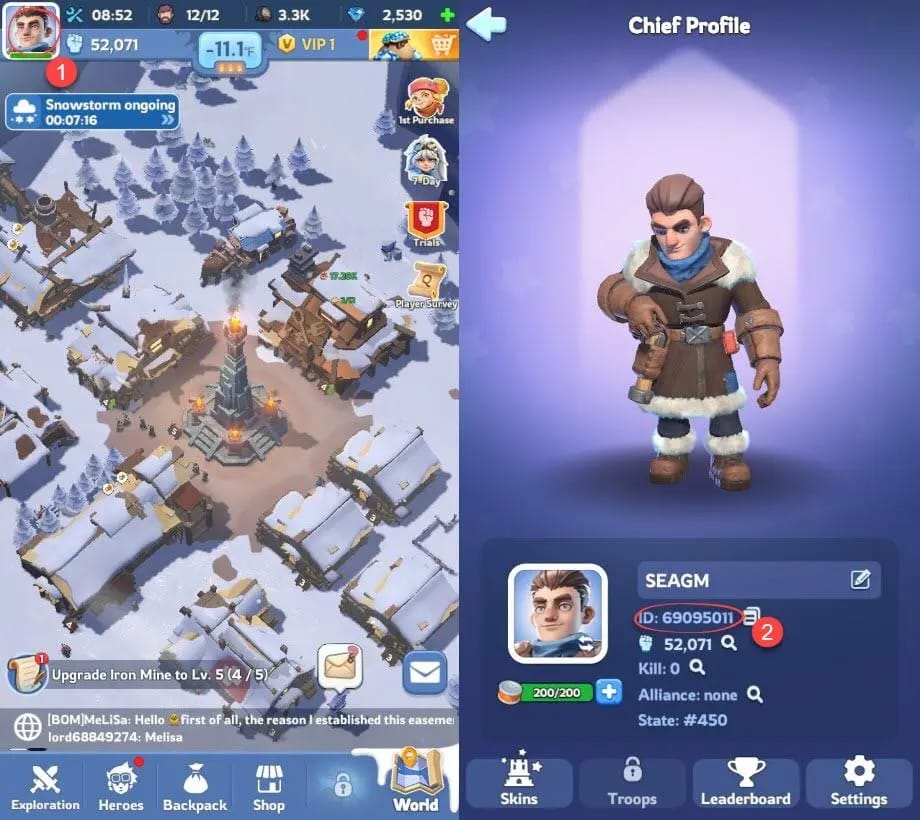
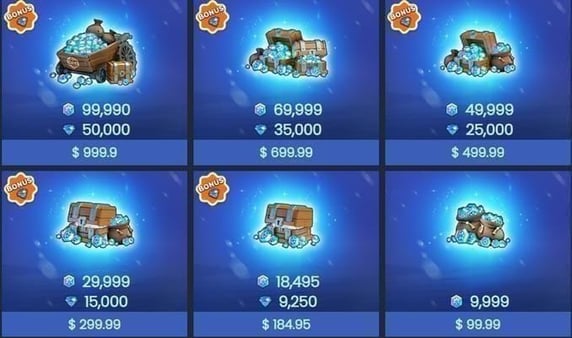
This is the point where the spend question gets real for most folks. If you've decided a Gen 5 hero clears your bar and you want to fund the shards and that exclusive weapon properly, Whiteout Survival Frost Stars top up is one transparent way to load the currency. Just write the weapon into the plan before the pull, never after.
A clean order of operations:
- Hector to 4 stars (the Lucky Wheel makes this realistic for F2P).
- Gwen to 3–4 stars if resources stretch, for arena and Bear.
- The exclusive weapon on whichever of those two you field most.
- Norah only when your account genuinely runs defensive/carhead comps.
That's the F2P-aligned ladder, per the Handbook. Note where Norah lands: fourth, and conditional. That spot is no accident.
Investment priority by player profile
The right call honestly shifts with spend level, so here's the clean split instead of a mushy compromise.
| Profile |
First Build |
Second |
Weapon Stance |
Skip |
| F2P (zero spend) |
Hector → 4★ |
Gwen → 3–4★ if shards allow |
Moderate; one weapon only |
Norah (situational) |
| Low-spender (~$5/mo pass) |
Hector |
Gwen for Arena/Bear |
Moderate exclusive weapon |
Norah unless defense comp |
| Mid-spender (~$30/mo) |
Gwen (full) |
Hector + Norah as needed |
Full Gwen weapon investment |
— |
Source: Whiteout Survival Handbook Gen 5 Lineup Guide (2026).
The F2P path is Hector before anyone else. Lucky Wheel access plus that long shelf life make him the safest place to sink shards, with Gwen as a reach goal and Norah benched. Roy Bennett framed the broader pecking order as marksman, then spearman, then shield in raw power, but for free players, accessibility reshuffles that into Hector-first in practice.
Low-spenders ride the same backbone: Hector, then Gwen for the competitive modes, with moderate weapon spend rather than chasing every awakening rung.
Mid-spenders can pivot to Gwen-first and dump full investment into her for the arena ceiling, with Hector and Norah riding shotgun as support builds. The Handbook author nailed the universal logic: "Hector first for most players due to Lucky Wheel access and longevity." Spending changes who you can lead with. It doesn't change that Hector's the floor.
The thread tying every profile together: pick one, finish one. The loudest community advice across Reddit and Facebook in 2026 keeps warning against thin-spreading shards over several Gen 5 heroes. That misallocation quietly wrecks more mid-game accounts than any wrong-hero pull ever has.
The Norah question, and who to chase first
There's a live argument over whether F2P should chase Norah or Gwen, so let's settle it. One camp (circulating in Facebook and Reddit comments through 2026) says Gwen wins outright for arena and Bear. The other (per Lootbar) argues Norah earns the priority slot if you run defensive or carhead lineups. Both are right inside their lane, and that's the trap, because the lanes aren't equally common.
My read: Hector's the universal first build for nearly everyone, and between the remaining two, Gwen edges it for most accounts because the average player squeezes more out of arena and Bear output than from a niche defense comp. Norah's brilliant in her corner and dead weight outside it. If you can't honestly say "I run carhead defense on the regular," she isn't your second hero.
One contrarian point worth keeping close: the "Gen 5 is mandatory for top arena" claim overstates raw generation tier. Lineup synergy and charms outweigh any single hero's generation far more often than the hype lets on. A well-synced team of correctly-classed heroes with built charms beats a misclassed Gen 5 centerpiece dropped into a mismatched squad. Generation is one input, not the whole equation.
As for the pay-to-win dread around exclusive weapons, they do gate real power, and pretending otherwise would be dishonest. But for F2P they're a delay, not a wall. The right move isn't swearing off Gen 5 forever. It's holding the pull until you can fund the weapon, then committing fully to one hero. Delayed-and-complete beats early-and-starved every single time.
So, who first? Hector, because he's reachable, fits everywhere, and ages well. Then Gwen, since offensive output cashes out across the widest spread of modes. Norah only when a comp asks for her by name. Build in that order, fund the weapon before the pull, and you've quietly dodged every pricey mistake this generation lays out for you.
Frequently Asked Questions
Is Gen 5 worth pulling for F2P, or should I wait?
It's worth it once your server clears roughly day 280 and you can fund one hero properly, not a day sooner. For free players the move is Hector via Lucky Wheel first, per the Handbook, since he's the only Gen 5 hero with genuinely reachable acquisition. Pulling Gwen or Norah out of Hall of Heroes before you can also afford an exclusive weapon is where F2P accounts bleed their gains back.
Do Gen 5 heroes really need their exclusive weapon to be good?
The weapon is the actual power gate, not optional polish, and both guides flag pulling without budgeting for it as a mistake. Each one carries a hard 15% trait (Gwen's penetration, Hector's siege boost). A weaponless Gen 5 hero still works, but it's the awakening-plus-weapon stack that lets them outscale your built Gen 4 leads. So write the weapon into the pull from the very start.
Which Gen 5 hero farms Frost Stars fastest?
Gwen, on output. Her offensive ceiling in Bear Hunt and Expedition makes her the most efficient Frost Stars farmer of the wave, per Lootbar. Hector pitches in durability but won't touch her damage-driven farm speed. If Frost Stars and Bear performance top your list, she's the second build once Hector's frontline is stable.
Will the next generation make my Gen 5 investment obsolete?
Not for a good while. Gwen holds as the top offensive marksman through mid-Gen 7, and Hector runs even longer, so a focused build stays relevant across several generations. The accounts that lose value aren't the ones investing in Gen 5. They're the ones smearing shards across all three heroes and never finishing any.
Can I just keep my Gen 4 rally lead instead?
For sub-FC7 budget accounts, often yes. A finished Gen 4 lead beats a starved Gen 5 one, and benching a proven Gen 4 hero for an under-built Gen 5 unit is a documented regret in the investment threads. The rule: only promote a Gen 5 hero into your lead slot once it's truly built, same class, weapon funded, awakening climbing, never on the strength of the generation number by itself.








Comments