Region Other doesn't lock you out of buying
Start with the biggest scare, because it's flat-out false. An "Other" region on your Cygames ID blocks one thing and one thing only: purchases on the Cygames WebStore. Nothing else. The Cygames Support FAQ i045 spells it out narrowly: "You cannot purchase items on the Cygames WebStore if the Shadowverse: Worlds Beyond account linked to your Cygames ID has its country/region set to Other." Read what that line leaves out. No mention of Steam. No mention of the App Store or Google Play.
That gap is the whole ballgame. Your Cygames region label and your platform store region are two different attributes sitting in two different systems. iOS, Android, and Steam purchases answer to that store's region and payment method, not the "Other" tag on your profile. Install through Steam, keep your Steam account in a supported country with a working card, and crystal buys generally clear without a hiccup. Cygames' own material backs this up: region Other blocks the WebStore, but in-game IAP on Steam, the App Store, or Google Play may still work depending on store region.
When I first ran into this, I assumed the account was bricked and nearly dove into the region-change mess. The real fix took maybe a minute: buy through the platform I'd installed on. And if you're staring at the Mod6rfcm error, that's your tell. It's pointing at the WebStore being walled off by the Other region, not your whole account freezing over. The label panics people into solving a problem they don't have.
Switching your whole store region is the actual trap
This is the one I'll argue against hardest. Flipping your entire App Store or Google Play region just to land a crystal pack is wild overkill, and for anyone spending casually, it's genuinely risky.
Change a mobile store region and you don't simply swap storefronts. You can strand whatever wallet balance you're holding, and depending on platform, tangle up access to content tied to the old region. Cygames waves the same flag on the account side: changing your Cygames ID region "can lock existing purchases or wallet," per the same support FAQ, and the official line is blunt about avoiding it when your region is Other.
Look at how lopsided this is. You want to spend ten bucks on crystals. The "change your region" route asks you to maybe forfeit store credit, re-verify payment somewhere new, and gamble on a messy library, all for a single pack. That trade never pays off for a light spender. It only earns its keep for someone deeply invested who's physically relocating anyway.
There's a sneakier reason the advice sticks around. People mix up the in-game region with the store region (yep, the exact confusion from above), "fix" the store region, watch the purchase succeed, and decide the region change was the hero. It wasn't. The buy would've gone through the right platform channel without touching anything region-wide. For nearly everyone reading this, treat a full region switch as your absolute last resort, never your opening move.
Steam, mobile, and Epic aren't really interchangeable
Close, but no. These platforms behave differently when your region's awkward, and Steam is the one I reach for first.
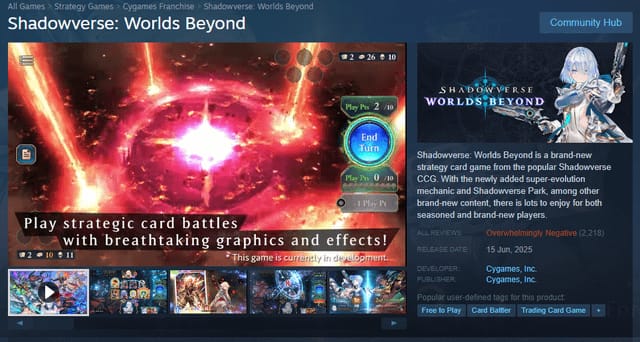
Shadowverse Worlds Beyond went live worldwide across the App Store, Google Play, Steam, and Epic Games Store, per the Games Press service announcement in June 2025. All four are legit official channels. They just wrestle with region friction in their own ways. Mobile stores bolt purchases tightly to the account region and its payment instruments, which is precisely the snag "Other" players hit. Steam tends to be the least picky for top-ups, and that's why it's my go-to when somebody's region is a tangle.
The buying flow on each is boring, which is exactly the reassurance you want. Nothing exotic here:
- Steam (PC): Open the in-game shop, grab a crystal pack, pay through your Steam Wallet or a linked method. Funds in a supported currency? The "Other" Cygames label has zero bearing on the transaction.
- iOS App Store: Buy through the in-app prompt. The charge routes through your Apple ID's payment method and its region, not your Cygames profile.
- Google Play (Android): Same deal. The purchase clears against your Google account's region and card.
One mechanic to bank before you spend: when a buy mixes paid and unpaid crystals, the paid crystals are consumed first, per the Shadowverse Worlds Beyond Q&A. Worth knowing if you're nursing a careful split between free and bought currency. Any official channel works, but they're not equal. Steam first when your region's giving you grief.
A worry that won't die: buy on the "wrong" platform and your crystals get stuck there. Nope. What governs your balance is account linking, not region or platform.
Crystals ride along with your linked account across versions. The Q&A puts it plainly: "Crystals purchased from the Cygames WebStore can be used on all versions of the game (iOS, Google Play, Steam, and Epic Games)." Once your Cygames ID is properly linked across platforms, the balance is shared. A returning player with a region-mismatched account doesn't need to fear that a Steam buy is somehow sealed off from their phone. It isn't, as long as the linking's done.

If you take one thing from this whole piece, take this: link your Cygames ID early. With an Other region, the official move is to link the ID, then use the WebStore or a trusted alternative for crystals. Nail the binding and "which platform did I buy on" stops mattering at all. Cross-platform balance lives or dies on correct linking.
One related wrinkle worth pocketing: the first-purchase bonus applies per platform account. Link a second platform and you may be able to claim that one-time bonus again. Which drops us right into the value question.
Buy the biggest bundle? Wrong on your first purchase

The instinct to snap up the largest pack for "best value" is half-smart and, for your first buy, dead wrong.
Start with the tiers. Crystal packs come in seven sizes plus a starter box, per the Epic Games Store FAQ:
| Pack |
Crystals |
| Smallest |
60 |
| Tier 2 |
230 |
| Tier 3 |
470 |
| Tier 4 |
950 |
| Tier 5 |
1,440 |
| Tier 6 |
2,500 |
| Largest |
5,200 |
Source: Epic Games Store FAQ (2026)
On pure cost-per-crystal, bigger packs win. Community monetization notes peg the most efficient straight buy at 5,500 crystals for $80, per r/Shadowverse. For a whale loading up in bulk, the large tier is the efficient call.
Your first purchase plays by different rules, because the one-time bonus is a percentage stacked on top of whatever you grab. Drop it on the 5,200 bundle and that bonus dissolves into a heap of crystals you were buying regardless. Claim it on the smallest qualifying pack and the effective cost-per-crystal on that pack craters, since the bonus is proportionally huge against a tiny base. Buying the biggest bundle before you've claimed the first-purchase bonus on a small pack just torches bonus value, a trap that community top-up breakdowns on YouTube keep flagging. My read: claim the bonus on the cheapest qualifying pack, then size up later if you want bulk. Two transactions, not one.
For scale, card packs run 100 crystals apiece, per the same monetization thread, so even a modest crystal buy turns into a real number of packs. The "biggest = best" rule only earns its place for repeat bulk spending once the bonus is already banked.
Should you spend at all? It splits by who you are

Whether you should spend, and on what, genuinely forks by player type. This is one spot where "it depends" is the honest answer, so here's the real split.
F2P, eyeing a first purchase. Hold off. Free crystals from daily missions and ranked matches should come first, per LootBar's top-up guide and a community F2P optimization video. Lean on free daily packs and missions, and don't touch crystals until you actually grasp the economy. There's no first-purchase bonus to fumble if you haven't spent yet, and you'll spend a lot sharper once you know which cards you're hunting.
Low-spender, a one-off $5–10. Cleanest value case in the game, and it isn't raw crystals. The Premium Battle Pass is the pick. It runs 750 crystals, per a YouTube buyer's guide (2026), and low-spenders get the most out of the pass over raw crystals thanks to its higher effective value, per GameWith's best-purchases guide in May 2026. Part of why it lands so well: rewards include crystals back. If I had a tenner to sink into this game, the pass is where it'd go before anything else.
Returning player, region-mismatched account. Your job is plumbing, not value math. Link the Cygames ID, confirm your balance carries across, then buy through whichever official platform your store region supports. Only once linking's squared away should you circle back to the pass-vs-crystals question above.
So: F2P waits, low-spenders buy the pass, returning players fix linking first.
Third-party top-up: scam, rule-break, or neither?
This is the contested one, and the community genuinely splits, so I won't pretend it's settled. Some swear by convenience and reliable delivery. Others raise fraud and ban risk. Both camps are pointing at something real.
Using unverified third-party top-up does court account compromise or fraud, and that's the legitimate heart of the warning, echoed across Reddit and site disclaimers alike. The error is treating "unverified" and "third-party" as one word. They aren't. A verified service that delivers crystals without asking you to change anything region-wide is a completely different animal from some random storefront skimming your login.
For a region-Other player weighing a one-off, the trade-off is concrete: a trusted top-up route sidesteps the account-wide region change the earlier section already exposed as the real hazard. Full transparency, this piece is published by VGTopup, itself a top-up service, so weigh that as you see fit. The analysis still rests on the mechanics, not the byline. If you go this way, your non-negotiables match any online transaction: confirm the service actually supports the game, keep a transaction record, and never surrender more credentials than a top-up legitimately requires.
For most folks, official channels stay the default precisely because they turn frictionless the moment you quit fighting the wrong system. A trusted third-party route like Shadowverse Worlds Beyond top up earns its spot for the specific case where your store region itself is unsupported and you'd otherwise be shoved into a costly region switch. Check the per-crystal cost above before you commit. So it's not a scam by definition. Risky only when unverified, and most valuable as an alternative to region-switching rather than a substitute for working official channels.
What to actually do instead
Strip out the bad advice and the path's short. First, pin down which system is blocking you. If it's the Mod6rfcm error, that's the WebStore reacting to your Other region, not a genuine ban. Second, buy through the platform you installed on; Steam's the most forgiving if you've got a choice. Third, link your Cygames ID so the balance is shared and the "which platform" worry just evaporates. Fourth, claim the first-purchase bonus on the smallest qualifying pack before any big bundle, and if you spend light, funnel that money into the 750-crystal pass instead. Only if your store region is truly unsupported should you even weigh a trusted top-up service, and even then, never the wholesale region change everyone reflexively pushes.
Frequently Asked Questions
Why is my region set to Other in Shadowverse Worlds Beyond in the first place?
It usually traces back to how your Cygames ID got registered, or a country the WebStore doesn't directly support, which leaves the profile defaulting to "Other." It's a display and storefront attribute, not a flag on your gameplay account. That's why your matches, decks, and progress run perfectly fine even while WebStore purchases stay blocked.
Will changing my region get my account banned?
Changing the Cygames ID region isn't a ban trigger by itself, but it can lock your existing wallet or purchases, per Cygames Support FAQ i045 (2026). For a spender, that's actually a worse outcome than a ban, since you lose access to money already sitting in the system. That financial lock-out, not a suspension, is the real reason to leave it alone when your region is Other.
Are there age limits on how many crystals I can buy?
Yes, and they reset monthly. Per the Shadowverse Worlds Beyond Q&A (2026), under-13s can't buy paid crystals (Japan caps them at 2,000), 13–15 is 2,000/month, 16–19 is 4,000 (South Korea 2,800), and 20+ is unlimited. One scheduling quirk to know: those limits reset at 4 p.m. PST on the last day of the month, so a late-month buy doesn't roll over.
On the official side, the Cygames WebStore historically handed you roughly 10% more crystals per dollar than in-game stores, per r/Shadowverse region notes (2025). Trouble is, that's the exact channel an "Other" region blocks. So for affected players the real comparison sits between in-game platforms (Steam being the most region-flexible) and a trusted top-up alternative. Raw per-crystal price matters less than which channel will actually finish the transaction.
Do I lose my crystals if I buy on Steam but play on mobile?
No. Crystals are tied to your linked Cygames account, not the platform you paid on, and WebStore-purchased crystals are explicitly usable across iOS, Google Play, Steam, and Epic. The only thing that breaks cross-platform balance is incomplete account linking, so confirm your Cygames ID is bound on every device before you spend, not after.










Comments