Pending isn't failed, and that gap costs people money
The priciest mistake in mobile top-ups is reading a pending charge as a failed one. On your phone, in that moment, they look identical. Apple's authorization holds can sit there impersonating a successful deduction for a good while before they reverse.
Three states, three completely different reactions:
- Declined / failed — Apple rejected it outright. No money actually leaves your account (a pending authorization might flash up, then vanish). Fine to retry once the cause is sorted.
- Pending — Apple took the request but hasn't settled it. It may surface in your banking app as "pending." This is the one you must not retry against.
- Charged but not delivered — payment went through, Apple has the money, Coins just haven't reached your balance yet. Nearly always delivery lag, not theft.
Quick triage:
- Open the Settings app → your name → Media & Purchases → View Account → Purchase History, or hit reportaproblem.apple.com.
- If the Ahlan purchase shows there as completed or pending, don't retry. You've probably already paid.
- Cross-check the bank or card app. A pending hold with no delivered purchase behind it usually clears itself.
Now the trap most guides skate right past. An unsettled Apple authorization that's silently auto-reversing can look exactly like a hard decline for up to a couple of days. Retry against that ghost and you book a genuine second charge while the first one hasn't even finished unwinding. That's the single most common way players double-charge themselves.
Check purchase history first and you're fine. Trust the on-screen error and tap "Try Again" and you're not.
What's actually jamming your App Store checkout

Most Ahlan iOS failures trace back to one of three buckets, and the error text usually whispers which bucket you're in.
Payment method and Apple ID problems
"Your payment method was declined" or "this purchase could not be completed" points back at the card on file far more often than it points at Ahlan. The usual suspects:
- An expired or recently reissued card still saved on your Apple ID.
- A billing address mismatch, where your saved address no longer lines up with what the bank holds, so verification quietly fails.
- Insufficient funds or Apple balance, including a card whose low daily limit the top-up blows past.
- An unpaid past balance on your Apple account that silently freezes every new purchase until you clear it.
Fix path: Settings → your name → Payment & Shipping, then re-enter or swap the card and make the billing address match your bank to the letter.
Region, network, and the date-time conflict nobody checks

This is the under-diagnosed category. Your App Store store region has to match your payment method's billing country. Move countries, change cards, set the account up while abroad, and a quiet mismatch can make every in-app purchase die with a generic error and zero explanation.
VPNs pour fuel on that fire. Routing through some other country's server while your store and billing live elsewhere trips Apple's fraud checks and kills the transaction outright. In my read, after years of untangling these, a mismatched store region paired with an active VPN sinks more Ahlan top-ups than expired cards do. Kill the VPN completely before you retry.
Two smaller offenders that are still real:
- A wrong device date/time breaks the secure handshake the App Store relies on. Set Settings → General → Date & Time → Set Automatically.
- Patchy connectivity mid-checkout leaves a transaction half-committed. Flip between Wi-Fi and cellular, then try once on something stable.
Account-level blocks: Family Sharing, 2FA, and the silent terms wall
Three account settings can stonewall a purchase that looks technically perfect:
- Family Sharing with Ask to Buy — as a managed family member, your purchase reroutes to the organizer for approval and stalls until they tap yes.
- Screen Time / content restrictions that switch off in-app purchases entirely (common on accounts built for younger users).
- Two-factor authentication that never completes. If the code request hangs, the purchase hangs right along with it.
And the one almost nobody names: an unaccepted updated App Store terms agreement silently blocks every purchase until you open the App Store and tap Accept on the new ones. No helpful error. Checkout just dies. Apple ships new terms now and then, so this one ambushes anyone who hasn't bought a thing in a while.
Run the repair sequence in order, retry once

Top to bottom. The order matters, because each step eliminates a cause before you spend your one retry on it.
- Check purchase history (above) to confirm no charge is already pending. Never skip this.
- Accept any pending agreements. Open the App Store, tap your profile icon, and if a terms prompt shows up, accept it. This alone clears a startling number of "mystery" failures.
- Fix the payment method. Update the expired card, correct the billing address, or fund things with Apple Account balance from a gift card instead.
- Confirm store region matches your billing country (Settings → your name → Media & Purchases → View Account → Country/Region). Turn off any VPN.
- Set date & time to automatic and get onto a stable network.
- Sign out and back in. Settings → your name → scroll down → Sign Out, then sign in again to refresh the session.
- Retry the purchase once.
If that lone retry dies with the same error, stop. A third and fourth swing won't behave any differently, and each one risks another authorization hold. That's the point where switching channels entirely becomes the smarter play.
This works when the cause sits on the account or method side, which covers most cases. It won't help when the block is something only Apple can lift, like an unpaid balance dispute or a flagged account. And honestly, the web route below gets your Coins faster in that scenario anyway.
Charged but no Coins? The recovery path that actually holds

Don't panic, and don't fire off a refund request blind. Most "I paid and got nothing" cases are plain delivery lag. The payment cleared, the Coins land shortly after, sometimes only once you reopen Ahlan or force-close and relaunch. Refunding while delivery is merely running late is its own snare. The Coins arrive, your refund's already filed, and now you're unpicking a knot you tied yourself.
Here's the better play:
- Capture proof right away. Screenshot the App Store receipt and pull the order ID off your emailed Apple receipt or Purchase History. This is the single highest-leverage move you've got. Having the order ID in hand slashes support resolution time dramatically.
- Force-close and reopen Ahlan, then look at your Coins balance. Delivery frequently needs an app refresh just to display.
- Wait out the window. If payment clearly went through but Coins haven't surfaced, give it a fair buffer before escalating. Short delivery lag is normal, not larceny.
- Contact Ahlan support with the order ID, the charged amount, your account/player ID, and the timestamp. With that bundle, they can match the transaction directly.
When it's a real duplicate or a genuine failure
If your check turns up two charges for one top-up, that's Apple's side, and Apple handles the refund:
- Head to reportaproblem.apple.com and sign in.
- Find the duplicate Ahlan purchase, choose Request a refund, and pick a reason like "I didn't receive the item" or "I was charged for something I didn't buy."
- Submit, and hang onto your screenshots. Apple reviews these case by case.
So here's the honest line on the refund-versus-wait question. If the charge completed and Coins are just slow, wait and contact Ahlan, since Apple may not refund a product that was actually delivered. If you're genuinely double-charged, or the purchase failed yet money got deducted and never reversed after a couple of days, that's Apple's lane. Request the refund.
This works when you've preserved the order ID. It collapses when you deleted the receipt and try describing the transaction from memory, because support can't act on "I think it was around Tuesday."
The faster bypass: top up by player ID on the web
Once App Store checkout has failed twice on the same error, web top-up by player ID is usually the quicker route to actually holding your Coins, and it dodges the whole Apple payment stack. No region match. No terms wall. No Family Sharing approval, no 2FA hang, because you're never transacting through Apple in the first place. You pay on the web and the Coins credit straight to your account by ID.
Finding your Ahlan player/account ID
You'll want the identifier the web flow uses to credit the right account:
- Open Ahlan, go to your profile or account page, and hunt for an ID number (often labeled ID, UID, or account ID) sitting near your username or avatar.
- Copy it exactly. One wrong digit ships Coins off to a stranger, and that's effectively gone for good.
- Some flows also let you log in directly. Either way, double-check the ID matches the account you genuinely play on before you pay.
Why the web route holds up when the App Store buckles
Web top-up isn't some workaround of last resort. For repeat failures it's frequently the steadier option, and depending on the channel it can run different pricing than the in-app packs. The trade-off's clean enough. App Store purchases are instant and refundable through Apple's own workflow; reputable web top-up shrugs off the failures and credits by ID, but you'll want to vet the channel and keep your payment confirmation.
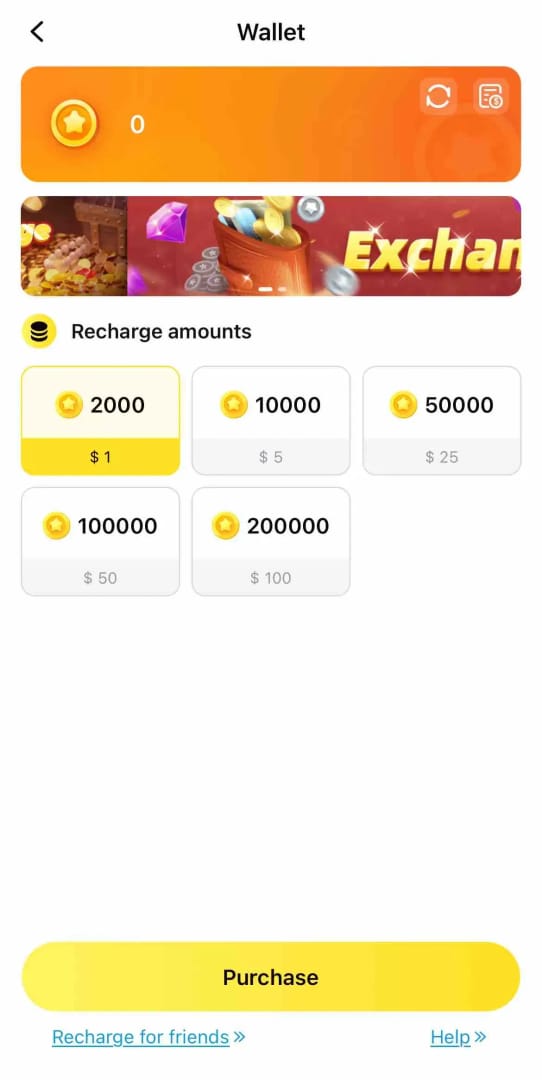
Disclosure: this guide comes from VGTopup, which is one such web channel. You can Ahlan Coins top up by punching in your player ID, and it's worth weighing the current rates against in-app pricing before you commit. The neutral advice holds no matter who you buy through. Confirm the ID, save the receipt, and don't pay behind a VPN that masks your real location, since that only muddies support if something goes sideways later.
Fix the cause once instead of retrying a dead checkout
The core call here is plain. Retrying isn't a fix. It's a bet that the exact same conditions will somehow spit out a different result, and the downside on that bet is a duplicate charge. When a purchase fails, the error told you something specific. Address that one thing, then retry exactly once.
After watching how these play out across plenty of recharge cycles, my read is that payment hygiene beats reaction every single time. A card that hasn't expired, a billing address that matches the bank, a store region aligned to your billing country, automatic date and time, and no VPN during checkout. Get those five right and the overwhelming majority of Ahlan iOS failures simply never fire. When one happens anyway and survives a clean retry, web top-up by player ID is the move I'd make rather than burning an evening arguing with a checkout sheet.
And keep the discipline on charged-but-missing Coins. Assume delay, preserve the order ID, escalate only after a fair window's passed. The players who actually lose money aren't the ones who got "robbed." They're the ones who double-charged on a panic retry, or refunded a purchase that was about to deliver.
Frequently Asked Questions
Why does my Ahlan Coins App Store payment keep failing?
Repeat failures on the same error almost always trace to one fixed condition, not bad luck. Usually that's an expired card, a billing address that no longer matches your bank, a store region out of step with your billing country, or an unaccepted App Store terms update quietly blocking purchases. Fix that one thing first. Retrying without changing anything just reproduces the same wall.
I was charged but didn't get my Ahlan Coins — what now?
Don't refund yet. Force-close and reopen Ahlan so the balance refreshes, because delivery often needs an app restart just to show up. Screenshot the receipt, grab the order ID, and if Coins still haven't appeared after a fair buffer, send that order ID plus your player ID to Ahlan support. They can match the transaction directly off that.
Can I top up Ahlan Coins without using the App Store on iPhone?
Yes. Web top-up credits Coins to your account by player ID and never touches Apple's payment system, so it skips region mismatches, the terms-agreement wall, Family Sharing approvals, and 2FA hangs entirely. Copy your ID exactly off your Ahlan profile, since one wrong digit sends the Coins to somebody else's account with no easy way back.
Does using a VPN cause Ahlan payments to fail?
Often, yes. A VPN routing you through another country while your store region and billing sit elsewhere trips Apple's fraud checks and silently kills the purchase. Switch the VPN off completely before you retry, and skip it when topping up on the web too, because masking your real location only complicates support if a charge ever needs digging into.
How do I request a refund for a duplicate Ahlan charge?
Go to reportaproblem.apple.com, sign in, find the duplicate purchase, choose Request a refund, and select a reason like "I was charged for something I didn't buy." Keep your screenshots and order IDs. Apple reviews these case by case, and a genuine double charge is far easier to argue than a single completed purchase that simply delivered late.











Comments