The four failures hiding under one error message
"Recharge failed" is a catch-all, and it hides four genuinely different problems. Each one wants a different opening move. Dropping your symptom into the right bucket is what keeps you from torching twenty minutes on a fix that was doomed from the start.
| Symptom you see |
Most likely cause |
First thing to try |
| Payment declined instantly |
Card rejected, expired, or region-blocked |
Re-verify card + Play region |
| Charge stuck on "pending" |
Authorization not yet settled |
Wait — do not retry |
| Money gone, no diamonds |
Delivery delay or UI lag |
Reopen imo, check history |
| Error code (OR-CCSEH-21 / DF-DFERH-01) |
Google Play cache/data corruption |
Clear Play Store + Services cache |
Source: imo.im and Google Play support FAQs (2026); bittopup.com IMO Diamonds Not Received 2026 Guide (2026).
That declined-payment row is both the commonest and the easiest to clear. Per the imo.im Unable to Complete Payment FAQ, three things kill a transaction before it even starts: the payment channel isn't available in your country, the card's rejected or expired, or the balance won't cover it. None of those are bugs. They're configuration mismatches.
So in the first five minutes, before you touch a single technical setting, confirm four things. Card not expired. Bank balance covers the buy. Google account country matches where you actually sit. VPN switched off. That last one trips more folks than any cache gremlin ever will. If all four are green and it still fails, then you go after the Play Store mechanics. Cheap checks first, always.

Declined cards, expiry, and the bank-side block nobody warns you about
A declined Google Play payment for imo usually traces straight back to the card or the account country, and just re-adding the payment method clears a surprising chunk of cases. The imo line is to confirm the channel works in your country, then check the card isn't rejected or expired, then make sure the balance is there, in that sequence. Card looks fine on paper but still bounces? Pull it out of Google Wallet completely and re-add it. A stale or half-saved card token throws a generic decline that looks dead identical to a real bank rejection.
Two device traps matter here. First, some hardware can't run Google Pay at all. Per the same payment FAQ, certain Huawei models are incompatible with Google Pay, so the "decline" is really an unsupported-processor issue wearing a card-error costume. Second, family-link and shared payment setups carry spending caps and approval gates that quietly bin a purchase without ever telling the buyer why.
Now the contrarian bit: do not rush to ring your bank and dispute the charge. Per general Google Play billing guidance, disputing too early can lock your Google Play account, which flips a five-minute card swap into a multi-day recovery slog. The bank-side block is real, sure, but you call them to ask why a card got declined, not to claw back a charge that might still settle perfectly. I've watched people brick their own account chasing a refund on something that hadn't even failed yet.
The decline that's genuinely on your bank (fraud-protection flagging an unfamiliar in-app buy) gets solved by approving the transaction in your banking app or pinging your bank, not by mashing "retry" inside imo. Every retry against a flagged card just feeds the fraud score.
Clearing the Play Store cache — and why error codes are a separate beast
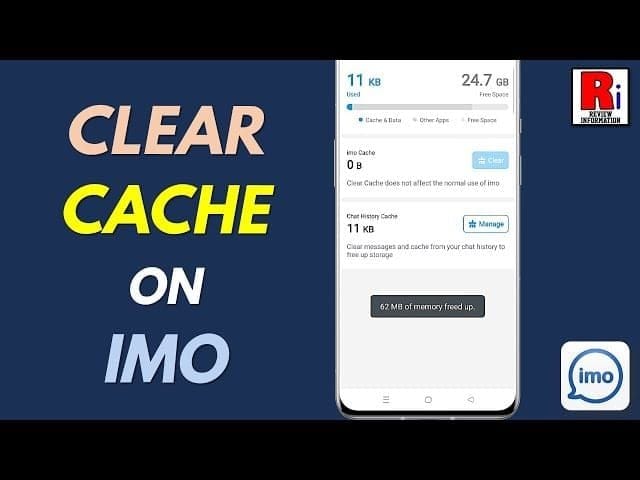
Hit a coded error like OR-CCSEH-21 or DF-DFERH-01 and the fix turns mechanical, not financial: clear the Google Play Store and Google Play Services cache, and the transaction layer resets itself. The DF-DFERH-01 one especially is "typically fixed by clearing Play Store cache/data and Play Services cache," according to several threads documented at Google's support forums. It's a server-handshake flop, not a card flop, which is exactly why throwing a fresh payment method at it accomplishes nothing.
The path that clears most coded errors:
- Clear Play Services cache — Settings > Apps > Google Play Services > Storage > Clear Cache.
- Clear Play Store cache — same path, swap to Google Play Store.
- Update the Play Store if cache-clearing doesn't take — touch and hold the app > App info > Uninstall updates, which forces a fresh build, per a Google support thread on IMO recharge.
Clear cache first. Clearing data logs you out and wipes preferences, so that's the heavier hammer you only swing if cache-clearing whiffs.
Now the "pending" state, where the priciest mistake hides. A pending Google Play charge will often sort itself out in minutes, the authorization just hasn't settled. The gotcha: re-attempting payment while one reads pending can spawn a duplicate authorization, per Google Play's billing troubleshooting. Two charges for one batch of diamonds, then a week chasing two refunds. The discipline is brutally simple. When it says pending, wait, don't retry. Step away for ten minutes and skim your purchase history before you poke anything.
Charged but no diamonds — wait before you panic, and definitely before you refund
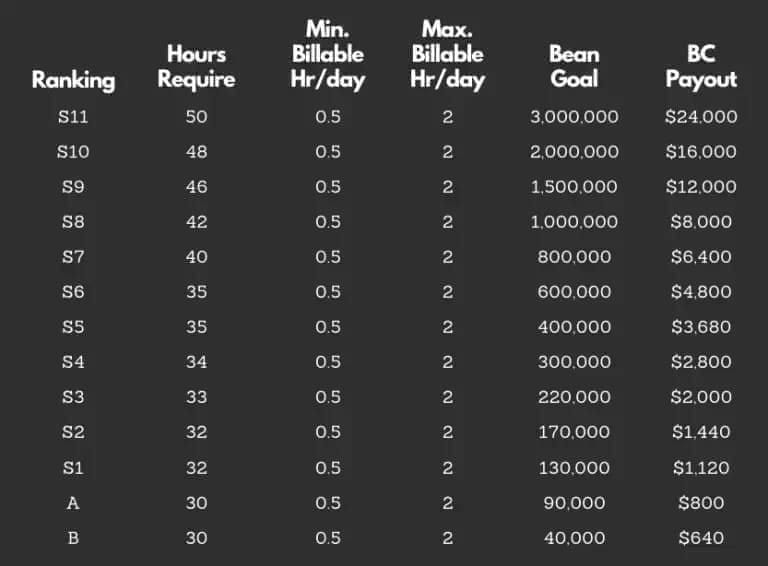
Money left your account but the diamonds never landed? Overwhelming odds it's a delivery delay, not theft, and refunding too soon can cancel a purchase that was about to wrap up. The numbers back the patience: roughly 95% of imo diamond deliveries hit within five minutes, and most snags clear inside 30 minutes, per the bittopup 2026 recharge guide. So the panic that washes over you at minute three is nearly always early.
Here's why it's maddening. Google Play can hand over the purchase token even while imo's interface hasn't refreshed. The transaction worked. The UI just never redrew your balance. Before anything drastic, kill imo completely and reopen it, or fire off a restore-purchases, and the credited diamonds usually pull right through. Mine surfaced the instant the app cold-started, after twenty minutes of glaring at a wallet that swore blind it was empty.
If a reopen doesn't shake them loose, follow imo's documented recovery, per the imo.im Balance Deducted But Not Receive Diamonds FAQ: check your purchase history to confirm the charge actually cleared, reconnect your payment methods, then contact support with the order details. That order ID is the whole game. Vague "I didn't get my diamonds" messages rot in a queue; one carrying the transaction ID and a screenshot of the deduction gets actioned.
Where's the line between a delay and a real failure? My read: anything under 24 hours is normal and not a scam, however it feels in the moment. No diamonds after a full day and a reopen and a restore? Then you escalate. Refund before that window and you'll frequently cancel a payment that would've settled on its own, leaving you with no diamonds and a messy record.
The region and VPN block that silently kills valid cards
A perfectly good card gets bounced for imo not because the card's bad, but because your Google account country and your current network disagree, and a live VPN is the most common silent trigger. Per the imo.im Network Error FAQ, leaving a VPN running through checkout can cause region-mismatch blocks. Your card lives in one country, your VPN exit node drops you in another, and Google Play's fraud logic reads the gap as fishy and refuses. No error code, no card warning. Just "failed."
This is the failure type nearly every other guide skips wholesale, and it explains the most infuriating cases, the ones where the card works absolutely everywhere else. Two alignment checks knock out most of it. First, turn the VPN fully off before you open the purchase screen. Not paused. Off. Some clients keep a tunnel breathing in the background. Second, confirm the payment channel is genuinely available in your account's country, since imo hangs the entire transaction on country-level channel availability. Currency rides along with region: if your Play region and your card's home currency don't line up, the conversion step can be where it quietly dies.
For travellers, and for anyone on a work network routing through some other country, this is the answer sitting in plain sight. The card isn't the problem. The geography of your connection is.
Requesting a Google Play refund without torching your account
When a charge truly fails and diamonds never show after the wait window, Google Play hands you a 120-day refund window from the transaction, per Google Play Help, and refunds typically land a decision within 1–4 days of the request. That window's generous, which is precisely why there's no reason on earth to refund at minute three. Patience costs you nothing here.
One hard caveat to keep expectations honest: imo's own Terms of Service read that "ALL SALES OF DIAMONDS AND/OR OTHER VIRTUAL ITEMS ARE FINAL AND IRREVOCABLE." So a refund on delivered diamonds is off the table by policy. The refund lane exists for charges where the goods never arrived or the transaction genuinely failed, not for buyer's remorse over diamonds already parked in your wallet.
What gets a refund waved through fast is specificity. File through Google Play's official refund form, name the exact transaction, and state flatly that you were charged and the diamonds never credited. Attach the deduction screenshot and the order ID. A request that reads "I want my money back" with zero transaction reference is the one that stalls in limbo. Same approval discipline whether you route through Google or imo support: documented charge, clear timeline, order number, screenshot.
If Google Play keeps blocking a card you know is valid (that classic region-mismatch loop where retrying never wins), a third-party route is a legitimate fallback, not some last gasp. You can run an imo Diamonds top up through VGTopup as a clean alternative; weigh it against retrying Play, especially once you've confirmed the block sits on Google's side and not your card's. It's an option, not a verdict. But when the Play channel is structurally broken for your setup, fighting it a tenth time isn't troubleshooting anymore, it's stubbornness.
The workflow that stops the whole thing recurring: keep your Google Play payment region matched to your account country, kill the VPN before checkout, never retry a pending charge, and give every purchase the full delivery window before reaching for support. Four habits, and the bulk of these failures just stop happening.
Frequently Asked Questions
Why does my imo diamond recharge keep failing on Google Play even though my card works elsewhere?
The card working elsewhere is the tell that it's a region or channel mismatch, not the card itself. Per imo's payment FAQ, the channel has to be live in your account's country, and a running VPN can spark a silent region-block at checkout. Worth checking too whether your device even supports Google Pay, since some hardware (certain Huawei models, for one) can't process it at all, which throws an identical-looking decline.
How long should I wait before assuming my charged diamonds are gone?
Give it a full 24 hours before you treat it as a real failure, even though most deliveries land far quicker, around 95% inside five minutes per the bittopup 2026 guide. Before escalating, cold-start imo or run a restore-purchases; the diamonds are frequently already credited and it's only the UI that hasn't caught up. Refund inside that window and you risk cancelling a payment that was on the verge of settling.
Is "charged but not credited" a scam or just a delay?
Almost always a delay. The transaction token can arrive ahead of imo's interface updating, so the money's gone but the wallet hasn't redrawn, and reopening the app usually surfaces the balance. Treat anything under 24 hours as a delay; only after a full day plus a reopen plus a restore should you file with the transaction ID and a deduction screenshot.
Does reinstalling imo actually fix payment errors?
Rarely, and it's the wrong opening move anyway. Billing failures live in the payment method, the Play Store cache, or the region check, none of which a fresh imo install so much as grazes. For coded errors like DF-DFERH-01, clearing the Play Store and Play Services cache is the documented fix per Google's support threads; reinstalling imo just eats time you could spend on the real cause.
Can I dispute the failed charge with my bank to get my money back faster?
Don't, at least not first. Per general Google Play billing guidance, disputing a charge with your bank too early can lock your Google Play account, turning one failed purchase into a days-long recovery. Use Google Play's official refund form inside the 120-day window instead; those decisions usually come in 1–4 days, and your account stays in one piece.







Comments