How Frost Stars Actually Work in Whiteout Survival
Some community guides claim you can farm Frost Stars from daily missions, alliance chests, and furnace upgrades. This confuses free Gems with Frost Stars. Gems drop freely through active play; Frost Stars represent strictly cash-equivalent balance tokens.
Think of Frost Stars as universal vouchers. Holding them adds no hero stats, wall defense, or troop counts to your city. Instead, they remain banked on your profile as stored purchasing power. When you browse the in-game shop, you exchange Frost Stars for packs, extra construction queues, or event passes without initiating a new bank transaction.
The math is straightforward: one Frost Star equals approximately one US cent ($0.01). To control transaction velocity, Century Games caps weekly purchases on several mid-tier packs.
The table below outlines standard pack valuations, conversion numbers, and weekly purchase limits.
| Pack Tier | Frost Star Amount | Base Fiat Valuation | Official Weekly Purchase Limit | Primary Role |
|---|
| Entry Bundle | 499 Frost Stars | $4.99 | None listed | Daily stamina and small upgrade boosts |
| Standard Pack | 999 Frost Stars | $9.99 | None listed | Event mini-packs and mid-tier resource chests |
| Growth Pack | 1,999 Frost Stars | $19.99 | Capped at 20 purchases per week | Weekly development bundles and troop reserves |
| Commander Pack | 4,999 Frost Stars | $49.99 | Capped at 20 purchases per week | Major push for Chief gear and hero shards |
| Fortress Crate | 9,999 Frost Stars | $99.99 | None listed | SvS prep and high-impact event competition |
Takeaway: You can buy as many entry and top-tier crates as you want, but the 1,999 and 4,999 Frost Star packs enforce a strict cap of 20 checkouts per week per account.
Finding Your 9-Digit Player ID the Right Way
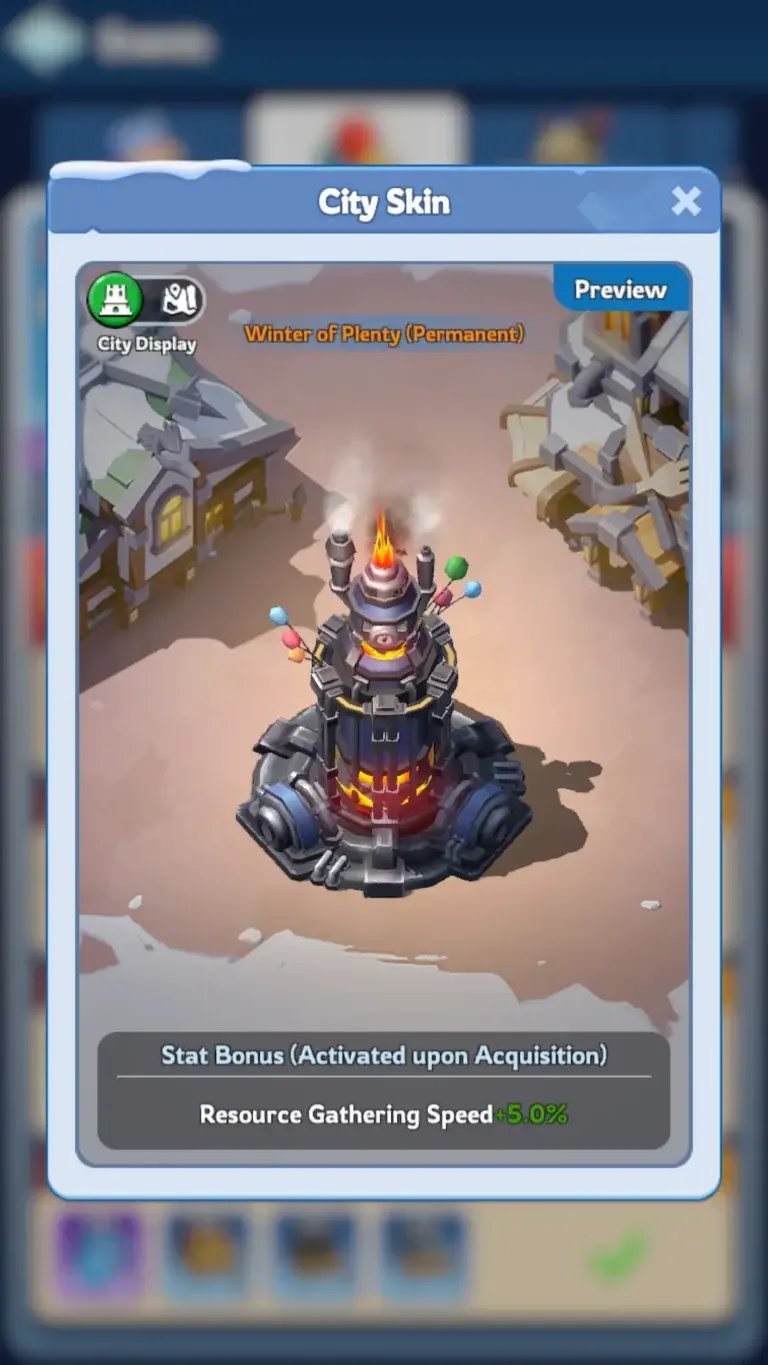
A web recharge requires only your exact Player ID. You never need to supply an email address, social login, or Game Center password. The Player ID is a public routing address used by Century Games' distribution API.
Precision matters here. Frost Stars bind permanently to the targeted character profile. They cannot transfer between characters on the same account, cannot cross state lines, and cannot be refunded once dispatched to an existing account.
Follow these steps to find your number:
- Launch Whiteout Survival.
- Tap your character avatar in the upper-left corner of the city view.
- Locate the 9-digit number displayed beneath your character name.
- Alternatively, open the Settings menu and tap Account to view the ID.
- Copy or record the 9-digit sequence accurately.
Verify every digit before paying. A single typo routes your purchase to an inactive base or a rival player three states over. Support teams cannot pull credited currency back from an active external account.
Step-by-Step: Recharging via Direct Player ID Checkout
Direct web purchases require no third-party software, account mods, or client modifications.
- Open the web portal: Visit whiteout survival top up player id direct payment to inspect current tier selections and live prices.
- Input your Player ID: Enter your 9-digit ID into the recipient field. The portal queries the game server to display your username and server number. Confirm both match your profile.
- Select your pack tier: Pick the token bundle matching your current goals. Grouping purchases into larger crates minimizes multiple checkout runs before SvS phases or Castle battles.
- Choose payment: Select your preferred local banking channel or digital wallet. Review the checkout subtotal before confirming.
- Collect in-game: External web dispatch to your in-game mailbox takes 5 to 30 minutes. Open the received mail and claim the attachment to update your balance.
Player ID Top-Up vs Account Login Services
Third-party recharge providers operate under two distinct models: direct Player ID delivery and login-based account access. Knowing the mechanical difference protects your account from loss.
Player ID direct recharges are frictionless. You submit a public 9-digit number, the storefront issues an API order to Century Games, and the tokens land in your mailbox. No external party accesses your city, messages, or alliance permissions.
Login services carry immense operational hazards. These operators request your Google, Apple, or Facebook credentials, along with two-factor verification codes. An anonymous contractor logs into your account to buy bundles manually. This practice violates Century Games terms of service, flags automated fraud checks, and invites credential theft.
The breakdown below details why credential sharing should be avoided.
| Operational Factor | Direct Player ID Recharge | Third-Party Account Login Service |
|---|
| Required Credentials | Public 9-digit Player ID only | Account email, password, and 2FA verification codes |
| Account Ban Risk | Zero (uses standard mail-routing systems) | High (triggers Century Games ToS account-sharing bans) |
| Account Security | Total (you keep your login secret) | Severe risk (seller has full access to your account data) |
| Delivery Method | In-game mailbox attachment | Manual login by seller to buy packs |
| Typical Delivery Window | 5 to 30 minutes | 1 to 12 hours depending on agent queue |
| Event Milestone Timing | Triggers when Frost Stars are spent | Triggers immediately upon login purchase |
Takeaway: Direct Player ID recharge preserves your account security and eliminates ban risks, whereas login-based services expose your entire account to credential theft and suspension.
Never hand account credentials to a third-party agent. Handing your account keys to a stranger after months of progression risks complete loss. Stick strictly to Player ID routing.
Maximizing Top-Up Events and State Transfers
Purchasing Frost Stars outside the app does not automatically credit progression to active top-up events.
Frost Stars arrive strictly as stored value. The game recognizes the transaction as holding cash vouchers, not as spending on a milestone track. When your mail arrives, Top-Up Milestone bars, daily recharge chests, and alliance gift trackers remain untouched.
Points trigger the moment you spend those Frost Stars inside the in-game shop on qualifying bundles. This mechanic gives you tactical flexibility. You can purchase Frost Stars during quiet midweek windows, store them on your profile, and redeem them instantly when an SvS preparation phase or high-value milestone event goes live.
State Transfers also require careful balance preparation. Relocating your chief power across state borders follows strict operational limits:
- Migration costs between 1 and 50 Transfer Passes based on Chief power rankings.
- Shop purchases enforce a hard ceiling of 85 Transfer Passes per month.
- Accounts observe a mandatory 25-day relocation cooldown.
- Unprotected resources exceeding your Storehouse capacity vanish upon migration.
If you plan to transfer, avoid spending Frost Stars on raw resource bundles before moving. Acquire your required Transfer Passes, tune your Chief gear, and wait until you arrive in your target state before buying supplemental wood, meat, and iron.
Timing purchases alongside transfer calendars prevents wasted materials. When scheduling pack orders around migration dates, check whiteout survival frost stars alternative payment methods to confirm bundle stock and current prices.
| Transfer Preparation Element | Official Game Limit | Strategic Recommendation |
|---|
| Transfer Pass Cost | 1 to 50 passes per transfer | Stockpile passes over multiple weeks if high power |
| Monthly Pass Purchase Cap | 85 passes total | Never wait until the final transfer day to buy passes |
| Relocation Cooldown | 25 days | Verify your target alliance before confirming the jump |
| Storehouse Protection | Dependent on building level | Consume or distribute excess resources before moving |
Takeaway: Keep your resource counts below Storehouse caps when preparing for migration, and spend your Frost Stars on Transfer Passes well in advance of the monthly limit reset.
Spotting Fake Currency Scams and Protecting Your Account
Discord channels and social media comment sections frequently advertise 50,000 Frost Stars for ten dollars or promote automated currency generators.
These generators are outright scams. Whiteout Survival maintains all inventory and currency balances server-side. Third-party software cannot inject unverified Frost Stars into your account. Fake generator sites operate solely to harvest account credentials, capture browser cookies, or route users through spam affiliate loops.
Legitimate web suppliers provide realistic discounts, typically between 12% and 23% below app store rates. Those margins stem from lower merchant processing costs and regional wholesale agreements. Any site advertising 80% markdowns or unlimited bundles is fraudulent.
Avoid buying pre-farmed accounts as well. Century Games terms specify game accounts as non-transferable personal licenses. Developers monitor device IDs and geographic IP leaps; flagged accounts receive immediate bans without recourse. Manage your own city, top up using your own Player ID, and keep your profile clean.
Troubleshooting Missing Orders and Delivery Delays
Direct ID orders usually arrive in your mailbox within 5 to 30 minutes. Server load during peak SvS battles can cause brief queuing delays, but prolonged outages are unusual.
If your balance has not updated after 30 minutes, avoid placing a replacement order. Follow these verification checks first:
- Restart the game client: Running game instances often fail to poll incoming mail. Force-close Whiteout Survival and restart the app.
- Check all mailbox tabs: Frost Star distributions arrive as system attachments. Review both the System and Notice tabs, and clear excess read messages.
- Inspect payment status: Check your banking app or digital wallet receipt to verify the transaction shows completed rather than pending.
- Match your Player ID: Compare the 9-digit ID printed on your merchant receipt against your profile screen digit by digit.
- Submit a support ticket: If your payment settled, the ID is accurate, and the inbox remains empty, contact portal support with your transaction reference number.
This sequence resolves almost all delivery inquiries without duplicate charges.
FAQ
Can I buy Whiteout Survival Frost Stars without an App Store or Google Play gift card?
Yes, you can purchase Frost Stars directly through web top-up portals using your 9-digit Player ID. This method bypasses mobile store balances, platform transaction fees, and gift card restrictions entirely.
Where do I find my Whiteout Survival Player ID for a top-up?
Tap your character avatar in the upper-left corner of the game screen to open your profile. Your 9-digit Player ID is displayed directly below your character name.
Does buying Frost Stars from an external website count toward in-game top-up events?
No, purchasing Frost Stars adds stored value to your account without immediately advancing top-up event progress. Milestone rewards and event points trigger only when you spend those Frost Stars on eligible packs inside the in-game shop.
How long does it take for Frost Stars to reach my account?
Orders are typically delivered to your in-game mailbox within 5 to 30 minutes after payment verification. If high server traffic causes a slight delay, restarting the game client usually forces the mailbox to refresh.
Are Frost Stars transferable to another character or server?
No, Frost Stars are permanently bound to the specific character linked to the Player ID submitted during checkout. They cannot be transferred between characters, moved across states, or refunded if routed to the wrong account.
What are the purchase limits on Frost Star packages?
Century Games enforces a weekly purchase limit of 20 packs for both the 1,999 and 4,999 Frost Star tiers. Other bundle tiers, including the 499, 999, and 9,999 Frost Star options, do not currently feature this specific weekly restriction.
What is the difference between Player ID recharge and login top-up?
Player ID recharge sends currency directly to your mailbox without requiring sensitive account passwords or credentials. Login top-ups require you to hand over your login information and verification codes so an external agent can access your account, which creates serious security and ban risks.
The Verdict on Alternative Frost Star Recharges
For players looking to bypass regional fee markups, checkout errors, and gift card balances, web-based direct Player ID recharges offer an efficient alternative. Your account credentials stay offline while currency routes straight to your in-game mailbox.
Stick to established discounts, keep your login private, and verify your 9-digit ID before paying. Banking Frost Stars in advance and spending them during high-value event windows gives your city the resource tempo it needs at fair rates.









Comments