The mechanic that breaks half these searches
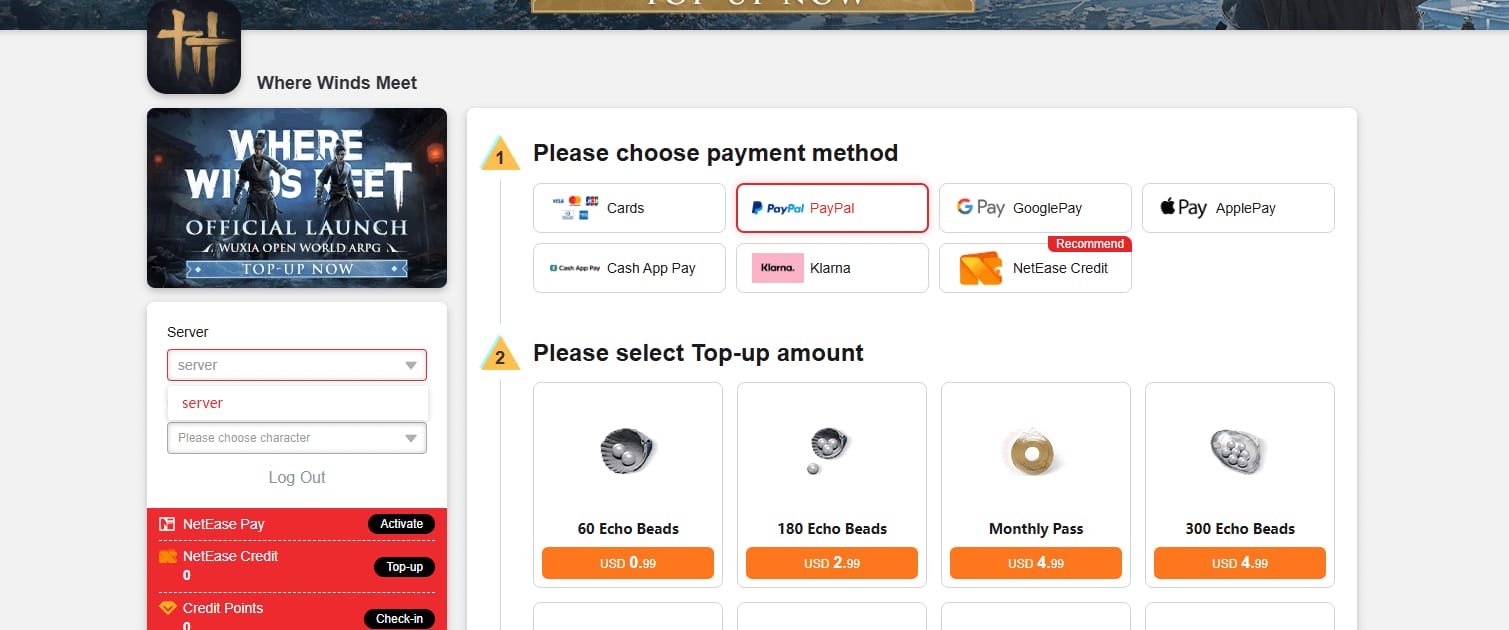
Most of the panic evaporates on one fact: there's no auto-renew toggle to repair, because nothing recurs. On the official store the pass runs USD 4.99 as a single transaction across NetEase, the App Store, and PlayStation Store, per the NetEase GamesClub Top-up Page. Hit day 30 and the pass expires quietly. Your daily Echo Jades stop. Nothing failed. The product just ran out.
That changes everything about the fix. You're not debugging broken billing. You're picking when to re-buy by hand, and confirming a charge you already paid actually landed. Version 1.2 tidied the entry point too: per the Version 1.2 Patch Notes, it "added a [Monthly Pass] entry in the [Battle Pass], allowing players to quickly access the [VIP Shop] and [Must-Buy List]." Your re-buy path now sits inside the Battle Pass screen.
Treat it as a manual product and you're fine. Go digging through store settings for an auto-renew switch that never existed, and you'll burn 20 minutes confused for nothing.
The 60-second status check before you re-buy
Do this before spending a cent. Buying blind is exactly how people end up charged twice.
- Open Shop → Monthly Pass (top tab), or the Version 1.2 Battle Pass → Monthly Pass entry.
- Read the days-remaining counter. A number means your pass is live. So your "missing reward" is a delivery-timing thing, not a renewal thing (jump to the rewards section).
- Expired or 0? The 30 days simply ended. Normal.
- Open your in-game mailbox and scan the latest claims. Daily rewards drop at 8am server time or on purchase/login, per Facebook group and Reddit reports (2026). So a "missing" reward at 7am isn't gone. It hasn't been minted yet.
- Check your store account's purchase history (App Store / Google Play / PSN) for anything marked pending.
That last one decides the whole thing. A stuck transaction can wall off a fresh buy until it clears or dies. See one? Do not tap buy.
Read the counter and mailbox first and you'll spot what's really going on. Read "no rewards today" as "renewal broke" and you'll stack a second purchase on a pending charge.
The double-charge trap nobody warns you about
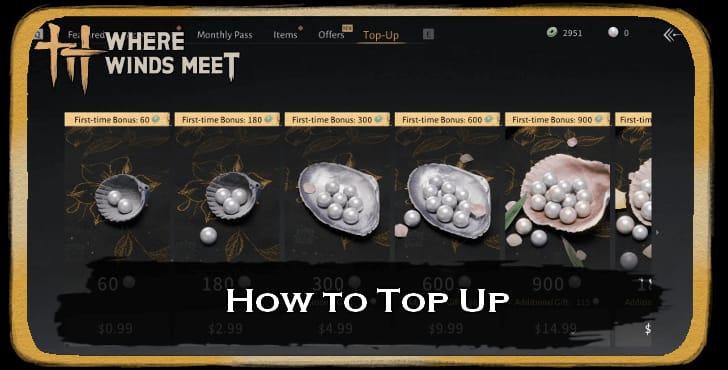
After watching this play out across player reports, my read is simple: the priciest mistake is buying again while a store transaction sits pending. The advice floating everywhere ("just buy it again") is the quickest path to two charges for one pass.
Store billing parks a payment in a pending state while the bank authorizes it. In that gap the game often hasn't gotten confirmation, so your pass shows nothing. Which looks identical to a failure. Tap buy again, both clear, and you've paid double.
The cure is patience, not money:
- Charge pending? Wait. Most store authorizations settle inside roughly a day. Pending states either complete or auto-reverse. Don't re-buy until the line item vanishes or flips to failed.
- Cleared but no pass showed? That's a real charged-not-credited case. Head to recovery, don't re-buy.
- Shows failed outright? Now retrying is safe, ideally after you check your payment method.
Players already flag this exact mix-up: a Reddit Monthly Pass issue thread notes rewards "may not appear immediately; check mailbox or wait for daily reset/server time." Same root cause. A delay wearing a failure's clothes.
Let pending clear and you'll save yourself the second charge. Mistake impatience for troubleshooting and you'll pay twice.
Why a fresh purchase actually gets declined
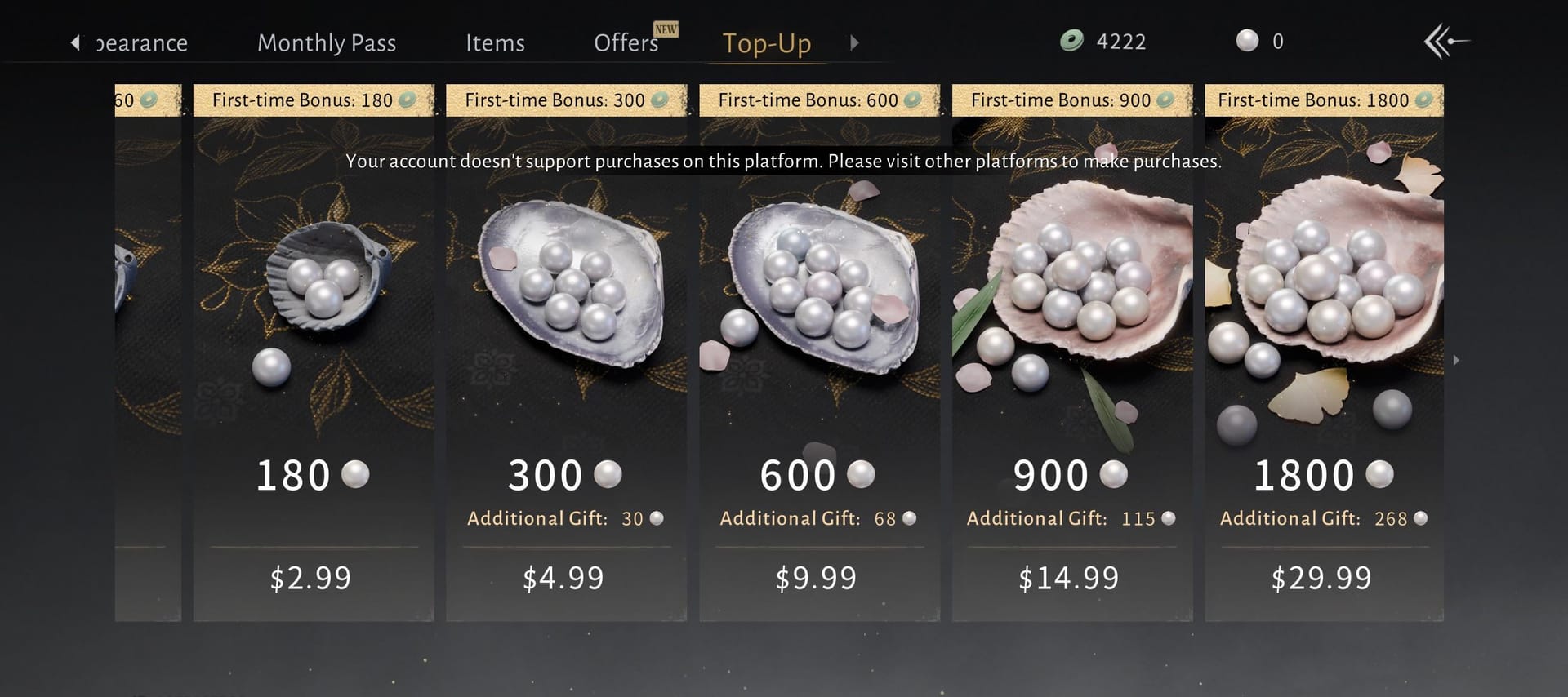
When the buy genuinely won't go through, blame the store side, not the game. The usual suspects, ranked by how often I'd bet on each:
| Cause |
What you'll see |
Fix |
Typical resolution |
| Pending transaction blocking new buy |
Buy button does nothing / errors |
Wait for pending to clear or fail |
~24h, self-resolving |
| Declined / expired payment method |
Store rejects at checkout |
Update card in App Store / Google Play |
Immediate once updated |
| Region / account binding mismatch |
Store redirect fails or item greyed |
Match store region to account |
Varies; may need support |
| Platform purchase glitch (PS5 / Steam) |
Redirect won't open |
Specific menu nav; reinstall |
Minutes |
Source: Synthesized from Steam Community (2025) and Reddit player reports (2025–2026).
That PS5/Steam row isn't a rumor. Players report PS5 buys needing specific menu navigation to unlock the redirect, and a reinstall clearing some Steam glitches, per r/wherewindsmeet_ threads. Dead buy button on console? That's your prime suspect.
Returning veterans, listen up. The quietest blocker is an expired card the store never bothered to warn you about. Fix the payment method first, before you decide the game's broken. Reinstalling the game to solve a billing mess the game never owned just wastes your evening.
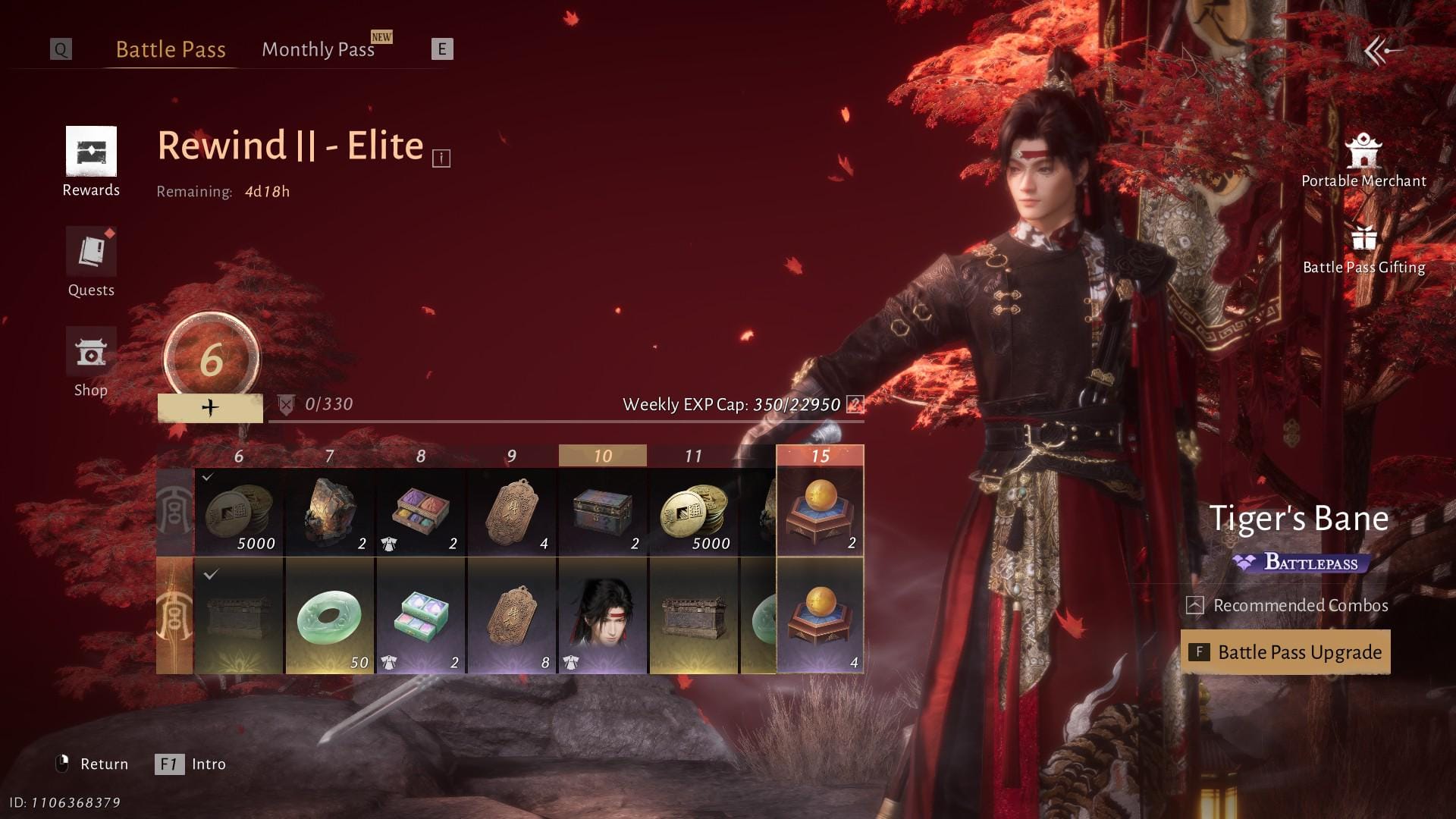
The shape's the same everywhere. Shop or Battle Pass → Monthly Pass → purchase redirects to your platform store, per YouTube guides. The differences are tiny but worth knowing.
On iOS / App Store
- Confirm no pending Apple purchase in Settings → your name → Media & Purchases.
- Open Battle Pass → Monthly Pass, tap purchase.
- Confirm the Apple pay sheet; authenticate.
- Back to the game. Daily rewards mint at 8am server time or on next login.
On Android / Google Play
- Check Play Store → Profile → Payments & subscriptions → Budget & history for pending orders.
- Same in-game path; confirm via the Google pay sheet.
- Declined? Update your default payment method in Play, then retry.
On PC / official client
The purchase redirects to whichever store ties to your account. Routing through Steam? That's where the charge lives, and where a glitchy redirect gets fixed with a reinstall if it comes to that.
One regional pitfall snags console players: Echo Beads from a PlayStation Store Monthly Pass are only usable on PlayStation Network, not cross-platform, per an official notice. Buy on the platform you actually play, or your currency gets stranded.
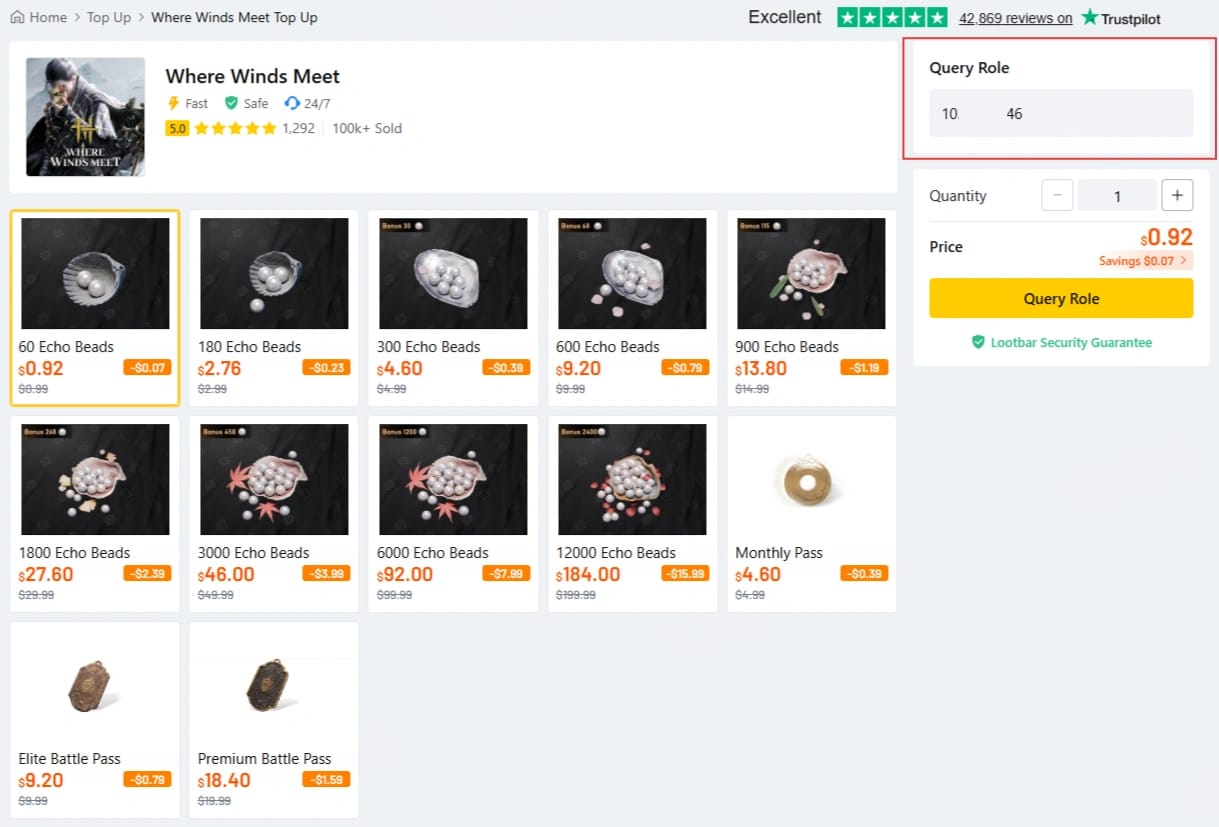
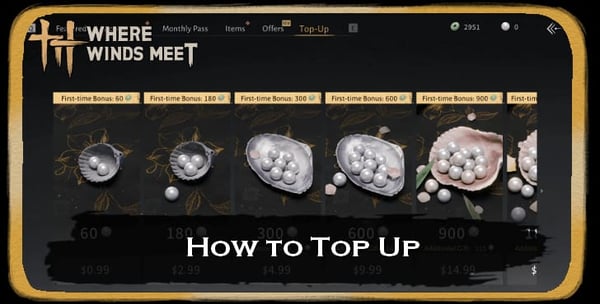
If your in-game redirect keeps dying and you've cleared the pending check, a manual route through a service like Where Winds Meet Top Up recharge is one transparent way to credit currency directly. But only after that pending check. Never on top of an unconfirmed charge.
So: a healthy store account makes this painless. Buy on the wrong platform and you chain your currency to a network you never touch.
Charged but no pass: the recovery path
You paid. The charge cleared. The pass still isn't there. This is the one spot where you stop tinkering and route it right, and the routing matters more than people figure.
Strong recommendation: hit in-game support first, not a store refund. A refund kills your money and hands you nothing. Support can restore the actual item, which is the thing you wanted in the first place. Reach out through the in-game system, email wherewindsmeet@global.netease.com, or @WWMSupport on X with your order details, per Official Support.
| Path |
Best for |
Outcome |
Speed |
| In-game / email support + order ID |
Charged-not-credited; you want the pass |
Item restored |
Fastest for delivery |
| Store refund (App Store / Google Play) |
Genuine duplicate charge you want reversed |
Money back, no item |
Slower, policy-gated |
Source: Synthesized from Official Support channels (2026) and store policies.
Grab these before you message a soul: the order ID / receipt, the charged amount, the platform, your in-game UID. A clean order ID resolves a charged-not-credited ticket far quicker than a foggy "it didn't work."
Missing daily rewards on an active pass? Different beast. Those hang on server reset (8am server time), not your purchase moment. A late-day re-buy can still skip that day's claim until reset rolls over. Check the mailbox after reset before assuming anything got eaten.
Lead with support and an order ID and you keep the pass you paid for. File a refund and you'll accidentally swap it for a partial money-back.
Whether the pass is even worth re-buying
Yes, for most folks reading this. Here's the value behind it. The pass hands over 300 Echo Beads immediately plus 100 Echo Jades daily for 30 days, alongside 90,000 Coins up front, per community breakdowns on Steam Community and YouTube guides.
| Reward |
Amount |
Timing |
| Echo Beads |
300 |
Immediate |
| Echo Jades |
100 / day |
30 days |
| Coins |
90,000 |
Immediate |
Source: Community Sources (2026).
At $4.99, that daily Jade trickle is the per-currency value small one-time packs can't touch. Which is exactly why community analysis tags it as strong value for anyone logging in consistently, better than equivalent small packs, per YouTube analysis (2026). For a F2P-curious low-spender, this is the one buy I'd green-light first.
Now the per-profile reality:
- F2P-curious low-spender: the daily Jades are the whole reason. Miss renewal days and you bleed the compounding value you bought it for. Re-buy promptly each cycle.
- Mid-spender running pass plus packs: the pass is your value floor. Stack packs on top, but never let it lapse to chase some flashier bundle.
- Returning veteran: before re-buying, fix the expired payment method. That's almost always why your "renewal" went silent.
The product's manual, so the discipline falls on you. And here's the point I'll defend: there's no auto-renew "trap" to switch off, but there is a forgetfulness tax. Don't track expiry, and you'll quietly eat dead days every month. Over a year that bleeds more value than any convenience you'd ever have saved. Set a 30-day reminder. That's the real fix.
Frequently Asked Questions
Why did my Where Winds Meet monthly pass fail to renew?
It didn't fail in any subscription sense, because there's no auto-renew. The Monthly Pass is a one-time 30-day buy, per Steam discussions (Nov 2025), so when the cycle ends nothing recharges on its own. If a fresh re-buy won't go through, the usual culprits are a declined payment method, a region/account mismatch, or a pending transaction blocking checkout.
I was charged but my monthly pass didn't appear — what now?
Don't re-buy and don't sprint to a refund. If the charge is still pending, wait for it to clear or auto-reverse. Cleared with no pass? That's charged-not-credited: message in-game support or wherewindsmeet@global.netease.com with your order ID, per Official Support (2026). Support restores the item. A store refund just returns money and leaves you empty-handed.
Will re-buying reset my remaining days?
If your pass is still live and you buy again, you're not renewing a subscription. You're buying a fresh 30-day pass, so time it around expiry instead of jumping early. The cleaner play is re-buying near or after day 30, so you don't overlap and waste a window.
Why am I not getting daily rewards even though my pass is active?
Daily rewards tie to server reset (8am server time) or login, not your purchase moment, per community reports (2026). So a reward can look "missing" simply because reset hasn't hit, or it's sitting unclaimed in your mailbox. Check the mailbox after reset before you assume it's lost.
Does buying on PlayStation lock my currency to that console?
Yes. Echo Beads from a PlayStation Store Monthly Pass are only usable on PlayStation Network and don't carry across platforms, per the official notice (Dec 2025). Always buy on the platform you actually play on, or you'll strand currency you already paid for.





Comments