Your coins aren't gone, the callback is just late
Start here. A charge with no coins is almost always a crediting delay, not a vanished payment. The official flow quietly agrees. Coins usually show within minutes for web top-ups, and roughly 15–30 minutes through third-party channels, per a March 2026 BitTopup guide. A clean in-app purchase credits near-instantly, with the odd sync delay.
What kills the delay theory? A confirmed deduction on your store order history, no coins after the full sync window, and the money not auto-reversing. Until all three line up, you've got lag, not loss.
The first 10 minutes carry the most weight, and the official checklist is short. Per the Tango Help Center: force-close the app, restart the device, log out and back in, and check you're on the right account before you bother anyone. That last one isn't padding. I've watched the "missing coins" panic vanish the second somebody noticed which profile they were actually signed into.
And the move that drains wallets? Paying again. Community guidance is blunt about it. Don't repurchase right away. Give it around 30 minutes to sync. A "failed" screen doesn't always mean nothing was charged. Gateway callbacks settle late often enough that a second tap usually buys you a confirmed double deduction while the first one quietly goes through.
Why a charge lands but the coins don't
Three mechanics cover nearly every case. Knowing which one you're in changes what you should do next.
Gateway lag and dropped callbacks. You pay, the store (Google Play or Apple) confirms the money, then it fires a callback telling Tango to credit your wallet. If that handshake drops on a network blip, a processor queue, a timeout, the money moves but the coins don't. Not yet. That's the entire reason a credit window exists: the callback can settle minutes or hours after your card got hit. Patience beats panic.
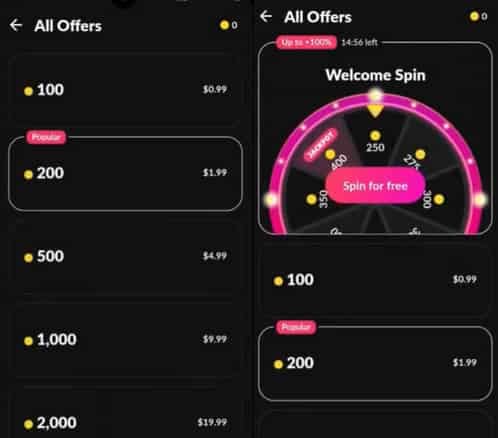
Wrong account or region mismatch. Most guides skip this one entirely. Coins can credit to a different logged-in profile if you swapped accounts mid-purchase. Community guides specifically tell you to verify your UID before any top-up, because the balance may have landed on the account you switched into, per BitTopup's 2026 notes. Complaints on consumer-grievance site Sikayetvar describe this exact thing: users who never noticed their coins arrived on another profile after a switch. Log into every linked account and look before you escalate.
Pending vs failed. Not the same state. Treat them as identical and you'll burn hours.
| Transaction state |
What it actually means |
Correct action |
| Pending |
Charge authorized but not finalized; may credit after sync — and can auto-reverse without ever becoming a real deduction |
Wait. Don't retry, don't dispute yet |
| Failed |
No charge captured, or it was reversed |
Safe to retry once — but confirm no deduction first |
| Successful |
Money captured and callback expected |
Wait the sync window; if no coins, this is your dispute case |
Source: Google Play Community / Tango Help Center (2026)
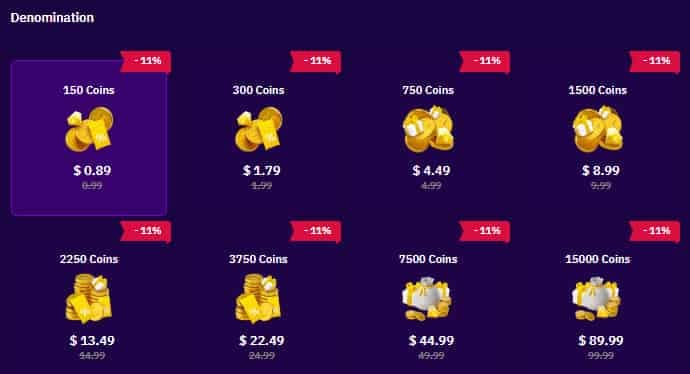
A pending store charge that auto-reverses is the quiet win. The money can come back on its own with zero effort from you. Which is exactly why firing off a refund demand the second a charge looks "stuck" jumps the gun. You might be disputing money that's about to return itself.
How long credit should realistically take
No single official Tango figure exists for "maximum credit time," so I won't make one up. But the sourced numbers we do have sketch a clear picture. Successful in-app purchases credit near-instantly. Web top-ups within minutes. Third-party channels in the 15–30 minute range, per those BitTopup figures. With a receipt, third-party top-ups reportedly deliver in seconds to minutes across several 2026 guides.
| Channel |
Typical credit |
What stretches it |
| In-app store purchase |
Near-instant |
Failed callback, sync delay |
| Verified web top-up (tango.me) |
Within minutes |
Network drop |
| Verified third-party (with receipt) |
Seconds to minutes |
UID/account verification |
Source: BitTopup / SEAGM guides (2026)
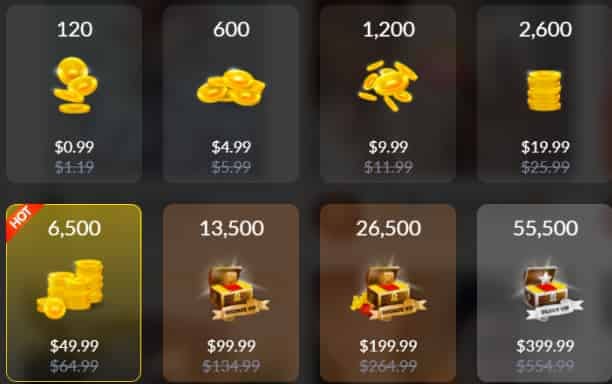
My read, plainly: give a successful charge one clean hour before you call it stuck. Don't escalate it as genuine non-delivery until you've crossed a day or so with no movement and confirmed the deduction is real. The callback mechanism is the reason that buffer is sensible rather than lazy. Late settlement is documented behavior, not hope.
The recovery path: proof first, escalation second
When waiting truly fails, recovery is a ladder, and your proof decides how fast you climb it.
Collect proof before you open a single ticket. Find the transaction in your Google Play order history or the in-app receipt, then save the order ID, screenshots, and timestamps, per Google Play Help. The order ID is the load-bearing piece. Screenshots without it are close to useless to support, because they can't trace a charge they can't index. Tossing the receipt is one of the most-reported regrets in community complaints, since it strips you of proof for support and any later chargeback.
One sneaky trap: time-zone mismatches on receipts can make a fresh purchase look older than it is. That matters when a dispute window is ticking down. Check the receipt's timezone against yours before you assume you're inside or outside a deadline.
File the in-app request properly. Settings → Help & Support → Contact Us, then submit with full transaction details, per Tango Help Center guidance. Lead with the order ID, the exact amount, the timestamp, and a screenshot of both the charge and your unchanged balance. A complete ticket clears faster than a vague one. Proof quality is the whole game.
Go to the store or bank only if support stalls. If the order shows in your store history but the coins are gone, Google points you at the Tango developer rather than Google itself, per Google Play Community. Store-level refunds have a real window: in-app refunds may be requestable within 48 hours, after which you're routed to the developer, per Google Play Support. Approved card refunds run 3–5 business days, per Tango's own help materials.
| Rung |
Channel |
What to provide |
When to use it |
| 1 |
In-app support |
Order ID, screenshots, timestamps |
Confirmed charge, no coins after wait |
| 2 |
App store refund |
Order ID, purchase record |
Within 48-hour store window |
| 3 |
Bank chargeback |
Full transaction proof |
Last resort, support exhausted |
Source: Tango Help Center / Google Play Support (2026)
Now the warning the "just chargeback it" crowd skips: filing a bank chargeback too early risks account suspension. That's the community consensus across Google Play and Reddit threads in 2026, and it's right. A chargeback is your strongest weapon and your most dangerous one. Pull it only after the in-app and store rungs have genuinely failed you.
Confounders nobody is checking
Two things warp the "I got robbed" reading more than people admit.
First, the double-charge mess. Almost always self-inflicted. Retrying a "failed" purchase is what creates the second deduction, then the first attempt's callback settles, and now you've paid twice for one batch of coins. The fix sits entirely upstream. Don't retry until your order history confirms the first charge truly failed and never captured.
Second, the multi-account misdelivery from earlier. Coins parked on a profile you forgot you were signed into. Run both checks before deciding anything's missing at all. A big chunk of "stolen coin" panic is one of these two wearing a scarier mask.
What the 'Mohhzkat' reference actually means
Searched your way here through "Mohhzkat"? It's not an official Tango error code. Web searches in 2026 surface zero public docs tying it to a known Tango bug. It reads like a user-specific error string or a query tag, and the smart move is to treat it like any support ticket reference, not a diagnosable fault.
Calling "Mohhzkat" a known bug sends you hunting for a fix that doesn't exist. The recovery path is identical whether that label shows up or not. Verify account, confirm the transaction state, gather proof, climb the ladder. Don't let a weird string rewrite a process that's already settled.
Wait or dispute: my call on the timing
My verdict: wait first, dispute last. The "contact support instantly" consensus is, for most cases, working against you. File before the credit window closes and you weaken your own timeline, because support's opening reply is reasonably going to be "give it time to sync." You've spent a ticket and your patience on a charge that was always going to land.
The clash in the official guidance is real and worth saying out loud. Tango points you to its own support for non-delivery. Google frames a missing-coin case as a developer issue to raise with Tango. In practice they aim the same way: work the in-app steps and ticket first, then escalate to the payment provider only if that stalls. The two routes converge. They don't fight each other.
So here's the framework I'd actually run with. Confirm the charge is real and on the right account. Give a successful purchase its sync window. Escalate through support with a clean order ID once you've crossed a day or so with no movement. Reserve the chargeback for genuine non-resolution. Most of these sort themselves out inside that buffer. The people who lose money almost never waited. They paid again at minute three.
One last thing on prevention: keep the receipt from the moment you buy, every single time. It's the highest-leverage habit for recovery, and it costs you nothing. Top up through verified channels too. Official in-app, the verified web flow, or a transparent third-party option like Tango Live Coins recharge with a clear receipt. Fewer moving parts, fewer delivery headaches, and UID verification trims the wrong-account risk. That's risk reduction, not just convenience.
Frequently Asked Questions
How long should I actually wait before I treat my Tango coins as missing?
Give a successful in-app charge a clean hour, since callbacks settle late, then call it real non-delivery only after roughly a day with no movement and a confirmed deduction in your order history. Web and verified third-party top-ups usually land within minutes to 30 minutes, per 2026 BitTopup figures. So anything past that range on those channels earns a proof check, not a meltdown.
Can I get a refund if my Tango coins never arrived?
Possibly, but timing and routing decide it. App-store in-app refunds may be requestable within 48 hours, after which Google sends you to the Tango developer, per Google Play Support (2026). Approved card refunds run 3–5 business days per Tango's help materials. Don't open with a refund demand on a charge that's still inside its sync window. It can be premature, and pending charges sometimes reverse on their own.
Why was I charged twice for the same Tango coins?
Nearly always because a "failed" screen got retried while the first charge's callback was still settling, so both captured. Before blaming a billing fault, open your order history and check whether two real deductions exist. If only one captured, the other was likely a pending authorization that'll reverse. If two genuinely captured, that's a clean dispute case with order IDs for both.
What proof do I actually need to dispute a missing-coin purchase?
The order ID is non-negotiable. Screenshots without it are close to useless to support, because they can't index the charge. Save the order ID, a shot of the deduction, a shot of your unchanged balance, and the timestamp, per Google Play Help (2026). Mind the receipt's timezone, too. A mismatch can make a fresh purchase look older than a counting-down dispute window allows.
Is the 'Mohhzkat' Tango coins error a scam?
No public documentation marks it as an official error code or a known scam. Searches in 2026 surface no Tango bug tied to it, so it reads as a user-specific string or a query tag. The safe response is the standard recovery path, not a hunt for a "Mohhzkat-specific" fix that isn't there. Verify your account, confirm the transaction state, and escalate with proof if you need to.









Comments