If you only keep one thing, make it the transaction ID
After the dust settles on a dispute, the proof rankings never match what the popular guides imply. A confirmation-screen capture looks like evidence. It barely qualifies. The transaction ID is what shuts cases.
Why? Riot's own ticket flow tells you to attach the transaction ID next to your screenshots and receipts, per Riot's support ticket form. And for PayPal-funded buys, the accepted proof spells it out: the PayPal Transaction ID, the order confirmation email, your in-client purchase-history entry, and a bank statement, all laid out in Riot's PayPal support article. Look at what anchors both lists. A unique, machine-traceable ID. Not a picture.
A screenshot crops, fakes, or just goes vague on you. It shows a purchase, never your settled payment. The transaction ID welds a specific dollar figure to a specific processor record on a specific day. When support runs your claim against their system, the ID is the field they punch in.
| Proof type |
What it actually proves |
Dispute strength |
| Transaction ID / order number |
Settled payment tied to a unique processor record |
Strongest — the field support searches first |
| Order confirmation email |
Purchase initiated, amount, timestamp, sender domain |
Strong — corroborates the ID |
| Bank / card statement |
Money left your account |
Strong backup, especially for $100+ buys |
| In-client purchase history screenshot |
RP credited, with date and amount |
Solid timestamped record — even if email never arrived |
| Confirmation-screen screenshot alone |
A purchase happened (unverified) |
Weakest — pair it with an ID or expect delays |
Source: Riot PayPal Support Article + Riot Support Ticket Form (2026) [tier2]
For every buyer: snap screenshots all day, but the screenshot can't be your only line of defense. Write down the transaction ID first.
Receipt seems to have vanished? Check spam before you panic
The number one reason a top-up looks "gone" isn't fraud and it isn't a dead charge. It's a confirmation email parked in promotions or spam. Threads on r/leagueoflegends keep retelling the same false alarm. Nothing in the inbox, so the player decides the buy flopped. It didn't flop.
Two retrieval moves clean this up quick:
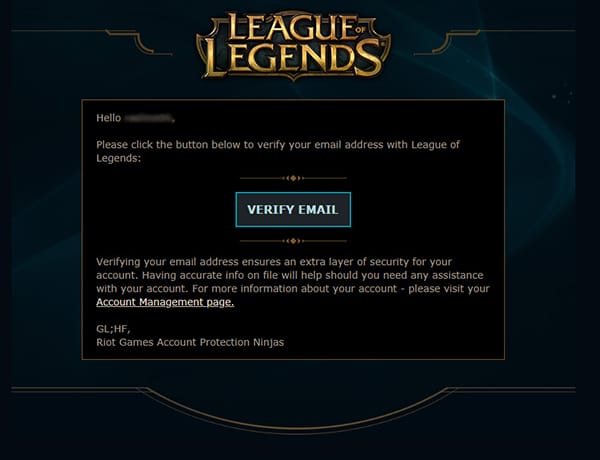
- Search the sender domain, not the subject line. Receipts route by who sent them. Searching the payment processor or the Riot domain across every folder coughs up "lost" confirmations a subject-line search walks right past.
- Pull the same record straight from in-client history. Most write-ups breeze past this one. Even with the email AWOL, your client holds a timestamped record. Open it, head to Store > Account > Purchase History, and there sit your RP buys with dates and amounts, per Riot's support documentation. Screenshot it. That alone stands as a timestamped proof artifact.
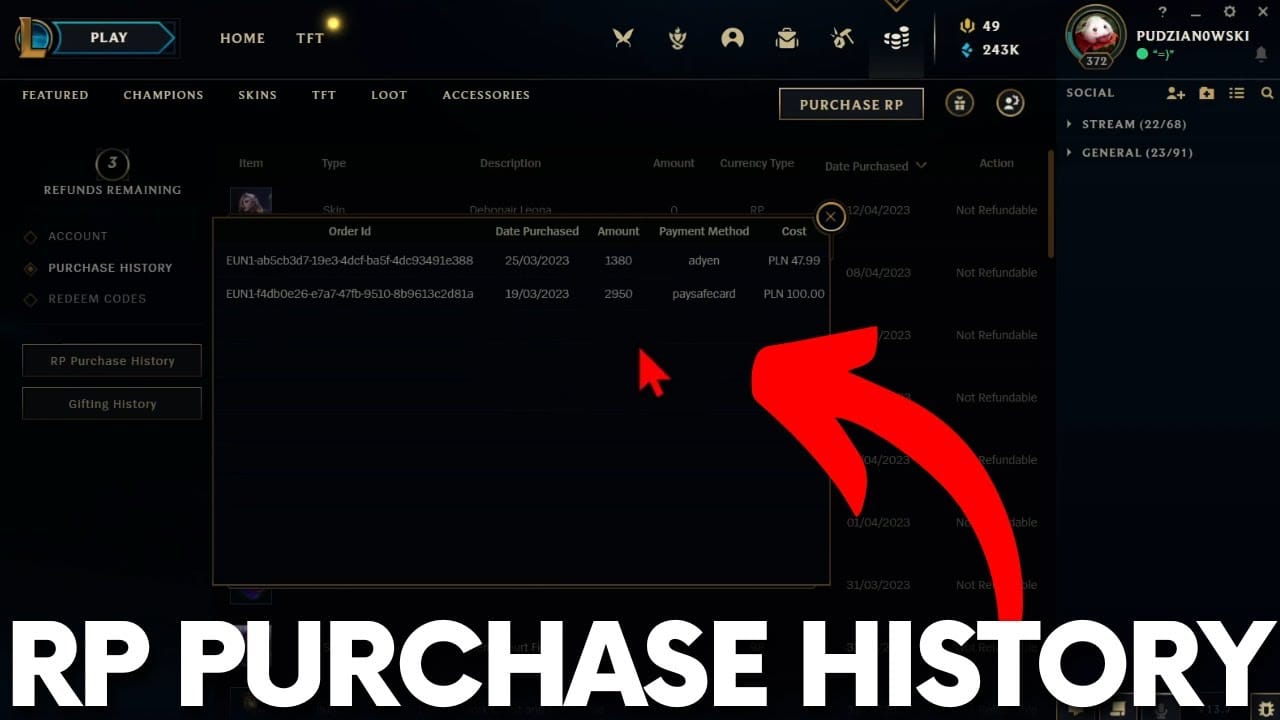
A missing email is hardly ever a missing purchase. It's a filing hiccup with two tidy fixes.
For mid-spenders making the occasional big buy: lean on in-client history. Simplest reliable trail going, and no rummaging through mail folders to find it.
If your priority is a clean, deliberate paper trail
A high-value top-up deserves the treatment you'd give a real financial transaction. Paper trail and all. Not the click-and-forget reflex of a casual store purchase. The capture eats thirty seconds and it separates a one-reply ticket from a week of email tennis.
I break the routine into three beats (before, at confirmation, after) since each beat guards against its own kind of failure.
| Stage |
What to capture |
Why it matters |
| Before you pay |
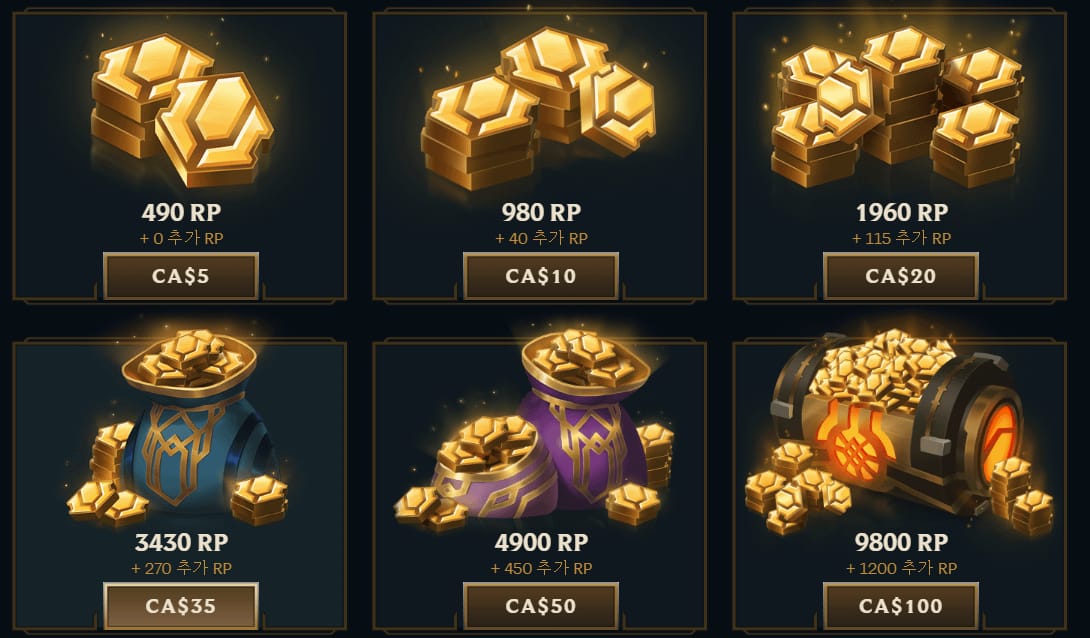
Pack price, RP amount, payment method on screen |
Establishes intended amount if the wrong total processes |
| At confirmation |
Transaction ID + confirmation screen screenshot |
The dispute key, captured before it scrolls away |
| After crediting |
In-client RP balance + purchase-history entry |
Confirms delivery; doubles as proof if email is missing |
Source: Community RP purchase guides + Riot support docs (2026)
The middle beat is where people drop the ball. That confirmation screen flashes the transaction ID for a heartbeat, and players close out of it. Snap it the second it surfaces. Lose the order number and support has nothing to search.
The last beat punches above its weight. RP crediting usually hits instantly, dropping in right after payment, and if it's not showing you restart the client, per a 2026 YouTube buying guide. But "usually instant" and "always instant" aren't the same animal, which lands us at the failure case.
For first-time high-value buyers: the one thing you can't skip is the transaction ID on that confirmation screen. Note it before you do anything else. The rest you can recover. That ID, once the screen's gone, sometimes can't be recovered without real digging.
If you paid but the RP isn't there yet
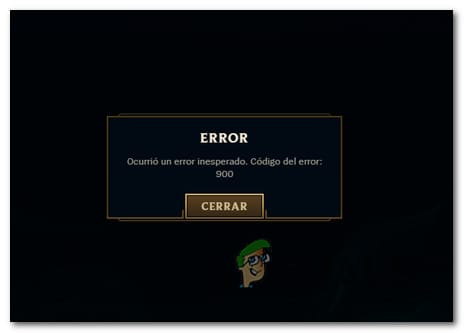
Hold off before you dispute. The genuine danger in big top-ups isn't theft. It's a crediting lag people read as non-delivery, then "solve" with a hasty chargeback that can get the account banned.
When events flood the servers, RP can trail a settled payment. The standard fix is dull: restart the client, recheck the balance. Crediting's normally immediate but the display lags, per the same YouTube guide above. Most "missing RP" sorts itself out right there. First move is verification, not a meltdown.
First 24 hours, work it in this order:
- Restart the client and recheck the RP balance.
- Check purchase history for the entry showing the RP credited.
- Search every mail folder, spam included, for the confirmation email.
- Confirm the charge actually settled on your bank or card statement.
If money left your account, purchase history shows zero credited, and a restart didn't budge it, that's when you file. RP paid but not delivered means a ticket with your payment proof and transaction ID, which is the route Riot's RP errors & refunds FAQs walk you down.
What you don't do: chargeback before the delay clears. Reddit's consensus is blunt on this. A chargeback opened before the issue resolves risks an account suspension. You can lose the account and the RP that was about to credit anyway. A support ticket reverses; a chargeback against your own publisher is the nuclear button, and it's almost never your right first move.
Symptom-to-action map worth bookmarking:
| Symptom |
Evidence to attach |
Action |
| RP not credited, charge settled |
Transaction ID + statement + history screenshot |
Restart client first; if still missing, file a ticket |
| No confirmation email |
In-client purchase-history screenshot |
Search spam by sender domain; history substitutes for email |
| Wrong RP amount delivered |
Before-purchase screenshot + transaction ID |
Ticket showing intended vs delivered amount |
| Charge pending, RP missing |
Statement showing pending status |
Wait — do not chargeback a pending charge |
Source: Riot RP Errors & Refunds FAQs + Riot Support Ticket Form (2026) [tier2]
For anyone staring down a missing $100 of RP: verify through a full cycle before you touch a dispute button. The lag's real. The chargeback's the single mistake here that's genuinely brutal to undo.
If you're a whale, the standard checklist falls short
Bigger sums earn a stricter trail, and there are two concrete reasons for it, not just generic caution.
First, the refund window is fixed and short. Refunds cover only unused content bought no more than 14 days ago, per the LoL Refund Policy, and the broader Riot Global Refund Policy (2026) confirms that same two-week rule applies to unused premium currency like RP. On a large buy that's a thin runway. If your proof's scattered across folders when day 13 rolls around, your leverage is gone.
Second, the more cash on the line, the more you want layered, independent records. Community discussion on big buys keeps circling the same stack for $100+ purchases: bank statement plus transaction ID plus screenshots, with official channels favored over third-party for the cleaner trail. The bank statement's the layer mid-spenders skip and whales shouldn't. It's independent backup proof living entirely outside Riot's system, which is precisely what you want the day a single record gets questioned.
This is where the official-vs-third-party split stops being theoretical. The official store generates a direct Riot purchase-history trail. Third-party routes lean on the seller's confirmation email plus the payment processor's records, per G2A's RP explainer (2026). Neither is "fake" proof. They're just different trails, and you should know which one you're standing on before you need it. Buy through a third-party top-up and your defensible records are the seller email and the processor record, so keep both on purpose. If a clean, retrievable order trail ranks high for your big purchases, that's fair grounds to weigh where you buy, and disclosure, League of Legends RP top up via VGTopup keeps order confirmations accessible as one transparent option among others.
For whales: four layers, every time. Transaction ID, confirmation email, history screenshot, bank statement. Inside that two-week window you've got full refund leverage; capture the stack at purchase so you're never rebuilding it against a clock.
The records that actually win disputes
If you walk away with one structural idea, take this: proof strength is a ranking, not a checklist. The transaction ID beats the email, the email beats the screenshot, and the screenshot solo is a coin flip. Most players never crack open purchase history until something breaks, and by then the confirmation screen's long dead. Flip the habit. Verify right after every top-up, while the ID's still on screen and the balance is still warm.
Where I land across the three profiles, no hedging:
- Mid-spender → in-client purchase history is the workhorse; screenshot it after each big buy and you're 90% covered.
- First-time high-value buyer → the transaction ID is the one thing you can't easily recover later. Note it first, every single time.
- Whale → run the full four-layer stack and treat that 14-day window as a hard deadline.
The screenshot isn't garbage. It's just not the hero. Pair it with the ID and you've flipped a slow, shaky ticket into a fast, evidenced one.
Frequently Asked Questions
How do I find my RP transaction ID after I've already paid?
Didn't screenshot the confirmation screen? The ID lives in two spots: your order confirmation email and your payment method's record. For PayPal specifically, the PayPal Transaction ID counts as valid proof on its own, per Riot's PayPal support documentation, so pull it from your PayPal activity when Riot's email is buried. Bank and card portals carry a matching reference for the settled charge.
Is a screenshot enough proof for an RP top-up dispute?
On its own it's the weakest evidence Riot's process will take. The ticket fields ask for the transaction ID and receipts alongside screenshots, so the screenshot backs up the case, it doesn't carry it. Attach it, sure, but always pair it with the transaction ID. A screenshot with no traceable ID is what stretches a one-reply resolution into a drawn-out slog.
How long should I wait before assuming my RP isn't coming?
Crediting's normally immediate, but the display can lag when events flood the servers. Restart the client and recheck your balance first; that handles most "missing RP." Give it a full check cycle before filing, and steer clear of any chargeback until the delay clears. Reddit's consensus ties premature chargebacks to account suspension risk.
Does Riot actually send a confirmation email for RP purchases?
It does, and it routinely lands in spam or promotions, which is why people swear it never showed. Search by sender domain across all folders instead of hunting the subject line. If it's genuinely gone, your in-client purchase history (Store > Account > Purchase History) hands you a timestamped record with date and amount that stands in for the email completely.
Are third-party top-up receipts as defensible as official ones?
Different trail, not weaker by default. Official purchases spin up a direct Riot purchase-history entry; third-party routes lean on the seller's confirmation email plus the payment processor's records, per G2A's RP explainer. Keep both on purpose if you buy that way, and for $100+ purchases, throw in an independent bank statement as a backup layer no matter where you bought.









Comments