A frozen in-app screen usually means the rail's blocked, not your account
Settle this before you spend a cent: a "restricted" Chamet top-up nearly always means the payment rail is blocked, not that you got banned. Those two things work completely differently, and mushing them together is exactly why people lose their minds over nothing.
Chamet's in-app buying runs on Google Play and Apple billing alongside locally-licensed processors. The app leans hard toward South Asia, Southeast Asia, the Middle East and Latin America, the markets it actually targets, per Codashop Chamet (USA). So store-level billing and card rails elsewhere just don't have a lane to charge you. Recharge center loads fine, you tap a pack, and the payment sheet either spins forever or flat-out declines. Account's healthy. It's the pipe to your money that's gone. That in-app flow runs into regional blocks or declines while third-party ID top-up skips around them, per EnjoyGM Chamet Guide 2025.
Quick gut-check before you assume disaster:
- Can you still log in, wander the rooms, and send diamonds you already own? If yes, your account's fine, only the buy path is dead.
- Does the payment sheet load and decline, or does it never show up? A decline means card or region. A sheet that won't open means store-account country.
- Did it snap right after an app update or a network change? Often just a temporary hiccup, so retry on cellular before you pronounce your region dead.
Now the bit most guides breeze right past. The block usually hangs off your store-account country, not your IP. A VPN can flip where you appear to be sitting and still leave billing pitch-dark, because Google or Apple is still reading the original account region. That one mechanic is why all the VPN-first advice quietly faceplants for so many people.
If you're the occasional viewer who's spiraling: you almost certainly didn't get banned. Confirm you can log in and gift, then move to ID-based top-up and drop the ban dread entirely.
The ID route is the safe play, and it wins on the stuff that counts
The method that ducks the rail block without ever brushing your login is the ID-based reseller top-up. No password handed over, no relogin, no faking a location. You just give your Chamet User ID and pay locally. That's the whole reason it's calmer than a VPN: your device fingerprint and your login session never get touched.
Three realistic paths, side by side, no spin:
| Method |
What you provide |
Login/device risk |
Speed |
Cost vs in-app |
| ID-based reseller |
User ID only |
None — login never touched |
Minutes |
Cheaper (no store fees) |
| VPN / region-switch |
Full login + store account |
Real, payment flag, region mismatch |
Variable, often fails |
Same or worse |
| Blocked in-app |
Card/wallet on blocked rail |
N/A, it won't process |
— |
— |
Source: synthesized from EnjoyGM (2025), Reddit r/Gyftwala (2025) and reseller guides (2026) [tier5]
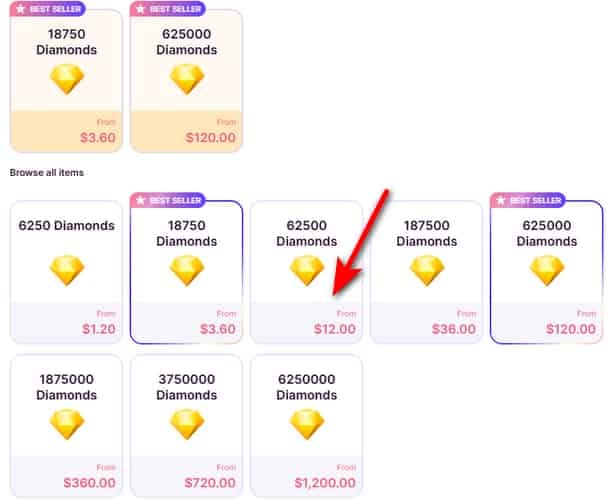
And the price gap is genuine, not some banner pitch. Reseller top-ups skip the app-store cut, so they land cheaper, with community guides across LootBar, LDShop and TOPUPlive logging discounts in the 14–35% range (2025–2026); LDShop Chamet Guide 2026 advertises up to 35% off, Joytify up to 25%, EnjoyGM up to 28%. The first time I held an official pack up against a discounted reseller listing, that double-digit spread is what flipped this from "compromise" to "default" in my head.
VPN region-switching keeps its fallback seat for a documented reason: it can throw region mismatch or payment trouble, per Reddit r/Gyftwala 2025. You're feeding a processor a location that fights with your card's home country, which is the precise shape fraud systems light up on. The fees you save never cover the cost of sitting in a payment review.
If safety's your first concern: ID is the right default, not the parachute. Save VPN for the case where no reseller in your region takes your money.
Buying it, the ID flow from open to confirmation
The mechanics are short. What actually trips people is one fat-fingered digit in a User ID. Nail that and the rest flies.
Step 1 — Find and copy your User ID. Open Chamet, tap the Chamet logo bottom right, head to My Profile, and your ID sits right there, per Codashop Chamet (USA) 2026. Copy it exactly. This is the priciest field on the whole page, because the wrong ID feeds a stranger's wallet and there's no take-backs. Look twice before you pay.
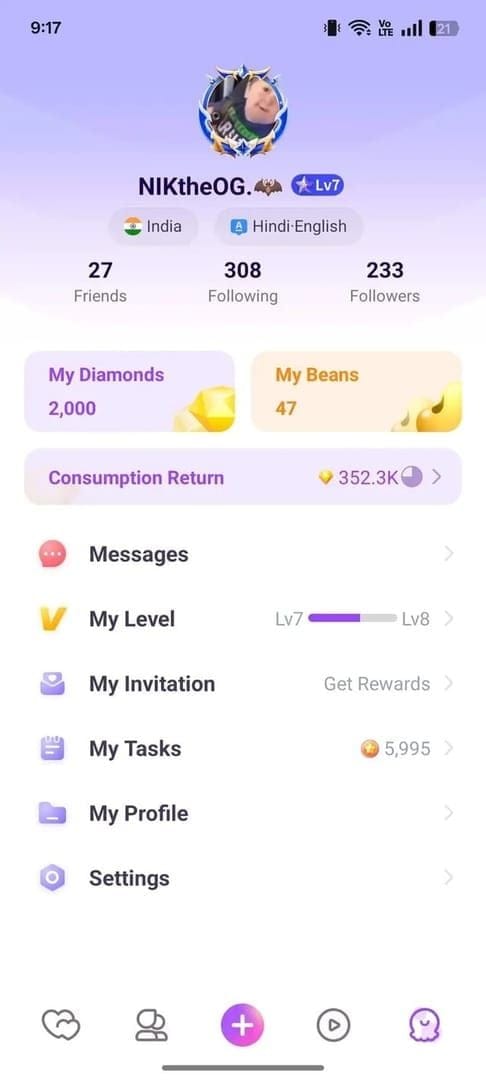
Step 2 — Pick a verified reseller and your pack. The flow's pretty uniform across providers, per TOPUPlive Chamet Guide 2025: hit the site, choose a diamond package, punch in your User ID, pick payment, finish. No login, no password, ever.
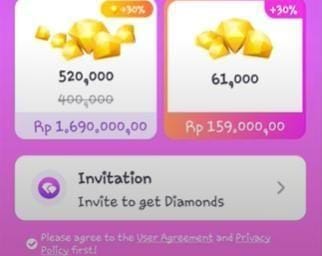
Step 3 — Pay with a rail that isn't walled off. This is the actual point of all this. Local e-wallets are what carry you over the wall, with UPI, GCash and similar regional methods letting small top-ups clear where in-app billing won't, per EnjoyGM Chamet Guide 2025. If your card was the thing choking in-app, swap to a wallet here.
Step 4 — Confirm the diamonds landed. Delivery's quick more or less everywhere:
| Reseller |
Typical delivery |
Source |
| LDShop |
As fast as 3 minutes |
LDShop 2026 |
| BitTopup |
1–5 minutes |
BitTopup 2026 |
| VoucherBD |
2–10 minutes |
VoucherBD 2026 |
| TOPUPlive |
Instant / minutes |
TOPUPlive 2025 |
Source: multiple reseller sites (2026) [tier5]
Reopen Chamet, check your balance. Since crediting keys off your User ID, the diamonds post even if you're logged out on some other device, so the app doesn't need to be open mid-purchase. If ten minutes crawl by with nothing, jump to the "didn't arrive" steps below before you re-buy.
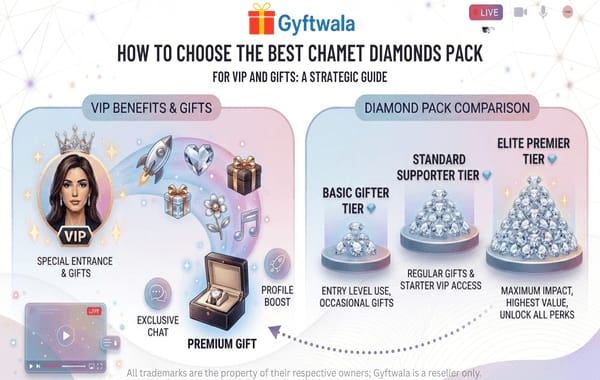
One currency thing that clears up a ton of confusion: Diamonds and Coins are separate animals. Diamonds are what you buy and burn on gifts. Coins are what hosts earn. A top-up only ever adds Diamonds. It never quietly morphs into Coins or host earnings, so you're not bleeding value in some shadow exchange. If you're a host expecting a top-up to fatten your earnings, it won't, and that's design, not a bug.
If you gift regularly: buy the bigger discounted tiers on a reseller you've already checked out. LDShop lists 625,000 Diamonds at $114.85 (down from $119.51), TOPUPlive shows 3,750,000 Diamonds at $706.62 (from $799.99). At that volume, the up-to-35% saving stacks up way faster than on one-off little packs.
New reseller? Run the trust checklist before you pay, not after
This is the step people skip and then kick themselves over. Hunting the rock-bottom sticker on a sketchy site is false economy; a 3% saving is worthless if the payment evaporates and there's no dispute road home. Reliability and support outrank a rounding error on price, every single time.
Demand this stuff before you pay:
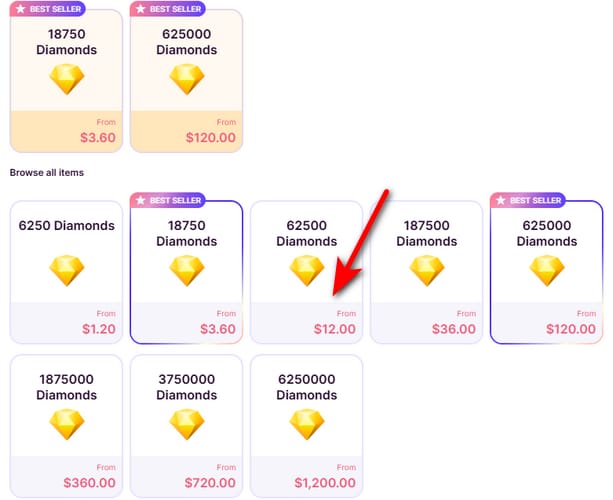
- A real, dedicated Chamet top-up page with live pricing, not some generic gift-card bin.
- ID-only checkout. A legit service asks for your User ID and payment, done. If it wants your Chamet password or login, walk. Never hand account credentials to any top-up service; the ID is genuinely all that's needed, per EnjoyGM Chamet Guide 2025.
- Local payment support for your region (UPI, GCash, regional wallets), the entire reason you're here.
- A clear delivery-time promise in the minutes range, matching the numbers up top.
- Visible refund and dispute terms before checkout, not buried somewhere after.
Hard stops, the red flags that should kill the buy on the spot:
- Any ask for your password, 2FA code, or "account access to verify."
- Prices wildly under the going discount band. That's bait, not a steal.
- No support channel, no stated delivery window.
- Pressure to pay through irreversible methods with zero buyer protection.
VGTopup, which puts out this guide, runs an ID-only Chamet flow, so you recharge with just your User ID and a regionally-accepted method, which is the exact shape a safe checkout should wear. Treat it as one transparent option to price against the others, not the finish line. The checklist above is what should call it. Want to see the ID-only flow live? You can poke around a Chamet Diamonds top up page and weigh it against these same signals.
If you're a cross-region host or just cautious: verify once, then stay loyal to whoever cleared the list. A known-good reseller's reliability beats the cheapest unknown by a mile.
Mapping the safe route to who you actually are
The pick barely shifts across profiles, which honestly tells you how solid the default is. ID-based top-up wins for nearly everyone; the only variables are which packs and how often.
| Profile |
Recommended action |
Why |
| Occasional viewer (blocked region) |
ID top-up via reseller, local e-wallet, small pack |
Bypasses in-app block with zero login risk, per EnjoyGM 2025 |
| Regular gifter / supporter |
ID top-up on a vetted reseller, larger discounted tiers |
Up-to-35% saving compounds at volume, per LDShop 2026 |
| Host / cross-region user |
ID top-up only; verify provider once, reuse it |
Diamonds stay separate from earned Coins; no conversion loss |
| VPN-curious bargain hunter |
Skip the VPN; use ID route instead |
Region-switch invites payment flags for no real saving |
My straight call across all four: the ID path is faster, cheaper, and built safer because it never wanders near your login. The only spot where VPN earns a glance is a region where no reseller will touch your payment method, and even then, brace for mismatch friction. Verify the reseller, copy your ID carefully, pay with a local wallet, and you've stripped out nearly every way this thing goes sideways.
Frequently Asked Questions
Can I actually get banned for topping up Chamet from a restricted country?
ID-based top-up never touches your login or device, so there's no real ban vector hanging off it. You only share a User ID, which is the same identifier anyone can already see. The actual risk lives with VPN region-switching, which can spark region mismatch or payment review, per Reddit r/Gyftwala 2025. Stay on the ID route and the worry mostly dissolves.
Why does the in-app payment screen just spin instead of declining?
A sheet that spins and never opens usually points at your store-account country, not your card, because Google or Apple has no billing lane for your region. A sheet that opens then declines points at the card or wallet itself. Either way, switching to an ID-based reseller with a local e-wallet ducks both, per EnjoyGM Chamet Guide 2025.
What happens if I enter the wrong User ID?
The diamonds land in whatever account owns that ID, instantly, and basically gone for good, since crediting keys off the ID alone. This is the one field worth checking three times. Copy it straight out of My Profile (Codashop 2026) instead of typing it, then confirm it on the reseller's review screen before paying.
Will my top-up boost my host earnings if I'm a streamer?
Nope, and that catches people off guard. Bought Diamonds and host-earned Coins are separate currencies, so a top-up only adds Diamonds for gifting and never rolls into your earnings. If you're a host wanting to gift back to your viewers, the top-up does that fine. It just won't pad what you've earned.
How fast should I expect the diamonds, and what if they don't show?
Plan for minutes. Reseller guides log 1–5 minutes on BitTopup, as fast as 3 on LDShop, 2–10 on VoucherBD (2026). If nothing's landed after roughly ten minutes, recheck the exact User ID you sent, reopen Chamet to refresh the balance, and ping the reseller's support with your order reference before buying again. Don't double-pay on a delivery that might still be cooking.





Comments