Funding the official store without plastic
Premium packs accept the identical payment rails whether or not a Visa is bolted to your account. Cardless buyers pay no "no-card tax." What shifts is how you fill the wallet that pays the store.
Android's cleanest line: load Google Play balance off a redeemed gift card, then buy Tokens through the in-game store the usual way. iOS runs the same logic, Apple gift card topping up your Apple Account balance. Both are first-party Gameloft transactions. The store can't tell, and wouldn't care, that the funding came from a code instead of a card.
For markets where cards are thin on the ground, the regional wallet checkouts get slept on. Codashop runs Asphalt 9 token top-ups through local methods like bKash and Robi Airtel with no card required, per its own catalog, and Carry1st pulls the same trick with local payment types in South Africa. Razer Gold finishes the lineup. Its Asphalt 9 catalog wants a user ID plus a platform pick, according to Razer Gold, and the wallet behind it loads off vouchers and cash methods.
Now the mechanic almost nobody puts on the page: balance bought through Google or Apple is account-locked and refundable through official support. Botched purchase, or you fat-finger the wrong pack? There's a real channel to pull it back. Money handed to a third-party injector has no recourse at all. It's gone the instant it leaves your wallet. That lopsided risk is exactly why I rank official balance as the default and treat everything else as the exception.
What you're actually paying for: Tokens vs Credits

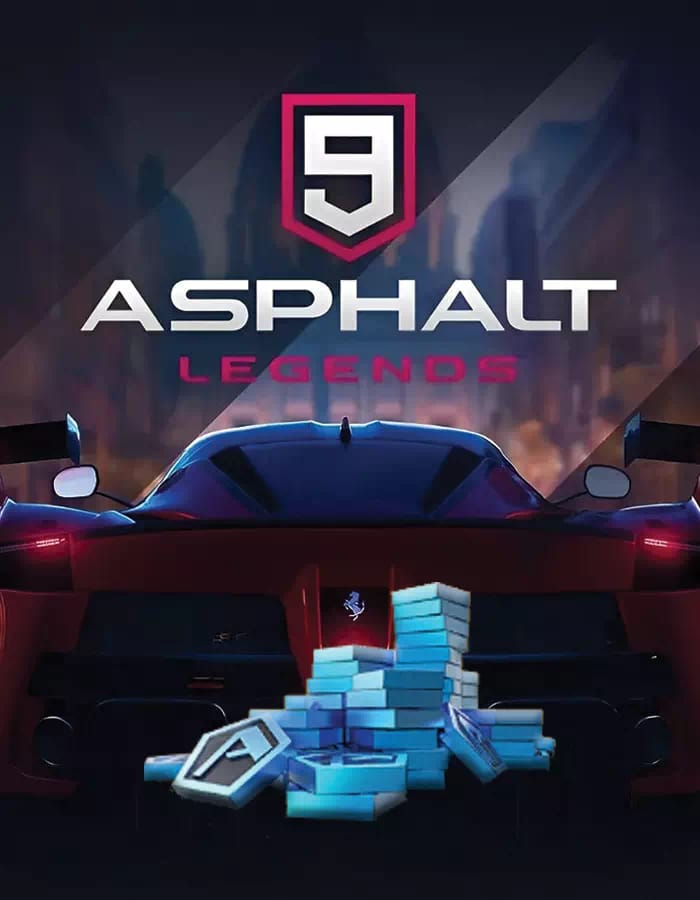
Buy the wrong currency and you've torched real money, so settle this before a single cent moves. Tokens are the premium currency. They buy card packs, relay packs, Legend Store blueprints, convert into Credits, and skip waits and event timers, per the Asphalt Fandom Wiki. Credits are the soft currency, for car upgrades, import parts, and some Legend Store blueprints.
Practical read: Tokens are the only thing you'd ever weigh topping up, because they're properly scarce. Credits pour out of racing; Tokens don't. The wiki files Tokens as the rarer, gated resource, and the free income backs that up. Dailies hand 20 a day, a Platinum-league multiplayer climb rewards 200, according to the Bluestacks currency guide from October 2025.
So when does buying Tokens earn its keep? When a specific blueprint or pack is in your crosshairs and the free trickle won't clear it before the event window slams shut. The one rule I'd carve into stone, and it echoes across r/Asphalt9 threads and YouTube guides, is never spend Tokens on raw Legend Store items at default price. They're overpriced. You wait for featured packs and events instead. Topping up to dump Tokens into the standing store is the single fastest way buyers set their money on fire.
F2P reader, you genuinely don't have to spend. Stack the daily 20, grind multiplayer leagues, pull the ad packs in the shop. Up to four ad packs a day can yield Tokens, per community YouTube guides. Slow, sure, but it's real, and it's safer than any "free Token" app waving a shortcut at you.
| Free Token source |
Reward |
Frequency |
| Daily tasks |
20 Tokens |
Daily |
| Platinum multiplayer |
200 Tokens |
Per league climb |
| Ad packs (shop) |
Variable Tokens |
Up to 4/day |
Source: Bluestacks guide (2025) and community YouTube guides.
Carrier billing: the cardless lever nobody talks up
Charge it straight to your phone bill. For players in low-card regions, operator billing is the first route I'd reach for, because it dodges any stored card while staying a fully official Gameloft transaction routed through Google Play or the App Store. The store treats a carrier-billed buy exactly like a card buy. Same receipt, same refund channel, same account-locked balance.
The snag is availability, and it's genuinely all over the map. Whether carrier billing shows at checkout hinges on your operator, your country, and whether your store account is wired for it. When it's there, it's frictionless. When it's not, you drop back to gift cards or a regional wallet. That patchiness is precisely why the local-payment checkouts earn their slot. Codashop and Carry1st exist because card ownership runs low in the markets they serve, plugging methods like bKash, Robi Airtel, and South African local options straight into the top-up flow.
Funding through Razer Gold instead? Load it with whatever cash or voucher method is local to you, then spend that balance on the Asphalt 9 catalog with your user ID. Clean separation: fund the wallet however you can, spend it on the game without a hitch.
One pitfall bites console and cross-platform players hard. A gift card or balance bought for the wrong store region won't redeem on your account. A US-region Apple card flat-out won't load an Indian Apple Account. Match the card's region to the store account's region every single time, or you'll own a code you can never spend.
Why Mody9veo-style sites can't legitimately give you Tokens
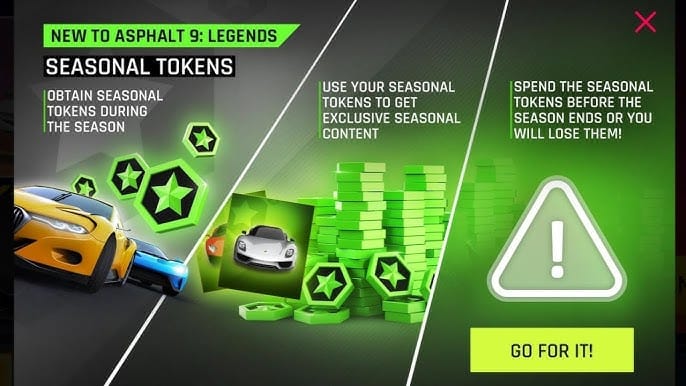
They aren't a payment method. They're a risk dressed up as a bargain. None of the official sources covering Asphalt 9's currency or top-up flows so much as mention Mody9veo or any "token generator," and that silence is the tell. Tokens are server-side premium currency. Gameloft's backend grants them after a verified, store-processed purchase, and Google, Apple, Razer Gold, plus the licensed regional shops all run through that pipeline. A site standing outside it has no sanctioned route to write Tokens onto your account. Whatever it claims to be "injecting," the server is the source of truth, and the server only honors transactions it can verify.
So what are these sites really up to? Best case, nothing, you burn a few minutes on a dead form. The worse cases are the ones that cost you: harvesting your login to hijack the account, capturing whatever payment details you punch in, or roping your account into a flagged transaction. The r/Asphalt9 consensus is blunt about it. Third-party top-up sites carry account-ban and data-theft risk, and the recommended channels are the official platforms: Google Play, the App Store, Razer Gold.
I'll plant the flag the softer guides dodge. Pushing Mody9veo-style sites as a way to buy Tokens is misleading, because they can't actually do the thing they advertise. "Is mody9veo safe" has a clean answer. Treat it as a security exposure, not a savings hack. Same verdict for the credential-harvesting "free Token" apps. The trade is wildly lopsided: you're betting the entire account to dodge the price of a small official pack you could've funded cardless in two minutes.
Vet anything before you pay by running it through a short checklist:
- Does it process through an official store or a licensed reseller? Google Play, App Store, Razer Gold, Codashop, Carry1st all route to Gameloft's backend.
- Does it ask only for your in-game user ID and platform, never your account password? Legit top-ups never need your login credentials.
- Is there a real refund and support channel? Official balance is refundable through platform support; injector sites offer nothing.
- Does it promise impossible "free" or "generated" Tokens? Server-side currency can't be conjured externally. That promise is the scam.
Token packs, cost-per-token, and the region trick
There's no honest cost-per-token table I can drop here, because the official packs carry no single fixed global price, and I'm not inventing one to look authoritative. Prices swing by store, by region, by live promotion. What I can hand you is the framework that actually drags your real spend down, which most pack tier lists skip wholesale.
First, buy the mid-tier, not the smallest pack. Tiny "starter" packs almost always land the worst cost-per-token. The value curve bends in your favor as size climbs, then flattens near the top. A regret you'll see repeated across the community is overpaying for tiny packs when a mid-tier would've delivered far more Token-per-dollar. When you do top up, bump one tier above your instinct and check whether the per-Token rate actually improves.
Second, price-shop the region of your store account. This is the legitimate lever, and it's worth more than any coupon: the region of your store account, not where you physically sit, frequently sets the pricing you're shown. Markets like India, Brazil, the Philippines, and Turkey often display lower local pricing than the US on equivalent digital purchases, which is exactly why regional gift cards exist and why the local-wallet checkouts thrive there. I won't pin a percentage to that gap, since no official figure is published and a fabricated number helps nobody. But region-aware official gift-card buying is the only legitimate way to shave real cost, and it never gambles your account the way a mod site does.
Here's the framing I'll stand behind, contrarian as it sounds: not having a card is an advantage. Gift-card budgeting forces a hard ceiling. You spend exactly what you redeemed and not a cent over, which sidesteps the slow overspend one-tap card buyers tend to drift into. The cardless reader isn't the one at a disadvantage here.
For full transparency, this piece is published by VGTopup, itself a no-credit-card top-up route for Asphalt 9 Tokens. The buying logic above stands on its own regardless: match your store region, size up to a mid-tier pack, keep the transaction inside a channel that routes to Gameloft. If you'd rather skip card setup entirely, you can compare current pack options for an Asphalt 9: Legends Tokens top up against your local store price before you commit.
The cardless path isn't a workaround. It's the same official store, funded smarter, with the injector sites being the one thing you actually need to walk past.
Frequently Asked Questions
Can I buy Asphalt 9 Tokens with PayPal?
Where it's supported, yes. Usually you attach PayPal as a payment method on your Google Play or Apple Account, or fund a wallet like Razer Gold that accepts it, then buy through the official store. Availability rides on your store-account region rather than the game itself, so eyeball what your Google or Apple checkout actually offers before assuming PayPal's on the menu.
Will a third-party or mod site get my Asphalt 9 account banned?
It's a real risk, and the r/Asphalt9 consensus explicitly flags account-ban and data-theft exposure from third-party top-up sites. Beyond bans, the more immediate danger is credential theft. Anything asking for your account password rather than just your in-game user ID should be a hard no. Licensed checkouts never need your login.
Does topping up Tokens with a gift card break the terms of service?
No. Redeeming a Google Play or Apple gift card to balance, then buying Tokens in the official store, is a fully sanctioned first-party purchase, identical in the publisher's eyes to a card transaction. The terms-of-service worry only attaches to unauthorized external tools and injectors, not to how you funded your legitimate store balance.
What's the cheapest legitimate way to get Asphalt 9 Tokens?
For zero spend, the free stack wins: 20 Tokens daily from tasks plus 200 from a Platinum multiplayer climb, per the Bluestacks guide, topped with up to four ad packs a day. If you're paying, the cheapest real lever is region-aware official gift cards paired with a mid-tier pack, not a discount injector site, which can't deliver Tokens at any price.
Can I top up on iOS without a card using family balance?
Yes. An Apple gift card redeemed to your Apple Account balance funds in-game purchases with no card attached, and shared balance through Apple's family setup can work depending on your region's rules and the organizer's settings. Just confirm the gift card's region matches your Apple Account region, or the code won't redeem.










Comments