Learn how to get into Mobile Legends advanced server builds in 2026, resolve missing switch buttons, grab all test heroes, and bank free live Diamonds.
The Advanced Server runs one to three patches ahead of the live client, offering a two to six-week preview of upcoming balance shifts. While live players cope with current patch imbalances, test players already know which heroes Moonton plans to push to tier-S or gut entirely.
Getting through the door is the hard part. Moonton caps testing capacity, and missing buttons, latency spikes, or unlinked profiles lock thousands out every week.
Here is how to clear the entry checks, bypass client errors, and trade testing time for live Diamonds.
Requirements and Server Quotas for the MLBB Test Environment
Moonton runs the Advanced Server as a telemetry sandbox rather than an open public playground. Total active capacity is hard-capped at roughly 40,000 players, spread across 50 to 100 sub-servers to distribute matchmaker load and track hero balance under real match conditions.
To apply through your normal game client, your account must clear strict progression and network checks before the system displays the entry toggle.
| Access Requirement | Qualification Standard | Telemetry Function |
|---|
| Account Progression | Original Server Level 15+ | Filters out fresh bot accounts and uncommitted players |
| Connection Latency | Ping under 100ms (Max 120ms) | Prevents high-ping match drops and telemetry distortions |
| Bound Profile Status | Google Play, Facebook, or TikTok | Secures live progress before triggering client updates |
| Server Capacity Status | Available slot inside 40k cap | Prevents server overload across 50 to 100 sub-servers |
Meeting these baselines makes you eligible, but claiming an open seat requires precise timing.
Latency is the strictest gate. Moonton requires ping under 100ms. An indicator showing between 1 ms and 120 ms (yellow status) might occasionally slip past, but anything higher hides the switch immediately. If ping spikes, the client assumes your data will contaminate telemetry and pulls the option.
Account binding is mandatory. Link your Original Server profile to Google Play, Facebook, or TikTok before touching a server toggle. Switching to the test client with an unbound guest profile risks overwriting or locking your original save.
Step-by-Step: Accessing the Advanced Server via In-Game Settings
Players in supported regions with low ping can access the environment directly through the standard client without downloading secondary tools—provided a slot is open.
- Launch Mobile Legends and ensure your Wi-Fi connection is stable.
- Tap your Avatar in the top left corner to enter your Profile.
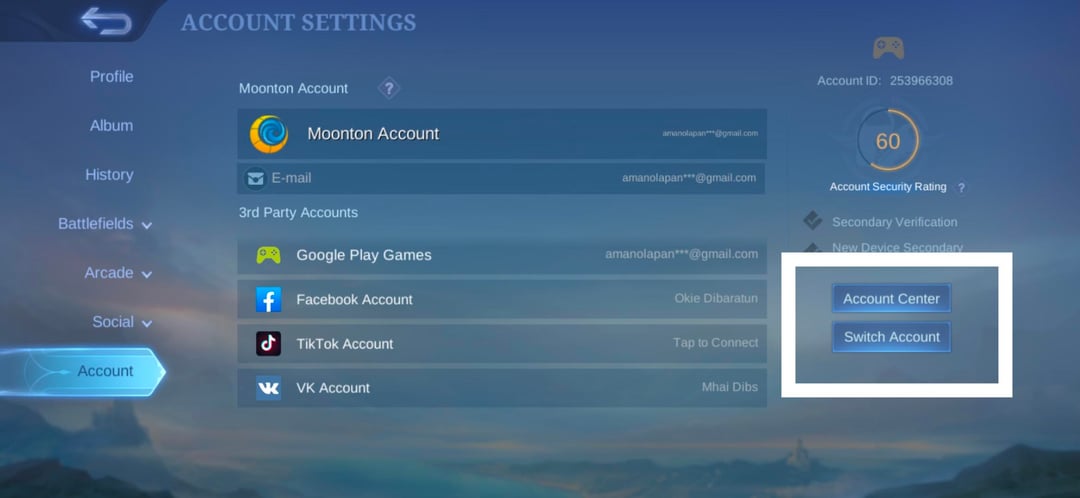
- Tap Account Settings on the lower left sidebar.
- Look at the bottom right corner for two buttons: Switch Account and Switch Server.
- Tap Switch Server.
- Select Advanced Server from the sub-server list (numbered 50 to 100).
- Confirm the prompt to restart your client.
Prepare for a wait after restarting. Alternating between the Original and Advanced Server forces the client to download the alternate version's balance files and assets, taking 10 to 20 minutes depending on your storage and network speed.
A level-one tutorial screen upon loading is normal. You are entering an isolated partition; your original rank, cosmetics, and match history remain tied to your bound profile.
Troubleshooting Why Can't I Access MLBB Advanced Server
The most common roadblock is the missing Switch Server button. You open Account Settings, and only "Switch Account" appears.
Three distinct issues trigger this:
Server capacity is full. When all 40,000 slots across the 50 to 100 sub-servers fill up, Moonton removes the entry toggle from the UI instead of showing a grayed-out button. You cannot enter until seats clear during maintenance.
Regional IP blocks. Documented access patterns conflict: standard guides list Southeast Asian coverage across Indonesia, the Philippines, Malaysia, Singapore, and Thailand, whereas specific server logs restrict access strictly to Indonesia, the Philippines, and Hong Kong. If your IP resolves outside active regional testing pools, the button disappears.
Network jitter. A ping spike over 100ms—even for three seconds during profile load—causes the client to flag your connection as ineligible. Kill background downloads, disconnect bandwidth-heavy household devices, and restart the game near your router.
If the button still fails to show after meeting these checks, you must wait for Moonton's weekly slot reset.
Server Reset Windows and Slot Timing
Slots open on a predictable weekly schedule rather than at random hours.
| Distribution Method | Window Day | Release Time Window | Quota Type |
|---|
| In-Game Switch Server | Every Thursday | Midday (GMT+7 to GMT+8) | Recycled inactive seats & capacity refresh |
| Standalone Android Beta APK | Every Friday | Midnight (12:00 A.M. PST) | Standalone beta slots opened on third-party app stores |
Targeting these release windows is the only reliable way to grab an open slot before quotas fill.
Every Thursday around midday GMT+7 to GMT+8, routine maintenance sweeps the test partitions. Moonton purges accounts that have remained inactive for multiple weeks and recycles their seats back into the pool.
Set an alarm for Thursday morning in GMT+7 or GMT+8. Open your Account menu thirty minutes before midday and recheck the settings screen every five minutes. The moment maintenance finishes, the Switch Server button reappears until the recycled slots fill.
Missing this Thursday window generally locks you out of the in-game path until the next maintenance sweep.
Standalone APK and Beta Workarounds
Android users blocked by regional restrictions or missing buttons can bypass the in-game toggle entirely using a standalone test client.
Verified third-party mobile repositories host the official beta package. Unlike the main build, this beta APK installs alongside your live client as an independent app with its own 5v5 icon, leaving your original installation intact.
Standalone packages run on a separate access schedule: while in-game slots refresh on Thursdays, beta APK download links unlock on Fridays around midnight PST (12:00 A.M. PST). When the allowed download quota fills, hosts pull the download link until the subsequent release.
iOS users cannot sideload APK packages. Apple players must wait for Moonton to issue public beta links via developer test portals. These iOS slots are rare, capped at small player limits, and fill almost immediately once posted by community moderators.
For consistent test access, a secondary Android phone or tablet is far more practical than an iOS device.
Vanguard Coins, Free Heroes, and Earning Live Diamonds
Dealing with high ping, test crashes, and redownloads comes with concrete perks inside the test economy.
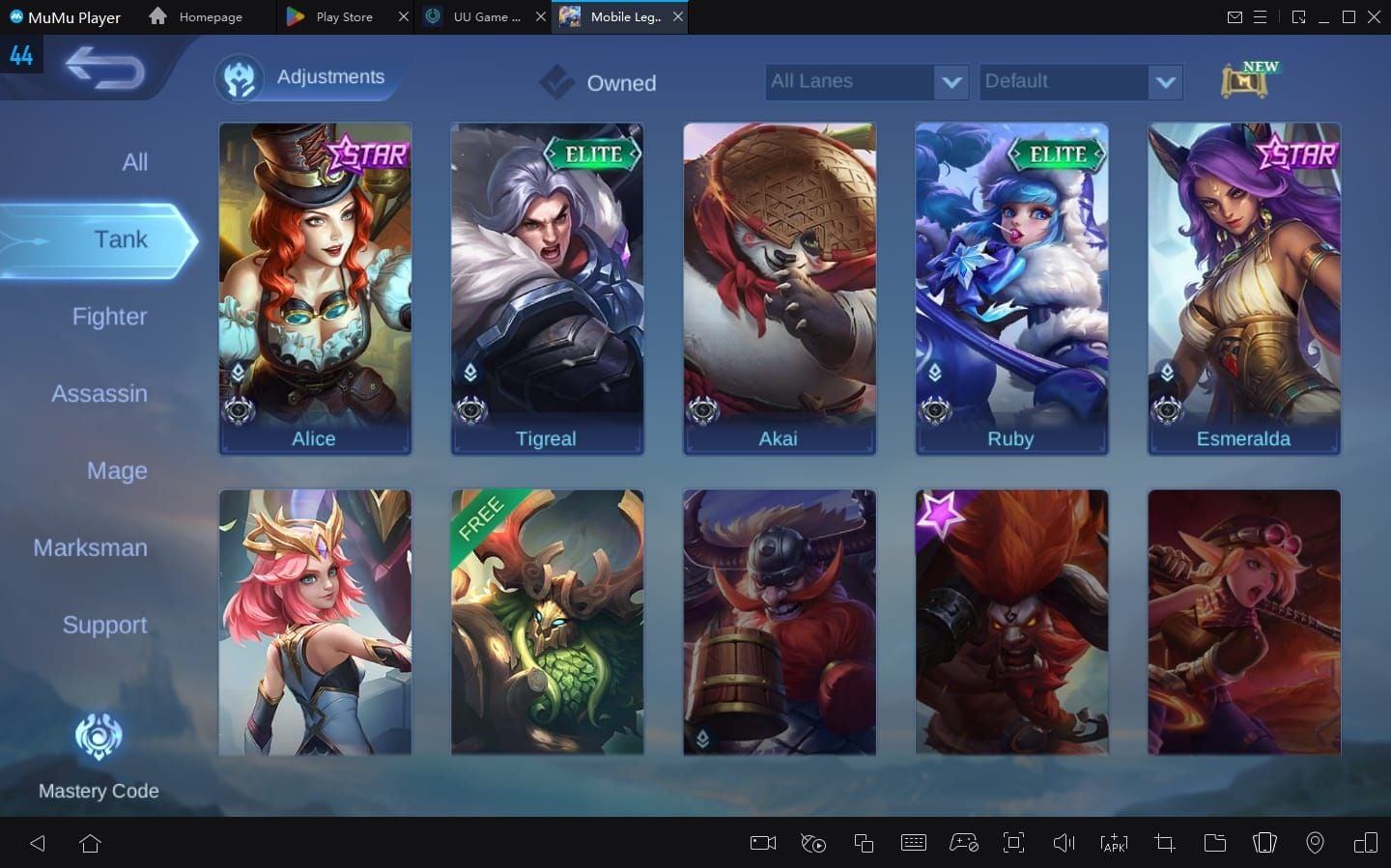
Every hero is unlocked for free on the Advanced Server. While skins and ranks stay on your main account, you can play upcoming fighters, unreleased assassins, or high-priority meta bans without spending Battle Points or Diamonds.
The test client also distributes a proprietary currency: Vanguard Coins. You earn them by helping Moonton validate builds through three activities:
- Completing daily Vanguard Coin Supply tasks.
- Claiming up to five rewards per major client update in the Vanguard Benefits tab.
- Filing confirmed bug reports through customer service.
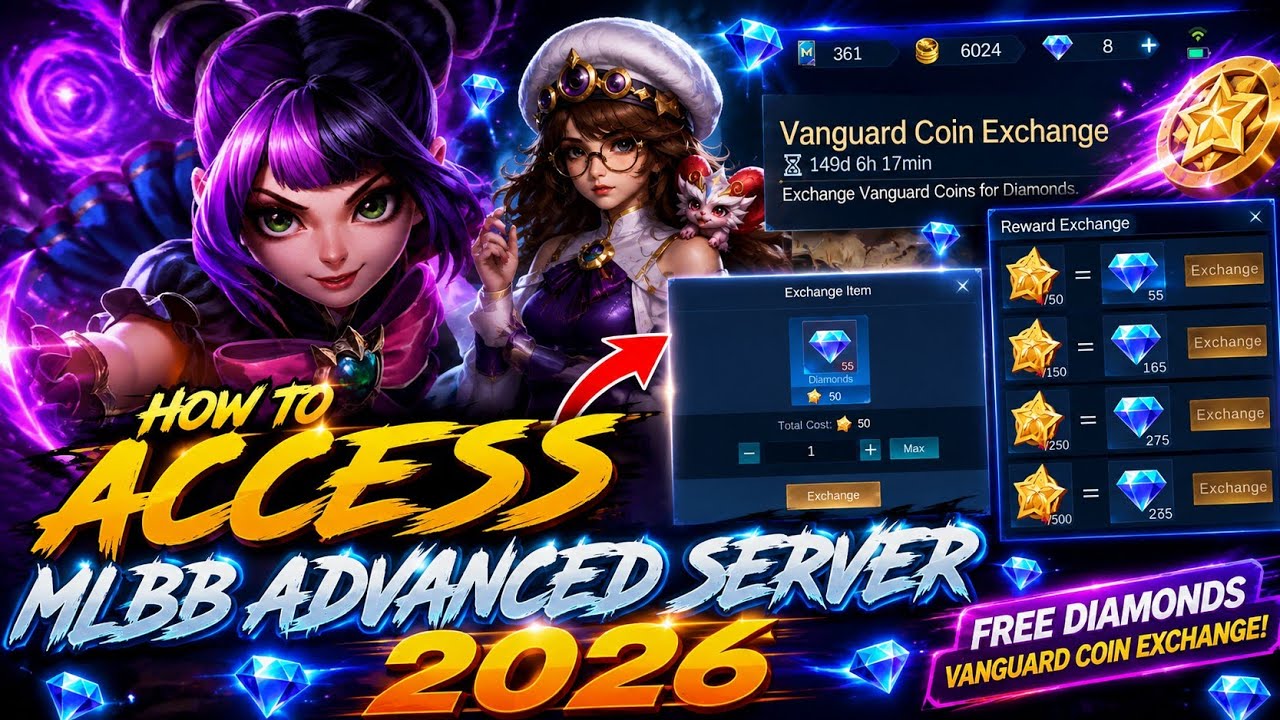
Vanguard Coins convert 1 to 1 into real Diamonds delivered directly to your linked Original Server account via the Recharge Center. Running matches and documenting reproducible collision bugs translates directly into live currency.
Testing builds also reveals which upcoming heroes and skins warrant spending. When a major rework lands alongside a release you want on your main profile, an early Mobile Legends Bang Bang diamond top up ensures your live account is prepared on launch day.
Keep account isolation in mind: social functions do not cross partitions. You cannot add live-server friends, send gifts to your main account, or squad up across builds.
Advanced Server Pipeline: 2026 Content Testing Roadmap
Content inside the test build falls into three stages: confirmed changes, likely additions, and speculative prototypes that developers may scrap.
| Feature Pipeline Status | Content Type | Testing Cycle Duration | Live Implementation Rate |
|---|
| Confirmed Pipeline | Number adjustments, stat scalings, cooldown tweaks | 1 to 2 patch cycles (2 to 4 weeks) | High (90%+ reach live builds) |
| Likely Pipeline | Visual revamps, minor talent adjustments, item passives | 2 to 3 patch cycles (4 to 6 weeks) | Moderate (Subject to community feedback) |
| Speculative / Experimental | Complete skill overhauls, brand-new mechanics, prototypes | Indefinite (Often pulled without notice) | Low (Frequently reworked or canceled) |
Identifying where an update sits in this pipeline prevents misjudging test server leaks.
Numerical tweaks—such as clipping 5% off an ability ratio or adjusting an ultimate cooldown by two seconds—sit in the confirmed tier. They are tested one to three patches ahead and reliably ship live within two to six weeks.
Mechanical overhauls remain speculative. Moonton regularly tests major kit redesigns that get pulled if tester feedback is negative, reverting the hero to the baseline version.
Tracking the pipeline provides a multi-week buffer to prepare your live roster. If your main hero receives an overhaul on the test client, you have time to adapt before it reaches ranked play. If you plan to grab that hero's upcoming launch skin, an early MLBB diamonds recharge keeps your live balance ready.
Technical Drawbacks: What Moonton Doesn't Tell You
Running beta builds involves daily operational friction that leads many players to remove the client within a few days.
Storage thrashing is the biggest issue. Switching back to your Original Server to run Ranked with a squad triggers a 10 to 20-minute file verification and download. Returning to the test client triggers the same wait. On devices with slower flash storage, this continuous rewriting generates heavy thermal throttling and battery drain.
Match quality is erratic. With only 40,000 players distributed worldwide, matchmaking brackets widen to fill lobbies. You will see Mythical Glory players matched alongside Master-tier accounts. Lobbies feature unfamiliar hero kits running on pings anywhere from 40ms to 120ms.
Access is also revocable. If you secure a slot on Thursday but skip logging into the test environment for two consecutive weeks, the automated maintenance sweep purges your account and drops your entry toggle.
FAQ
The Switch Server button is hidden if your account is below Level 15, your latency exceeds the 100ms threshold, or server capacity is currently full. Moonton hides the button rather than disabling it when the 40,000-player quota is met. You must wait for the weekly Thursday maintenance reset or install a standalone beta client.
Does my hero and skin collection carry over to the Advanced Server?
No, your original account progress, cosmetics, and rank do not transfer because the test server runs on an entirely isolated database. However, Moonton provides all heroes completely unlocked for free on the test client so players can freely evaluate balance changes. Your main account progress remains safe on the Original Server.
When does Moonton open new Advanced Server slots?
New server slots open weekly on Thursdays around midday GMT+7 to GMT+8 during scheduled server maintenance. Inactive accounts are purged from the system during this window, freeing up space within the 40,000-player cap for new applicants. Standalone Android beta downloads typically open on Fridays around midnight PST.
How do Vanguard Coins turn into free Diamonds?
Vanguard Coins convert 1 to 1 into real Diamonds through the test client's Recharge Center or Events menu. Once you confirm the conversion, the Diamonds are routed directly to your linked Original Server account via in-game mail. You earn these coins by completing daily Vanguard Coin Supply tasks and submitting verified bug reports.
Can iOS players join the MLBB Advanced Server without secondary app stores?
Yes, but access on Apple devices is strictly limited and cannot be sideloaded via APK packages. iOS players must secure an official invite link through developer testing portals provided directly by Moonton. These seats are capped at small quotas and fill up within minutes of release.
Why does MLBB redownload resources after switching servers?
The Advanced Server operates on a completely different patch build that is one to three versions ahead of the live client. Whenever you toggle between servers, the app must flush the current build files and redownload the correct asset package. This download process typically takes between 10 to 20 minutes depending on your connection.
What happens if I stop playing on the Advanced Server?
Moonton will revoke your testing privileges if your account remains inactive for extended periods. During the Thursday maintenance sweeps, the automated system purges inactive accounts to liberate quota slots for new players. If you want to maintain your testing access, log in and play at least one match every week.
The Final Verdict on Joining the 2026 Test Pool
Joining the MLBB Advanced Server requires patience, Thursday midday timing, and tolerance for regular 20-minute client asset redownloads. If you want stable matches and normal squad play, the test build will frustrate you: brackets are wide, pings hover near the 120ms ceiling, and unpolished interactions occasionally crash matches.
If you want early meta intelligence, it pays off. You get up to a six-week window on upcoming hero adjustments, plus a 1:1 conversion path from Vanguard Coins into live Diamonds.
If the maintenance timing is inconvenient and you simply want to buy new heroes as they hit the global game, skip the beta steps. Playing standard servers and securing heroes with an affordable Mobile Legends diamond purchase saves storage space and keeps your rank climb uninterrupted. If you plan to test, set your alarm for Thursday midday GMT+7.









Comments