Why Unclaimed AUR and Rewards Never Auto-Deposit
Finishing weekly challenges does not automatically deposit AUR into your wallet at downtime. EVE Echoes requires manual confirmation for every single unlocked node.
CONCORD enforces a strict cutoff on seasonal tracks. The moment the season timer runs out, the interface closes, and uncollected milestones are erased during maintenance with zero post-season compensation. Other mobile games forward uncollected loot to your mailbox; EVE Echoes deletes it from the server.
Automated compensation occurs only if NetEase cuts a season short for emergency maintenance or early patch deployments. Under normal operations, claiming your unlocked tiers before the timer hits zero is entirely on you.
Progression Milestones Across Concord Pass Track Revisions
Past seasons capped progress early, halting pilots who cleared tasks daily. Modern updates revamped track lengths and milestone payouts.
| Track Version | Level Ceiling | Free Tier Reach | Elite Pass Level Boost |
|---|
| CONCORD Pass Season 8 | Max Lv. 80 | Unlocks up to Lv. 70 | +15 Instant Levels |
| Modern Standard Track (Season 9+) | Max Lv. 120 | Unlocks up to Lv. 90 | +20 Instant Levels |
| Post-Cap Extension Phase | Repeatable Milestones | Honor Supply Chests | Level-by-level payouts |
The milestone expansion provides 40 additional total levels, pushing the baseline cap up to Level 120 while expanding free-to-play access up to Level 90.
Because modern seasons extend 40 levels beyond legacy tracks, claiming rewards requires scrolling much farther along the horizontal ribbon. Keep checking past Level 80; the modern track runs to Level 120, continuing to drop high-tier crates.
Weekly Caps, Honor Supply Chests, and Post-Cap Grinds
You cannot grind out an entire pass over a single weekend. Pass challenges carry a hard ceiling of 1,750 points per week. Once reached, point progression freezes until the weekly reset.
Pacing rules:
- Hit the 1,750 weekly cap without burning excess mission completions.
- Level 120 does not stop progression for the remaining season duration.
- Crossing each level threshold past 120 awards an additional CONCORD Pass Honor Supply Chest.
The weekly cap acts as a progress throttle, stopping pilots from finishing the pass in two days. Skipping two weeks of points leaves you short of final tiers unless you purchase level skips.
| Progression Mechanism | Operating Limit | Gameplay Impact |
|---|
| Weekly Challenge Cap | 1,750 Points maximum | Hard stop on mission grinding each week |
| Elite Partner Pass Advance | +20 Immediate Levels | Skips early grind past initial milestones |
| Honor Supply Threshold | Post-Level 120 completion | Grants repeatable supply crates per level |
Managing your 1,750 weekly points prevents progression shortfalls before seasonal server maintenance cuts off access.
Two conditions typically cause a missing claim button: season transitions or operating system restrictions.
Between seasons, access to the CONCORD Pass track shuts down. On the final day, the interface closes so developers can deploy upcoming content. The banner disappears from your avatar menu during this window, and any uncollected rewards are locked permanently.
Operating system integrity also triggers lockouts. EVE Echoes restricts storefront and claim interfaces on rooted Android devices or jailbroken iOS hardware. If your OS is modified, the game shuts off payment gateways and reward redemption. Switch to an unrooted, stock operating system to access and collect your payouts.
Converting Leftover Points in the CONCORD Pass Shop
Direct wallet payouts represent only part of your earnings. Progression also awards CONCORD Pass Points, spent in an exchange shop tucked inside the pass UI.
Open the shop tab inside the pass window to redeem accumulated points for combat modules like Ascension Offense and Exile Defense Nanocores. Earlier client revisions fixed issues that blocked buying specific specialization skills with points, making the shop useful for skill builds.
Earlier balance updates also replaced milestone insurance points with Lazarus Units. Spend your balance before the season wraps up; inventory rotates, and pass points lose value if the shop menu goes offline.
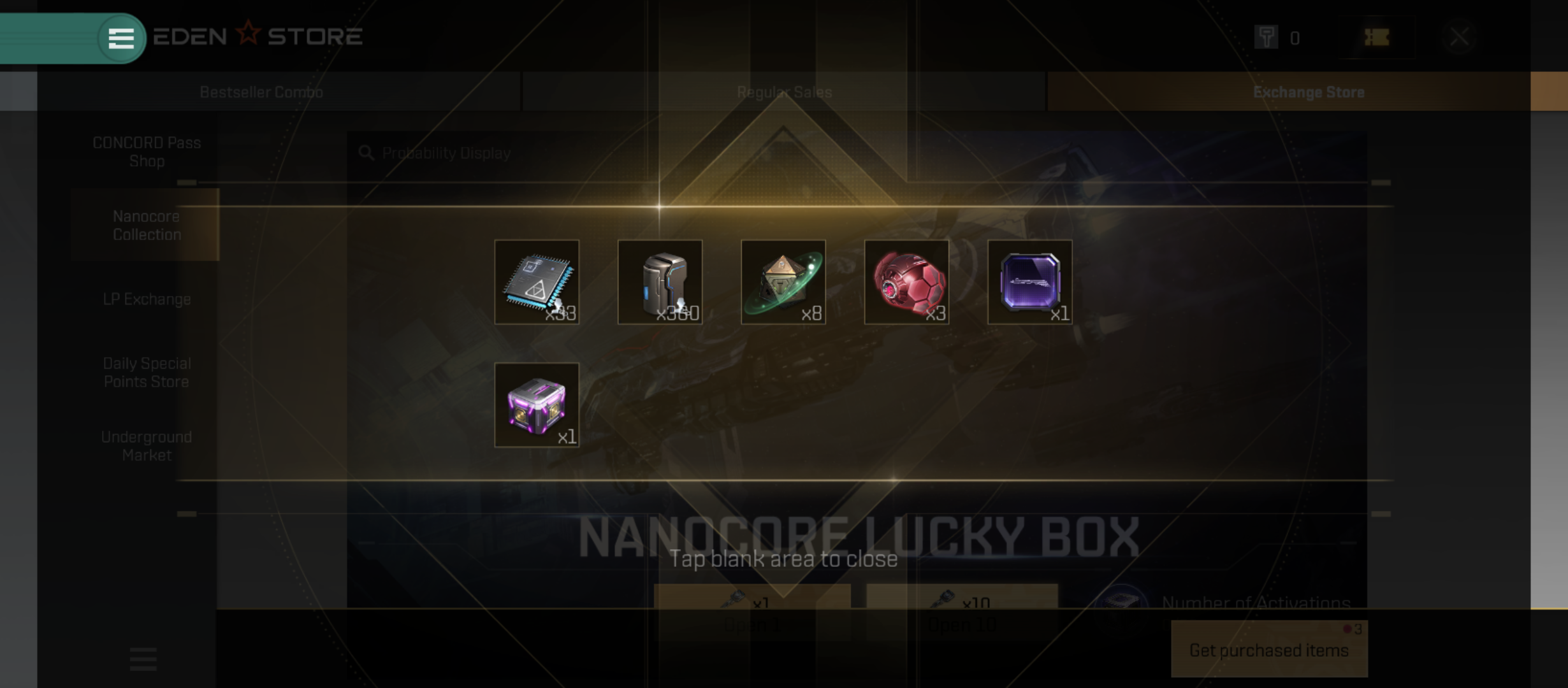
Store Combo Menus Versus the Standard Progression Screen
New capsuleers often confuse buying the pass with claiming its yields, searching standard cash menus for earned items.
To buy passes or resource bundles:
- Open the main Store icon.
- Select Bestseller Combo.
- Open Hot Selection to find active pass tokens.
Earned AUR never appears in the cash shop. The storefront handles purchases only. If you need balance beforehand, get an EVE Echoes AUR top up through a reliable vendor. Then open the avatar menu to claim your unlocked track nodes.
| Interface Location | Primary Function | Available Actions |
|---|
| Store -> Bestseller Combo -> Hot Selection | Monetization and purchasing | Buy passes, bundles, and lucky crates |
| Avatar -> CONCORD Pass -> Milestone Bar | Reward distribution | Manually claim earned AUR and items |
| CONCORD Pass -> Exchange Shop Tab | Point redemption | Exchange points for Nanocores and skills |
Separating commercial checkout screens from internal progression tracks prevents confusing payment receipts with manual milestone claims.
Pass Upgrade Tiers and Level Acceleration Math
Pilots must decide between the standard free track, the base pass, or the Elite Partner Pass. The free route pays out up to Level 90 (up from the old Level 70 cap), but premium tiers carry the bulk of AUR and crate payouts.
Buying the Elite Partner Pass grants 20 instant levels, up from 15 levels in older seasons. That jump cuts through more than a full week of the 1,750 point cap.
Buying the Elite boost late in a season only pays off if those 20 levels bridge the gap to major milestones blocked by weekly caps. With under a week left and fifty levels to go, grinding to Level 120 is impossible due to the 1,750 limit.
Plan tasks in four-week blocks to complete milestones without emergency level purchases.
FAQ
Open the pass screen by tapping your character avatar in the upper-left corner of your flight screen and selecting the CONCORD Pass tab from the event list. From there, scroll horizontally across the milestone track to locate and tap your unlocked reward nodes.
Access locks down during season transition periods when an active pass expires and developers prepare the next update. The menu reappears once scheduled maintenance concludes and the new season goes live.
What happens if I do not claim my CONCORD Pass rewards before the season ends?
Unclaimed rewards are permanently deleted once the pass validity period ends, because CONCORD provides no post-expiration compensation. Pilots must manually tap and collect every unlocked item before the seasonal timer expires.
The Elite Partner Pass instantly increases your progress by 20 levels along the reward bar. This baseline boost was raised from 15 levels starting in Season 9.
Is there a weekly limit on how many CONCORD Pass points I can earn?
Yes, pilots face a strict weekly earning cap of 1,750 points from challenges and weekly missions. Once reached, you cannot accumulate further pass points until the next weekly reset.
Can I claim CONCORD Pass rewards on a jailbroken or rooted mobile device?
No, EVE Echoes blocks logins and store operations on rooted or jailbroken operating systems under anti-cheat protocols. You must access your account from a clean, unmodified mobile operating system to claim items.
Where can I exchange surplus CONCORD Pass Points?
Open the CONCORD Pass Shop tab directly inside the pass menu interface. You can trade points for Ascension Offense Nanocores, Exile Defense Nanocores, and specialized skill progression.
Final Flight Check: Claim Early or Lose It
Never leave AUR sitting on the progression track. Unclaimed rewards left on the ribbon are deleted the moment server maintenance starts.
Check your avatar menu every Sunday before the weekly reset. Clear all glowing nodes, redeem spare points in the shop, and confirm balances inside your wallet. If you need to fund larger market orders, pick up an EVE Echoes recharge pack to secure your operations regardless of seasonal cutoffs.









Comments