Character ID Versus NetEase Account: Avoiding Costly Mix-ups
Your NetEase login and your LifeAfter Account ID serve entirely different functions.
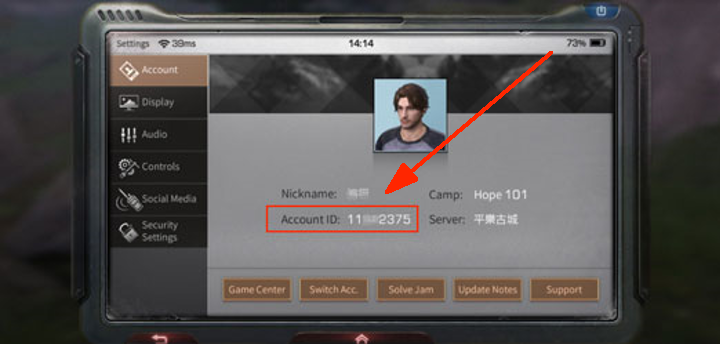
A NetEase account is your master credential—an email, phone number, Google Play link, or Apple ID used across NetEase titles. In contrast, your LifeAfter Character ID (labeled Account ID in the profile window) is a localized database entry tied exclusively to the server where your character resides.
If you want to top up Mall Checks for LifeAfter, entering a login email will fail. Automated systems and manual top-up operators cannot route currency to an email address; they require the numeric ID and exact server name to locate your character instance. Submitting an email locks the order in pending status until customer support intervenes.
Unlike games like Palworld where save files can be moved between local drives, LifeAfter stores all profiles, camps, and currency balances on remote NetEase servers. Your numeric ID remains permanently anchored to its home server database.
Client Storage Overhead and Profile Preservation
Seasonal updates demand substantial storage headroom. Following the Rebirth engine overhaul, running low on device storage during patch extraction can cause UI assets—including profile touchboxes—to fail to render.
Verify available local storage before starting major downloads. Unpacking requires temporary overhead before redundant files are purged.
| Platform / Client Asset | Storage Requirement | Data Preservation Rate | Key Preservation Notes |
|---|
| Mobile Pre-download Package | 18 GB | 100% | Replaces redundant assets after unpacking |
| PC Client Pre-download | 60 GB | 100% | Full asset download for updated graphics engine |
| Account Inventory & Manors | 0 GB extra | 100% | Weapons, outfits, levels, and camps fully intact |
| Friend Lists & Chat Logs | 0 GB extra | 100% | Synced remotely to server databases |
Client packages require substantial headroom during extraction, but all player inventory and profile identifiers carry over without data loss.
Every weapon skin, formula level, and manor upgrade stays attached to your numeric ID on the server. Even after a complete client reinstallation, logging in restores your character instantly.
Checking Server Names After Mergers and Data Sharing Updates
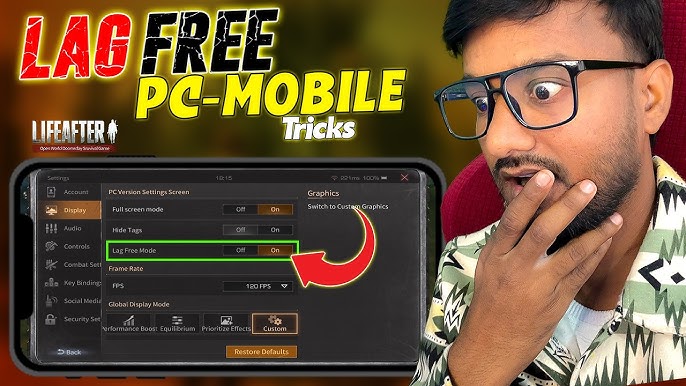
Returning players often find merged server lists confusing, especially when survivor names display new letter tags.
LifeAfter executes merges via data sharing protocols. Unlike games like Once Human where characters remain locked to isolated instances, LifeAfter combines databases while keeping your original login entry functional.
Post-merge rules to remember:
- Original server entry stays valid: Tap your original server name on the start screen. The backend routes you directly to your character without requiring you to guess the merged group name.
- Duplicate character names: If another survivor shares your exact name, the system appends an identification suffix and mails you a free Rename Card.
- Camp name conflicts: Camps with duplicate names receive a temporary suffix along with a free Camp renaming token.
- Post-merge mastery boosts: Merged servers grant active players a 3-day window of boosted Gathering, Crafting, and Combat Mastery gains plus daily login gifts.
When submitting your server name for third-party services or events, use the specific server name you select at login.
Locating Your ID in the Refashioned Mobile UI and Customizing Controls
Interface updates periodically regroup icons to declutter mobile screens, shifting buttons from their legacy positions.
Key consolidations include:
- Gathering Permits: Moved into the main menu bar off the primary HUD.
- Social Hub: Friends and Mail merged into a unified entry point.
- Manor Controls: Building, Planting, and Manor Assistant tools relocated to a collapsible tray.
+-------------------------------------------------------------+
| [Menu Bar]                                                  |
|   |-- [Unified Social] -> Friends & Mailbox                 |
|   |-- [Gathering Permits]                                   |
|   |-- [Manor Tools] -> Building / Planting / Assistant      |
|   `-- [Settings] -> Custom UI / Classic Control Toggle      |
+-------------------------------------------------------------+
To adjust the layout, head to Settings > Controls. You can switch the weapon wheel and chat bar back to legacy styling, or drag and scale HUD buttons to ensure your avatar touchbox stays clear.
When using reliable LifeAfter recharge options, quick access to your unblocked profile card prevents misclicks.
Seasonal Milestones, Boosted Progression, and Server Currency
Your numeric ID tracks event participation, rankings, and server-specific reward tiers. Server assignment determines available progression curves and milestone currency.
Characters on specialized servers like Asia Survival can utilize direct level skips to match endgame requirements quickly.
| Progression Milestone / Event | Requirement / Scope | Associated Reward / Boost |
|---|
| Asia Survival Initial Level Boost | Skip tutorial on new server | Instant jump to Level 75 |
| Asia Survival Cap Expansion | Server level cap increase | Optional jump to Level 110 |
| Asia Survival 7-Day Activity | 7 active login days | 6480 Mall Check currency |
| Post-Merge Data Sharing Boost | 3 days post-merge window | Enhanced Gathering, Crafting, & Combat Mastery |
| Death High 2026 Crystalized Crisis | 190 challenge floors | Server-wide milestone boost buffs |
The Death High Crystalized Crisis season runs from April 17, 2026 to May 24, 2026 across 190 challenge floors, activating server-wide buffs at milestone thresholds.
Recovering Lost LifeAfter Account IDs on the Mobile Login Screen
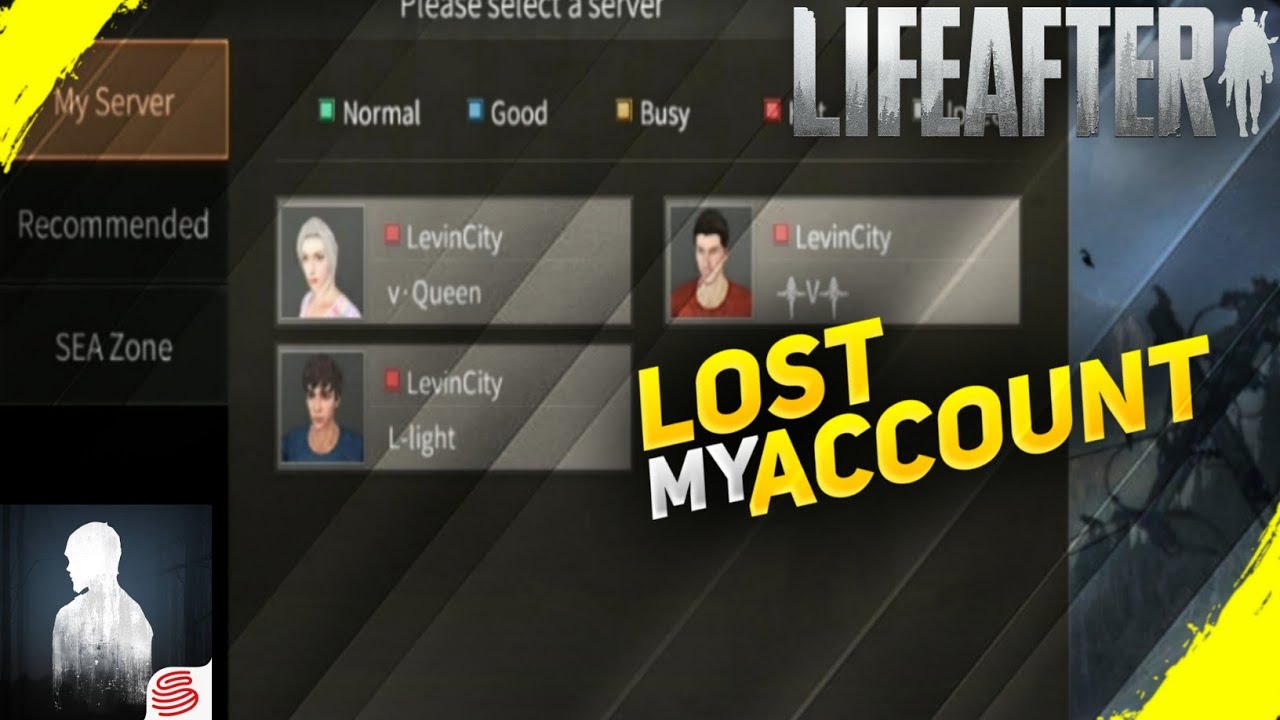
If you switch phones or reinstall the game without saving your credentials, you do not need to create a dummy survivor to find your details. Built-in recovery tools on the start screen query the server directly.
+-------------------------------------------------------------+
|                        LIFEAFTER                            |
|                                                             |
|                      [ TAP TO START ]                       |
|                                                             |
| [Server: SelectedServer]                                    |
|                                          [ Right Menu Bar ] |
|                                          |-- [User Center]  |
|                                          |-- [Recover] <----+ (Tap here)
|                                          |-- [Fix Client]   |
|                                          `-- [Notice]       |
+-------------------------------------------------------------+
To recover account details before logging in:
- Open LifeAfter and remain on the Tap to Start screen.
- Tap the [Recover] button on the right vertical menu.
- Select the query channel matching your available records:
* Character Recovery: Search character name and estimated server to look up your ID.
* Phone Recovery: Enter your linked mobile number to verify all bound characters.
* Order Recovery: Input an app store transaction receipt number to pull the UID linked to that purchase.
* Email Recovery: Submit your registered email address to receive a list of active character profiles.
Order Recovery offers the fastest resolution for paying accounts, returning your server and UID directly from the purchase database.
Identification and Retrieval Reference
Match the identifier to your task before submitting credentials:
| Identifier / Function | UI Location | Primary Purpose | Recovery Channel Alternative |
|---|
| LifeAfter Character UID | Character Profile (Top-Left Avatar) | Currency recharges, friend invites, camp recruiting | Character Recovery via Start Screen |
| Active Server Name | Start Screen / Profile Card | Server targeting, cross-server matching | Login Server Selection History |
| NetEase Account Binding | Settings -> User Center | Cloud save security, device switching | Phone / Email Recovery Channel |
| Purchase Order History | Mobile Store / Top-Up Receipts | Dispute resolution, transaction proof | Order Recovery via Start Screen |
Matching the right identifier to your task prevents account linking errors and failed profile searches.
Avoiding Common Copy-Paste Mistakes on Touchscreens
Touch interfaces introduce small formatting errors that break automated forms. Watch out for these four issues:
- Trailing whitespace: Highlighting numbers manually often copies an invisible space at the end, causing verification tools to reject the UID. Use the dedicated in-game Copy icon instead.
- Camp ID confusion: Camp serial numbers sit directly below character stats on the profile card. Never substitute a camp identifier for your personal UID.
- Manual typing errors: Misreading an eight- to ten-digit string causes delivery failures. Rely on clipboard copying.
- Missing regional prefixes: Forms often split regional clusters (NA, SEA, EU) from individual servers (FallForest, SandCastle, Asia Survival). Ensure you select both correctly.
Accurate entries guarantee secure LifeAfter account delivery without delays.
Frequently Asked Questions
Where can I find my LifeAfter account recovery options on mobile?
Tap the [Recover] channel located on the right-side menu bar of the mobile login screen before entering the game world. From there, you can query your credentials using Character, Phone, Order, or Email recovery methods without needing active access to your manor.
How do I check my LifeAfter server name?
Your current server name is displayed directly on the start screen beneath the main logo and inside your character profile card. If your server underwent data sharing, you can continue selecting your original server name on the login screen to enter the game world.
What happens to my account data after a LifeAfter server merger?
Your character data, levels, backpack inventory, and manor progress remain completely intact without being deleted. If another player shares your exact name on the merged server, an identifying suffix is added, and you will receive a free Rename Card alongside free Camp renaming.
Can I switch the LifeAfter mobile UI layout back to classic controls?
Yes, you can individually switch core controls like the weapon swap wheel and chat window back to legacy styling in the Settings menu. You can also drag, drop, and resize individual buttons freely using the Interface Customization tab.
Will major client and art updates delete my LifeAfter weapons or outfits?
No, all weapons, outfits, backpack items, and camp affiliations carry over with complete data preservation across all updates. Simply log in using your original account credentials after updating the client files.
How does the Level Boost system work on new survival servers?
The Level Boost system allows new and returning players on servers like Asia Survival to bypass the initial tutorial and advance straight to Level 75. Players can further choose to jump to Level 110 once the server level cap expands.
Final Verdict on LifeAfter Account Identification
LifeAfter separates master login credentials from server-bound character data. Always pull your numeric UID directly from your profile card using the copy icon, and verify your exact server name from the start screen or profile header. Five seconds of verification prevents stuck top-up orders, missed invites, and recovery errors.








Comments