
Era of Celestials Top Up: Direct Diamonds Delivery
Powering up your character in GTarcade's action MMORPG requires consistent resources. Diamonds serve as the primary premium currency in Era of Celestials, allowing you to advance your combat rating, upgrade rare gear, and dominate cross-server PvP arenas. Whether you need Diamonds to unlock exclusive Sprite companions, evolve your Wings, or refresh daily boss dungeon entries, a direct account top-up ensures your character stays competitive.
VGTopup provides a direct top-up service that sends Diamonds straight to your in-game character using only your User ID and Server selection. You never need to share account passwords or link sensitive credentials. Review the live checkout options above to select your desired Diamond package and complete your order.
How to Top Up Era of Celestials Diamonds on VGTopup
Completing your recharge takes only a few quick steps:
- Select the Diamond denomination you want to purchase from the catalog above.
- Enter your Era of Celestials User ID in the designated input field.
- Select your exact Server from the dropdown menu (such as HKT-M or HKT-Z series).
- Review your order details and verify that the UID and Server match your character.
- Select your preferred payment method available on the checkout page.
- Click Buy Now to finalize payment. Your Diamonds will be delivered directly to your character's balance.
How to Find Your Era of Celestials User ID and Server
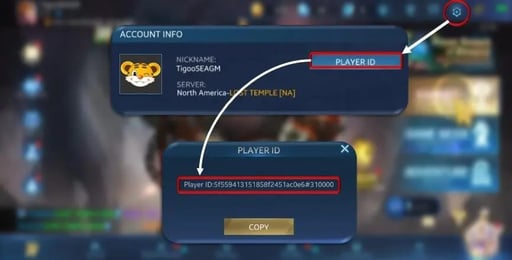
To ensure your Diamonds arrive without delay, you must provide your exact numeric User ID and correct server identifier. Follow these visual steps inside the game:
- Launch Era of Celestials on your mobile device or emulator and log in.
- Before entering the game world, observe the server name displayed on the login screen (for example, HKT-Z28 or HKT-M121).
- Enter the game world and tap your character Avatar located in the top-left corner of the main interface.
- Open the System Settings or Profile tab.
- Locate your numeric User ID displayed below your character name and server designation.
- Tap the copy icon next to your ID to copy the number directly to your clipboard.
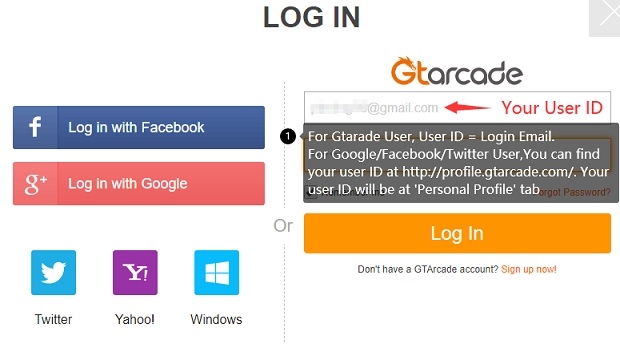
Finding User IDs for Third-Party Logins
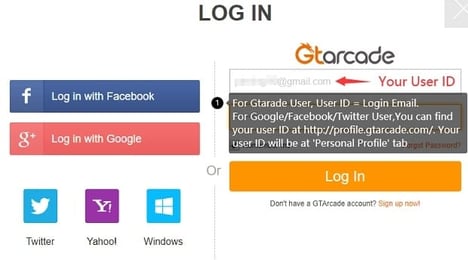
If you access the game via third-party social logins (Google Play, Apple ID, Facebook, or Twitter), your account is tied to a GTarcade profile. You do not need to extract external account credentials. Open the in-game user center via the GTarcade floating icon or avatar menu, where your global numeric GTarcade/Game UID is clearly displayed alongside your server region.
Supported Era of Celestials Servers and Regions
Era of Celestials operates across distinct server clusters to maintain network stability and balanced cross-server matchmaking. On VGTopup, you can select your active server directly from the live dropdown list.
| Server Cluster | Example Server IDs | Platform / Group |
|---|---|---|
| HKT-M Series | HKT-M120, HKT-M121, HKT-M122, HKT-M123, HKT-M124 | Mobile Global / Regional Cluster |
| HKT-Z Series (Early) | HKT-Z5, HKT-Z6, HKT-Z7, HKT-Z8, HKT-Z9, HKT-Z10 | Legacy Cross-Server Cluster |
| HKT-Z Series (Mid) | HKT-Z11 through HKT-Z20 | Active Regional Cluster |
| HKT-Z Series (Current) | HKT-Z21 through HKT-Z31 | High-Activity Competitive Cluster |
Always double-check your current character server before confirming payment. Diamond deliveries cannot be automatically transferred across different servers if the wrong server is selected during checkout.
Why Choose UID Passwordless Top-Up on VGTopup
Direct UID top-up is the safest method to buy game currency. When topping up on VGTopup, you enjoy several key security advantages:
- Zero Password Sharing: You only provide your public character User ID and Server. Your account password, email, and social login details remain completely private.
- No Account Takeover Risk: Because no third party logs into your profile, your character items, bound gear, and friend lists remain secure.
- Transparent Pricing: Current prices, regional currency conversions, and available payment processors are shown transparently at checkout with no hidden service fees.
- Direct In-Game Delivery: Purchased Diamonds credit directly to your character ledger, updating your VIP points and balance upon server sync.
What You Can Unlock with Diamonds in Era of Celestials
Diamonds provide the core progression fuel required to clear high-tier content and scale your battle power (BR):
Sprites and Mount Evolution
Sprites fight alongside your character, providing passive stat multipliers, active crowd control, and offensive burst skills. Diamonds allow you to summon premium Sprites, buy Sprite growth fruit, and evolve companion appearances to gain substantial combat advantages.
Elysian Transformations
Transforming into an Elysian turns your hero into a celestial warrior with screen-clearing ultimate abilities. Spending Diamonds allows you to unlock rare Elysian avatars, upgrade transformation tiers, and boost elemental damage attributes.
Wings and Feather Refining
Wings grant visual prestige and direct defensive and offensive stats. Use Diamonds to acquire rare Wing upgrade feathers, unlock exclusive tier skins, and refine wing resonance.
World Boss Fatigue and Dungeon Resets
Defeating World Bosses yields red-tier and mythical equipment. Top-tier players use Diamonds to purchase extra boss fatigue entries, refresh instance attempts, and access high-yield guild reward pools.
Troubleshooting Tips for Era of Celestials Recharge Delivery
If your Diamonds do not reflect on your balance immediately after payment confirmation, use this troubleshooting checklist:
- Restart the Game Client: Completely close the Era of Celestials app and re-launch it. This forces the client to sync with the GTarcade billing servers.
- Check the In-Game Mailbox: Certain event bonuses, rebate tokens, or first-recharge gifts accompanying Diamond orders arrive through the character mail tab.
- Verify Character Server: Confirm that you are logged into the exact server selected during your order. If you play on multiple servers under the same GTarcade ID, check if the balance was applied to the server specified at checkout.
- Check Connection Stability: Weak Wi-Fi or mobile data can delay character balance updates. Switch to a stable connection and reopen the shop tab.
- Contact VGTopup Support: If your Diamonds have not arrived after a short period, reach out to VGTopup customer support with your order number, User ID, and selected Server. The support team will verify the transaction status and assist you promptly.
Frequently Asked Questions
How do I top up Diamonds in Era of Celestials?
Select your Diamond pack on VGTopup, input your numeric User ID, choose your server from the dropdown list, and proceed to checkout. Once payment is confirmed, the Diamonds are credited directly to your character.
Where can I find my Era of Celestials User ID and Server?
Open the game, tap your character portrait in the top-left corner, and view your System Settings/Profile screen. Your numeric User ID is listed below your character name. Your server name is displayed on the main login screen before entering the game.
Do I need to share my game account password to recharge Diamonds?
No. VGTopup uses direct UID delivery. You never need to provide your GTarcade password, Google login, Facebook details, or any other private credentials.
What should I do if my Era of Celestials Diamonds are not delivered immediately?
Restart your game application to refresh server data, check your in-game mailbox, and verify that your submitted UID and Server were accurate. If you still need help, submit your order number to VGTopup support for verification.
Can I use gift codes alongside Diamonds topped up on VGTopup?
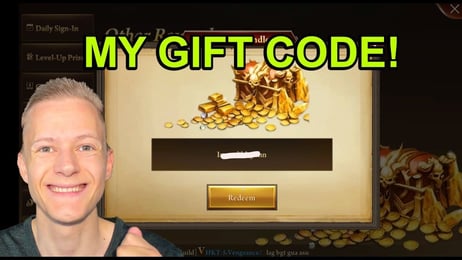
Yes. Purchasing Diamonds via VGTopup does not interfere with redeemable gift codes, active server rebate events, or standard in-game promotional milestones.
What in-game items can I buy with Era of Celestials Diamonds?
Diamonds can be spent on Sprite summons, Elysian transformation upgrades, Wing feather evolutions, Mount training items, daily World Boss fatigue resets, and exclusive items in the in-game mall.
Select Denomination
Tax, payment fees and eligible coupons are calculated at checkout.
| Package | Price |
|---|---|
| 100 Diamonds | USD 0.75 |
| 500 Diamonds | USD 3.69 |
| 1,000 Diamonds | USD 7.36 |
| 1,500 Diamonds | USD 11.04 |
| 2,000 Diamonds | USD 14.72 |
| 5,000 Diamonds | USD 36.77 |
| 10,000 Diamonds | USD 73.55 |