What UID, Server ID, and region each control
Players who lump these three together end up paying for it. UID, Server ID, and region each steer a different routing decision, and a recharge form quietly checks all of them at once.
- UID is your unique account identifier, a number bolted to the account itself rather than to any one character. This is the field a top-up actually credits. Botch it and your currency lands on a stranger who happens to hold that number.
- Server ID / server name sends the recharge to the correct shard. Your characters sit on one specific server, and the payment has to aim at that same place.
- Account region is the market your account belongs to, whether global or one of the earlier Asian launches. Region sits over server. If the region binding is off, even a flawless UID and server can bounce back.
Think of it in layers. Region is the country, server is the city, UID is the street address. A package with a perfect street address still won't arrive if the country on the label is wrong. That's why so many "wrong server" complaints are really region problems in disguise. More on that below, because almost nobody flags it.
| Identifier |
What it is |
Where to find it |
Goes in the top-up form? |
| UID |
Unique account number |
In-game Settings / Profile menu |
Yes — the primary field |
| Server ID / name |
Server routing code |
Server selection screen |
Yes |
| Account region |
Market your account is bound to |
Store account (Steam / Google Play / App Store) |
Sometimes (selector or auto-detected) |
| Character ID |
Per-character display name/number |
Character profile, in world |
No — never |
| Account ID / login email |
Your login credential |
Login screen / account portal |
No — used to log in, not to credit |
The line that spares people the most heartache: the one number a recharge form wants is the UID. Character ID belongs to the game world. Login email is for logging in. Mix either of those up with the UID and you've just built yourself a failed or misrouted payment. Confirm the UID, the server, and the region in one short pass before you pay.
Where the UID actually hides in the client
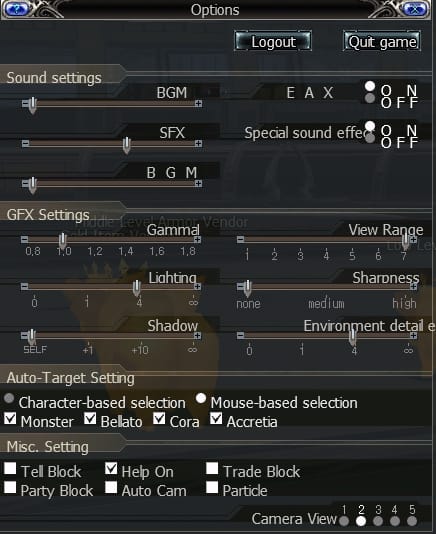
Your UID lives in your account info, reachable through the in-game Settings or Profile menu. Not the character screen. Not floating over your character's head. Not the friends list. Open the menu, find the account or profile panel, and look for the labeled UID or account number. It usually reads as a long string of digits.
A handful of things I've learned to do before I trust that number:
- Read it off the live client, never from memory or some old chat message. Numbers pulled from memory are exactly how a "9" turns into a "0".
- Use the in-game copy button if there is one. Tap-to-copy beats hand-typing a 9-to-12-digit string every single time.
- No copy button? Screenshot it. That screenshot doubles as your dispute evidence later, far stronger than "I'm pretty sure I typed it right."
- Verify it character by character against the form before paying. Slow is smooth, and smooth is your coins arriving where they belong.
Since the global client is so new, the exact menu label and layout can shuffle between updates. The official Google Play listing points players toward Netmarble's own Discord and forum as the live references whenever the UI moves around. If the path looks different after a patch, those official channels are where the current spot gets confirmed first. When you get there, copy or capture the UID before anything else.
Reading the Server ID without misreading it
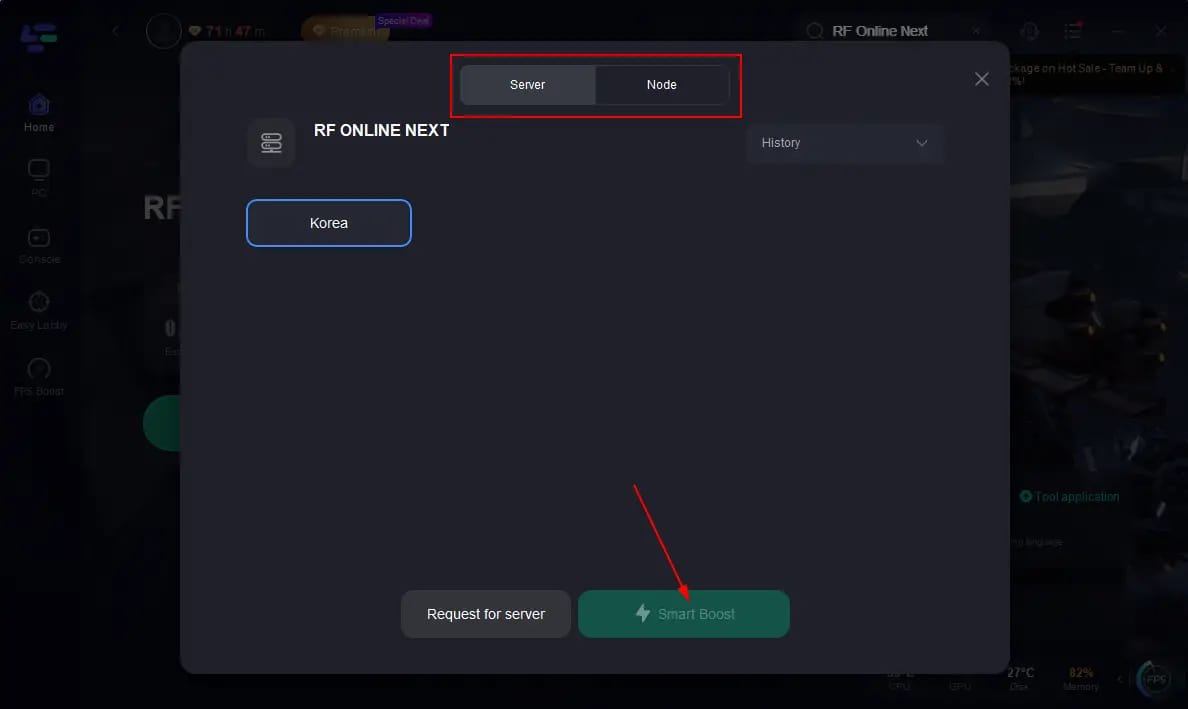
Your server turns up in two spots, and they don't always agree. The server selection screen at login lists the servers you can enter. The in-game display shows the friendly server name once you're actually playing. But the recharge system may key off a server code instead of that friendly name.
So burn this into memory: the server name you see in-game can differ from the Server ID code the recharge backend runs on. If a top-up form hands you a dropdown, match it to the server you genuinely log into off the selection screen. Don't assume the pretty name and the code are swappable. When you're unsure, the selection screen wins, because that's the one you literally pick to enter.
Misreads I'd watch for:
- Choosing a near-identically-named server (sequel servers, those "S2"-style suffixes) because two names look almost the same.
- Treating your race choice, Bellato, Cora, or Accretia, as a server. It isn't. Those are playable factions living inside a server, not routing identifiers.
- Trusting a remembered server from some other account or a beta you sat through earlier.
If your top-up flow asks for UID and server both, treat that pairing as load-bearing. The UID says whose account, the server says which shard of that account's world. Both, every time.
Confirming your account region (the step most guides skip)
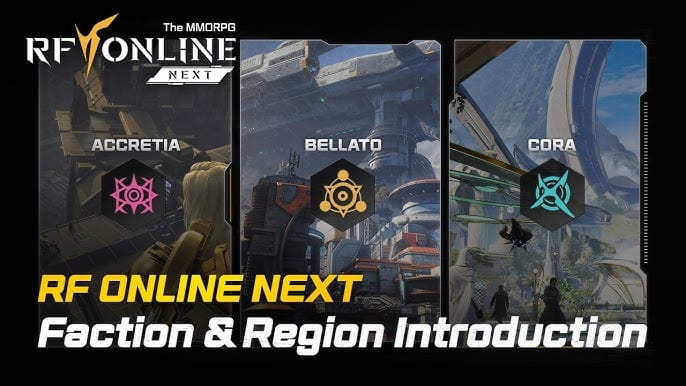
Region rides on your store account, not your in-game character, and that gap is where the silent failures crawl out. You confirm it through whatever platform you installed from:
- Steam: check your Steam account's country setting in account details.
- Google Play: your Play Store country governs the region your purchases bind to.
- Apple App Store: your Apple ID's country/region setting does the same job.
And this is the one that snares people right at install. Region binds to your store account, so a VPN left running while you install or make that first purchase can lock you into a market you never meant to join. You think you're a global player. Your storefront thinks otherwise. The recharge routes by the storefront. With the game live across several Asian markets ahead of the global build, the chance of an accidental cross-region bind runs higher here than in a title with one worldwide server set.
Now the point I'll plant a flag on. A big chunk of "wrong server" top-up failures are actually region mismatches. The player swears the server was right, and it was. The region underneath it wasn't. If a recharge fails and the server looks fine, check region before you key in the UID for the fifth time. You're probably debugging the wrong layer entirely.
Community posts have floated third-party top-up routes built specifically for the Japan and Taiwan servers, surfacing in tutorial discussions around those regional builds. That only sharpens the point: region dictates how and where you're even allowed to pay, not just whether the money lands. Nail down the market before anything else.
The 60-second check I run before every large recharge
This is the bit no single guide bothers stitching together, so here it is in one pass. None of it eats more than a minute, and it's kept me clear of the one mistake that genuinely stings.
| Step |
What to confirm |
Where you confirm it |
| 1 |
UID matches the form, digit for digit |
Settings/Profile menu → copy or screenshot |
| 2 |
Server name/ID matches your login server |
Server selection screen |
| 3 |
Region matches your store account |
Steam / Google Play / App Store account settings |
| 4 |
You're entering UID, not Character ID or login email |
The recharge form's labeled field |
| 5 |
Auto-filled fields aren't stale |
Compare auto-fill against the live client |
| 6 |
Screenshot captured before paying |
Your device gallery |
Step 5 is the one people skip and the one I care about most. Auto-fill is not a safety feature. After you switch accounts on a device, an auto-filled recharge field can drag over the previous account's UID, a number that's perfectly valid, just not yours anymore. Auto-fill feels like the system watching your back. It's actually replaying yesterday's data. Glance at the live client and confirm the auto-filled UID belongs to this account, not last month's.
As for where you actually pay, it comes down to one thing: the channel matters less than whether the verified UID, server, and region go in untouched. If you do lean on a third-party route, disclosure, RF Online Next top up is one such option, the same discipline holds. Paste the confirmed UID, match the server, double-check the region, then tap pay. No platform fixes a wrong number. Only your check does that.
UID vs Character ID vs Account ID — the confusion that costs the most
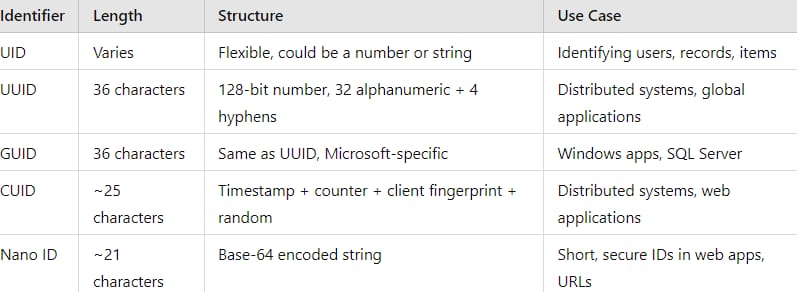
The error players regret hardest is dropping a Character ID into the slot a UID belongs in. They sit right next to each other in the game, they're both "your ID," and the form rarely spells out the gap. So let me draw the lines hard:
- UID — account-level, unique, the recharge target. One per account.
- Character ID — character-level, what other players read in the world. You can hold several. Never goes in a top-up form.
- Account ID / login email — your credential for logging in. It identifies you to the login system, not the billing system.
The tell that you're about to blow this: the field auto-suggests something short and name-shaped, or something that matches the text floating over your character's head. That's not your UID. Your UID is the long numeric string buried in the account panel. If the value you're about to submit looks like a name, stop. You've grabbed the Character ID.
When a top-up lands on the wrong account or server
Honest part first: recovery here is genuinely rough, and you should treat the prevention check as the real fix, because the cure is unreliable. There's no public, official RF Online Next reversal procedure documented for the global build yet, and that absence alone tells you to lean hard on prevention.
If it's already happened, move quickly and in this order:
- Stop. Don't fire off a second top-up "to fix it." That's how one mistake breeds two.
- Gather proof. Payment receipt, the UID and server you entered, the timestamp, and that pre-payment screenshot if you grabbed it. This is exactly why I screenshot. Memory isn't evidence. A screenshot is.
- Contact official support through Netmarble's channels. The Discord and forum surfaced on the Google Play listing are your entry points. Raise a ticket with your evidence attached.
- Paid through a third party? Contact that platform's support in parallel with the same evidence.
What support can realistically pull off is limited. A top-up that credited a valid UID, just not yours, has technically gone through. The system did exactly what you told it. Reversing that means clawing currency back from a real, possibly different account, and that's seldom something support will or can do once it's spent. Your dispute is far stronger when the transaction plainly failed than when it succeeded to the wrong target. Which loops right back to the only reliable lever in your hands: the 60 seconds before you pay.
On the debates that keep circling. Is UID alone enough, or is Server ID always required? Treat both as required any time the form asks for both. Assuming server is optional is how cross-server misroutes happen. Can region be swapped after purchases bind to it? Don't count on it. Region tied to a store account doesn't bend just because you'd like it to, and purchases bound to the original market complicate any switch. Verify region before the first purchase, not after.
Frequently Asked Questions
Where exactly do I find my UID in RF Online Next?
Open the in-game Settings or Profile menu and look in the account/profile panel for the labeled UID or account number, a long string of digits. It won't be on the character screen or hovering above your character. Because the global client is fresh and the UI can shift between patches, Netmarble's official Discord and forum (linked from the Google Play listing) are where the current menu path gets confirmed if it moves.
Is the RF Online Next UID the same as my Character ID?
No, and mixing them up is the costliest recharge mistake there is. UID is account-level, unique, and the number a top-up actually credits. Character ID is per-character, visible to other players, and must never touch a recharge form. If the value you're about to submit reads like a name rather than a long number, you've grabbed the Character ID. Stop and pull the real UID from the account panel.
How do I check my account region, and can I change it later?
Region binds to your store account, so check your Steam country setting, your Google Play country, or your Apple ID region. Don't plan on changing it afterward. Region tied to a store account doesn't flex easily, and purchases that already bound to the original market complicate any switch. Confirm region before your first purchase, not after it locks in.
My top-up failed but the server was right — what's wrong?
Look at the region underneath it. A meaningful share of "wrong server" failures are really region mismatches, since region sits above server in the routing chain. And with the game live across several Asian markets before the global build, accidental cross-region binds are easy to pick up. If the server's genuinely correct, debug the region layer before you re-enter the UID one more time.
Can a wrong-account top-up be reversed?
Often no, especially when the currency credited a valid UID that simply wasn't yours. The system technically did as instructed, so support can rarely claw it back from a real account. Your strongest case is when the transaction plainly failed rather than succeeding to the wrong target. Gather your receipt, the entered UID and server, the timestamp, and a screenshot, then raise a ticket through Netmarble's official channels right away.






Comments