



Fast and Secure Wallet Balance Top Up Online
A direct Wallet Balance top up provides immediate store credit on your VGTopup profile, enabling you to check out instantly without entering payment credentials every time you place an order. Whether you are stocking up for major releases, purchasing in-game currencies, or renewing digital services, maintaining a funded account balance ensures you never miss a limited-time sale or deal.
VGTopup offers a direct, secure deposit process designed to give buyers complete control over their digital spending without recurring subscriptions or saved credit card requirements.
What Is a Wallet Balance and How Does It Work?
A wallet balance is a prepaid digital reserve tied directly to your user account. Once you load funds, your balance acts as direct store credit. When you purchase games, game keys, gift cards, or direct character top-ups, the total order amount deducts automatically from your available funds.
Unlike traditional payment workflows that require bank authorization or SMS verification for every microtransaction, using your internal store balance executes orders instantly. You can add specific denominations whenever you want, making it a reliable tool for budgeting your entertainment expenses.
How to Find Your Account Identifier for Wallet Balance Top Up
To ensure your balance reflects accurately on your profile, you need your unique account identifier or registered email address before completing a deposit.
- Sign in to your VGTopup account on the official website or web portal.
- Click on your profile icon located in the top-right corner of the dashboard.
- Open the User Center or Account Settings tab.
- Locate your User ID (UID) or verify your primary registered email address.
- Copy the identifier carefully to input during your transaction.
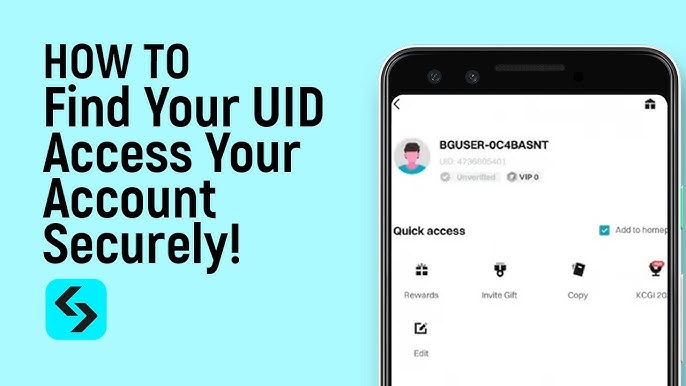
Double-check the entered identifier before proceeding to checkout so that the funds credit to the correct profile immediately.
Step-by-Step Guide: How to Recharge Your Wallet Balance in 2026
Adding money to your account on VGTopup is simple and does not require sharing sensitive passwords or linking permanent credit cards.
- Select the Deposit Amount: Choose the desired balance denomination from the product menu on this page.
- Enter Account Details: Input your registered VGTopup User ID or account email in the required field.
- Select Your Payment Option: Choose from available international and localized payment solutions visible on the live checkout screen.
- Confirm the Transaction: Review your total order amount and fees, then complete the secure payment authorization.
- Check Your Available Funds: Once the transaction completes, refresh your account dashboard to verify your updated balance.
Wallet Top Up vs Redeemable Prepaid Vouchers
Understanding the differences between direct wallet deposits and external prepaid voucher codes helps you choose the right funding method for your digital purchases:
| Feature | Direct Wallet Balance Top Up | Prepaid Redeemable Voucher |
|---|---|---|
| Credit Method | Direct automatic credit to account UID | Manual pin/code redemption required |
| Expiration Risk | Balance remains active on your account | Code may expire if unredeemed |
| Checkout Speed | One-click instant checkout | Requires voucher code input at checkout |
| Password Sharing | None required | None required |
| Currency Flexibility | Matches selected profile base currency | Locked to voucher issue region |
Supported Global and Local Payment Options for Wallet Top-Ups
VGTopup provides access to multiple payment methods tailored to buyers worldwide. You can complete your Wallet Balance recharge using:
- Major Credit and Debit Cards: Processed through encrypted gateways with standard fraud protection protocols.
- E-Wallets and Digital Payment Apps: Rapid mobile-friendly checkouts for users without international credit cards.
- Local Bank Transfers and Regional Solutions: Convenient options configured to match local financial networks across various territories.
- Prepaid Methods: Alternative private options for buyers who prefer not to use bank accounts directly.
Live pricing, available processors, and any associated processing fees are displayed transparently on the final checkout screen prior to payment submission.
How to Use Your Wallet Balance for Instant Digital Purchases
Once your funds are deposited, using your wallet balance is the fastest way to purchase items across the platform:
- Browse the store and add desired digital game keys, in-game top-ups, or gift cards to your cart.
- Proceed to the checkout page.
- Under the payment selection screen, choose Wallet Balance as your payment source.
- If your balance covers the full order amount, click Pay Now to complete the transaction without redirection.
- If your balance covers only part of the total, you can use available split-payment options or top up the difference to finalize the order.
Managing Regional Currency Settings and Store Restrictions
Digital store systems maintain strict regional settings to prevent unauthorized currency arbitrage and ensure catalog availability. Keep these points in mind when managing your balance:
- Account Base Currency: Your wallet balance operates in the primary currency assigned to your user account profile upon registration.
- Exchange Handling: If you pay for a balance recharge using a card or bank account denominated in another currency, your payment provider handles the conversion according to current daily rates.
- Cross-Region Purchases: Certain digital codes and region-locked game top-ups require matching regional accounts. Always verify product region compatibility before spending your wallet balance.
Troubleshooting Uncredited Wallet Balances and Payment Verification Issues
If your balance does not update immediately after completing payment, review these troubleshooting steps:
- Check Transaction Status: Verify with your banking provider or e-wallet application that the payment moved from pending to completed status.
- Allow Network Synchronization: High server traffic periods may cause minor processing delays. Wait a few minutes and refresh your account dashboard.
- Verify Profile Details: Ensure you were signed into the correct profile if you maintain multiple login accounts.
- Contact Customer Support: If your funds do not reflect within a reasonable window, prepare your transaction invoice number and proof of payment, then reach out to the 24/7 VGTopup customer support team for manual verification.
Why Recharge Your Wallet Balance on VGTopup?
- Total Account Safety: You never have to share account passwords or grant remote access. Recharges require only your public user identifier.
- No Stored Card Risk: Protect your banking credentials by loading funds on demand rather than saving permanent card details online.
- Multi-Language Platform: Clear order navigation and localized guidance designed for global customers.
- Transparent Transactions: Every fee and total cost is displayed directly on the live checkout interface before you commit funds.
Frequently Asked Questions
How do I add money to my wallet balance?
Select your desired balance denomination on the VGTopup product page, enter your User ID or registered account email, choose your payment method, and complete the checkout process.
What does wallet top up mean?
A wallet top up means adding prepaid funds to your internal store balance so you can pay for digital goods and services instantly without entering credit card details for each transaction.
How can I use my wallet balance?
When checking out with games, in-game currencies, or gift vouchers on VGTopup, select Wallet Balance as your payment method at checkout to deduct the cost directly from your available balance.
How do I recharge my wallet balance safely online?
Always recharge through official platform pages like VGTopup that use encrypted checkout connections and never ask for your account login password or personal security codes.
What should I do if my wallet balance does not update immediately?
Refresh your account page, check your payment provider receipt to confirm the payment went through, and contact the VGTopup support team with your order reference if the balance remains uncredited.
Can I transfer my wallet balance to a bank account?
No, store wallet balances are non-transferable digital credits designated exclusively for purchasing items and services available directly on the platform.
Select Denomination
Tax, payment fees and eligible coupons are calculated at checkout.
| Package | Price |
|---|---|
| 20 USD | USD 18.00 |
| 50 USD | USD 45.00 |
| 100 USD | USD 90.00 |
| 200 USD | USD 180.00 |
| 500 USD | USD 450.00 |































































