DMC Peak of Combat Player ID Location on Mobile Office HUD
Peak of Combat drops you straight into Dante's office. With event banners, daily notices, and stamina gauges competing for screen space, the HUD gets crowded on smaller phones.
Your profile portal stays fixed in the top-left corner. It houses your hunter portrait, Office level badge, and avatar frame. Unlike games that bury account credentials behind a settings gear, Peak of Combat ties all identity data directly to this avatar.
Using a controller? The office interface rarely maps a physical button shortcut to the profile icon. Tap the top-left corner of your touchscreen directly to open the card.
How to Check User ID DMC Mobile Profile and Server Details
When the Hunter Info card slides open, you see a complete snapshot of your account standing. Your numeric UID sits on the left half of this identity card.
This card provides three crucial pieces of operational data: your unique account digits, your designated server name, and your Office level. The table below outlines exactly what each visual element on this card represents.
| Interface Field | Visual Position on Hunter Card | Functional Purpose |
|---|
| Hunter Avatar | Top-Left Card Header | Displays your selected Dante, Vergil, Nero, or Lady profile icon. |
| Hunter Name | Upper Center Line | Your custom display name seen by friends and co-op teams. |
| Account UID | Directly Under Hunter Name | Unique numeric identifier required for recharges, events, and support. |
| Copy Icon | Right Edge of the UID Line | One-tap clipboard transfer icon to prevent manual typing errors. |
| Office Level | Left Badge Overlay | Controls the maximum level ceiling for all hunters in your roster. |
| Current Server | Lower Identity Section | Identifies your regional server partition for matchmaking and top-ups. |
Every account possesses a distinct numeric sequence that remains permanent even if you change your display name or swap your primary avatar portrait.
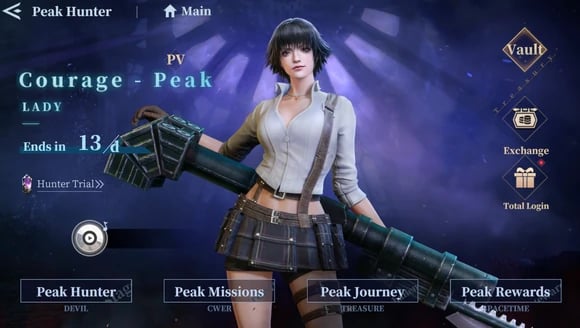
Managing Hunter Progression and Card Augmentation
Your Hunter Info card links directly into your combat strength. In Peak of Combat, your roster power depends heavily on your Office level, because no individual hunter variant can exceed the Office level ceiling.
You advance this Office rank by burning Pizza stamina across story missions, regular challenges, and daily farming stages like Perfect Timing or Vine of Greed. Each hunter you acquire features four customizable skill trees and four card augmentation slots. Keeping track of your UID ensures you never risk losing access to these heavily invested builds during client updates or device transfers.
When preparing for endgame modes, managing your team composition across elements is vital. The table below details prominent legendary hunter variants, their elemental classifications, and their core combat traits.
| Hunter Variant | Character / Element | Combat Kit Overview |
|---|
| One-Man Show | Dante / Legendary Electric | Rock of the Night ultimate applies weakening effects and electrical damage. |
| Count Thunder | Vergil / Legendary Electric | Triggers Judgment Dance after five Rapid Slashes at full concentration. |
| Endless Judgement | Vergil / Legendary Physical | Ultimate Judgement Cut End strikes multi-dimensional targets across the arena. |
| Frosty Grace | Lady / Legendary Ice | Deals rapid multi-hit Ice damage through specialized Frosty Blitz attacks. |
| Royal Guard | Dante / Legendary Physical | Activates Devil Trigger at 1000 MP, granting 10% physical boost and 18 Rage/sec. |
| Fists of Salvation | Dante / Legendary Fire | Sin-Rising Dragon generates flame wheels to quickly fill enemy Burn gauges. |
Each hunter relies on dedicated card augmentation and tailored skill trees to maximize burst damage during chain QTE switch rotations.
Using Your Account ID for Gift Codes and the Bonus Program
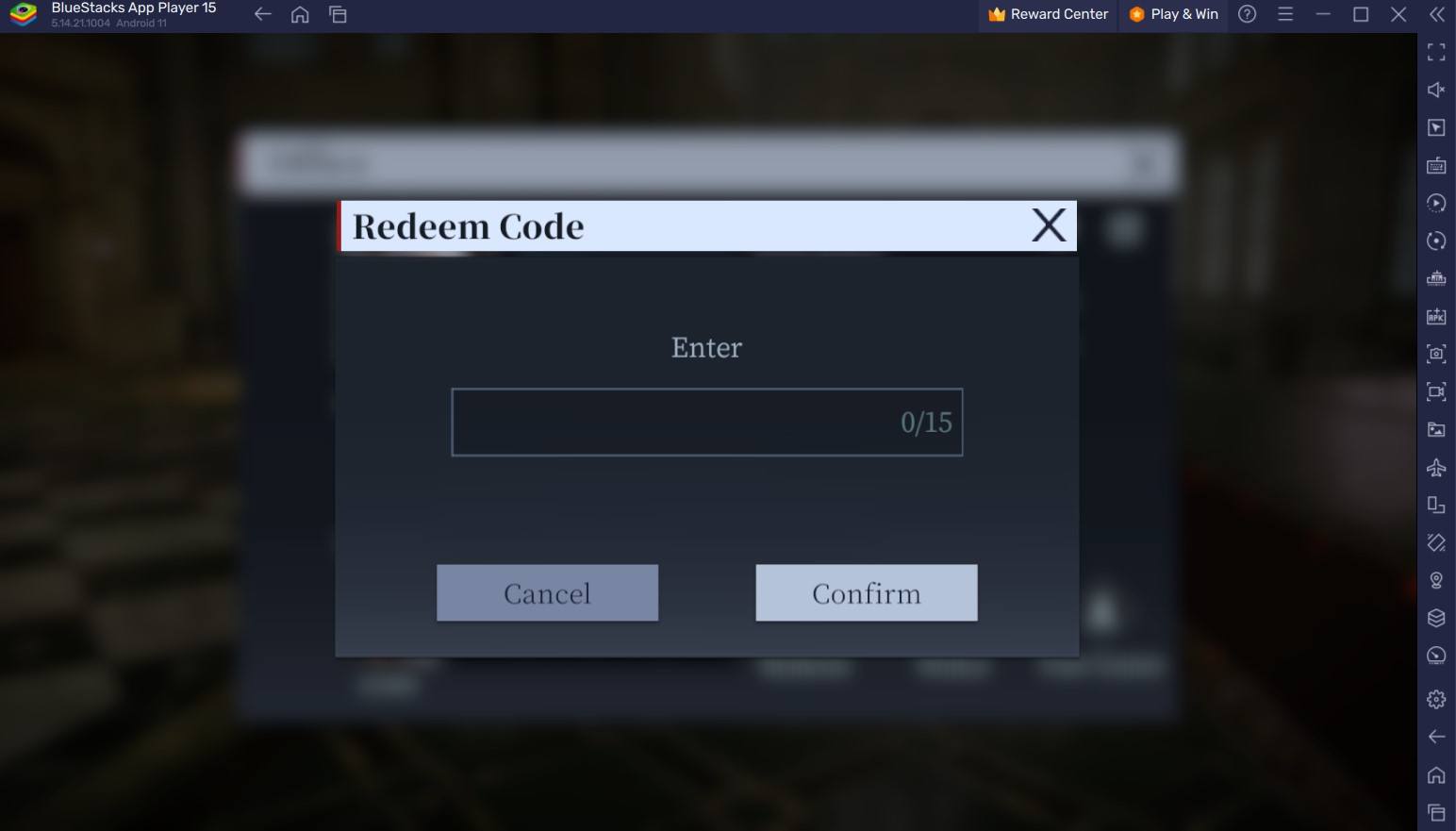
Gift codes deliver character progression materials, EXP packs, and Red Orbs. Entering them requires accessing the redemption backend tied to your account.
In the main menu, tap Bonus Program. This tab contains the text field for developer gift codes. Starter codes like VIP777 or JACKPOT yield 5,000 Red Orbs and weapon enhancement materials.
Claimed rewards go straight to your in-game mailbox rather than your inventory. If items do not appear right away, check your Hunter Info card to make sure you are logged into the right regional server.
Why Your UID Matters for Devil Gems and Hunter Summons
Devil Gems serve as the main premium currency in Peak of Combat. You spend them on stamina refreshes (Pizza), upgrade consumables, and limited summon banners.
Featured gacha banners carry a 90-pull hard pity for rate-up variants like Endless Judgement Vergil. When you get your Devil May Cry: Peak of Combat top-up delivered directly, submitting your exact numeric UID ensures the gems route to your account without processing delays.
Always copy the UID directly from the in-game button. Typing the numbers manually risks transposition errors that could credit an inactive account or delay fulfillment.
Adding Friends and Co-Op Boss Raids with Your Hunter Card UID
High-tier co-op modes pit your three-hunter team alongside other players against boss encounters with up to 99 health bars.
Coordinating raids or sending guild invites requires your teammate's exact UID. Searching by display name frequently fails due to duplicate handles and special characters. Entering the raw numeric player ID bypasses that issue and loads the profile immediately.
Elemental synergy matters in three-player raids. Pairing physical specialists like Royal Guard Dante with elemental appliers like Fists of Salvation Dante creates consistent QTE trigger windows. Swap UIDs with your regular group to coordinate weekly resets.
If your lineup needs extra summons for team synergy before the weekly reset, reviewing Devil May Cry: Peak of Combat account top-up options helps you secure necessary Devil Gems.
Android and iOS Differences: Touch Controls vs Gamepad Navigation
Peak of Combat runs across both Android and iOS devices, but platform architecture creates slight operational differences when accessing account settings and managing local data.
The minimum software requirement on Android is Android 6.0, allowing older hardware to run the game client. On Android devices running modern firmware, system-level multi-user settings permit players to separate app spaces and run alternate hunter profiles on the same physical phone.
The table below contrasts system requirements, profile handling, and input mechanics across platforms.
| Category | Android Platform | iOS Platform |
|---|
| Minimum OS Requirement | Android 6.0 or higher | iOS 12.0 or higher |
| Controller Support | Bluetooth and USB Gamepads | MFi and Bluetooth Gamepads |
| Menu UID Interaction | Direct Touch / Virtual Mouse | Direct Touchscreen Only |
| Multi-Account Profile Handling | Android Multi-User System Separation | Apple ID Game Center Switching |
| Stamina System Tracking | Pizza Counter HUD Overlay | Pizza Counter HUD Overlay |
| Banner Guarantee Rate | 90 Summon Hard Threshold | 90 Summon Hard Threshold |
While tactile gamepad support delivers solid combat controls, accessing the Office menus and copying your UID still requires a direct finger press on the touchscreen.
Devil May Cry Peak of Combat Hunter Card UID Troubleshooting
Occasionally, tapping the copy button does not paste the expected numeric string. This usually stems from clipboard permission restrictions or background app conflicts on newer operating systems.
Here are practical solutions to common UID retrieval issues:
- Clipboard Not Updating: On newer Android versions, background clipboard access is restricted. If tapping the Copy icon does not paste the number, switch to full-screen mode, tap the icon firmly once, and immediately paste into a notes app to verify.
- Server Name Mismatch: If you switch between regional servers on the start screen, your UID changes. Your account data on Server 1 does not carry the same numeric ID as Server 2.
- Guest Account Discrepancies: Playing on an unbound guest profile generates a temporary local UID. Bind your account immediately to an official login method so your progress and purchase records remain secure.
- Controller Cursor Traps: If an active gamepad disables touch inputs on your Office HUD, disconnect the controller for five seconds to restore direct touchscreen response, then tap your avatar.
Keeping your UID backed up in a secure password manager or notes file protects you against unexpected game client cache wipes. Whenever you plan to recharge Devil Gems for DMC Peak of Combat, verifying your UID against your active game profile prevents account mix-ups.
Base Demon Hunter Dante provides a 20% physical damage boost at a cost of 60 MP per second drain. In contrast, Legendary Royal Guard Dante requires a full 1000 MP pool to activate (consuming 200 MP upfront) and drains 100 MP per second, but provides a 10% physical damage boost alongside an aggressive 18 Rage per second generation. Always verify which variant is active on your profile card before optimizing your card augmentation decks.
FAQ
Redeem promo codes inside the game menu by navigating directly to the Bonus Program section. Once submitted, your items and currency arrive immediately in your in-game mailbox.
What is the primary premium currency in Devil May Cry: Peak of Combat?
Devil Gems serve as the primary paid currency used for character summons, stamina refills, and upgrade consumables. Standard Gems can also be earned by clearing daily missions and climbing Bloody Palace floors.
Why is my hunter character level capped?
Your individual character level cannot exceed your current Office level. You raise your Office level by spending Pizza stamina across campaign stages and daily farming challenges.
What is Pizza used for in Peak of Combat?
Pizza acts as the game's core stamina resource required to enter story chapters, challenge modes, and resource stages. Managing daily Pizza expenditure is the fastest way to increase your account rank.
Can I play DMC Peak of Combat with a physical controller?
Yes, the game natively supports physical Bluetooth and USB controllers for combat maneuvers on mobile devices. Specific UI menus and minigames still require direct touch inputs on your screen.
What are the minimum Android requirements for DMC Peak of Combat?
The game client requires Android OS version 6.0 or higher to install and run. Stable hardware capable of sustained performance is recommended for high frame-rate combat.
Does my UID change if I switch servers?
Yes, each regional server assigns a distinct UID sequence to your profile. If you create a new character on a different server partition, that profile will display its own unique hunter ID.
Final Verdict on Managing Your Devil May Cry Mobile ID
Copying your UID in Devil May Cry: Peak of Combat takes two taps once you know where to look. Skip the settings menu. Tap your avatar in the upper-left corner of the office, hit the copy icon beside your UID digits, and you are set to redeem codes, add raid partners, or verify recharges.









Comments