The Tuesday I priced the same gem pack four ways
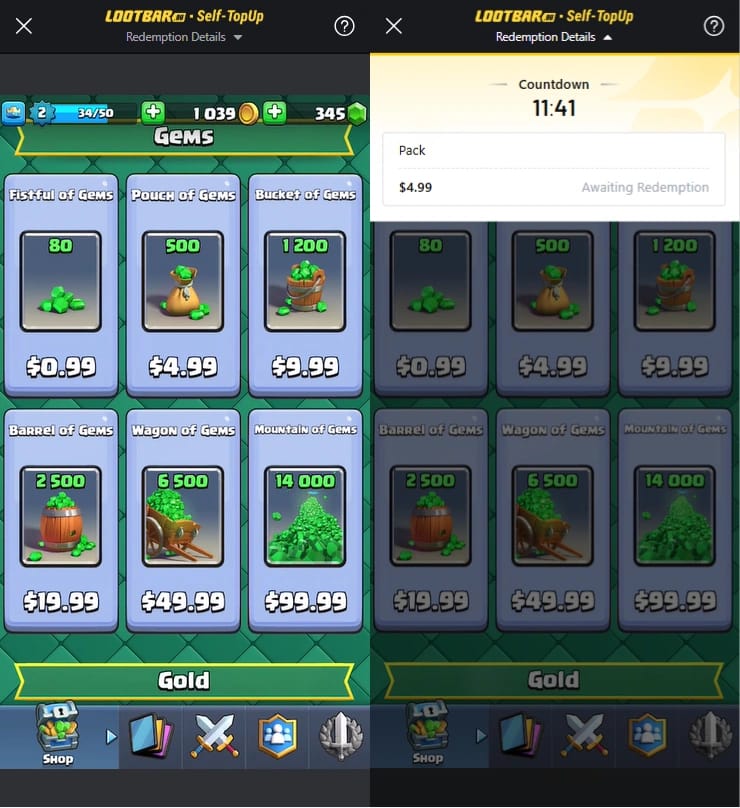
A 500-gem Pouch of Gems sits at $4.99 in the US store, while the identical pack reads about $2.70 in Argentina (≈46% cheaper), ~$2.90 in Turkey (≈43%), and ~$3.30 in Brazil (≈36%) as of May 2026, according to FoxReload's 2026 distributor guide. Those gaps hold up. Supercell pushed regional pricing live across more than 100 countries spanning Latin America, Africa, Eastern Europe, and Southeast and Central Asia in late 2026, per Supercell's Clash Royale Regional Pricing Announcement. The cheaper sticker is genuine. Getting to it is the trouble.
And here's the wiring most guides gloss over. Your gem price isn't set by where you happen to be standing. It's tied to your store account region, which locks to the country where you created the account, plus your billing details, payment method, and account settings. Not your IP alone, per a Google Play community thread and the Packsify regional guide. Open the shop in São Paulo on a US-registered Apple ID and the US prices stare right back at you. The map didn't budge because you walked across a border.
That's the moment I quit asking "which country is cheapest" and started asking which delivery method respects how my account is actually wired. Different questions. Treating them as the same one is exactly where money and accounts go missing.
Why the player-tag route quietly wins
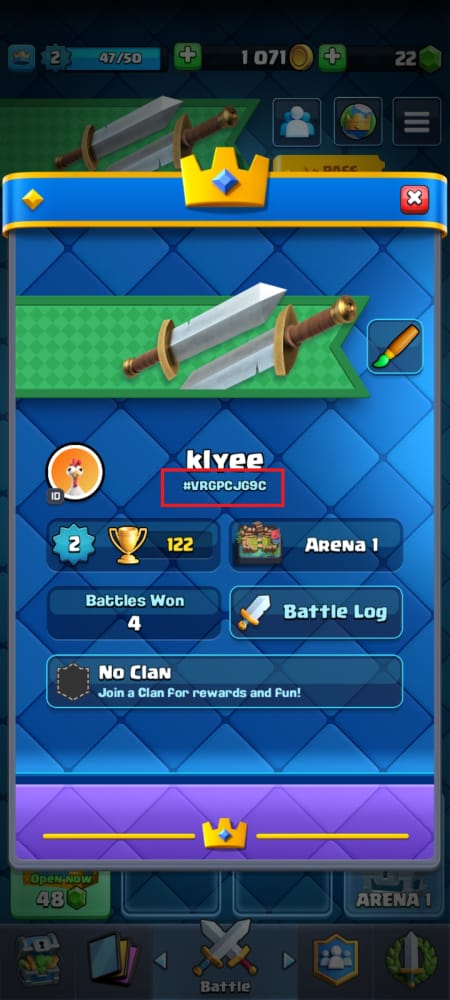
A player-tag top-up routes gems to your account through your public Player Tag, that #XXXXXXX string under your profile, and it never asks for a password. That one trait carries the whole thing. Since it leaves your login and your store-account region untouched, the region-lock check has nothing to fire on. No "why is a US Apple ID buying Argentinian-priced gems" conflict surfaces, because the transaction never runs through the store account in the first place.
Set that against the move most people grab for: logging into the official store overseas, or worse, flipping your store-account country. The second one is where the recorded harm shows up. Switching your store-account region to chase cheaper gems can strand purchases you already made and trip account-sharing detection that leads to a permanent ban (per a YouTube breakdown on Clash Royale regional pricing). Change your Google Play or App Store country and your previously bought currency, plus your re-purchase history, suddenly belong to a region the account no longer claims. That's not a fee you can shrug off. That's a broken store relationship.
So I'll plant a flag here. Logging into the official store in a foreign region is frequently riskier than a player-tag top-up, not safer, because the official path forces a region reconciliation the tag route never triggers. The "official equals safest" instinct nails the vendor and misreads the region mechanics.
For the record on the official line: you may only buy virtual items "from us or our authorized partners through the Service, and not in any other way," per Supercell's Terms of Service. Third-party top-up services live in the territory that policy doesn't sanction. I won't pretend that's a clean bill of health. But I'll lay out the practical reality below, because the distance between "unauthorized" and "what actually gets people banned" is the single most garbled idea in this whole subject.
| Method |
Region-lock risk |
Needs your password? |
What can go wrong |
| Player-tag direct top-up |
Low — bypasses store region |
No |
Trusting an unverified reseller |
| Official in-game store abroad |
Medium — tied to account region |
No (already logged in) |
Foreign-card decline, region mismatch |
| Switching store-account country |
High — reconciles region |
Yes (store login) |
Stranded purchases, sharing-detection ban |
| Gift card from another region |
Medium — must match store region |
No |
Card region won't redeem, no refund |
Source: synthesized from Supercell Terms of Service (2026), Supercell Safe and Fair Play Policy (2026), and the YouTube regional-pricing breakdown (2026).
Player-tag top-ups never see your password
This deserves its own line, because it's the safety lever people undervalue. A service that tops up by tag gives a phisher no credential to grab, no session to hijack, no two-step prompt to bungle. You pass along a public identifier, the same string you'd hand a friend who wants to spectate, and gems land on whatever account holds that tag. If you want a no-login, tag-based option, Clash Royale Gems top up through VGTopup runs this way across regions. Compare it on price and delivery before committing, the way you'd vet any channel.
The "cheaper abroad" math, after the fees nobody counts
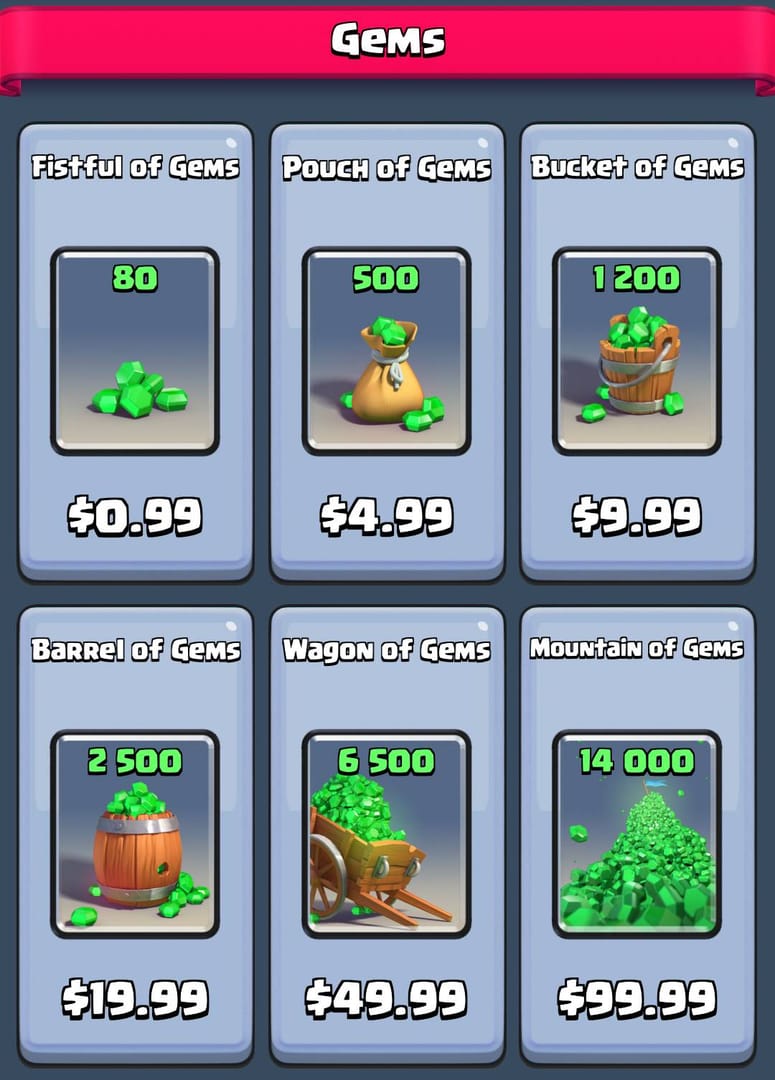
Do the real arithmetic and most of that regional discount melts away if you reach for it with your home payment method. Hold the Brazil figure of ~$3.30 against the US $4.99 and you get a headline saving near $1.69. Now add the costs that actually land on a foreign transaction: foreign-transaction fees run 0–3%, and currency conversion piles on another 1–4%, per major card-issuer documentation. On a ~$3.30 charge those are pennies in raw dollars. But the bigger leak isn't the percentage. It's that a home-region card often won't redeem the foreign-region price to begin with. Your billing country helps set the price you see, so a US card aimed at the Brazil store usually just spits out the US figure, fees included.
Argentina and Turkey flash the loudest at ~46% and ~43% off. Those, though, are precisely the markets where reaching the price legitimately, with a payment method genuinely registered there, is toughest for an outsider. The honest read: the discount is real for residents of those countries and mostly a mirage for a traveler trying to arbitrage it, once you account for which card the store will actually take and what conversion does to a sub-$5 buy. Bending your store region to shave $1–2 is a lousy trade against the ban exposure waiting on the other side of the ledger.
Where the savings survive whole is a player-tag service already priced in the cheaper region's denomination, because then you're not wrestling your own card's billing country. That's the understated reason the tag route keeps taking the cost comparison, not only the safety one.
What actually flags an account — and what's just folklore
The line repeated more than any other in this space is "I bought gems and got banned." Dig into the documented cases and the trigger is almost never the purchase. It's one of two things that follow a purchase.
The chargeback comes first. Filing one after a successful top-up can get your account flagged or banned (per multiple Reddit threads on Supercell purchases). And the buried mechanic deserves a spot on the inside of your eyelids: a chargeback can flag your Supercell ID even when the original purchase was perfectly clean. The system reads "money was reversed on this account." It doesn't sit in judgment over whether your dispute had merit. Travelers get scorched here all the time. A payment looks fishy to their bank, the bank auto-reverses it, and the player wakes up flagged for a buy they thought was routine.
Then region and sharing detection. Region-switching trips the same machinery that hunts for shared accounts. The penalty doesn't land for "buying cheap." It lands because the behavior, region hopping plus logins from mismatched stores, reads like a shared or resold account.
What Supercell itself flags is the third-party channel: buying "gems or diamonds from 3rd party vendors can lead to revoked in-app currency and can even get your account permanently banned," per Supercell's Safe and Fair Play Policy. I'm relaying that verbatim because it's the official stance and you should weigh it clear-eyed. My read, anchored in the documented pattern: ban risk on legitimate, delivered top-ups is overstated, while payment-dispute risk gets badly underrated. The player who never charges back and never region-hops sits far safer than the one chasing a $2 arbitrage through a VPN store switch.
VPNs: fine for playing, a liability at checkout
The community read here is unusually tidy. VPNs are allowed for playing from anywhere. Using one to make purchases in another region to cut costs risks account flags or bans (per an r/ClashOfClans buying-gems thread). A VPN reroutes your apparent IP. It does not touch your store-account region, your billing country, or your payment method's home. So you wind up holding a mismatch, foreign IP against a home-region account and a home card, which is the precise inconsistency that fraud and sharing systems were built to catch. You shoulder the risk profile of region-switching without even pocketing the cheaper price, since the price was never keyed to IP. For purchases, the VPN is pure downside.
Three traveler profiles, three different answers
The right call genuinely shifts by situation, so skip the one-size answer.
Topping up mid-trip. Pay with a method registered to your home country, not some local card you grabbed abroad. Purchases can fail or flag when billing and account region don't line up (per the Packsify location guide). Your account region didn't change just because you crossed a border, so transact as though you're still home. A tag top-up slots in cleanest, since it ignores where your feet are.
The expat running a foreign-region account. Your purchases bind to your original account country, no exceptions. Changing that region isn't a toggle you flip in settings. It runs through Supercell support and isn't user-driven (per the YouTube regional-pricing breakdown). So quit trying to "fix" your region to match where you live now. Buy in the denomination the account was born into, or lean on a tag-based service that doesn't care.
The gifter sending gems across borders. Send to your friend's Player Tag, never their login. A top-up via tag, through the official store or a reputable channel, keeps it tidy. Handing over their account or logging in is what invites sharing-detection grief. The official gifting path is the Supercell Store or in-game where possible (per the Terms of Service). A third-party direct top-up to a tag carries the policy risk noted above, so vet the channel first.
Before you pay: the checklist I actually run
Most foreign-buyer guides skip the part that prevents the worst outcome, losing your cash with zero recovery. Trusting an unverified reseller can mean payment loss with no recourse and a possible account ban, per the Safe and Fair Play Policy. So ahead of any cross-border top-up, I run the same short pass:
- Confirm it's player-tag based, not login-based. If a service wants your Supercell ID password or your full credentials, close the tab. Legit tag top-ups need only the public
#tag.
- Check the delivery promise and the refund stance in writing. A confident channel states timing and spells out what happens if gems don't arrive. Vagueness here is a warning shot.
- Pay with a method in your own name. A card not registered to you abroad is the classic decline-and-fraud-flag trigger. Self-registered payment is the single biggest safety lever you control.
- Don't plan a chargeback as your "exit." If you're already thinking "I'll just dispute it if this goes sideways," pick a different channel, because the dispute is what flags the account, not the buy.
- Confirm gems landed on the right tag before closing anything out. Open the game, check the balance moved on your account, keep the receipt.
Things that end the transaction for me on the spot: a password request, prices that beat the cheapest regional store by an implausible margin, no stated delivery or refund terms, and pressure to pay through irreversible methods with no recourse.
What I'd do differently next time
Back to that four-tab Tuesday. I burned the first hour treating this as a pricing puzzle when it was a region-mechanics puzzle the whole time. The cheapest sticker was never the variable that mattered. The variable was whether my chosen method forced the account to reconcile a region it wasn't built for. Next round I skip the store-switching rabbit hole, confirm a tag-based channel and a card in my own name, and spend the rescued hour actually playing. The $1–2 I might trim off a Pouch of Gems was never worth the afternoon, let alone the account.
Frequently Asked Questions
Is it safe to buy Clash Royale gems from another country?
It's safe when the gems land on your Player Tag and you pay with a method registered in your own name. That pairing dodges the store-region conflict and the decline-and-fraud-flag pattern behind most of the trouble. Supercell's policy formally restricts purchases to authorized channels, so factor that in. The practical danger for legitimate, delivered top-ups runs far below the danger from chargebacks and region-switching.
Can I get banned just for topping up gems abroad while traveling?
Almost never for the purchase itself, provided it completes and delivers. The documented bans cluster around two follow-on moves: filing a chargeback (which can flag your Supercell ID even on a clean buy) and switching your store-account region (which trips account-sharing detection). Travel alone doesn't flag you. Your account region didn't move when you did, so transact as though you're home.
What's the cheapest country to buy Clash Royale gems in 2026?
By sticker price, Argentina leads at roughly 46% under the US for a 500-gem Pouch, with Turkey near 43% and Brazil around 36%, per FoxReload's 2026 guide. Those prices assume a payment method genuinely registered in that market, though. For an outsider, a home-region card usually just renders the home price, so the discount stays real for residents and largely illusory for arbitrage tourists.
Can I top up gems for a friend in another country?
Yes, send to their Player Tag, never their login. A tag-based top-up delivers gems without touching their credentials or store region, which keeps sharing-detection out of the picture. Handing over their account or logging in is exactly what invites trouble. Gifting through the official store also works where available, per Supercell's Terms of Service.
Do I need a VPN to top up gems from another country?
No, and you shouldn't run one at checkout. A VPN changes your IP but not your store-account region, billing country, or payment method's home, so it can't unlock foreign pricing and only manufactures a mismatch that fraud and sharing systems flag. VPNs are fine for playing from anywhere. For purchases, they're all risk and no reward.
Why is my gem payment declined when I'm overseas?
Usually a billing-region mismatch. Your account region and the price you're shown both tie to your billing country and payment method, so a card whose registered country doesn't match the store can fail or get flagged. Use a method registered to the same country as your account, or skip the store path entirely and use a player-tag top-up that doesn't lean on store-region matching at all.










Comments