5 Reasons Your Oneiric Shards Are Not Credited
Five patterns explain almost every case of honkai star rail oneiric shards not credited.
1. Wrong UID or wrong server region. This is the big one. Honkai: Star Rail uses a 9-digit UID and four server regions: America, Europe, Asia, and TW/HK/MO. One digit off and the shards land on a stranger's account. One server mismatch and they go nowhere you can see. Completed top-ups delivered to an incorrect UID are irreversible — support cannot pull them back or move them.
2. Payment still pending on the provider side. You paid, but your bank or wallet has not finalized it. The storefront cannot push shards until the payment is actually captured. This looks exactly like honkai star rail paid but no shards received, but the fix is on the payment side, not the game.
3. HoYoverse sync delay. Even after a successful payment, the game client sometimes needs a restart to show the new balance. Close the game fully and log back in before assuming anything is lost.
4. First-time bonus confusion. Every Oneiric Shard denomination carries a first-time purchase bonus that doubles what you get. That bonus applies once per denomination per account, and HoYoverse even resets it during major anniversary updates — like Version 4.2 in April 2026. If you expected double shards and got the standard amount, you may have already claimed that bonus before. If you expected the bonus to be available again and it was not, the reset may not have applied to your account yet. Either way, it feels like shards are missing when the math is just different.
5. Express Supply Pass stacking limit. The Express Supply Pass grants 300 instant Oneiric Shards and 90 Stellar Jades daily over 30 days, resetting at 4:00 AM server time. Sources disagree on whether the cap is 179 or 180 days, but they agree on what happens if you hit it: you do not extend the pass, you just get 330 Oneiric Shards instead. If you bought a pass while maxed out, your daily jades will not increase.
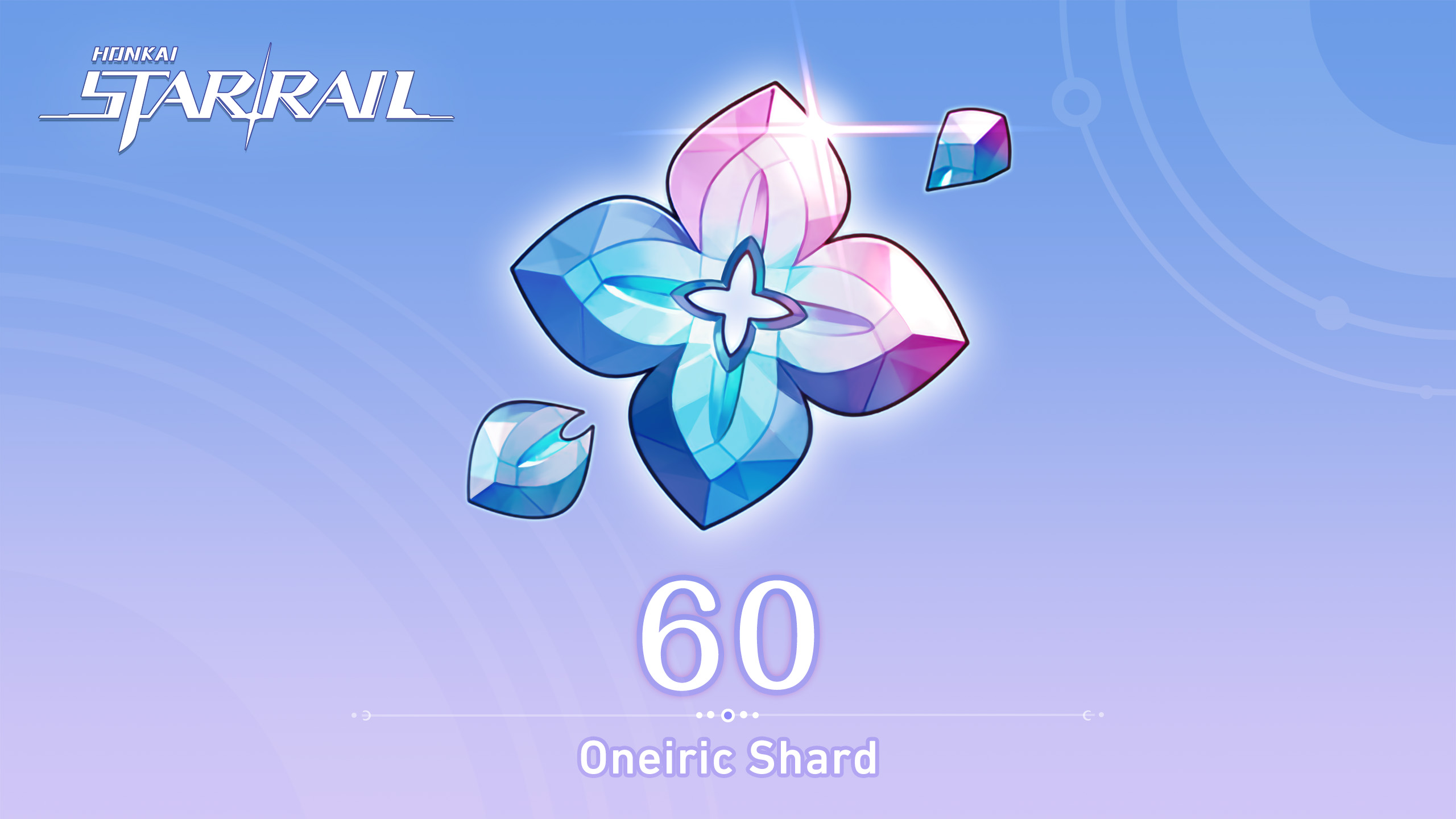
Here is what the shard packs actually give you, so you can spot a bonus issue fast:
The table below shows the standard shard amount versus what you get when the first-time bonus is still active for that denomination.
| Pack Label |
Standard Amount |
With First-Time Bonus (2x) |
| 60 Oneiric Shards |
60 |
120 |
| 300 + 30 Oneiric Shards |
330 |
660 |
| 980 + 110 Oneiric Shards |
1,090 |
2,180 |
| 1980 + 260 Oneiric Shards |
2,240 |
4,480 |
| 3280 + 600 Oneiric Shards |
3,880 |
7,760 |
| 6480 + 1600 Oneiric Shards |
8,080 |
16,160 |
If your receipt says 300+30 but you only saw 330, you got the standard amount — no bonus left on that tier. If you saw 660, the bonus fired correctly.
A quick sanity check helps here. Oneiric Shards convert to Stellar Jades at a 1:1 ratio, and 160 Stellar Jades equal one Warp pull. If you bought 300 shards and instantly converted them, you should see 300 jades, which is just under two pulls. When the numbers do not line up, you will know whether you are missing shards or just missing the bonus.
If you want to confirm what each pack should contain right now, check the live listing on the Honkai: Star Rail top-up page on VGToPUp — totals and bonus tags update at checkout, so you see the exact amount before you pay.
4 Checks to Run Before You Pay Again
Do these in order. They address the most common reasons for honkai star rail top up not received without needing a support ticket.
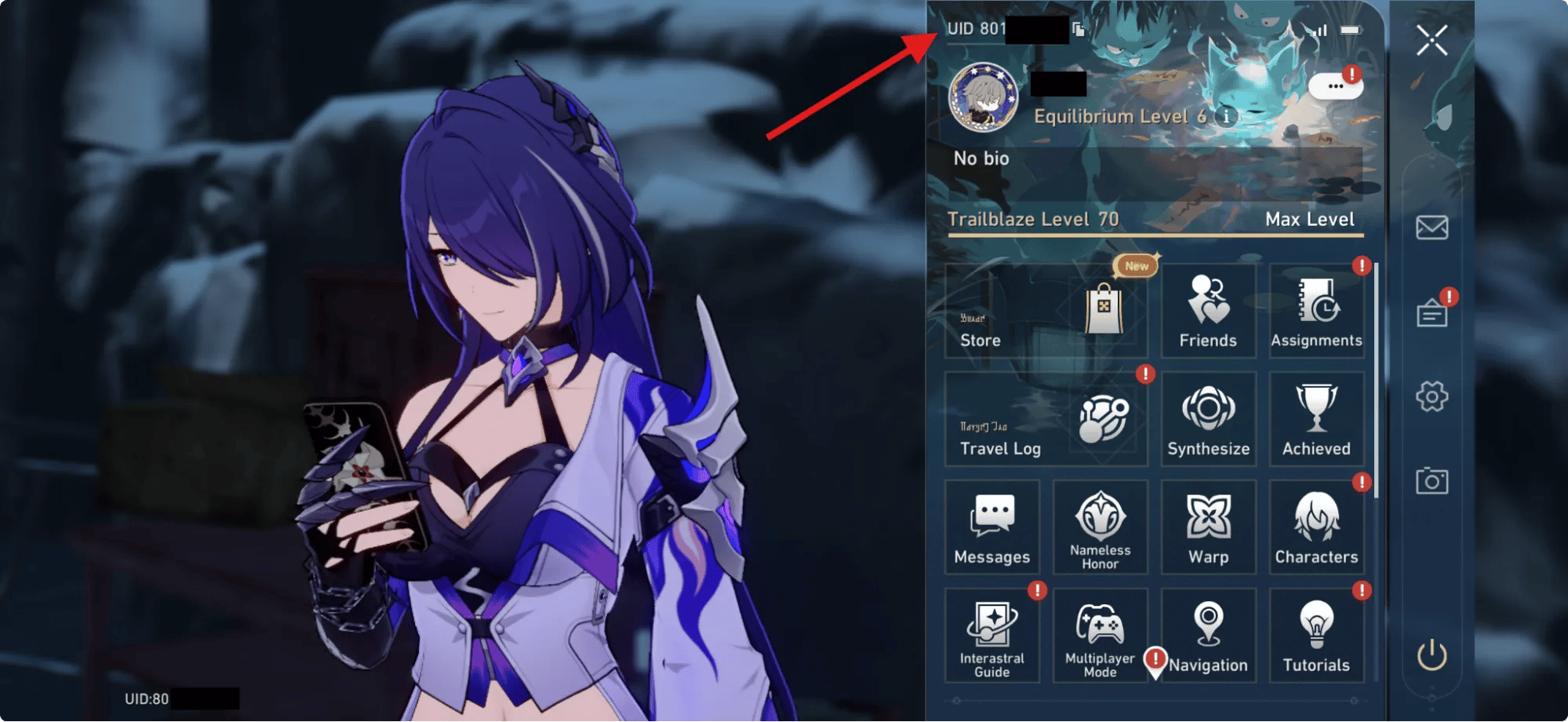
Check 1: Your UID and server. Open the game, copy your 9-digit UID from the bottom of the screen, and compare it character by character to the order confirmation. Then check the server. America is not Asia. TW/HK/MO is not Europe. A single letter difference and you are looking at the wrong account.
Check 2: Restart and re-sync. Force-close Honkai: Star Rail completely. Not minimize. Close. Reopen, log in, and check your Oneiric Shard balance at the top of the Warp or Shop screen. Also check your mail. Some credits trigger a mail notification, especially for passes.
Check 3: Payment status. Open the payment app or bank statement you used. Does it say pending, processing, or completed? If it is still pending, the shards are not late — the money has not moved. Wait for it to clear. If it says failed or reversed, you were not charged and will need to retry with correct details.
Check 4: Order history vs. in-game history. Find the order ID in your email or store account. Does the store show it as completed, processing, or failed? Then in-game, check your purchase history. If the store says completed but the game shows nothing after a restart, you have a clean case to escalate with proof.
Never double-buy to "test" if the system is working. If the first order had a UID typo, the second one with the same typo will also vanish. Fix the details first.
What to Screenshot Before You Ask for Help
Support cannot help with "I paid but nothing happened." They can help with receipts and IDs. Gather this before you write in, and you will cut days off the back-and-forth.
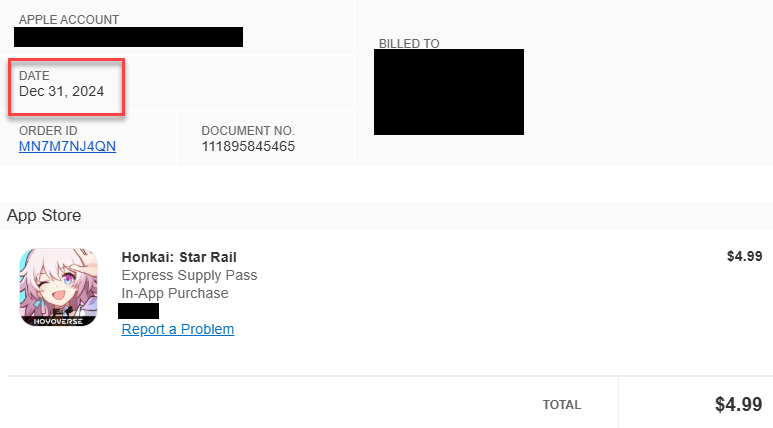
- Order ID or transaction reference from the store
- Screenshot of the payment receipt showing amount, date, time, and that it was captured (not just authorized)
- Screenshot of your in-game UID and server region — the same screen where you copy the 9 digits
- Screenshot of your current Oneiric Shard / Stellar Jade balance and, if relevant, the Express Supply Pass days remaining
- The exact pack name you bought (for example, "1980 + 260 Oneiric Shards")
Keep the files uncropped. Do not edit amounts.
This next table is useful to include in your own notes so you describe the problem precisely:
Use this breakdown to tell support exactly what you expected versus what you saw.
| What You Checked |
What to Write Down |
Why It Matters |
| Express Supply Pass |
300 instant shards + 90 daily jades x 30 days, 4:00 AM reset |
Proves you know what should have arrived |
| Stacking Limit |
Max 179 or 180 days, otherwise 330 shards only |
Explains why days did not increase |
| Shard to Jade Rate |
1:1 conversion, 160 jades = 1 Warp |
Shows your math for missing pulls |
| Pity Reference |
Soft pity ~74, hard pity 90 on limited banner |
Context if you were pulling immediately |
| Server Regions |
America, Europe, Asia, TW/HK/MO |
Confirms you checked the right place |
Takeaway: the more exact you are, the faster anyone can trace the credit. "I bought the 980+110 pack on Asia server, UID 7xxxxxxx5, at 14:32 UTC, receipt shows captured" beats "my shards didn't arrive" every time.
If your order still shows as processing after your bank says captured, pull your proof together and verify the details through VGToPUp's Honkai: Star Rail recharge hub so you are looking at the live order status, not a cached email.
Which Pack Should You Actually Re-Buy? A Tier Breakdown
Only re-buy if the first payment actually failed — reversed, not captured. Then pick what fits how you actually play.
F2P or light spender (monthly card only): Stick to the Express Supply Pass. It grants 300 instant shards plus 90 jades daily for 30 days if you log in daily, which spreads jades over time instead of upfront. You get fewer pulls on day one and more total jades if you log in consistently. Do not buy a big shard pack to chase one 5-star at soft pity 74 — you will burn cash for 50/50 odds. If you are capped near 179 or 180 days, stop buying passes and save.
Mid spender (one or two limited 5-stars per patch): The 980+110 and 1980+260 tiers sit in the middle of the table above. They provide enough jades for a pity run without the upfront cost of the top tier. Use the first-time bonus where you still have it — that 2x is the only true "discount" in the game. Check which denominations still show the bonus tag before you choose.
Heavy spender / whaler (E6 or full kit): The 6480+1600 pack holds the most shards per purchase in the table — 8,080 standard, 16,160 with the first-time bonus — for pushing toward hard pity at 90. HoYoverse resets the first-time bonus during major updates, so after a reset the 8,080 vs 16,160 difference is large. If a reset just happened, prioritize the denominations you have not re-claimed yet before you spam the same pack.
No matter your tier, confirm the total shards and bonus status on the product page before you pay. Prices and bonus flags change, and the live checkout is the only source that matters.
Legit Check: What a Real UID Top-Up Asks For
Scams thrive when a top-up is missing and you are in a hurry.
A legitimate UID top-up asks for two things: your 9-digit UID and your server region. That is it. No password. No login code. No "verify your account" link.
A scam asks for your HoYoverse password, email verification code, or to log in through a fake portal. It may also promise a huge discount or instant refund if you share your account. Close the tab.
Most reputable stores show the total shards, bonus status, and final amount before you confirm, and let the live checkout tell you what payment options are available in your country. If a site lists a fixed set of payment brands on a blog post, that post is already outdated. For current totals and checkout options, see the Oneiric Shard offers for Honkai: Star Rail on VGToPUp where everything updates in real time.
FAQ
Why hasn't my Honkai Star Rail top up arrived yet?
The most common cause is a typo in the 9-digit UID or picking the wrong server region — America, Europe, Asia, or TW/HK/MO. If those are correct, restart the game to force a sync and check whether your payment is still pending with your bank before assuming it failed.
How long does honkai star rail top up take when it is pending?
There is no single promised window, because it depends on when your payment provider captures the funds and when the game syncs the credit. If your bank still shows pending, wait for it to clear. If it shows captured but nothing appears after a full restart, gather your order ID and receipts.
I paid but no shards received — was I charged twice if I retry?
Not if the first payment never captured. Check your statement for two separate captured charges, not just two authorizations. If you only see one captured charge and one failed or reversed attempt, you were charged once. Never retry with the same wrong UID.
Do I need to share my password for a UID top up?
No. A legitimate UID recharge only needs your 9-digit UID and server region. Never share your password, email code, or login credentials with any store or support agent.
Can I get a refund if I entered the wrong UID?
No, completed digital top-ups delivered to an incorrect UID cannot be reversed or moved to another account. That is why you must double-check the 9 digits and server before confirming payment — once credited, those shards belong to that account.
Does topping up reset my Honkai Star Rail account progress?
No. Buying Oneiric Shards, Stellar Jades, or an Express Supply Pass never resets your Trailblaze Level, story progress, or Warp history. Your existing data stays intact even if the credit is delayed.
A missing top-up feels like lost money. It rarely is.
A missing credit usually means one of three mechanics: a pending payment, a wrong UID/server, or a client sync delay that hides a successful credit until restart. The fix is not to buy again immediately. Verify the 9-digit UID and server, confirm the payment actually captured, restart the client, and document what you see.
If all four checks pass and your balance still has not moved, you now have exactly what support needs to trace it: order ID, captured receipt, UID screenshot, and pack name. Bring that packet, not just a complaint.
And next time, copy-paste the UID. Do not type it. One wrong digit is all it takes to turn a top-up into a donation.






Comments