The order ID is the artifact everyone buries
The transaction ID is the load-bearing piece here, not the email. When you contact support at wutheringwaves_ensupport@kurogames.com, Kuro Games asks for your UID, server, order ID, receipt screenshot, and a description of the issue, per Kuro Games Official Site. Look at how that list is built. Order ID sits as its own required field, separate from the screenshot. A receipt image with the ID cropped off or blurry is a half-finished ticket.
Format shifts by platform, and that's a quiet trap. Google Play orders show up as a string like GPA.xxxx-xxxx-xxxx-xxxx, sitting in the Play app under your order history or inside the receipt email next to the date, item, and amount (that's the layout in a documented Google Play order receipt from 2026). App Store transactions carry a different identifier you'll dig out of your Apple purchase history or the emailed invoice. The web cashier mints its own order reference. Support can match any of these to your account, but only if you hand over the right string in the right shape.
Why such a fuss over it? Because Wuthering Waves has no in-game purchase history menu. People keep hunting for one, and a recurring question across r/WutheringWaves threads in 2025–2026 is literally "why can't I see how much I've spent." Per r/WutheringWaves, the game doesn't expose a spending log at all. You're stuck pulling platform receipts or bank statements, because there's no internal record to retrieve.
So if you save exactly one thing per purchase, save the ID. Everything else (receipt, email, the bank line) can usually be re-pulled later. A ticket missing the ID is the one that stalls. I've watched that pattern hold often enough that I treat it as a rule.
Four artifacts that make a large-order proof bulletproof
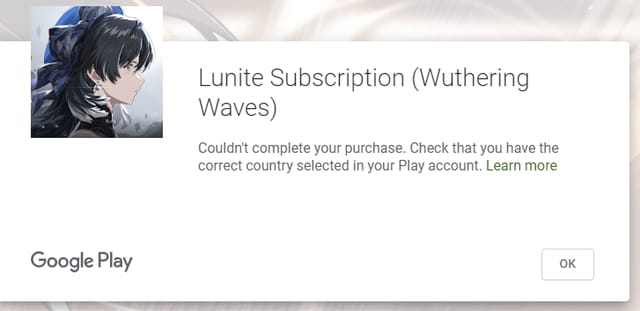
A single receipt covers a small top-up fine. For a big Lunite bundle, the kind where a failed credit leaves real money parked in limbo, stack all four layers, since support clears a complete packet faster than a thin one.
| Artifact |
Where to find it |
Why it matters |
| Platform receipt |
Google Play app / Apple purchase history / web cashier confirmation |
Proves the charge cleared and names the item + amount |
| Confirmation email |
Inbox from the platform (and/or Kuro) |
Independent timestamp + order reference |
| Order / transaction ID |
Inside the receipt or email |
The field support matches to your account |
| In-game mail screenshot |
Wuthering Waves mailbox |
Shows whether Lunite was delivered or not |
Source: Kuro Games Official Site (2026); Kuro Top-Up Center (2026); Google Play order receipt example (2026).
On genuinely large purchases, the strongest move is bundling all three external records into one packet: platform receipt, the bank or card statement line, and the top-up center confirmation. Community guides push exactly this triangulation for big Lunite buys. Any single document can be questioned. Three that agree rarely are.
Capture the full record when you screenshot. Order/transaction ID, date, item name, and amount paid, all in one frame. Advice circulating in a Wuthering Waves Facebook group in 2026 stresses grabbing the whole receipt rather than a cropped corner, then redacting personal payment data before you share it. Black out the card number, the billing address, anything that isn't the order itself. Support has zero use for your card digits, and an unredacted screenshot just spills them.

Don't skip the in-game mail. Lunite drops into your mailbox after a successful platform payment, and per community purchase-issue threads, it sometimes doesn't land instantly. Check the mail before you panic. That mail entry can log delivery on its own, separate from the store record, so a screenshot of an empty mail slot is itself proof that you paid and nothing showed.
Charged but no Lunite: the fork that decides how fast you're fixed

Figure out which problem you've actually got before you fire off a ticket, because the two paths resolve at wildly different speeds. "Payment failed and money is stuck" is another. The first is usually a display or mailbox lag. The second is a genuine payment dispute. Credited-but-missing clears faster, and mixing the two up burns days.
Start with pending versus completed status. A pending platform charge isn't finalized, and here's a mechanic almost no guide flags: a pending authorization can auto-reverse within a few days on its own, no refund request required. It's baked into how platform billing works. If your bank shows the charge as pending, sit on it a beat before escalating, because you might be filing a ticket over money that's already on its way back to you.
If the charge completed and the Lunite still isn't in your mailbox after a reasonable wait, that's your cue to open a ticket. Email wutheringwaves_ensupport@kurogames.com with the full packet above. UID, server, order ID, receipt screenshot, issue description. Kuro is blunt about the channel; in a 2026 official announcement the team stated: "If you have any issues, please reach out to our Customer Support via email at wutheringwaves_ensupport@kurogames.com."

Keep your timing expectations grounded. Responses can run multiple days and often need follow-ups, with some tickets still open after four to five days, according to player reports compiled in r/WutheringWaves support threads across 2025–2026. Escalate by replying inside your existing thread instead of opening fresh ones, since a new ticket resets your spot in the queue. The players who get cleared quickest are the ones whose first email already carried every field, so the agent never had to write back begging for the order ID.
Pulling proof from a third-party Lunite order
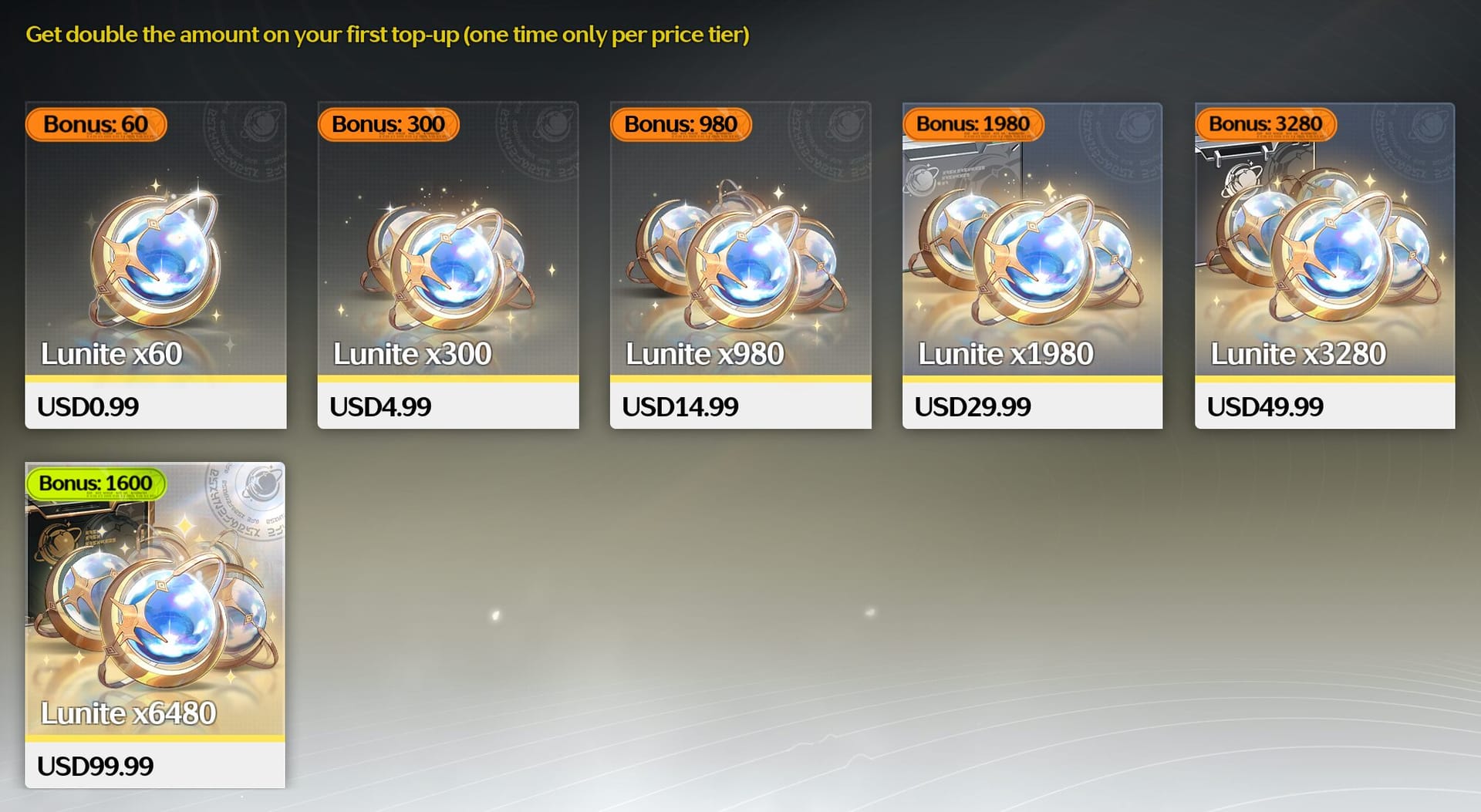
Buy through a top-up service instead of the in-app store and your proof lives in that service's order center. Honestly, that's arguably tidier than the in-app route, because the records sit in one dashboard rather than scattered across an app receipt, an email, and a bank line.
For a third-party order, open the order center, confirm the status, and treat the order number as your proof, both for that service's own support and for a Kuro ticket if the snag is on the game side. Community guidance on retrieving payment proof for large Lunite buys lands on exactly this: pair the third-party order number with the wider packet. So if a big purchase is on the horizon and you want the confirmation and payment proof easy to find later, one centralized order record is a real, practical edge. Disclosure: services like Wuthering Waves Lunite top up keep that order history in a single place, which earns its keep the day something goes sideways.
Same triangulation rule still holds. For a large order routed this way, the strongest evidence combines the service's order confirmation, your bank statement showing the charge, and the mailbox screenshot if the Lunite was meant to credit in-game. Identical four-layer logic, just a different source feeding the platform-receipt layer.
A chargeback can lock the account you're trying to rescue
The reflexive internet answer, "just chargeback," is bad counsel for a stuck Lunite order, and it can freeze the very account you're scrambling to save. A chargeback is a forced reversal through your bank, not a conversation with Kuro, and payment platforms read it as a red flag.
The risk isn't theoretical. Filing a chargeback or refund dispute can trigger account restrictions or even a negative balance, a pattern documented in Google Play refund cases per a 2026 Google Play support thread. Carry that onto a game account: a payment provider that spots a reversal may dock your standing, which can spill onto the game side. You wanted your Lunite back. Now you're scrapping to keep access at all.
A refund makes sense in narrow spots: a clear double-charge, a payment that genuinely failed with nothing delivered, or a wrong amount. Those are cases where the platform's own refund flow (Google Play, App Store) is the right channel and the paperwork is clean. Even then, work the support ticket first and let it run its multi-day course before you reach for a dispute. The chargeback is the last card, not the opening one.
And the most preventable regret in the whole pile: trashing your confirmation email before the issue is settled. Once it's gone, you've tossed a key proof artifact, the kind of slip that surfaces in account-recovery threads on r/WutheringWaves where players can't back up purchases they genuinely made. Hold onto every receipt and screenshot until the Lunite is unambiguously in your account. Proof is cheap to keep and a pain to reconstruct.
The cleanest version of this whole drill is the one you never trigger. Grab the receipt, email, and order ID at purchase time, and the day a top-up sticks, you're filing a complete ticket in two minutes instead of clawing through three apps in a panic.
Frequently Asked Questions
How do I find my Lunite order ID if I paid through Google Play?
Open the Play Store app, tap your profile, head to Payments & subscriptions, then Budget & order history. Your Wuthering Waves order shows with a GPA.-prefixed ID, date, and amount. It's also tucked inside the receipt email Google sends. That GPA. string is the exact field to paste into a Kuro ticket, and a screenshot where it isn't readable is incomplete.
Does Wuthering Waves keep an in-game record of what I bought?
No spending log lives in-game. Players keep hunting for one and come up empty, per r/WutheringWaves, since there's no purchase-history menu. Your only records are the platform receipt, the confirmation email, and your bank or card statement. The in-game mailbox shows delivery of items, not a billing history.
My Lunite was charged but never arrived — how long should I wait before emailing support?
Check the mailbox first, since delivery can trail a successful payment. If the charge still reads "pending" on your bank, it may auto-reverse within days with no action from you. Only once it's completed and the mail is genuinely empty should you file, and brace for a multi-day reply, with some tickets running four to five days per player reports.
Is an email receipt enough proof on its own for a big purchase?
For a large order, no. Pair it with the platform receipt and ideally the bank statement line. Any single document can be challenged; the three together rarely are. The email's real worth is the order reference it carries, so if the email's gone but you still hold the platform receipt and ID, you can usually proceed anyway.
What should I black out before sending a receipt to support?
Redact your full card number, billing address, and any personal payment details, leaving only the order/transaction ID, date, item name, and amount visible. Support matches the order ID to your account and has no need for card data. An unredacted receipt just exposes sensitive info for zero benefit to your case.






Comments