
Complete PUBG G-COIN Top Up and Redemption Guide
Acquiring PUBG G-COIN allows you to customize your battlegrounds experience with exclusive weapon cosmetics, survivor passes, and tactical gear. When you purchase digital redemption codes through VGTopup, you receive official alphanumeric codes sent directly to your email address, eliminating the need to provide private Steam or Krafton login credentials.
This guide explains how PUBG G-COIN works, how to top up your balance, how to redeem your digital codes within the game client, and how to manage your currency effectively.
What Is PUBG G-COIN and What Can You Purchase?
G-COIN is the premium virtual currency used exclusively in PUBG: BATTLEGROUNDS. It grants access to store items that cannot be unlocked through standard BP (Battle Points) earned by playing matches.
With G-COIN in your balance, you can purchase:
- Survivor Passes: Unlock seasonal progression tracks packed with exclusive outfits, weapon finishes, level-up coupons, and XP boosts.
- Hideout Contraband Crates: Acquire Contraband Coupons or open crates directly to hunt for upgradable Progressive Weapon Skins.
- Workshop Materials: Buy crafting materials, Schematics, and Polymer required to level up progressive weapon tiers and unlock unique hit effects, kill feeds, and inspection animations.
- Character Sets and Outfits: Access time-limited collaboration bundles, tactical gear, and seasonal apparel sets.
- Utility Items: Pick up Nickname Change items, Clan Tag Change permits, Preset Slot Expansion tickets, and specialized emote animations.
PUBG G-COIN Denominations and Value Guide (2026)
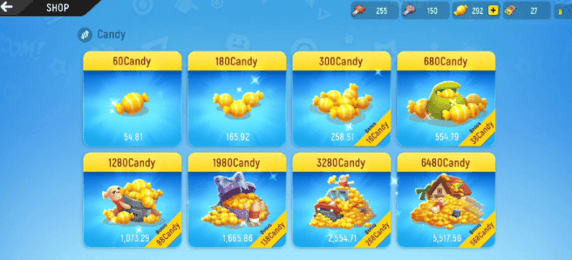
PUBG G-COIN is distributed in standard digital voucher packs. Higher-tier denominations often contain bundled bonus G-COIN, giving you higher total currency per order. Live pricing and active discounts for each bundle are displayed directly on the VGTopup checkout selector.
| Pack Denomination | Base G-COIN | Bonus G-COIN | Total Currency Received | Primary Use Case |
|---|---|---|---|---|
| 100 G-COIN | 100 | 0 | 100 G-COIN | Small item top-ups, emote purchases |
| 500+10 G-COIN | 500 | 10 | 510 G-COIN | Minor store discounts, individual weapon skins |
| 1,000+50 G-COIN | 1,000 | 50 | 1,050 G-COIN | Premium Survivor Pass activation |
| 2,500+200 G-COIN | 2,500 | 200 | 2,700 G-COIN | Survivor Pass Premium Bundles, Contraband crate packs |
| 5,000+500 G-COIN | 5,000 | 500 | 5,500 G-COIN | Major bundle packages, multiple Hideout openings |
| 10,000+1,200 G-COIN | 10,000 | 1,200 | 11,200 G-COIN | High-tier Progressive Skin upgrading and collection complete sets |
How to Top Up PUBG G-COIN on VGTopup
Ordering your G-COIN code on VGTopup takes only a few straightforward steps:
- Select your desired G-COIN denomination from the product page.
- Enter your valid email address in the delivery field. Double-check your spelling to ensure prompt digital code dispatch.
- Complete the checkout process using your preferred secure payment method.
- Open your email inbox to retrieve your unique digital gift/bonus code.
- Launch PUBG: BATTLEGROUNDS on your PC to redeem the code directly into your account balance.
Locating Your In-Game Account and Store Menu
Before redeeming your code, ensure you are logged into the correct Steam account running PUBG: BATTLEGROUNDS.
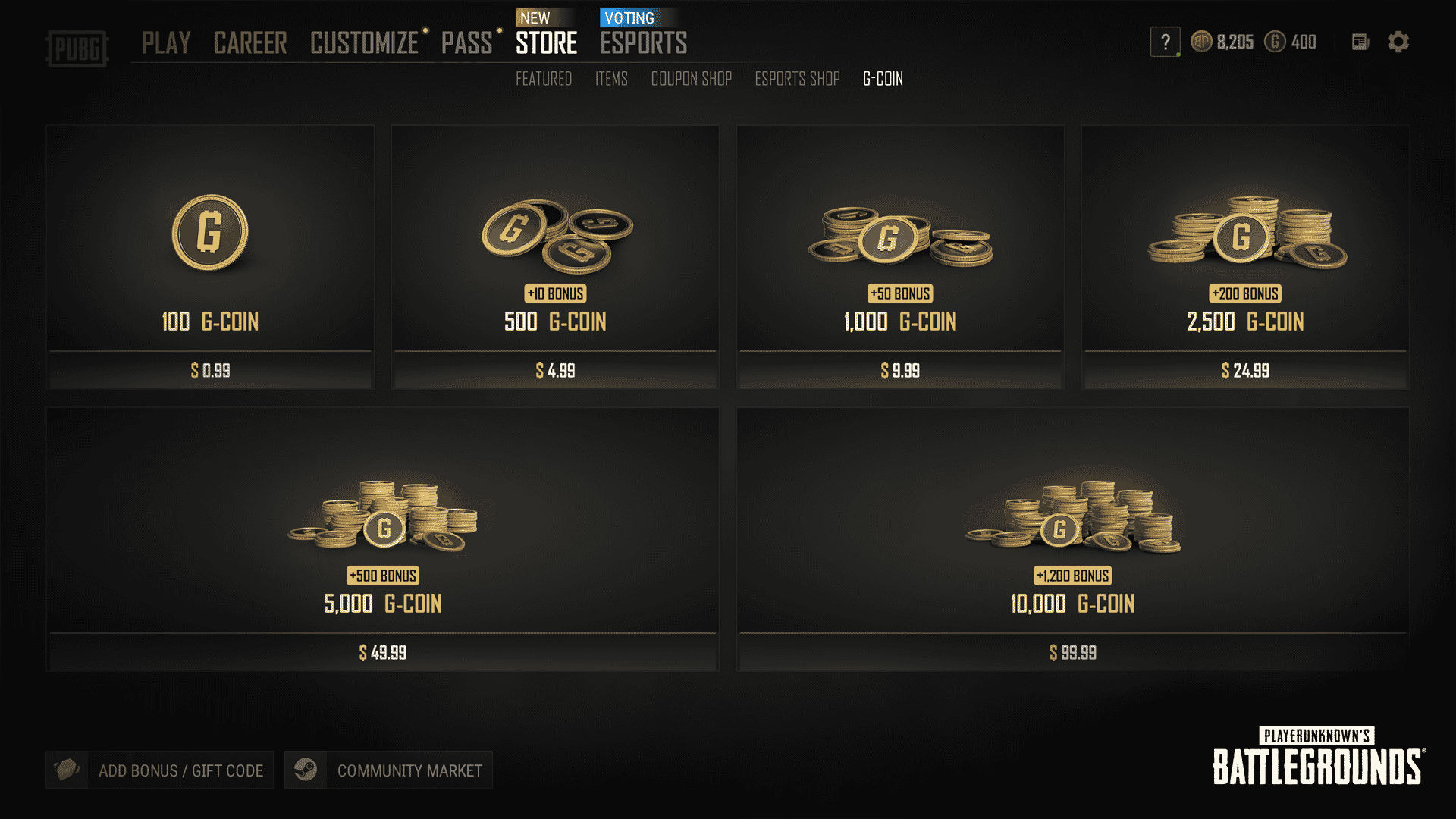
To view your in-game nickname and verify your profile:* Open the main lobby screen.* Click on the Customize or Career tab located along the top menu.* Your current character name and level appear on the top-right corner of the lobby screen alongside your current BP and G-COIN balances.
Step-by-Step Guide to Redeeming PUBG G-COIN Codes In-Game
Follow these precise steps inside the PC game client to apply your code:
- Launch PUBG: BATTLEGROUNDS via Steam.
- In the top navigation bar, click on Store.
- Look at the bottom-left corner of the Store screen and click Add Bonus / Gift Code.
- A redemption pop-up window will appear on screen.
- Carefully type or paste your digital code into the input field.
- Click Redeem.
- A confirmation window will show the credited item or currency amount. The G-COIN balance in your top-right header updates immediately.
Note: If your purchased voucher delivers a G-COIN Box item instead of direct balance, navigate to Customize > Utility > Crates to open the box and credit the G-COIN to your wallet.
Difference Between Permanent G-COIN and Expiring Bonus G-COIN
PUBG handles currency with specific expiration policies depending on how the funds were obtained:
- Standard Purchased G-COIN: Codes bought as direct currency packs credit permanent G-COIN to your wallet. Under Krafton terms, standard purchased G-COIN carries a standard validity window of up to 5 years from redemption.
- Bonus / Promotional G-COIN: Free promotional codes distributed during special events or specific bonus portions of promotional bundles may have shorter validity windows, frequently expiring 30 days after being claimed.
When purchasing items in the store, the PUBG game system automatically prioritizes spending your soonest-expiring bonus G-COIN first, protecting your permanent purchased balance.
Account Safety: Why You Never Need to Share Account Passwords
Account security is essential when buying game currencies online. VGTopup operates strictly via direct digital code delivery:
- No Password Required: You will never be asked to share your Steam password, Krafton ID login, or secondary authentication codes.
- No Account Handover: Your Steam account remains safely under your own control at all times.
- Protection Against Phishing: Because transactions use official redemption codes, your account is safe from third-party unauthorized access or regional policy flags.
Troubleshooting Common PUBG G-COIN Code Redemption Issues
If you run into an error when entering your code, check the following solutions:
- Code Format & Typos: Codes are case-sensitive. Watch out for commonly confused characters such as the number
0and capital letterO, or the number1and capital letterI. Ensure there are no accidental spaces before or after the code string. - Platform Mismatch: Digital codes sold for PC (Steam) are strictly compatible with the PC version of PUBG: BATTLEGROUNDS. They cannot be activated on console editions (PlayStation, Xbox) or PUBG Mobile.
- Inventory Display Delay: If your balance does not update instantly upon successful redemption, restart the PUBG game client or enter the Training Mode lobby once to refresh server sync with your local client.
- Code Already Used Error: Check if you have entered the code previously or if the currency box was sent directly to your Customize > Utility inventory tab.
Frequently Asked Questions
How do I redeem my PUBG G-COIN code in game?
Open PUBG: BATTLEGROUNDS on PC, navigate to the Store tab in the top menu, click Add Bonus / Gift Code at the bottom-left corner, enter your code into the prompt, and confirm.
Does PUBG G-COIN expire after redemption?
Regular G-COIN redeemed from standard retail packs has a multi-year validity period (up to 5 years). Promotional or bonus G-COIN from specific events typically expires within 30 days. The game automatically spends the currency closest to expiration first.
How much does G-COIN cost in PUBG?
Prices vary based on the pack size and current promotions. You can view all active package prices directly on the VGTopup product selection panel before completing your purchase.
Can I use a PC G-COIN code on Xbox or PlayStation?
No. PUBG G-COIN digital codes are platform-locked. Codes designated for PC Steam accounts cannot be used on PlayStation, Xbox, or mobile versions of the game.
Do I need to share my Steam or Krafton login details?
No. VGTopup delivers official digital codes to your email address. You never need to supply login credentials, passwords, or verification codes.
What can I buy with G-Coins in PUBG: BATTLEGROUNDS?
You can spend G-COIN on Survivor Passes, Hideout Contraband Crates, progressive weapon upgrade materials, outfit sets, weapon skins, name changes, and character emotes.
Select Denomination
Tax, payment fees and eligible coupons are calculated at checkout.
| Package | Price |
|---|---|
| 100 G-Coin | USD 0.75 |
| 500+10 G-Coin | USD 3.76 |
| 1000+50 G-Coin | USD 7.52 |
| 2500+200 G-Coin | USD 18.79 |
| 5000+500 G-Coin | USD 37.58 |
| 10000+1200 G-Coin | USD 75.15 |