



CHATA Top Up: Instant In-App Coin Recharge
CHATA is a popular mobile social entertainment and live streaming platform where users connect through voice rooms, video broadcasts, and interactive community spaces. Please note that this service is specifically for the CHATA social and live streaming application, distinct from telecom carriers or food delivery services with similar names.
To interact with broadcasters, send animated virtual gifts, join exclusive multi-guest audio seats, and access premium profile decorations, you need CHATA coins. VGTopup provides a direct recharge service that adds credits straight to your account balance using only your public Player ID. You do not need to share your account login credentials or complete complicated voucher redemptions.
How to Top Up CHATA Coins Using Player ID
Recharging your balance on VGTopup takes less than a minute. Follow these steps to complete your order:
- Select the Coin Package: Choose the denomination of CHATA coins or credits you wish to purchase from the product catalog.
- Enter Your Player ID: Type your CHATA Player ID accurately into the required input field.
- Confirm the Quantity: Verify the selected amount and review your order summary.
- Proceed to Checkout: Click the buy button and select your preferred payment option from the live cashier.
- Complete the Payment: Finish the transaction. The purchased coins will be credited directly to your CHATA account balance.
| CHATA Feature | Coin Utility | Practical Application |
|---|---|---|
| Virtual Gifts | Support live hosts and streamers | Send animated effects in real-time broadcasts |
| Audio Seat Access | Join interactive party rooms | Unlock participation in premium multi-host voice chats |
| VIP Customization | Stand out in community chats | Display unique badges, entry effects, and chat frames |
| Direct Messaging | Connect with creators | Send priority direct messages and private media |
How to Find Your CHATA Player ID in the App
Your Player ID is a unique numerical identifier tied directly to your CHATA profile. VGTopup only requires this public ID to send coins to your balance.
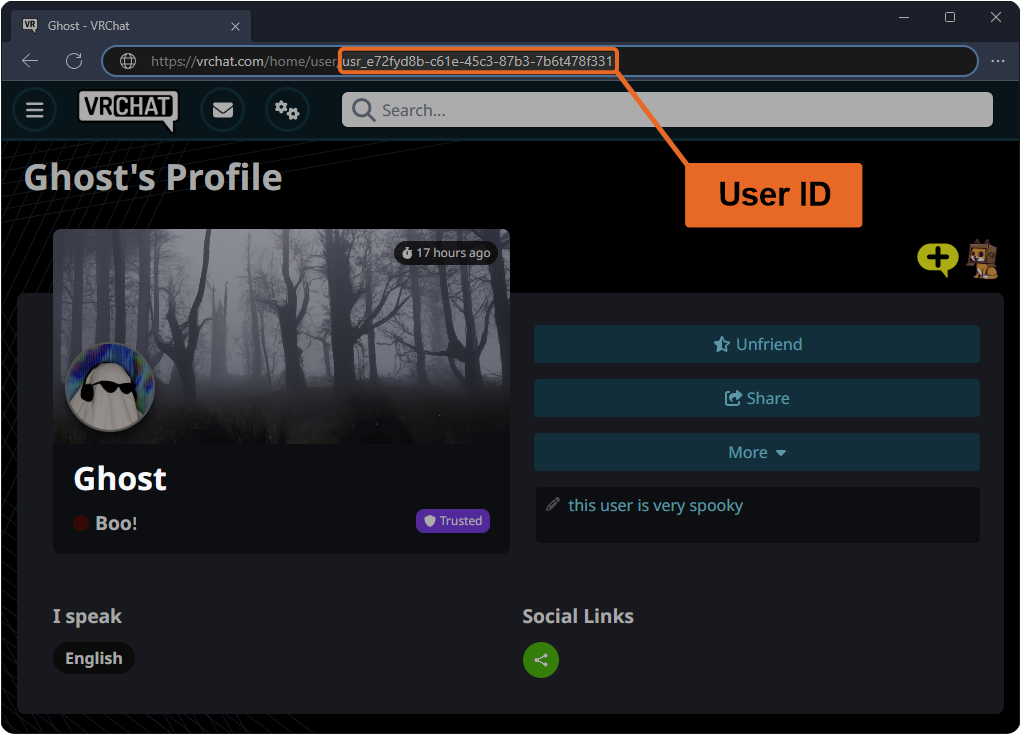
Follow these steps inside the CHATA mobile application to find your ID:
- Open the CHATA app on your Android or iOS device.
- Tap the Profile (or Me) icon located in the bottom right corner of the home screen.
- Look directly beneath your profile avatar and display name at the top of the screen.
- You will see your ID displayed as a series of numbers.
- Tap the Copy icon next to your ID to copy it to your device clipboard, then paste it directly into the Player ID field on VGTopup.
Make sure to copy the numeric ID directly rather than typing your custom display name, as your display name can change and cannot be used for direct top-ups.
What Are CHATA Credits and How to Use Them in Live Streams
CHATA coins and credits function as the primary currency within the CHATA entertainment ecosystem. Once your top up is credited, you can immediately utilize your balance across multiple social modes:
Supporting Streamers with Virtual Gifts
Sending virtual gifts is the primary way to interact with creators during live broadcasts. Gifts range from basic animated emojis to screen-filling 3D celebration animations. Sending gifts helps your favorite hosts climb the platform leaderboards while earning you recognition in the stream's top contributor rankings.
Unlocking Special Room Privileges
Many creators host private voice rooms, interactive games, or singing lounges that require coin entry or specific supporter badges. Having an active coin balance allows you to join multi-host audio panels, participate in community PK battles, and interact directly on mic.
Profile Enhancements and Special Badges
Using coins in the app earns experience points toward your platform supporter level. Higher levels grant access to exclusive avatar frames, colorful entry banners when entering rooms, and customized chat bubbles that make your messages instantly visible in busy live rooms.
Safe and Secure CHATA Recharge: Why You Never Share Your Password
Account security is essential when purchasing digital items. VGTopup operates strictly via direct Player ID distribution, ensuring complete protection for your account:
- Zero Password Requirement: We will never ask for your CHATA login password, social login credentials, or SMS verification codes. Any site requesting your password to top up is unsafe.
- No Account Handover: Your account remains active and in your possession throughout the entire transaction. You do not need to log out or transfer access.
- Protection Against Unauthorized Access: Because transactions are processed externally using your public Player ID, your linked personal data, private chats, and payment details remain completely secure.
- Safe for Friends and Creators: Because only a Player ID is needed, you can safely send surprise coin gifts directly to any broadcaster or friend simply by entering their ID at checkout.
Available Global Payment Methods for CHATA Top Up in 2026
VGTopup supports an adaptive checkout system tailored for global users. Available payment options, local digital wallets, credit cards, and online banking channels are updated dynamically on the live checkout screen based on your region.
When you select your coin package and proceed to checkout, the cashier displays the exact real-time pricing and all currently active payment providers available for your location. Select the option most convenient for you, complete the secure authorization, and your order will process immediately without requiring manual verification in most instances.
Troubleshooting Common CHATA Top-Up Issues and Verification Delays
If you have completed a purchase on VGTopup and do not see your coins immediately, follow these troubleshooting steps:
- Restart the CHATA App: In many cases, the app needs a fresh connection to update your balance. Completely close the CHATA application from your device task manager and reopen it.
- Check the Profile Balance Menu: Open your profile and navigate to the Wallet or Coins section to confirm your updated total.
- Verify the Submitted Player ID: Check your order confirmation email from VGTopup. Confirm that the Player ID you entered matches your in-app ID number exactly without extra spaces or missing digits.
- Confirm Payment Completion: Ensure that your payment method was successfully debited and that the transaction is marked as completed on your payment receipt.
- Contact Support: If your balance has not updated after a few minutes, reach out to VGTopup customer support with your Order ID and CHATA Player ID for rapid assistance.
Frequently Asked Questions About CHATA Top Up
How do I top up my CHATA account on VGTopup?
Select the coin package you want, enter your CHATA Player ID, proceed to checkout, and complete the payment using your preferred payment method. The coins are delivered straight to your account balance.
Where can I find my CHATA Player ID?
Open the CHATA app, tap on the Me or Profile tab in the bottom right corner, and look below your profile picture. Your numeric ID is displayed there with a convenient copy button.
Do I need to provide my CHATA password to top up?
No. VGTopup only requires your numeric Player ID to process your top up. You should never share your password, email login, or SMS codes with anyone.
Can I buy CHATA coins for another user with their Player ID?
Yes. You can top up an account for a friend or favorite creator by entering their CHATA Player ID in the input field before completing checkout.
What should I do if my CHATA top up does not reflect in my balance?
First, restart the CHATA app to refresh your data. If your coins do not appear, check your order receipt to verify that the Player ID entered was correct, and contact VGTopup support with your order details.
Is it safe to recharge CHATA through third-party platforms like VGTopup?
Yes. Recharging through VGTopup is completely safe because orders are fulfilled using only your public ID number, ensuring your personal credentials and account data remain secure.
Select Denomination
Tax, payment fees and eligible coupons are calculated at checkout.
| Package | Price |
|---|---|
| CHATA - CHATA*5000 | USD 1.04 |
| CHATA - CHATA*10000 | USD 2.08 |
| CHATA - CHATA*15000 | USD 3.12 |
| CHATA - CHATA*20000 | USD 4.15 |
| CHATA - CHATA*25000 | USD 5.19 |
| CHATA - CHATA*30000 | USD 6.23 |
| CHATA - CHATA*50000 | USD 10.39 |
| CHATA - CHATA*70000 | USD 14.54 |
| CHATA - CHATA*100000 | USD 20.77 |
| CHATA - CHATA*200000 | USD 41.54 |
| CHATA - CHATA*500000 | USD 103.85 |
| CHATA - CHATA*700000 | USD 145.39 |
| CHATA - CHATA*1000000 | USD 207.70 |
| CHATA - CHATA*2000000 | USD 415.40 |






























































