To find your Honor of Kings UID, launch the game on iOS or Android, tap your profile avatar in the top-left corner of the main lobby, tap the Settings gear icon in the top-right corner of the profile screen, and choose "View UID." Your UID is a permanent, 10- to 12-digit number with a dedicated copy icon beside it that saves the sequence straight to your clipboard.
Step-by-Step: Copying Your UID Inside the Game Client
Finding your Honor of Kings player ID takes only a few taps from the home lobby without digging through general system menus.
- Launch the mobile app and log in to reach the main lobby.
- Tap your player avatar in the upper-left corner of the screen to open your personal profile.
- Locate and tap the Settings gear icon in the top-right corner of the profile dashboard.
- Select View UID from the dropdown menu to reveal your numerical account string.
- Tap the copy icon placed right next to the number to place the sequence on your device clipboard.
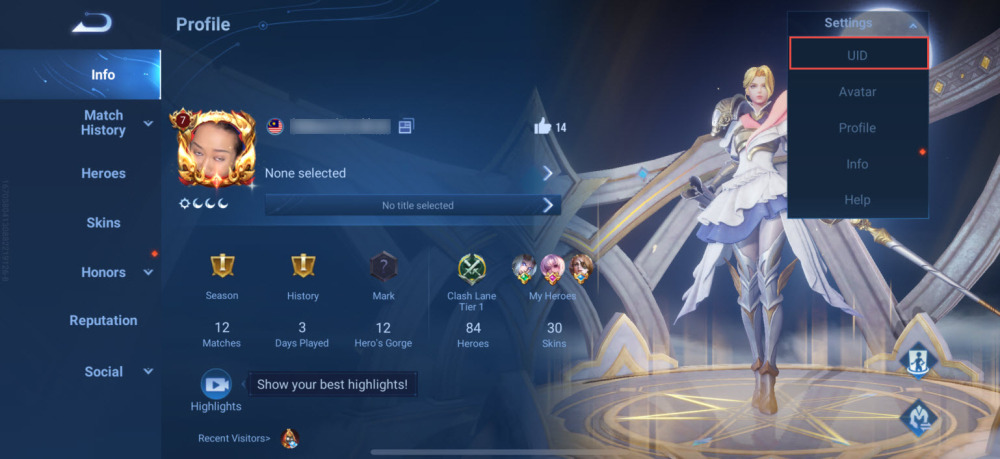
This sequence works identically across iOS and Android builds, letting you paste the ID directly into community event forms, customer support tickets, or a store checkout like Honor of Kings Token recharges. If you ever change your in-game nickname, reinstall the client, or switch phones, this permanent number stays the same according to Recharge.com.
Depending on your regional client build and patch version, the interface displays your ID in one of two locations.
Some interface updates place the numerical Player ID directly on the main profile screen beneath your character name and rank badge, as documented by GPDS Game Shop. On those versions, a small copy button sits directly beside the visible numbers without any secondary submenus.
In other versions, the ID is hidden behind a privacy safeguard. You must actively expand the Settings menu in the upper-right corner and tap "View UID" to make the sequence visible, as reported by TOPUPLIVE. If you do not see digits right beneath your username, open that corner gear icon immediately instead of hunting through audio or graphics menus.
Finding Your Player ID Online via Level Infinite Pass
When your phone is out of reach or the game client is midway through a large patch download, you can confirm your account identifier from a web browser.
- Go to the official Level Infinite Pass portal.
- Log in using the email or linked social account tied to your game profile.
- Open your Account Settings tab.
- Locate your game account details section, where your linked Honor of Kings Player ID is displayed alongside connected games.
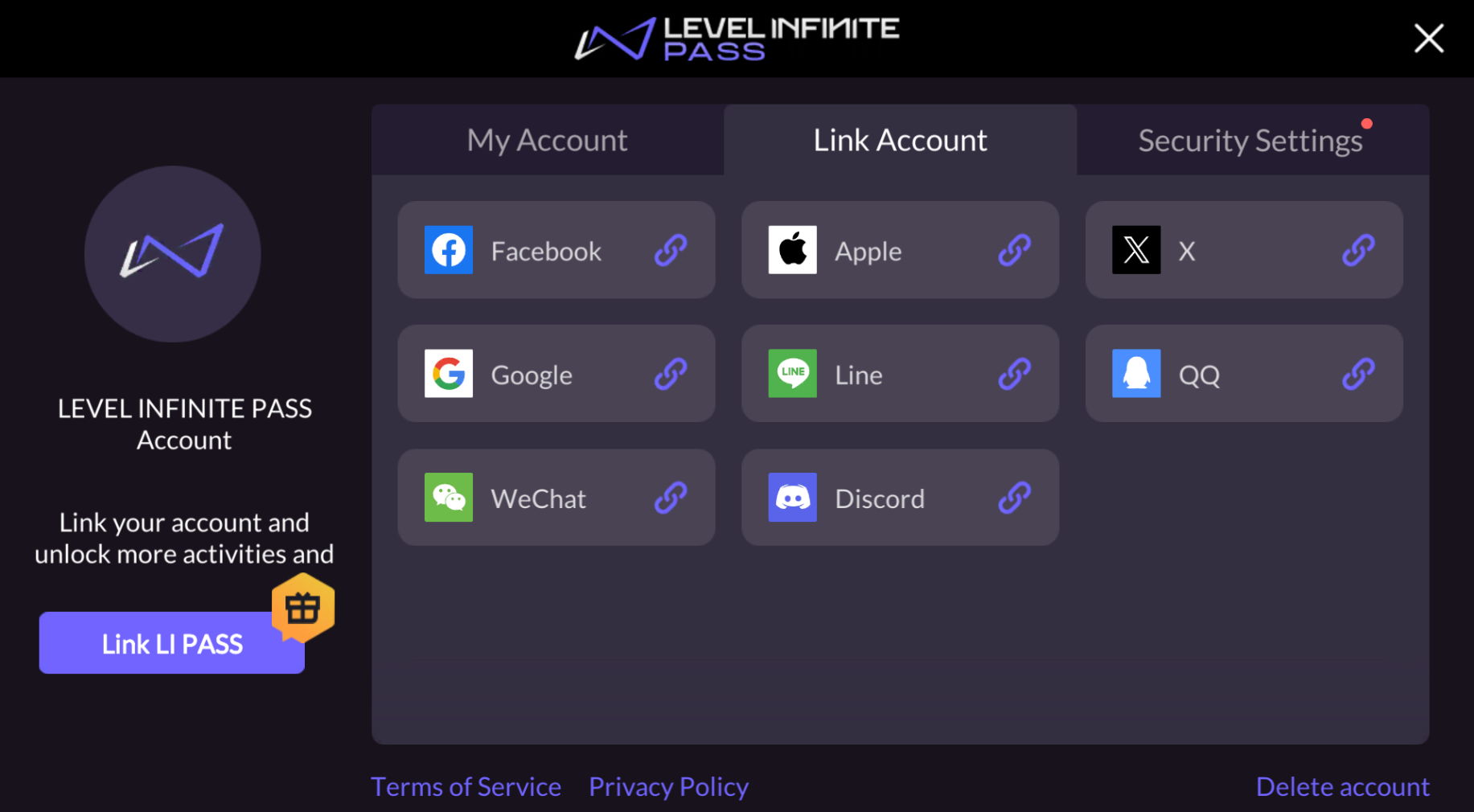
This browser lookup serves as a quick check whenever you cannot open the mobile app, according to GPDS Game Shop.
| Method | Menu Path | Primary Use Case | Source |
|---|
| In-Game Profile Menu | Avatar (top-left) -> Settings -> "View UID" / Copy Icon | Fast copying directly inside active mobile client | TOPUPLIVE, VGTopup |
| Level Infinite Pass Web Portal | Level Infinite Pass site -> Account Settings -> Game Account Details | Remote checking during game patches or when phone is unavailable | GPDS Game Shop |
In-Game Player ID vs. Level Infinite Publisher Account ID
Do not confuse your in-game Player ID with your Level Infinite publisher account ID. This is a common error that causes delays when submitting tickets or claiming rewards.
Your publisher account ID belongs to the Level Infinite web infrastructure. It ties your login email, security settings, and shared publisher profile together. Your in-game Player ID is a game-specific, 10- to 12-digit string generated exclusively for Honor of Kings.
Community rewards programs, customer support tickets, and direct-top-up platforms strictly require the in-game numerical Player ID visible on your profile screen, notes GPDS Game Shop. Supplying a publisher portal login number or account email will cause automated crediting systems to fail.
Regional Builds and Server Codes
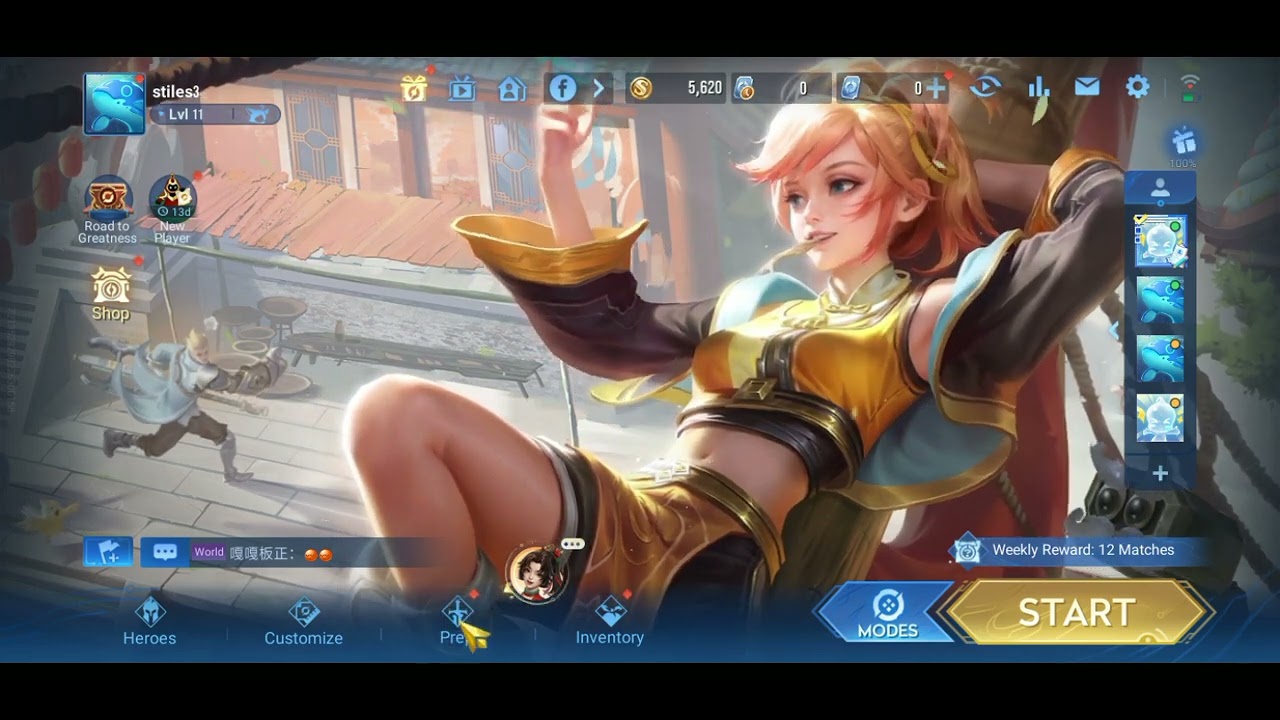
Honor of Kings operates separate builds across different regions, notably maintaining separate infrastructure for the global release and the original Chinese client. As detailed by Recharge.com, these builds operate completely independent servers, events, and stores. Game progress, skins, and premium Token balances do not transfer between versions.
Always ensure you copy the UID from the specific version you actively play. A global account UID cannot receive currency or friend requests sent through alternate regional versions.
While some external platforms reference server regions, Honor of Kings assigns an entirely standalone, globally unique numerical Player ID to every account. Unlike games such as Mobile Legends, there is no separate four- or five-digit Zone ID required to identify your account.
Account Safety Rules When Sharing Your UID
Your Player ID is a public identifier designed for lookups, friend requests, and direct crediting. Sharing this number does not put your account at risk.
Legitimate platforms and friends only require this number. According to security documentation from VGTopup, direct delivery systems process account credits using only the numerical UID. You never need to share passwords, one-time passwords (OTPs), or linked social media credentials (such as Google Play, Apple ID, or Facebook logins). If an event form or site asks for login passwords alongside your UID, leave immediately.
Frequently Asked Questions
Do I need a Zone ID or secondary server code along with my Player ID?
No. Honor of Kings relies entirely on a standalone Player ID. Unlike titles that require a separate Zone ID, third-party token services and player searches only require your primary UID sequence (GPDS Game Shop).
Can someone access my account if they know my Player ID?
No. The Player ID functions as a public routing number for account lookups and currency deliveries. It cannot authenticate a login session on any device, so your account remains safe as long as you keep your passwords and verification codes private (VGTopup).
How do I copy my Player ID directly to the clipboard on mobile?
Open your profile by tapping your avatar in the upper-left corner of the main lobby. Open your profile settings to reveal your UID, then tap the small copy icon positioned directly next to the digits to store the number on your clipboard (VGTopup).





Comments