If your Undawn Raven Coins (RC) have not arrived after real-world payment, verify your bank or app store transaction status before taking drastic action: pending app store authorizations—such as Google Play deferred payments—can take up to 3 days to settle or cancel. Once payment shows strictly completed, fully exit Undawn and restart the app to refresh your wallet balance; if the currency remains missing, inspect your numerical User ID and active server cluster against your purchase invoice before opening a support dispute.
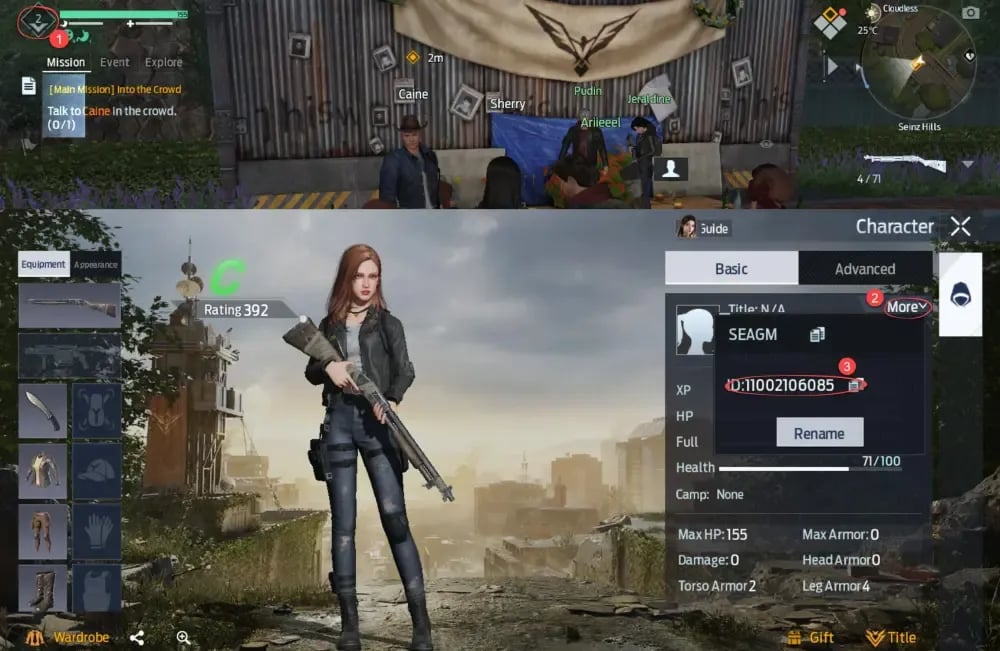
Raven Coins (RC) are Undawn's primary premium currency, used for cosmetics, modification blueprints, vehicle finishes, supply packs, and the Glory Pass. When RC fails to credit, verifying transaction states and account coordinates systematically isolates whether the issue stems from payment holds, character routing, or regional restrictions.
Checking Payment Status: Pending vs Completed Charges
A charge showing on your banking application does not guarantee that the merchant gateway finalized the order. Payment processors frequently post a pre-authorization hold while the background verification clears.
Mobile platforms introduce their own delay mechanisms. For instance, Google Play transactions can register as deferred purchases where purchaseState = 4 according to Unity Engine developer documentation. In this deferred state, payment is waiting for approval or a cash-in process at a physical store, granting users up to 3 days to pay before Google either completes (purchaseState = 1) or automatically cancels the transaction. Undawn's servers will not award in-game currency until the payment status transitions to fully purchased.
| Transaction State | Billing Processor Behavior | Delivery Action | Representative Screenshot Query |
| :--- | :--- | :--- | :--- | :--- | :--- | :--- | :--- |
| Deferred / Pending | Bank or store holds funds; order status purchaseState = 4. Google Play allows up to 3 days for completion (Unity Developer Discussions). | Wait for payment finalization; currency cannot credit while pending. | 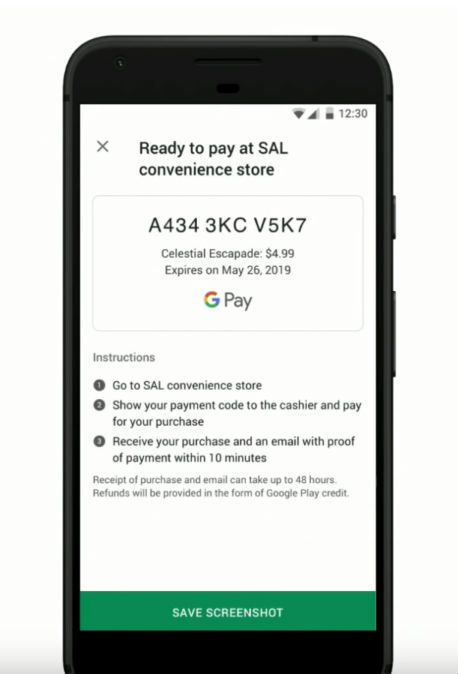 |
| Completed / Settled | Payment processor clears charge; gateway issues official invoice / merchant transaction ID. | Force-restart Undawn client; confirm character numerical User ID. |
|
| Completed / Settled | Payment processor clears charge; gateway issues official invoice / merchant transaction ID. | Force-restart Undawn client; confirm character numerical User ID. | 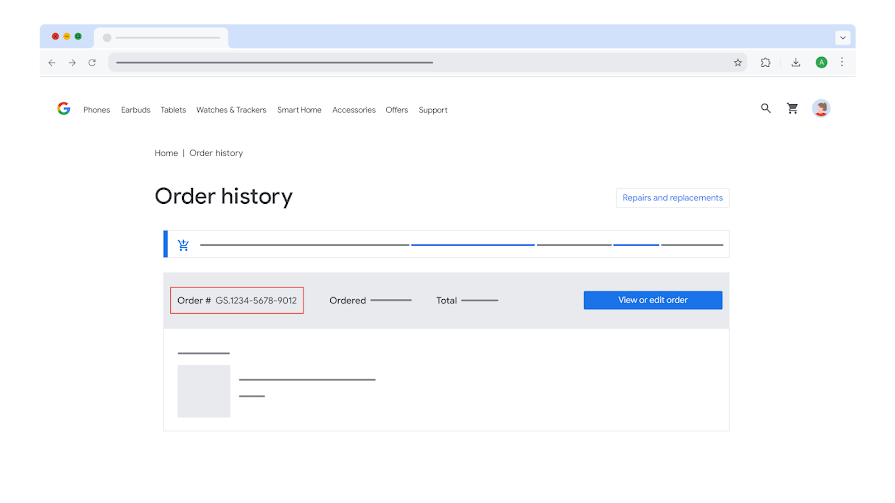 |
| Direct UID Processing | Automated direct routing to the designated account and server cluster (VGTopup Documentation). | Immediate client restart. Contact customer support immediately if pending, before order completes. |
|
| Direct UID Processing | Automated direct routing to the designated account and server cluster (VGTopup Documentation). | Immediate client restart. Contact customer support immediately if pending, before order completes. |  |
| Code Redemption Hold | Geo-restricted prepaid voucher redeemed across mismatching regional portals (SEAGM Product Details). | Access designated regional country redemption site (e.g., Singapore, Thailand, Indonesia). |
|
| Code Redemption Hold | Geo-restricted prepaid voucher redeemed across mismatching regional portals (SEAGM Product Details). | Access designated regional country redemption site (e.g., Singapore, Thailand, Indonesia). | 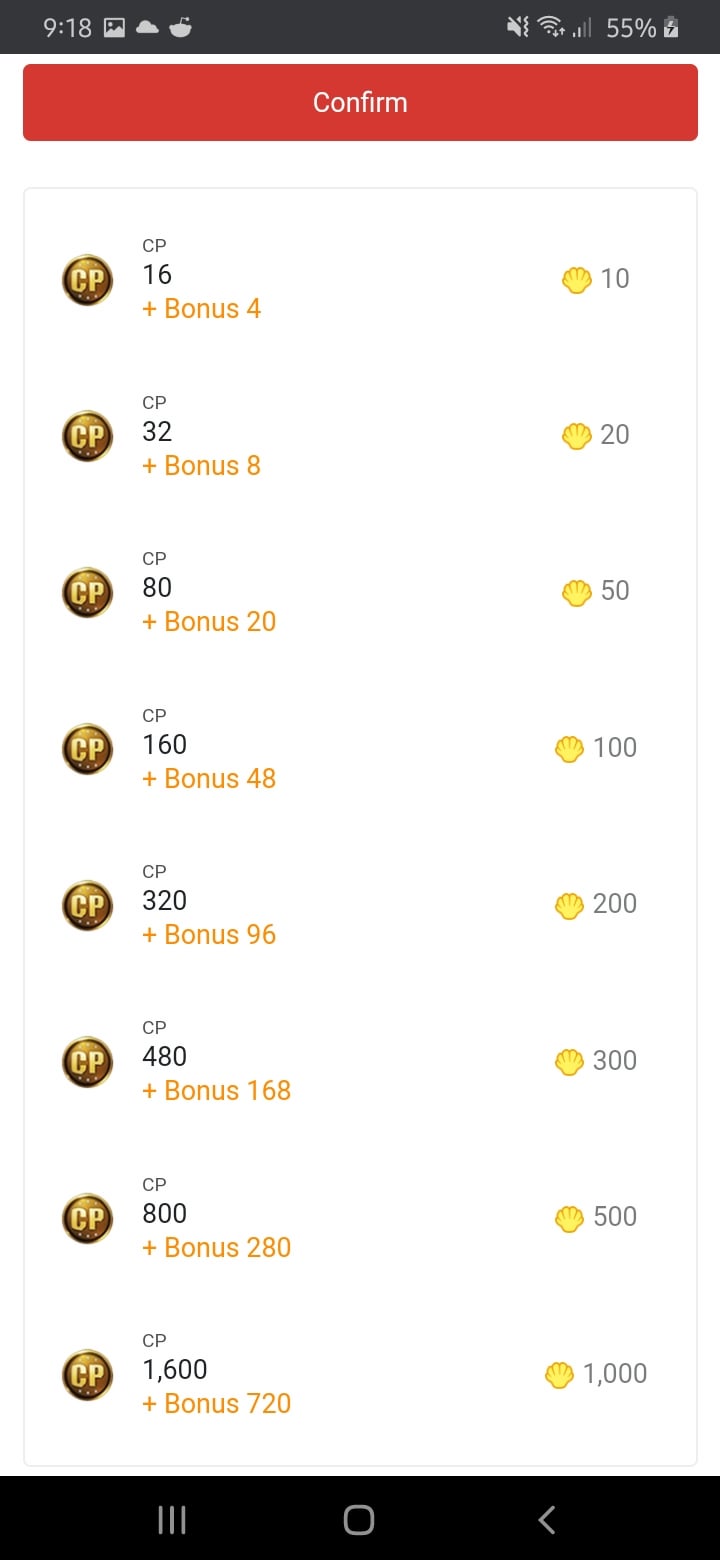 |
|
If your banking statement marks the charge as refunded, reversed, or pending, Undawn will not release currency. The delivery timer begins only after your invoice records a confirmed status.
Verifying In-Game Account Coordinates (UID and Server)
Undawn binds premium balances strictly to a specific character on an isolated regional server cluster. Delivering Raven Coins requires exact targeting.
According to direct top-up documentation on VGTopup, UID transactions execute automatically to the player ID and server specified at checkout. Once delivered, transactions cannot be reversed or transferred between accounts. A single incorrect digit sends the currency to a different account permanently.
How to Retrieve Your Verified Coordinates
- Launch Undawn and enter the active game world.
- Tap your Avatar Profile icon in the top-left corner of the screen.
- Open the Basic Information tab.
- Locate your numeric User ID beneath your character name and tap the small copy icon to grab the exact sequence.
- Note your exact Server Name displayed on your profile overview or the initial login screen.
Interface paths differ slightly depending on which storefront guide you read. While VGTopup directs players to open "Basic Information" to copy the numerical User ID, marketplace guides like Plati.market instruct players to tap "More" next to the character name. Both menus display the identical numeric sequence.
Currency delivered to Koller Mines will never manifest on Seinz Hills. Verify whether you selected the wrong server during checkout before concluding that the purchase vanished.
Purchasing Undawn RC or vouchers through third-party platforms introduces merchant-specific fulfillment rules that do not apply to standard in-app purchases.
In-Game Active Session Rules
Reseller rules differ sharply by store. Documentation from Lotkeys indicates that certain packages require the player to be actively online in-game to receive product handoff. If your transaction processed on a merchant requiring an active session while your game client was closed, launch the game, log into your character, and stay connected for several minutes to allow the webhook handshake to complete.
Regional Portal Restrictions on Garena Shells
Redeeming Garena Shells for RC on Garena-published versions introduces strict country-specific portal requirements. Product terms documented on SEAGM emphasize that prepaid Shell vouchers cannot cross regional borders.
- A voucher issued for Singapore must be redeemed through
shop.garena.sg. - Indonesian Shells must process through
kiosgamer.co.id. - Thai Shells require
termgame.com.
A regional mismatch between your Garena account registration and the voucher's country prevents Shells from converting into Raven Coins. Check your account's country setting on the redemption portal before attempting to reuse the voucher.
Official Undawn EULA Refund Boundaries and Support Tickets
When basic troubleshooting fails and your payment has completely settled without crediting RC, you must escalate through official channels.
Proxima Beta's End User License Agreement outlines strict boundaries regarding premium currency. Under the Undawn Terms of Service, in-game virtual goods and game currency remain the publisher's property, carry zero monetary value, and are entirely non-refundable and non-redeemable for real cash. The sole contractual exception occurs when the virtual currency is defective, unavailable, or fails to perform according to stated specifications.
While third-party seller refund guarantees vary, the publisher strictly enforces the EULA's non-refund policy once currency delivers to an account.
| Troubleshooting Stage | Step Action | Diagnostic Rule | Policy Context |
|---|
| Stage 1: Client Cycle | Force-close Undawn, clear client cache, and log in. | Resolves visual sync lag between the balance ledger and UI. | Basic client refresh requirement. |
| Stage 3: Gateway Verification | Inspect bank statement, Google Play, or merchant order log. | Check for deferred purchase (purchaseState = 4). | Hold up to 3 days for offline cash-in settlements (Unity Engine Docs). |
| Stage 4: Developer Escalation | Email support@undawn.game with transaction receipts. | Permitted when currency is defective or unavailable. | Legitimate dispute route under Undawn EULA. |
Submitting an Undawn RC Support Ticket
To raise a defective or missing currency dispute, contact the official support desk directly at support@undawn.game or submit a ticket through the in-game customer service portal.
Include the following verified elements in your initial communication:
- Numerical User ID: Copied from your Basic Information profile tab.
- Server Cluster Name: Exactly as shown on your profile screen (e.g., Koller Mines, Seinz Hills, Valle Encantado, Minas Koller, or Europe Undawn Servers).
- Character Name: Exact spelling, including special characters.
- Proof of Payment: Uncropped screenshot of the official receipt containing the merchant order number, Google Play order ID (e.g., GPA number), or digital invoice.
- Exact Timestamp and Value: Time of transaction and specific amount of RC purchased.
Providing exact server and account coordinates upfront eliminates back-and-forth delays, allowing customer representatives to audit server-side transaction logs against your billing token directly.




Comments