If your payment cleared but your One Punch Man: The Strongest coupons are not received, check your in-game mailbox immediately. Top-up purchases do not automatically update your top currency bar; deliveries route to the server distribution mailbox as a system message where you must tap Claim, and being logged in during processing often requires an app restart to force server synchronization (VGTopup).
Here is the catch that catches most players off guard: funds leave your bank account, your top currency bar does not budge, and you assume the order vanished into thin air. In reality, coupons do not credit directly to your HUD like instant Gem bundles.
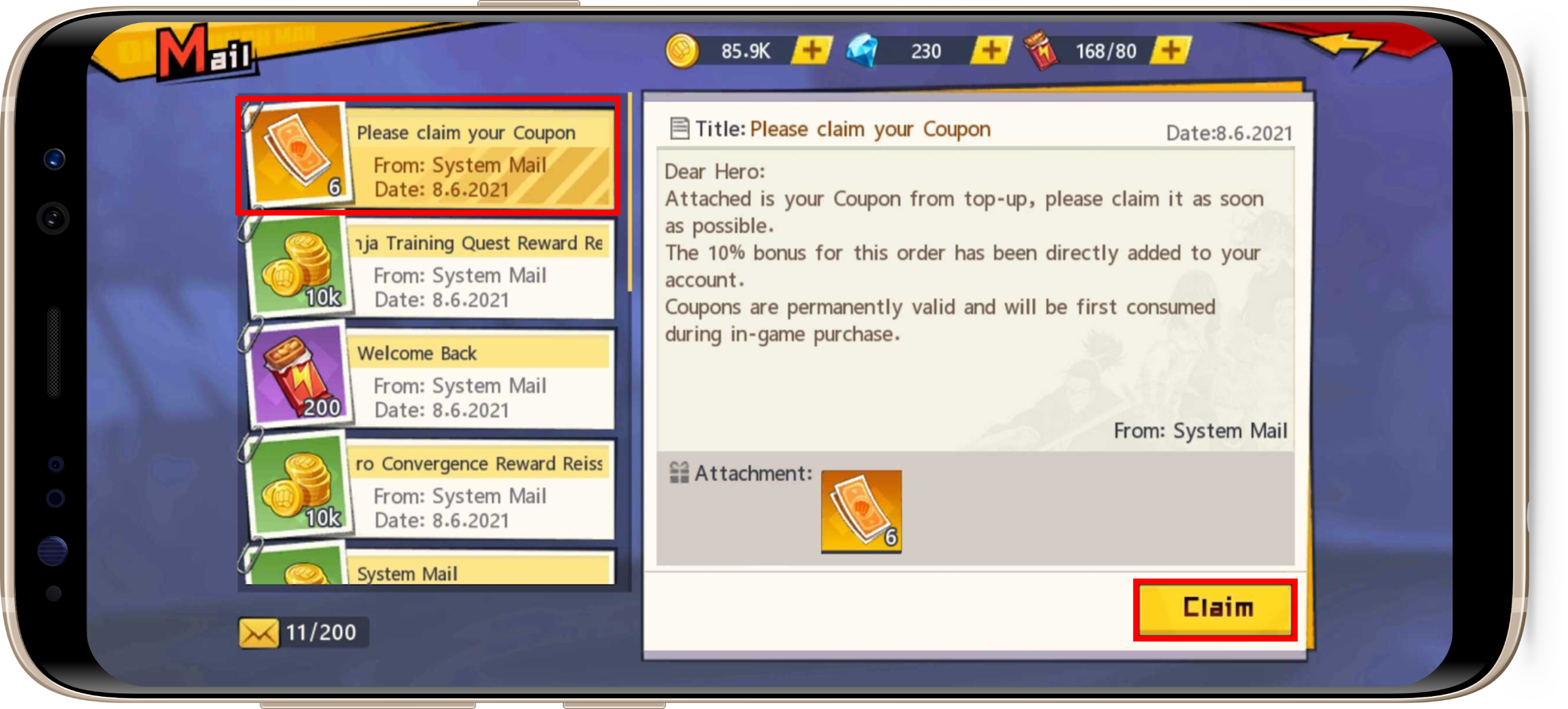
The Top-Bar Trap: Why Your Balance Has Not Changed
Coupons serve as the master recharge currency in One Punch Man: The Strongest. They convert directly at a 1:1 ratio into Funds inside the game mall and unlock exclusive packs, VIP points, and rebate tier rewards that standard Gems cannot activate (VGTopup).
Unlike everyday resources that refresh instantly on your screen, top-up deliveries land in the server distribution mailbox. If you expect your top-bar counter to tick upward while you are sitting in the lobby, you will be waiting indefinitely.
To collect your currency:
1. Log into the specific server associated with your transaction.
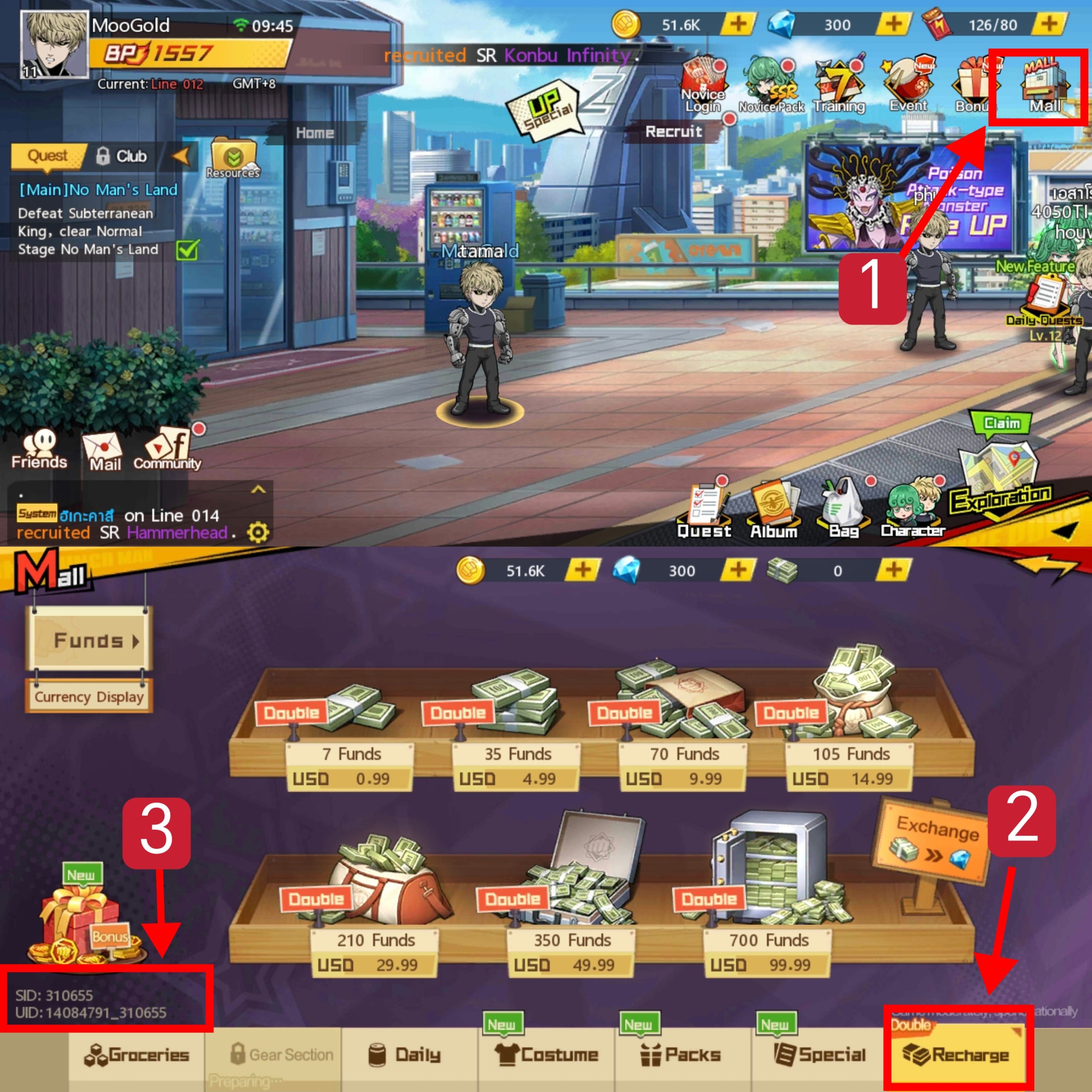
2. Look at the right-hand menu icons on your main lobby screen.
3. Tap the Mail envelope icon.
4. Find the system message marked with your recharge or order fulfillment notice.
5. Open the message and tap Claim or Claim All to deposit the Coupons into your inventory.
Fixing the Active Session Sync Delay
If your bank deducted the funds but your mailbox remains completely empty, check your session state. Staying logged into the game client while a transaction clears frequently stalls mailbox delivery (VGTopup). The client interface caches your active mail status and fails to ping the server distribution queue in real time.
| Verification Stage | Visual Reference | Action Required | Expected Result |
|---|
| Client Resync | 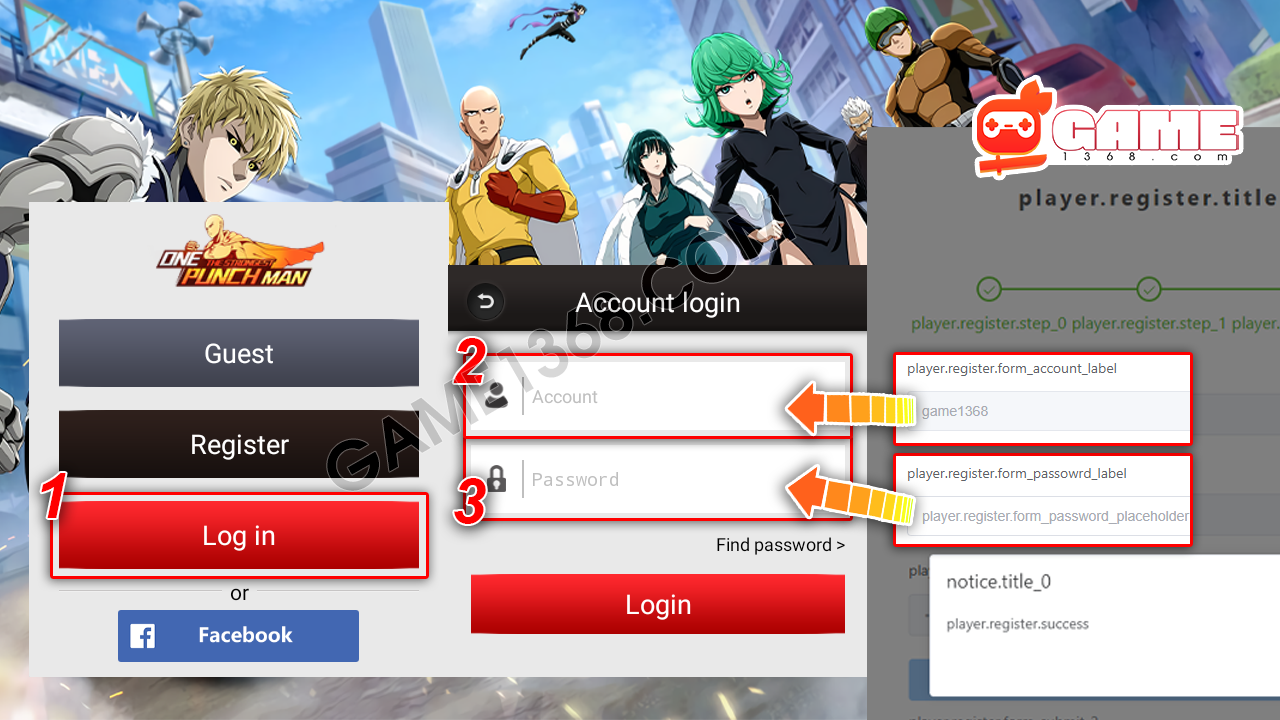 | Force-close the app or exit to the title login screen (VGTopup) | Clears cached mailbox states and re-queries the mail server |
| Server Mailbox Check | 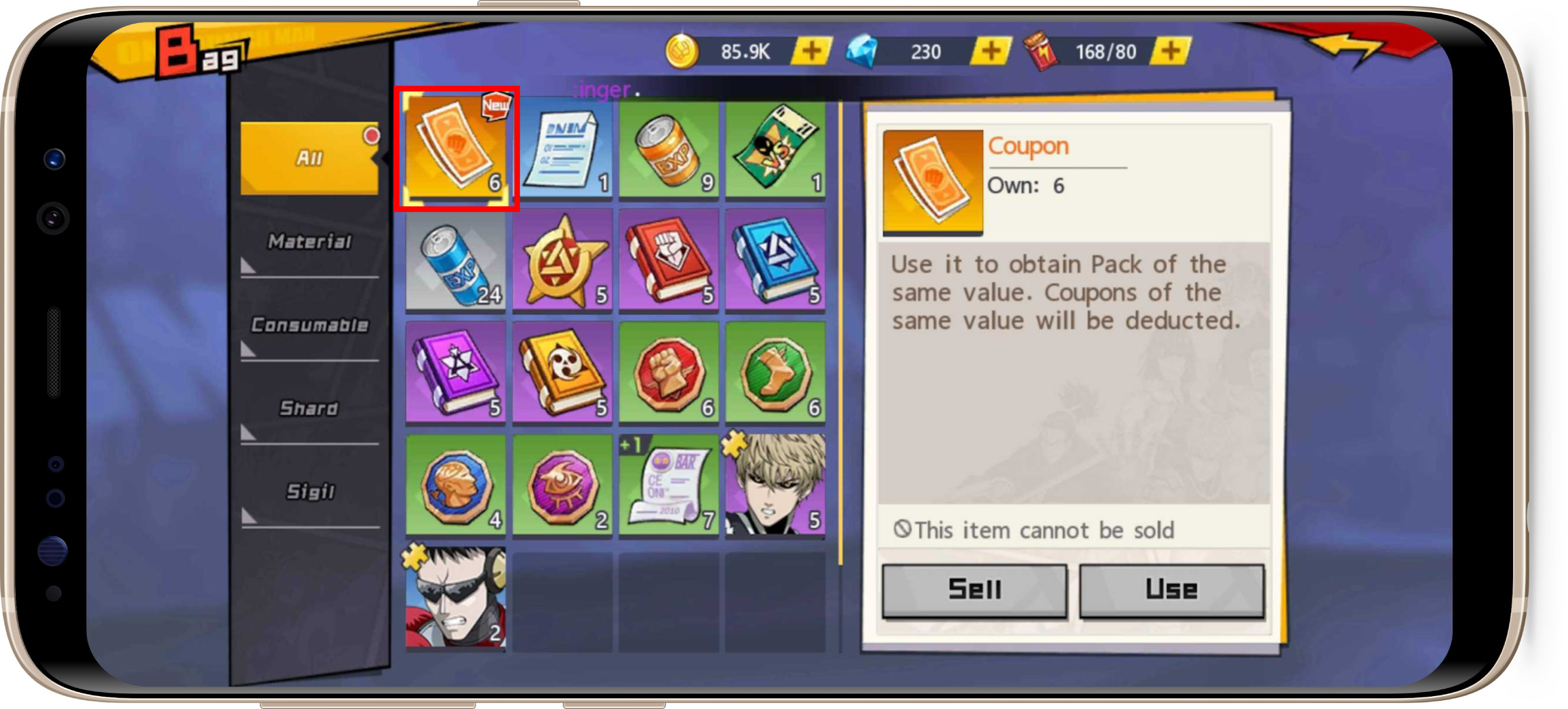 | Open the Mail envelope icon on the right-hand lobby menu (VGTopup) | Displays pending order fulfillment and recharge notices |
| Inventory Deposit | 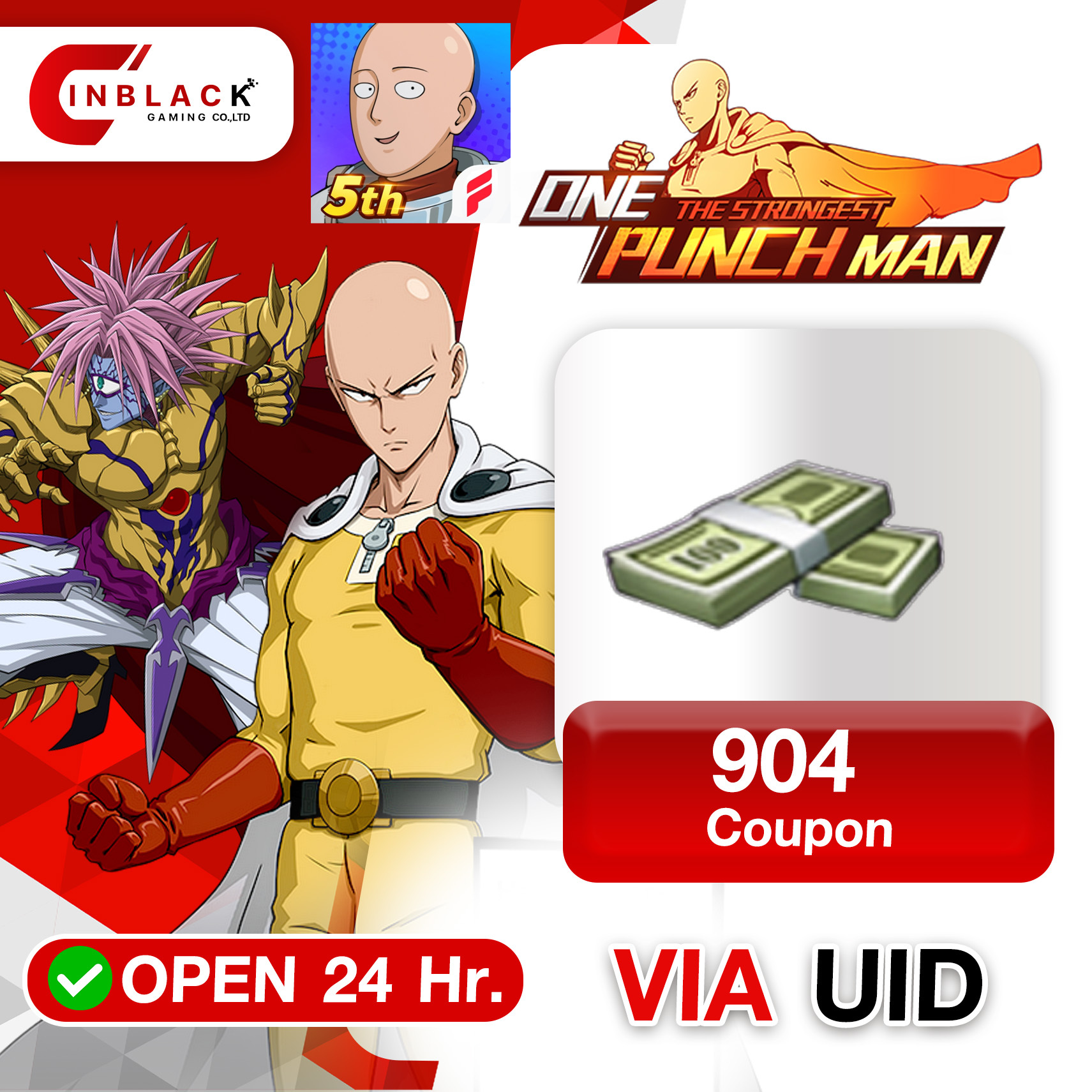 | Tap Claim All inside the fulfillment message (VGTopup) | Transfers Coupons to your bag for 1:1 Funds conversion |
Short version: kill the application entirely from your device's task switcher. Relaunching forces an authentication handshake with the game server, refreshing the mailbox queue within a few minutes.
Tracking Down a Wrong Server or Mismatched UID
Did the restart fail to surface your mail? The next suspect is a routing error: a wrong server selection or a transposed digit in your UID. Direct UID top-up protects your account by requiring zero passwords, Apple IDs, or Google credentials (VGTopup). But because platforms like VGTopup, Codashop, G2A, Kinguin, or Loaded rely entirely on the exact routing data you enter, a single mistyped number sends the delivery to a different character.
Verify your routing details directly inside the game client:
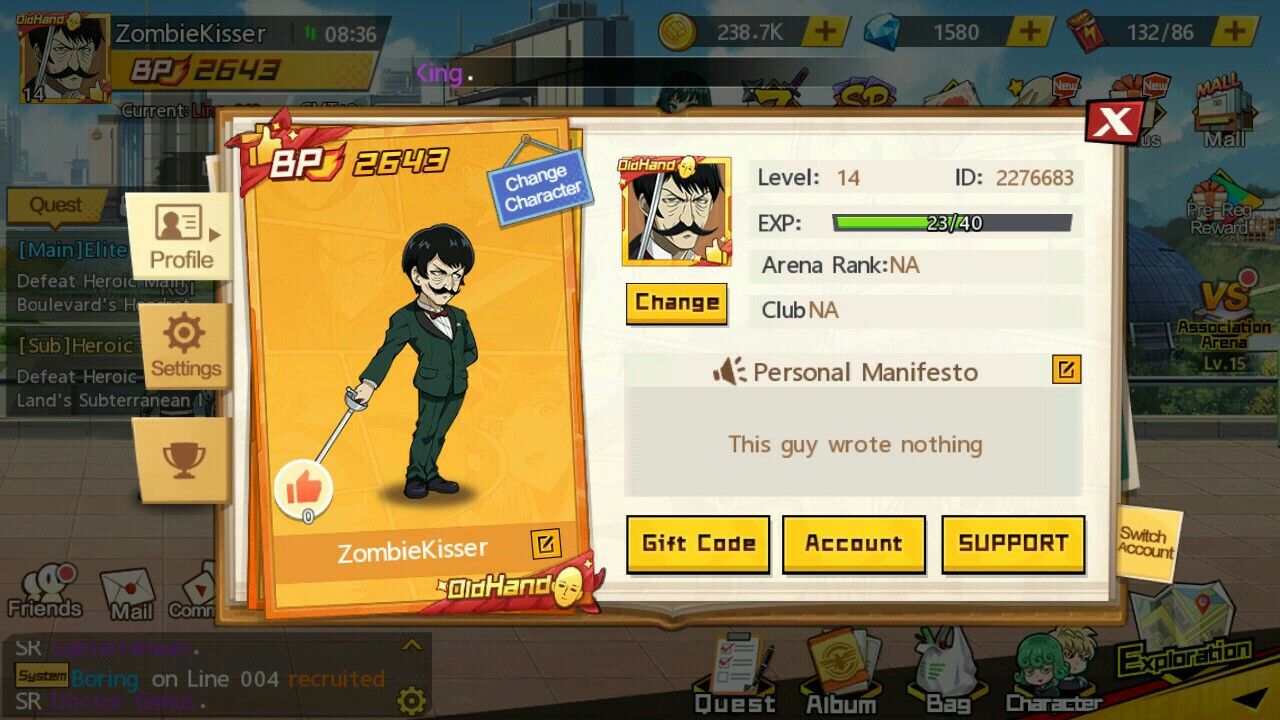
- Tap your Avatar icon in the upper-left corner of the lobby screen.
- Open the player information window.
- Check the numerical User ID printed directly below your player nickname.
- Check the top or side of your profile window to confirm your exact Server ID, such as Server 120 or SEA-S50 (VGTopup).
Compare those exact figures against the confirmation receipt from your vendor. If you play across multiple worlds and submitted Server 120 while your main roster lives on SEA-S50, switch servers at the login gate. Your delivery is likely sitting in the mailbox of the alternate character on that server.
When a client restart yields nothing and your UID and Server ID match your receipt, submitting a missing-purchase support ticket is your next move. Under Google Play support policies, in-app purchases are fulfilled directly by the application developer, who holds the authority to investigate uncredited deliveries or process manual adjustments (Google Play Support). Contacting the fulfillment team directly remains your fastest resolution path.
Don't send a vague complaint. Support desks churn through hundreds of billing tickets daily, and missing metadata only adds days of back-and-forth messaging. Assemble your transaction record before opening a ticket:
- External Order Identifier: The invoice or order number issued by your merchant or app store.
- Target Account Details: Your exact numeric User ID, in-game nickname, and Server ID (VGTopup).
- Proof of Deduction: A uncropped screenshot of your bank deduction, card receipt, or digital wallet confirmation displaying the exact transaction timestamp.
- Denomination Purchased: The exact tier of Coupons ordered.
| Coupon Tier | Baseline Price | Primary Use Case & Perks |
|---|
| 13 Coupons | USD 1.23 | Micro-pack purchases or baseline Fund conversions (VGTopup) |
| 22 Coupons | USD 1.72 | Low-tier daily replenishment packages (VGTopup) |
| 23 Coupons | USD 2.30 | Event-specific introductory bundles (VGTopup) |
| 54 Coupons | USD 4.29 | Small event resource crates (VGTopup) |
| 61 Coupons | USD 6.14 | Weekly stamina and supply bundles (VGTopup) |
| 91 Coupons | USD 9.21 | Mid-tier monthly progression card triggers (VGTopup) |
| 107 Coupons | USD 8.59 | Target recruit voucher packs (VGTopup) |
| 214 Coupons | USD 17.17 | VIP tier threshold pushes (VGTopup) |
| 227 Coupons | USD 23.01 | High-tier character growth material chests (VGTopup) |
| 321 Coupons | USD 25.76 | Multi-pack event bundle combinations (VGTopup) |
| 2669 Coupons | USD 214.63 | Major banner recruitment runs (VGTopup) |
| 8007 Coupons | USD 654.24 | High-volume rebate event triggers (VGTopup) |
| 16013 Coupons | USD 1308.47 | Premium rebate tier activations (VGTopup) |
If you bought your pack through VGTopup, reach out directly to customer support with your order number as soon as a restart fails to surface your mail. Handing over your payment timestamp and numeric User ID upfront lets support agents cross-reference server delivery logs immediately without manual routing delays.
Follow VGTopup for more One Punch Man: The Strongest Coupons news~






Comments