

To join the EA Sports FC Mobile limited beta, you must install an isolated preview build distributed through select regional Google Play Store markets or Apple TestFlight. Android access is officially restricted to accounts based in Singapore, Malaysia, Canada, India, Romania, Argentina, and Colombia, while iOS testing relies on public TestFlight invitation links governed by strict capacity limits. Every beta installation operates as a temporary standalone client with guest-only authentication, disabled payment systems, and an absolute wipe of all progression once the test cycle concludes.
Official testing platforms and regional eligibility
Electronic Arts deploys the preview build as a separate application rather than an in-game patch. This separation leaves your standard live client intact—your primary squad, division standings, and saved preferences remain untouched while you test beta mechanics.
Android availability is locked to specific storefront regions. According to EA's Spring 2025 Limited Beta announcement, official distribution is restricted to users browsing Google Play within these seven territories:
- Canada
- Singapore
- Malaysia
- India
- Romania
- Argentina
- Colombia
Regional rosters can shift between test cycles. While India appeared in early 2025 documentation, later wave updates omitted it, and independent trackers like MrBelieverHub documented test phases running in Indonesia. If your Google Play billing address or IP address originates outside the active list, searching for "EA SPORTS FC Mobile Limited Beta" yields no results.
| Platform / Route | Eligible Territories | Access Method | Key Limitations |
|---|---|---|---|
| Android (Official) | Canada, Singapore, Malaysia, India, Romania, Argentina, Colombia | Direct Google Play Store search | Locked to regional storefronts; Guest login only (Source) |
| Android (VPN Workaround) | Non-supported global regions | VPN endpoint routing and Play Store cache reset | Requires active VPN on boot; unverified latency stability (Source) |
| iOS (Apple TestFlight) | Global (No storefront restriction) | Public TestFlight link | Hard participant caps; 90-day build expiry (Source) |
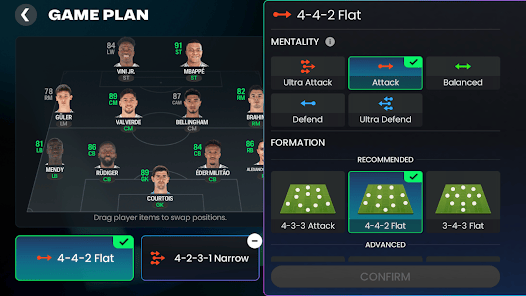
Step-by-step: EA Sports FC Mobile beta download on Android
Users within official testing zones can install the client directly from Google Play. Outside those regions, testers rely on cache wipes and IP routing to bypass storefront locks.
Official download route (Supported regions)
- Open the Google Play Store on a device tied to a supported country.
- Search for
EA SPORTS FC Mobile Limited Beta. - Verify the developer is listed as Electronic Arts.
- Tap Install to download the standalone client package.
- Launch the app and accept the Pre-release Feedback Agreement to proceed to the guest home screen.
VPN bypass route (Unsupported regions)
If your region lacks direct storefront access, community documentation on MrBelieverHub's beta download tracker outlines a method to force regional availability:
- Install a reliable VPN and connect to a server in a supported country (such as Canada, Singapore, or Romania).
- Open your Android device Settings, navigate to Apps, select Google Play Store, and tap Storage.
- Select Clear Data and Clear Cache to wipe cached storefront geolocation.
- Relaunch the Google Play Store while the VPN remains active.
- Search for
EA SPORTS FC Mobile Limited Betaand initiate the download. - Keep the VPN connection engaged during the initial app boot until the title screen completes its asset check.
Dropping the VPN connection during the initial boot triggers a geolocation mismatch, which causes the application to hang during authentication.

How to access the FC Mobile limited beta TestFlight link on iOS
Unlike Android, iOS testing does not require an App Store account in a supported country. EA manages iOS distribution globally through Apple's TestFlight framework via public enrollment links.
Tester slots on iOS are strictly limited. EA posts public TestFlight URLs across official social communication channels, including X (formerly Twitter). Because Apple enforces hard capacity limits on beta pools, these slots routinely fill within minutes of publication.
Follow these steps to claim an open slot: 1. Download and install the free TestFlight app from the Apple App Store. 2. Monitor official EA Sports FC Mobile social handles for public beta invitation links. 3. Tap the official invitation link on your iOS device. 4. If capacity remains, TestFlight opens with an option to accept the invitation. 5. Tap Install to begin the download.
If the pool has reached its maximum threshold, TestFlight displays an alert stating: "This beta is full" or "The Beta is no longer accepting new testers." EA occasionally purges inactive testers or posts fresh batches of links throughout the testing window, but once a link caps out, no manual bypass exists on iOS.
Under Apple's testing framework, each beta build expires up to 90 days after developer submission, at which point the app deactivates unless updated.
Technical requirements and age restrictions
Ensure your device and profile details satisfy EA's technical requirements and legal eligibility before attempting to install.
Age requirements
Beta access is legally age-gated under EA's Pre-release Feedback Agreement: * Global requirement: 13 years of age or older. * Romania requirement: 16 years of age or older.
Entering a birthdate that falls below these thresholds during initial setup permanently blocks access on that installation.
Operating system discrepancies
Documented operating system specifications conflict across official and third-party references. EA's Limited Beta TestFlight Guide states that iOS or iPadOS 13.0 or later is sufficient for preview builds. However, later platform documentation lists a minimum of iOS 15.0 for the production game, and Apple's current TestFlight service parameters recommend modern software iterations. To prevent crashes, running iOS 15 or newer is advisable.
On Android, minimum requirements show similar variance. While older legacy documentation cites Android 5.0, third-party distribution repositories record a requirement of Android 7.0 or higher to parse the beta application package.
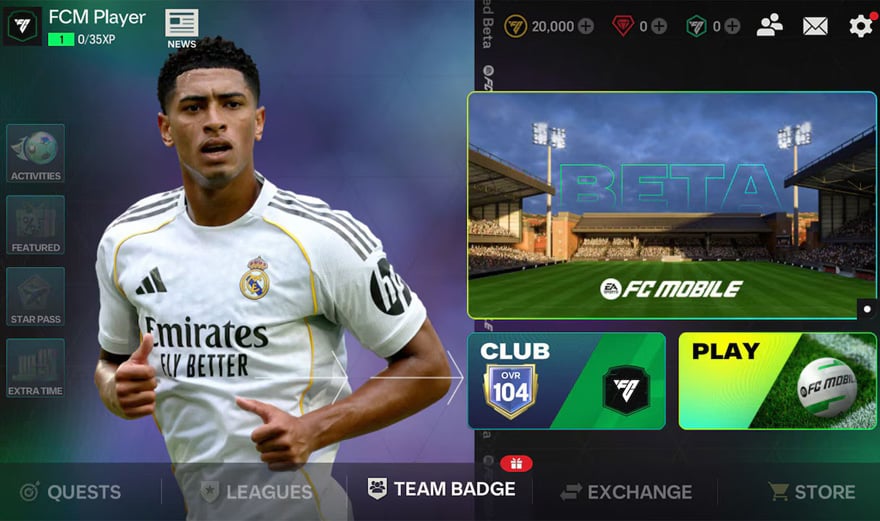
Progression, purchases, and data reset policies
The limited beta operates strictly as an isolated test sandbox for evaluating engine mechanics, performance stability, and interface changes.
The guest-only login lock
Standard social and account connections are disabled. You cannot sign in via: * EA Account * Google Play Games * Apple Game Center * Facebook
The only available option is GUEST. Because beta profiles cannot be tied to external credentials, deleting the beta application or wiping its cache purges all local testing progress immediately.
Total progress wipe
No items, players, or milestones earned in the beta transfer over to the production game. When the testing window concludes, all beta servers are taken offline, and test accounts are permanently deleted. Upgrading beta cards or climbing divisions yields zero rewards for your primary squad.
Store and monetization shutdown
All real-money purchases are switched off inside the test environment. You cannot buy card bundles or currencies with real funds. Third-party ad-reward networks, including rewarded video views and promotional offer walls, are deactivated in beta builds.
Testing currency is distributed purely through temporary in-game login rewards or event objectives. If you need in-game resources for your permanent squad, manage those within the standard live client. For the production game, players acquire EA Sports FC Mobile FC Points and Silver through official storefronts or authorized top-up channels to obtain items like the Star Pass, Welcome Bundles, and player packs.
Frequently Asked Questions
Does my progress or squad from the FC Mobile Limited Beta transfer to the main game?
No. Every asset acquired during testing—including player cards, coins, gems, and division progression—is temporary. All beta data is wiped when the test window finishes and will not carry over to the live client, as confirmed by EA's testing terms.
Can I link my primary EA Account or Google Play profile to the Beta?
No. All third-party authentication methods are disabled. Testing is strictly restricted to Guest logins, meaning no external accounts can be linked or synced to the test client.
Why does the iOS TestFlight link say the beta is full?
Apple caps the total number of enrolled testers allowed inside any single TestFlight testing group. When a public link reaches its enrollment ceiling, Apple blocks further entries. You must wait until EA opens new recruitment waves or removes inactive accounts.
Can I buy FC Points or open paid packs while testing the beta?
No. In-game real-money transactions are disabled inside the beta client. Rewarded video advertisements and offer walls are also turned off. All test items must be acquired through active beta event rewards and test milestones.




Comments