



Vilaa Top Up: Direct In-App Recharge on VGTopup
Getting a Vilaa top up is the simplest way to add in-app balance and access premium digital features inside the Vilaa app. VGTopup provides a direct recharge system that credits your account using only your Vilaa Player ID. You do not need to share sensitive account logins, passwords, or personal credentials at any stage of the transaction.
Whether you need resources for voice rooms, virtual gifts, interactive activities, or custom profile upgrades, purchasing your Vilaa recharge on VGTopup ensures your order is processed quickly, securely, and transparently.
How to Top Up Vilaa Using Player ID
Refilling your account balance on VGTopup is straightforward. Follow these steps to complete your purchase:
- Select Your Top Up Package: Choose the denomination or balance pack you wish to purchase from the product options available on this page.
- Enter Your Vilaa Player ID: Type your unique numerical Vilaa Player ID into the designated field. Double-check the numbers to prevent delivery delays.
- Proceed to Checkout: Click the buy button to open the checkout window.
- Select Your Payment Method: Pick your preferred payment option from the available regional and global options shown on the live checkout screen.
- Complete the Transaction: Finalize payment. Once verified, the digital items are automatically transferred directly to your Vilaa account.
| Order Step | Action Required | Details Needed |
|---|---|---|
| 1. Select Pack | Pick the desired denomination | Product option selection |
| 2. Input ID | Enter your account identifier | Vilaa Player ID (Numerical) |
| 3. Checkout | Choose payment channel | Standard billing details |
| 4. Delivery | Automated direct balance transfer | Instant balance refresh in-app |
How to Find Your Vilaa Player ID
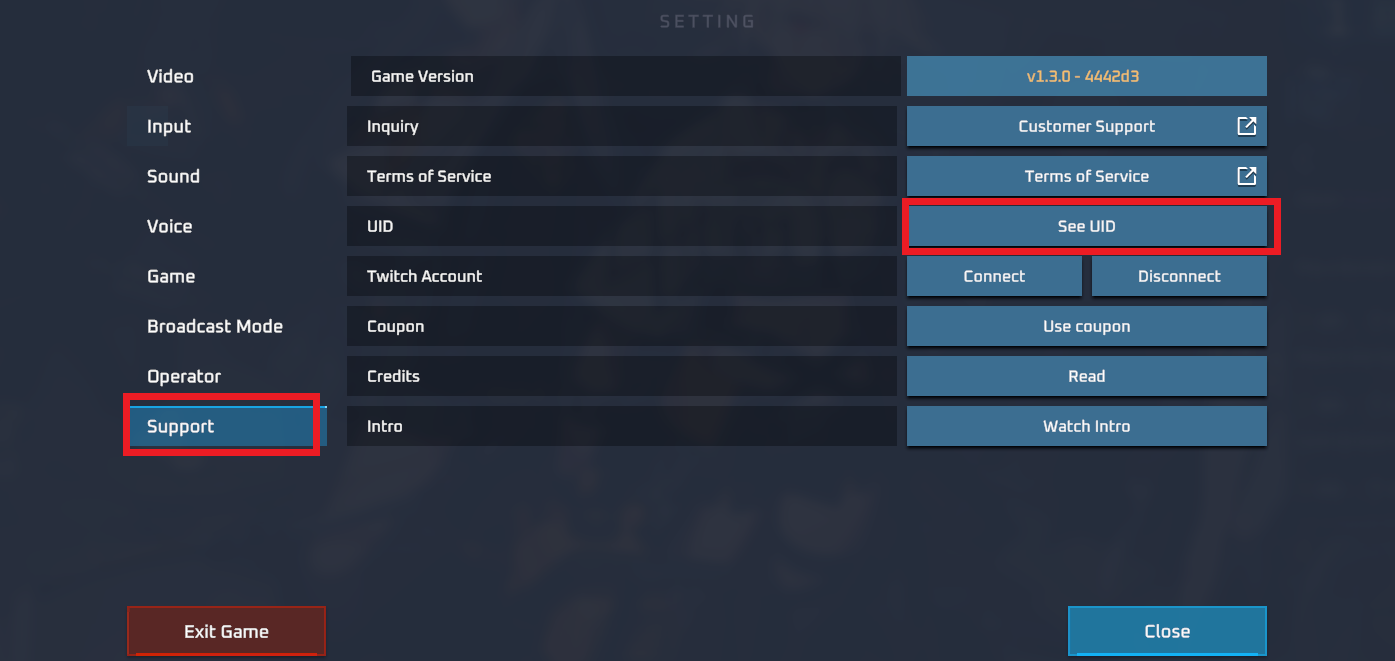
To ensure your Vilaa recharge lands in the right account, you must provide your exact numerical Player ID. You can find this directly inside the Vilaa application:
- Launch the Vilaa app on your smartphone or tablet.
- Tap the Profile or Me icon located in the bottom navigation bar.
- View your profile screen. Your Player ID (UID) is clearly displayed directly below or beside your profile name and avatar.
- Tap the copy icon next to your Player ID, or write down the exact sequence of digits carefully.
- Paste the ID into the input field on VGTopup before checking out.
Tip: Always use the copy button whenever available to eliminate manual typing errors.
Vilaa Recharge Delivery Process and Order Status
When you submit an order on VGTopup, the system processes your transaction through a direct digital delivery channel:
- Automated Processing: Once payment confirmation is received, the balance is routed directly to the server associated with your submitted Player ID.
- Order Tracking: You can view your real-time order status directly within your VGTopup account dashboard. Each order shows whether it is pending, processing, or completed.
- Verifying Balance in Vilaa: Once your order status changes to completed, open or restart your Vilaa application. Your updated balance will reflect in your in-app wallet instantly.
- Customer Support: If you experience network lag or a delay in receiving your balance, VGTopup customer support is available to review your order details and verify fulfillment status.
Safety and Account Security: Password-Free Top Up
Account safety is a top priority for digital purchases. VGTopup operates on a zero-credential policy for direct recharges:
- No Passwords Required: You never need to supply your password, email login, or third-party social credentials (such as Google, Apple, or Facebook links) to buy a top up.
- Safe from Phishing: Because only your public Player ID is required, your account remains 100% in your hands. There is no risk of unauthorized profile changes or credential leaks.
- Encrypted Payment Gateways: All billing transactions are encrypted with industry-standard SSL protocols, ensuring your financial information remains fully protected during checkout.
Common Top Up Mistakes and How to Avoid Them
To make sure your Vilaa recharge goes through without interruption, watch out for these frequent mistakes:
- Typing the Wrong Player ID: A single misplaced digit can cause your balance to be sent to another user's account. Always copy and paste your ID directly from the Vilaa profile screen.
- Entering a Nickname Instead of Numerical ID: Nicknames and custom display names cannot be recognized by the top-up server. Only input your numerical Player ID.
- Not Refreshing the App: If you have the Vilaa app open during checkout, the new balance might not show immediately due to local cache. Close the app completely and reopen it to trigger a balance sync.
- Payment Pending Verification: Certain local payment channels may take a short moment to clear. Keep your order confirmation number handy until the funds reflect in your account.
Accepted Payment Methods and Checkout on VGTopup
VGTopup supports an array of safe payment options tailored to your region. When you proceed to checkout, the screen will present all live payment channels, supported local currencies, and transparent pricing with no hidden charges.
Available payment options typically include international credit and debit cards, e-wallets, bank transfers, and convenient regional payment solutions. Check the live payment selector on the checkout page to view the specific methods available for your country in 2026.
Frequently Asked Questions
How do I top up my Vilaa account on VGTopup?
Select your preferred denomination on this page, enter your Vilaa Player ID, choose your payment option at checkout, and complete the payment. Your balance will be credited directly to your Vilaa account.
Where can I find my Vilaa Player ID?
Open the Vilaa app, tap on your profile page (Me tab), and locate the numerical Player ID displayed beneath your avatar and username. Tap the copy icon to copy it directly.
Do I need to share my Vilaa password to get a top up?
No. VGTopup only requires your public numerical Player ID. You will never be asked for your account password or login credentials.
How long does the Vilaa recharge take to reflect in my account?
Delivery begins as soon as payment is confirmed. Most orders reflect in your in-app balance within seconds after checkout completion. Simply restart the app to see your updated funds.
What should I do if I entered the wrong Player ID during checkout?
Because digital deliveries are processed automatically to the ID provided, balances delivered to a valid third-party account cannot be reversed. If you notice a typo before payment is completed, cancel the prompt and re-enter the correct ID. If you need help with a pending order, contact VGTopup customer support immediately with your transaction ID.
What payment methods are supported for Vilaa top up in 2026?
VGTopup supports major debit/credit cards, popular digital wallets, and region-specific online payment gateways. Available payment channels for your location are displayed live on the checkout screen.
Select Denomination
Tax, payment fees and eligible coupons are calculated at checkout.
| Package | Price |
|---|---|
| Vilaa - Vilaa*50000 | USD 1.19 |
| Vilaa - Vilaa*70000 | USD 1.66 |
| Vilaa - Vilaa*100000 | USD 2.37 |
| Vilaa - Vilaa*200000 | USD 4.74 |
| Vilaa - Vilaa*500000 | USD 11.86 |
| Vilaa - Vilaa*700000 | USD 16.61 |
| Vilaa - Vilaa*1000000 | USD 23.72 |
| Vilaa - Vilaa*2000000 | USD 47.45 |
| Vilaa - Vilaa*5000000 | USD 118.62 |
| Vilaa - Vilaa*10000000 | USD 237.24 |






























































