



Pocket Chat Top Up: Overview of Credits and In-App Uses in 2026
Pocket Chat is a popular global voice chat and social entertainment app where users connect across live audio party rooms, interactive games, and community discussions. In-app credits (often referred to as coins or diamonds) serve as the primary currency across the platform. You use these credits to send virtual animated gifts, support room hosts, unlock exclusive avatar frames, obtain premium entry effects, and climb community leaderboards.
Note that Pocket Chat is an interactive social media and live voice streaming application. It is completely distinct from unrelated telecommunications or mobile virtual network providers such as Red Pocket Mobile. Top-ups purchased here apply directly to your Pocket Chat voice and social user profile.
Maintaining a healthy coin balance gives you full access to room interactions and VIP privileges. By purchasing your credits through VGTopup, you get direct balance top-ups credited straight to your account profile without needing to link payment cards directly inside the mobile app.
How to Find Your Pocket Chat Player ID
To complete a recharge on VGTopup, you only need to provide your Pocket Chat Player ID. Your Player ID is a unique numerical identifier linked to your specific account profile. Follow these quick steps to locate it inside the app:
- Launch the Pocket Chat application on your mobile device.
- Tap the Profile or Me tab located in the bottom navigation bar.
- Look beneath your profile picture and display name at the top of the screen.
- Locate the numerical string labeled ID or UID.
- Tap the copy icon next to your ID to copy the number directly to your clipboard.
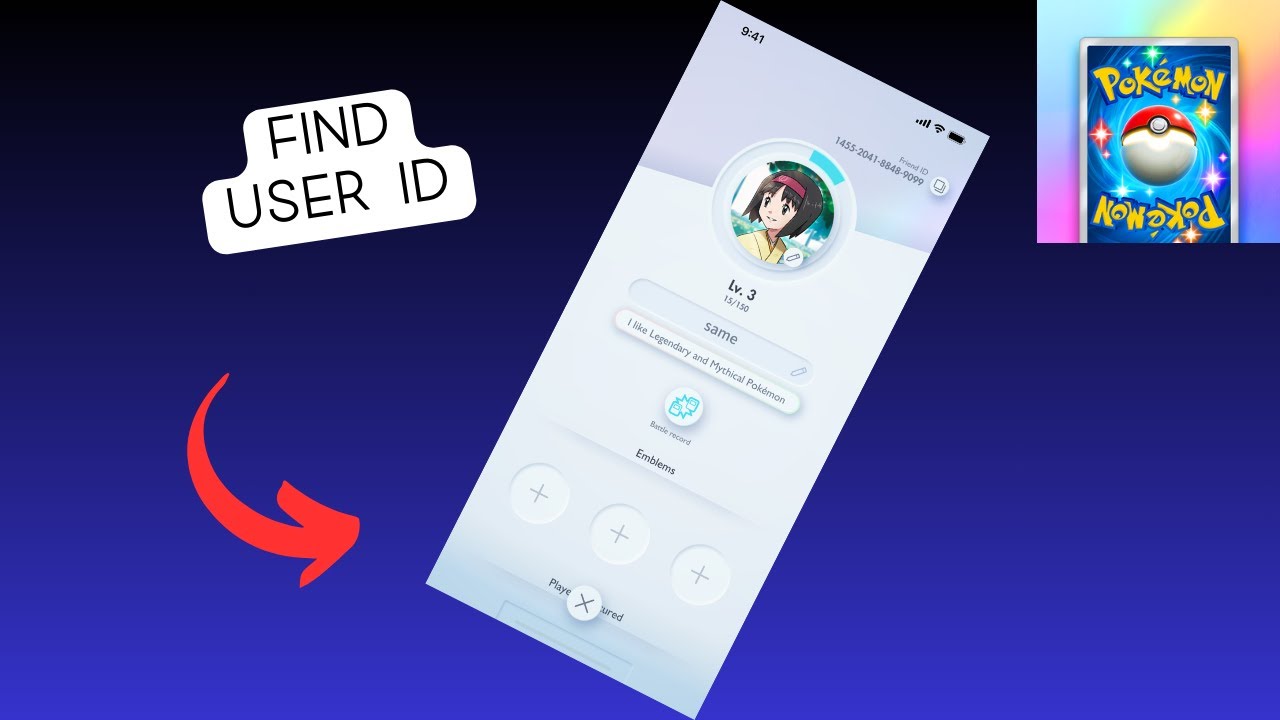
Always double-check your Player ID before submitting an order to ensure your credits go to the correct account.
Step-by-Step Guide to Top Up Pocket Chat on VGTopup
Refilling your coin balance on VGTopup takes less than a minute. You do not need to register complex accounts or undergo tedious verification procedures.
- Select Your Package: Review the available Pocket Chat credit denominations on the live product page and click the option that matches your needs.
- Enter Your Player ID: Paste your copied Pocket Chat Player ID into the designated input field.
- Select Your Payment Method: Choose from the list of available checkout channels displayed on the screen.
- Confirm Your Order: Check the live total and verify that your entered Player ID is accurate.
- Complete Payment: Finish the payment process through the secure gateway.
- Receive Credits: Once processed, your coins are deposited directly into your Pocket Chat balance. Open the app to view your updated funds.
| Order Step | Action Required | Verification Detail |
|---|---|---|
| 1. Select Package | Choose credit/coin quantity | Check live product list for current package sizes |
| 2. Input ID | Enter your numerical Player ID | Match the exact digits from your in-app profile |
| 3. Payment | Pick preferred checkout method | Real-time prices shown on the live checkout screen |
| 4. Delivery | Open Pocket Chat app | Check wallet balance inside the Profile tab |
Safe Checkout: Why You Only Need Your Player ID and Never Your Password
Account safety is a major priority when buying social chat credits online. VGTopup processes all Pocket Chat orders using direct Player ID crediting. This system sends the coins directly to your account using your public ID number, completely eliminating the need for private login information.
- Zero Password Sharing: You will never be asked for your Pocket Chat password, phone verification codes, or third-party login credentials (such as Google, Facebook, or Apple IDs).
- No Account Takeover Risks: Because your login details stay entirely with you, your personal chat logs, friend lists, and account settings remain secure.
- Direct Delivery: Credits are applied server-side to your account ID, ensuring legitimate and safe delivery.
Never share your account passwords with anyone offering top-ups. A legitimate top-up platform only requires your public Player ID.
Accepted Payment Methods for Pocket Chat Top-Up
VGTopup provides access to a broad selection of global and regional payment options so you can complete your purchase conveniently, regardless of your location. Available payment methods include:
- International credit and debit cards
- Popular local and global digital e-wallets
- Regional online bank transfers
- Instant local payment gateways
All exchange rates, processing details, and final payment options are displayed directly on the real-time checkout screen before you confirm your order. You can review all costs upfront with full pricing transparency.
Troubleshooting Missing or Delayed Pocket Chat Recharges
If you have completed your purchase but do not see your updated credit balance immediately, use the following troubleshooting steps to resolve the issue:
- Restart the Pocket Chat App: Fully close the Pocket Chat app on your device and reopen it. This forces the application to refresh its connection with the server and reload your wallet balance.
- Verify Your Player ID on the Order Receipt: Check the confirmation receipt from VGTopup. Compare the Player ID you submitted against the ID listed on your profile in the app.
- Check Network Connectivity: Ensure your phone or tablet has a stable internet connection so the app can fetch real-time server updates.
- Allow Brief Processing Windows: During peak community events or server maintenance, credit updates may experience brief delays.
- Contact VGTopup Support: If your balance does not update after restarting the app, contact the dedicated VGTopup customer support team. Provide your VGTopup order number, payment confirmation, and your Pocket Chat Player ID for prompt investigation and resolution.
Frequently Asked Questions
How do I find my Pocket Chat Player ID?
Open the Pocket Chat app, navigate to the Profile or Me section in the bottom menu, and locate the numerical ID printed below your avatar and username. Tap the copy icon next to the number to copy your exact ID.
What details do I need to top up Pocket Chat on VGTopup?
You only need to provide your Pocket Chat Player ID and select your desired coin denomination. No login credentials or passwords are required.
Do I need to share my Pocket Chat password to recharge?
No. You should never share your password. VGTopup credits your account directly using only your public Player ID.
How long does it take for Pocket Chat credits to arrive after purchase?
Orders are processed promptly after payment verification. In most cases, your coins reflect in your in-app balance shortly after completing checkout. A quick app restart helps update the balance immediately.
What should I do if I entered the wrong Pocket Chat Player ID?
If you realize you entered an incorrect Player ID, reach out to VGTopup customer support immediately with your order number. If the order has not yet been processed by the automated dispatch system, support may be able to update your details. However, once an order is delivered to a valid ID on the server, it cannot be reversed.
Is it safe to recharge Pocket Chat through a third-party platform in 2026?
Yes, recharging through VGTopup is safe because the transaction uses direct ID-based fulfillment. Because you never expose your account passwords or private credentials, your profile remains protected while you receive your coins securely.
Select Denomination
Tax, payment fees and eligible coupons are calculated at checkout.
| Package | Price |
|---|---|
| Pocket Chat - Pocket Chat*10000 | USD 2.14 |
| Pocket Chat - Pocket Chat*30000 | USD 6.43 |
| Pocket Chat - Pocket Chat*50000 | USD 10.71 |
| Pocket Chat - Pocket Chat*70000 | USD 14.99 |
| Pocket Chat - Pocket Chat*100000 | USD 21.42 |
| Pocket Chat - Pocket Chat*200000 | USD 42.84 |
| Pocket Chat - Pocket Chat*500000 | USD 107.11 |
| Pocket Chat - Pocket Chat*700000 | USD 149.95 |
| Pocket Chat - Pocket Chat*1000000 | USD 214.22 |
| Pocket Chat - Pocket Chat*2000000 | USD 428.44 |






























































