



Tayyb Chat Top Up: How to Recharge with Your UID
Tayyb Chat connects users through dynamic voice chat rooms, group conversations, and interactive community events. To actively participate in room culture—such as sending animated gifts to hosts, unlocking custom profile aesthetics, or claiming privileged seats on the microphone—you need in-app balance.
A Tayyb Chat top up on VGTopup adds credits directly to your account using only your unique User ID (UID). You do not need to share passwords, link third-party social logins, or risk your personal account security. Simply select the coin package that fits your voice room plans, enter your UID, and complete your purchase through the live checkout screen.
Step-by-Step Guide: How to Find Your Tayyb Chat UID
To ensure your recharge arrives at the correct profile without delay, you must provide your exact in-app User ID. Follow these steps to find your Tayyb Chat UID:
- Open the Tayyb Chat application on your mobile device.
- Tap the Profile / Me icon located in the bottom navigation bar.
- Look directly underneath your profile avatar and username on your personal profile page.
- Locate the number labeled ID or UID.
- Tap the copy icon next to the number, or write it down carefully.
- Paste this number into the UID field on VGTopup before proceeding to checkout.
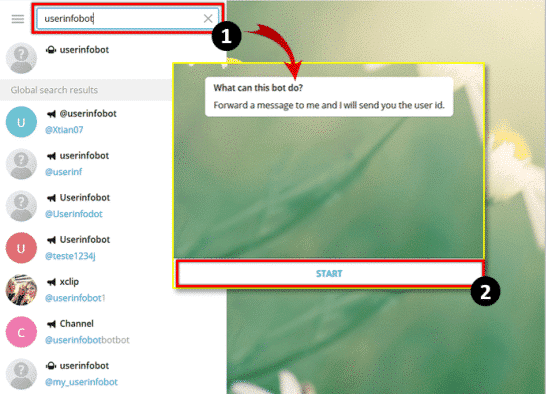
Double-checking your UID ensures that your coin balance routes directly to your voice room wallet without manual intervention.
What Are Tayyb Chat In-App Credits and How to Use Them
Tayyb Chat credits and coins serve as the central currency across all voice chat rooms and personal customization systems in the app. Recharging your balance opens up several interactive features:
- Live Room Gifting: Send luxury virtual gifts, entrance effects, and animated stickers to room hosts and speakers to show your appreciation and boost room energy.
- VIP Badges and Frames: Upgrade your status with exclusive profile frames, custom entrance banners, and special chat bubble designs that stand out in crowded audio rooms.
- Mic Privilege and Reserved Seats: Gain access to premium voice slots in competitive rooms and community talent shows.
- Room Ranking and Level Progression: Active spenders increase their user level, unlocking higher room privileges and ranking higher on daily and weekly community leaderboards.
Safe and Secure Tayyb Chat Recharges on VGTopup
Security is paramount when buying digital credits. VGTopup uses a direct UID delivery system designed to keep your personal data protected:
- Zero Password Requirement: You never share your account password, email credentials, or phone verification codes. The transaction relies solely on your public UID.
- Direct Wallet Delivery: Once processed, the credits are credited directly to your Tayyb Chat account balance on the game server.
- Clear Verification Flow: The ordering system verifies standard ID formats so you can review your input before completing payment.
- Global Storefront: VGTopup offers a localized shopping experience with multilingual support and round-the-clock ordering availability.
Top-Up Process Overview
| Step | Action | Requirement |
|---|---|---|
| 1. Select Package | Choose the number of coins or credits you need | Live pricing on checkout |
| 2. Enter Player Info | Input your numeric Tayyb Chat UID | User ID from Profile tab |
| 3. Checkout | Pick your preferred payment method | Completed via secure gateway |
| 4. Delivery | In-app balance updates | Check in-game wallet |
Supported Payment Methods at VGTopup Live Checkout
VGTopup provides a wide selection of international and regional payment solutions to accommodate users worldwide. Available options include major credit and debit cards, digital e-wallets, and regional banking channels.
All current prices, regional currencies, and live payment gateways are dynamically displayed on the checkout page. Select your country or preferred currency at checkout to view the exact payment routes available for your order.
Troubleshooting Common Tayyb Chat Top Up Issues
If you encounter any delays or balance discrepancies after purchasing your recharge, review the following troubleshooting steps:
- Restart the Application: Completely close Tayyb Chat and reopen it. Voice room apps frequently require a fresh session to sync new server-side wallet balances.
- Check Your In-App Bag / Wallet: Some promotional or bonus items appear in your in-app inventory rather than the main coin counter. Check your bag section in your profile.
- Verify the Submitted UID: Check your VGTopup order receipt to confirm that the UID entered matches your in-app profile ID exactly. If a typo occurred, contact customer support immediately with your order number.
- Check Payment Processing Status: Confirm that your selected payment channel completed the charge. Once marked completed on VGTopup, the system dispatches the credits.
- Contact Customer Support: If your balance does not reflect after restarting the app, provide your VGTopup order ID and a screenshot of your Tayyb Chat profile to our 24/7 customer service team for rapid investigation.
Frequently Asked Questions
How do I top up my Tayyb Chat account on VGTopup?
Select your desired Tayyb Chat coin package, enter your Tayyb Chat UID in the required field, choose your payment option at checkout, and complete the payment. Your credits will be delivered directly to your in-app balance.
Where can I find my Tayyb Chat UID?
Open the Tayyb Chat app, go to the Profile / Me tab at the bottom right of the screen, and locate the numeric ID displayed under your avatar and username.
Do I need to share my Tayyb Chat login password to recharge?
No. Recharges on VGTopup only require your numeric UID. You should never share your account password, SMS verification codes, or login credentials with anyone.
What can I spend my Tayyb Chat coins and diamonds on?
You can use your balance to send animated virtual gifts in voice rooms, buy VIP membership badges, equip entrance animations, unlock custom chat frames, and participate in special in-app events.
What should I do if my Tayyb Chat top up balance does not reflect immediately?
Close the Tayyb Chat app completely and restart it to refresh your wallet balance. If the coins still do not show, check your VGTopup order status and contact our support team with your order ID.
Can I top up a Tayyb Chat account for a friend using their UID?
Yes. You only need your friend's exact Tayyb Chat UID. Enter their UID during the ordering process on VGTopup, and the purchased coins will be credited directly to their account.
Select Denomination
Tax, payment fees and eligible coupons are calculated at checkout.
| Package | Price |
|---|---|
| Tayyb Chat - Tayyb Chat*10000000 | USD 6.57 |
| Tayyb Chat - Tayyb Chat*50000000 | USD 32.85 |
| Tayyb Chat - Tayyb Chat*100000000 | USD 65.70 |
| Tayyb Chat - Tayyb Chat*5000000 | USD 3.29 |

































































