



4CHAT Top Up: Direct UID Balance Recharge
4CHAT is an interactive voice chat, matching, and live social party application where users connect across global voice rooms, share music, and build online communities. To participate fully in live events, reward creative room hosts, and customize your profile presence, maintaining an active balance of in-app credits is essential.
VGTopup provides an instant recharge service tailored specifically for the 4CHAT social community. By using only your public User ID (UID), you can reload your balance securely without sharing private account credentials. Whether you want to send special gifts during an active voice party or personalize your chat appearance, direct recharges through VGTopup ensure your account receives credits quickly.
How to Top Up 4CHAT Balance Using Your UID
Adding funds to your 4CHAT profile takes only a few quick steps on VGTopup. Follow this simple guide to complete your recharge:
- Select Your Top-Up Amount: Review the available 4CHAT balance packages listed on the live product catalog and pick the denomination that matches your needs.
- Enter Your 4CHAT UID: Type your numeric 4CHAT User ID into the designated input field. Double-check the digits to ensure accurate delivery.
- Choose Your Payment Method: Pick your preferred payment option from the secure checkout options displayed on the billing page.
- Confirm Your Order: Review your package selection and UID details, then finalize the transaction.
- Check Your In-App Balance: Open the 4CHAT application on your phone. Your new balance will credit directly to your account wallet.
Where to Find Your 4CHAT UID in the Mobile App
Your 4CHAT UID is a unique numeric identifier tied to your individual account profile. Because top-ups process strictly through this ID, locating and entering the correct numbers is necessary before checking out.
Follow these steps inside the mobile app to find your UID:
- Launch the 4CHAT app on your Android or iOS device.
- Tap the Me or Profile tab located in the bottom-right corner of the home screen.
- Locate your profile avatar and display name at the top of the screen.
- Find the numeric UID displayed directly below your username.
- Tap the copy icon next to the number or write the digits down accurately.
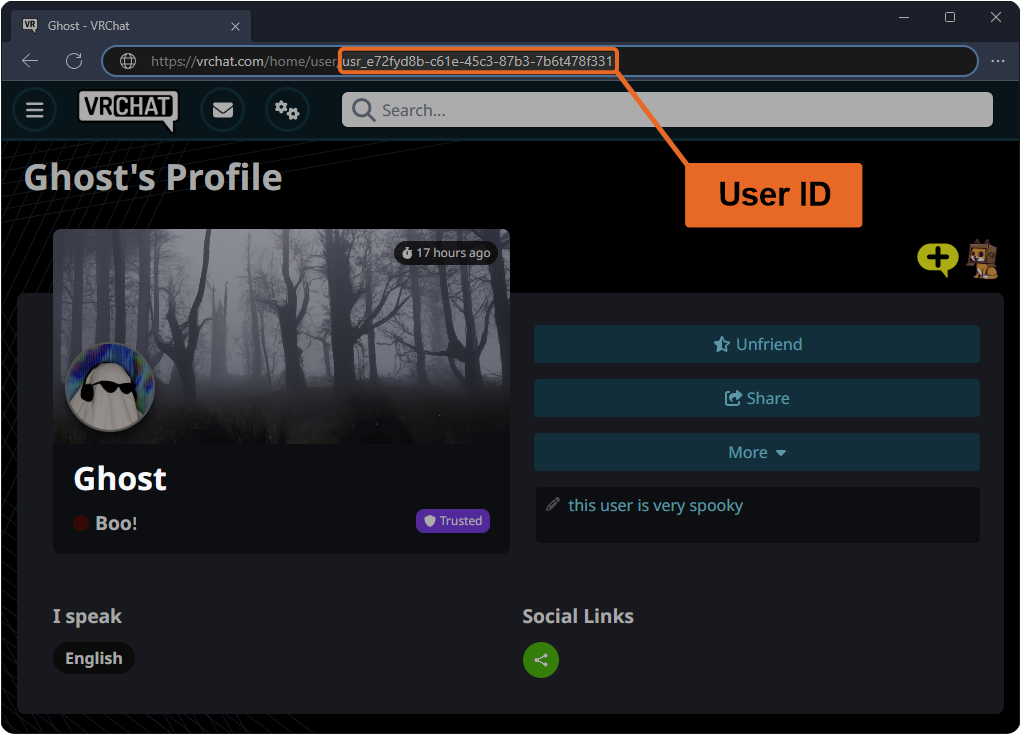
Paste this numeric string into the UID field on VGTopup to route your balance directly to your account.
Why Top Up 4CHAT: Avatar Customization, Virtual Gifts, and Room Perks
4CHAT credits power every interactive element within the app. Having an active credit balance lets you participate in community activities and personalize your visual profile across public rooms.
Virtual Gifts and Host Appreciation
Live voice rooms depend on real-time interaction. With 4CHAT credits, you can send animated 2D and 3D gifts to room hosts, guest speakers, or friends. Sending premium gifts highlights your presence in the room, triggers dynamic full-screen visual effects, and helps your favorite creators climb weekly and monthly leaderboard rankings.
Profile Customization and Visual Badges
Stand out whenever you enter a new conversation. Top-up credits allow you to acquire exclusive avatar frames, colorful nameplates, themed chat bubbles, and custom entrance banners. These visual upgrades make your profile recognizable across active channels and friend lists.
Voice Room Management and Party Features
If you host your own voice rooms or run a social club inside 4CHAT, credits give you access to premium room tools. You can activate spotlight effects, unlock interactive mini-games for your listeners, pin announcements to the top of the room feed, and customize your party room background themes.
| 4CHAT Balance Use Case | In-App Benefits & Perks | Target User |
|---|---|---|
| Virtual Gifts | Dynamic screen animations, support room hosts, climb gift leaderboards | Active room participants & supporters |
| Avatar Outfits & Decor | Custom frames, themed chat bubbles, animated profile badges | Users building a distinct visual identity |
| Voice Room Tools | Pin announcements, unlock party effects, manage social rooms | Community hosts & group creators |
| Direct Matching & Chat | Send special greetings, highlight private direct messages | Active social chatters & matchers |
Safe and Password-Free 4CHAT Recharge on VGTopup
Account safety is a priority when purchasing digital currencies. VGTopup operates a streamlined, password-free fulfillment system designed to keep your personal data secure at all times.
- Zero Password Requirements: You never have to share your 4CHAT login credentials, email password, or phone verification codes. The recharge relies entirely on your public UID.
- No Account Sharing Risks: Because transactions process externally through your UID, your account stays safely in your hands on your own device.
- Encrypted Processing: All checkout transactions on VGTopup use industry-standard encryption protocols to safeguard your billing information.
- Multi-Language Support: The VGTopup platform provides localized navigation and support for the international 4CHAT user base.
Payment Options and Live Checkout Guide for 4CHAT in 2026
VGTopup offers a versatile range of payment solutions to accommodate 4CHAT users across different regions in 2026. Available billing options adapt to your location, including major international credit cards, debit cards, popular digital wallets, and regional instant payment channels.
To view real-time package prices, currency exchange rates, and active payment channels for your country, consult the live checkout selection area at the top of this page. Prices update dynamically to give you clear, transparent order totals without hidden processing fees.
Troubleshooting Delivery and Common UID Input Mistakes
While 4CHAT recharges on VGTopup process quickly, following these best practices helps avoid unnecessary fulfillment delays:
- Verify UID Digits Before Paying: The most common reason for delivery delays is an incorrect digit in the UID field. Always use the in-app copy button rather than typing long numbers manually.
- Refresh Your 4CHAT App: If your credits do not appear immediately after completing payment, close the 4CHAT application completely from your device's app switcher and relaunch it to refresh your wallet balance.
- Check Network Connectivity: Ensure your mobile device has a stable internet connection so the app can sync updated account balances with the server.
- Contact VGTopup Support: If your balance does not reflect after a few minutes, reach out to the VGTopup customer service team with your order number and 4CHAT UID for prompt assistance.
Frequently Asked Questions
Where do I find my 4CHAT UID for top up?
Open the 4CHAT application, tap the Profile or Me icon in the bottom-right corner of the screen, and locate the numeric UID printed directly below your avatar and display name. Tap the copy icon to copy your UID.
Do I need to provide my 4CHAT account password to recharge on VGTopup?
No. VGTopup requires only your numeric 4CHAT UID to process your balance recharge. You should never share your account password, phone verification codes, or private login credentials with anyone.
How long does it take for 4CHAT top-up balance to appear in my account?
Balance deliveries typically credit to your 4CHAT account shortly after payment confirmation. Once the transaction finishes, restart your 4CHAT mobile app to view your updated credit total.
What features and items can I unlock with 4CHAT recharge balance?
You can use your 4CHAT balance to send animated virtual gifts in live voice rooms, unlock avatar frames and profile decor, buy custom chat bubbles, and access special room management features for your social events.
What payment methods can I use to buy 4CHAT balance?
VGTopup supports a wide variety of domestic and international payment methods in 2026, including major bank cards, secure e-wallets, and regional payment options. Check the live payment selector on the checkout page to view the options available in your country.
What should I do if I entered an incorrect UID during checkout?
If you realize you submitted the wrong UID, contact the VGTopup customer support team immediately with your transaction reference number. If the order has not yet been processed to the incorrect account, support staff can assist in correcting the destination UID.
Select Denomination
Tax, payment fees and eligible coupons are calculated at checkout.
| Package | Price |
|---|---|
| 4CHAT - 4CHAT*10000 | USD 2.08 |
| 4CHAT - 4CHAT*15000 | USD 3.12 |
| 4CHAT - 4CHAT*20000 | USD 4.16 |
| 4CHAT - 4CHAT*25000 | USD 5.20 |
| 4CHAT - 4CHAT*50000 | USD 10.40 |
| 4CHAT - 4CHAT*100000 | USD 20.81 |
| 4CHAT - 4CHAT*500000 | USD 104.05 |
| 4CHAT - 4CHAT*1000000 | USD 208.10 |
| 4CHAT - 4CHAT*5000 | USD 1.04 |

































































