


Rooh Top Up: What Is Rooh and How In-App Credits Work
Rooh is a popular mobile social entertainment and voice-streaming application designed for interactive community connections. Users on Rooh participate in live group voice rooms, real-time broadcasts, dynamic social games, and direct messaging. Within the app, virtual coins and credits power every major social feature, giving users the ability to support their favorite creators, send virtual gifts, customize profile decor, and activate room entrance effects.
A Rooh top up adds in-app currency directly to your profile. Once your account is funded, you can:
- Send animated virtual gifts to hosts during live voice chats and stream sessions.
- Enter exclusive VIP voice rooms and participate in community audio events.
- Purchase distinctive profile badges, avatar frames, and chat bubble themes.
- Unlock premium interactive mini-games and level up your overall account prestige rank.
VGTopup provides direct UID recharge services for Rooh, ensuring your balance is delivered straight to your account without requiring sensitive login credentials.
How to Locate Your Rooh UID in the Mobile App
To complete a Rooh recharge on VGTopup, you only need your in-app User ID (UID). Finding this number takes only a few seconds inside the application.
- Launch the Rooh application on your smartphone or tablet.
- Tap the Profile or Me tab located in the lower right corner of the main screen.
- Locate your profile avatar at the top of the screen.
- Your numeric UID is displayed directly underneath your username.
- Tap the copy icon next to your UID or write down the exact sequence of numbers.
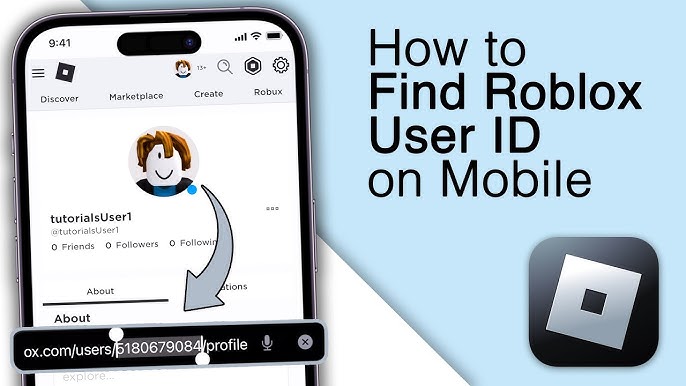
Always double-check your UID before finalizing an order to ensure the balance reaches the correct account.
Step-by-Step Rooh Recharge Guide on VGTopup
Topping up your Rooh account on VGTopup is straightforward and requires no account linking or complex verification steps. Follow these steps to complete your purchase:
- Select Your Package: Browse the available Rooh coin denominations on this page and pick the bundle that matches your needs.
- Enter Your Rooh UID: Type or paste your numeric Rooh User ID into the designated input field.
- Select Your Payment Channel: Choose from the available payment options displayed on the checkout screen.
- Complete the Transaction: Follow the secure on-screen prompts to confirm payment.
- Check Your In-App Balance: Open the Rooh app and view your updated coin wallet.
| Order Step | Action | Verification Check |
|---|---|---|
| 1. Select Denomination | Pick your desired coin bundle | Review live pricing on checkout |
| 2. Input UID | Paste your Rooh numeric ID | Verify digits against your in-app profile |
| 3. Payment Selection | Choose your preferred payment method | Confirm converted total in your local currency |
| 4. Fulfillment | Complete checkout | Restart the app to view the new coin balance |
Safe and Passwordless UID Checkout Security in 2026
Account safety is a core priority for digital transactions. VGTopup operates on a strict UID-only fulfillment model for Rooh recharges in 2026. This system offers essential security benefits:
- Zero Password Sharing: You never have to share your Rooh password, email address, phone verification codes, or linked social accounts (such as Google, Apple, or Facebook).
- Protection Against Account Takeover: Because no login access is granted, your private messages, friend lists, and personal settings remain entirely secure.
- Direct Credit Delivery: Orders are fulfilled automatically through your public UID, routing virtual items straight into your account without external access.
- Encrypted Checkout: All checkout pages utilize industry-standard SSL encryption to protect your payment details.
By keeping your login details private, you maintain complete ownership and security over your Rooh account at all times.
Available Rooh Top-Up Packages and Pricing Details
Rooh offers a variety of coin packages tailored to different social needs. Whether you need a small top-up to send a quick greeting gift or a larger bundle for hosting major room events, multiple denominations are available on VGTopup.
- Starter Coin Packs: Ideal for occasional listeners who want to send simple gifts and tip active audio hosts.
- Standard Bundles: Suitable for regular voice room participants seeking custom chat badges and interactive gift animations.
- Premium Creator Packs: Designed for room owners, moderators, and active supporters looking to boost community rank and unlock exclusive high-tier gifts.
Live pricing, applicable local taxes, and real-time currency conversion rates are always displayed on the live checkout interface. Check the product selection panel above for currently active rates.
How to Troubleshoot Delayed or Missing Rooh Balances
While most top-ups process quickly after payment verification, network fluctuations or cache issues can occasionally delay in-app display updates. If your Rooh coins do not appear right away, use the following troubleshooting checklist:
- Restart the Application: Fully close the Rooh app from your phone's recent apps menu and reopen it. This forces the app to sync with the central server and refresh your wallet balance.
- Verify Payment Completion: Check your payment confirmation receipt or banking portal to make sure the transaction was successfully debited.
- Confirm Submitted UID: Check your VGTopup order receipt to ensure the UID you entered matches your in-app profile number without typos.
- Check Regional Connectivity: Ensure your internet connection is stable so the Rooh client can receive incoming balance push notifications.
- Reach Out to Support: If your balance has not updated after verifying the steps above, submit your VGTopup order number and a screenshot of your Rooh profile to the 24/7 VGTopup customer service team for direct assistance.
Frequently Asked Questions
How do I find my Rooh UID for a recharge?
Open the Rooh app, tap the Profile or Me icon in the bottom right corner, and locate the numeric UID printed beneath your profile picture and username. Tap the copy icon to paste it into the VGTopup UID field.
Do I need to provide my Rooh account password to top up?
No. VGTopup only requires your numeric Rooh UID to deliver coins. You should never share your account password, SMS verification codes, or third-party login credentials with anyone.
How fast will the Rooh top-up balance arrive in my account?
Once payment confirmation is received, top-up orders process directly to your UID. In most cases, the balance updates within moments. If you do not see your coins immediately, restart the Rooh app to force a balance refresh.
Can I recharge a Rooh account for a friend using their UID?
Yes. You can top up any active Rooh account as long as you have the recipient's correct numeric UID. Enter their UID during checkout on VGTopup, and the coins will be credited directly to their in-app wallet.
What should I do if I entered the wrong UID during checkout?
Because UID-based digital orders process automatically, credits sent to an existing, valid UID cannot be reversed once completed. If your order is still pending or has failed, contact VGTopup customer support immediately with your correct UID and order details.
What payment options are available for Rooh top up on VGTopup?
VGTopup supports multiple local and international payment options, including major credit and debit cards, digital wallets, and regional payment solutions. Check the live checkout panel to view all available payment methods for your region.
Select Denomination
Tax, payment fees and eligible coupons are calculated at checkout.
| Package | Price |
|---|---|
| Rooh - Rooh*20000 | USD 1.49 |
| Rooh - Rooh*25000 | USD 1.87 |
| Rooh - Rooh*50000 | USD 3.74 |
| Rooh - Rooh*100000 | USD 7.47 |
| Rooh - Rooh*500000 | USD 37.36 |
| Rooh - Rooh*1000000 | USD 74.73 |
| Rooh - Rooh*5000000 | USD 373.64 |
| Rooh - Rooh*15000 | USD 1.12 |

































































