



Fast and Secure Kafu Chat Top Up with UID
Kafu Chat is a popular group voice chat and entertainment platform where users connect across interactive voice rooms, play social games, and share virtual gifts. Coins serve as the primary in-app currency, enabling you to tip room hosts, send luxury dynamic gifts, customize your profile appearance, and unlock premium SVIP perks.
When you need to reload your balance, VGTopup offers a direct Kafu Chat top up process designed around speed and security. You do not need to download third-party APK files or share sensitive login credentials. By entering only your unique numeric User ID (UID), your coin order is credited directly to your Kafu Chat profile so you can get back to your favorite voice rooms without interruptions.
How to Top Up Kafu Chat Coins Using UID
Recharging your Kafu Chat account takes only a few moments. Follow these straightforward steps to complete your purchase on VGTopup:
- Select Your Coin Amount: Review the available coin packages on the live checkout selector above and pick the denomination that fits your needs.
- Input Your Kafu Chat UID: Enter your exact numeric User ID in the UID field. Double-check your numbers or use the in-app copy function to ensure accuracy.
- Pick Your Payment Gateway: Select your preferred local or international payment method from the available list displayed at checkout.
- Confirm and Pay: Review your order details and finalize the payment.
- Receive Your Coins: Once your payment is verified, your coins are sent directly to your Kafu Chat balance. Refresh your in-app wallet to see the updated total.
Step-by-Step Guide: How to Find Your Kafu Chat UID
Your User ID (UID) is the unique number assigned to your account. Because VGTopup uses this identifier to credit your top up directly, having the correct UID is essential. Here is how to find it inside the app:
- Launch the Kafu app on your mobile device.
- Tap the Profile (or Me) icon located in the bottom-right corner of the main screen.
- Look directly beneath your profile picture and nickname at the top of the screen.
- Locate the numeric string labeled ID.
- Tap the copy icon next to the number to copy your UID directly to your clipboard.
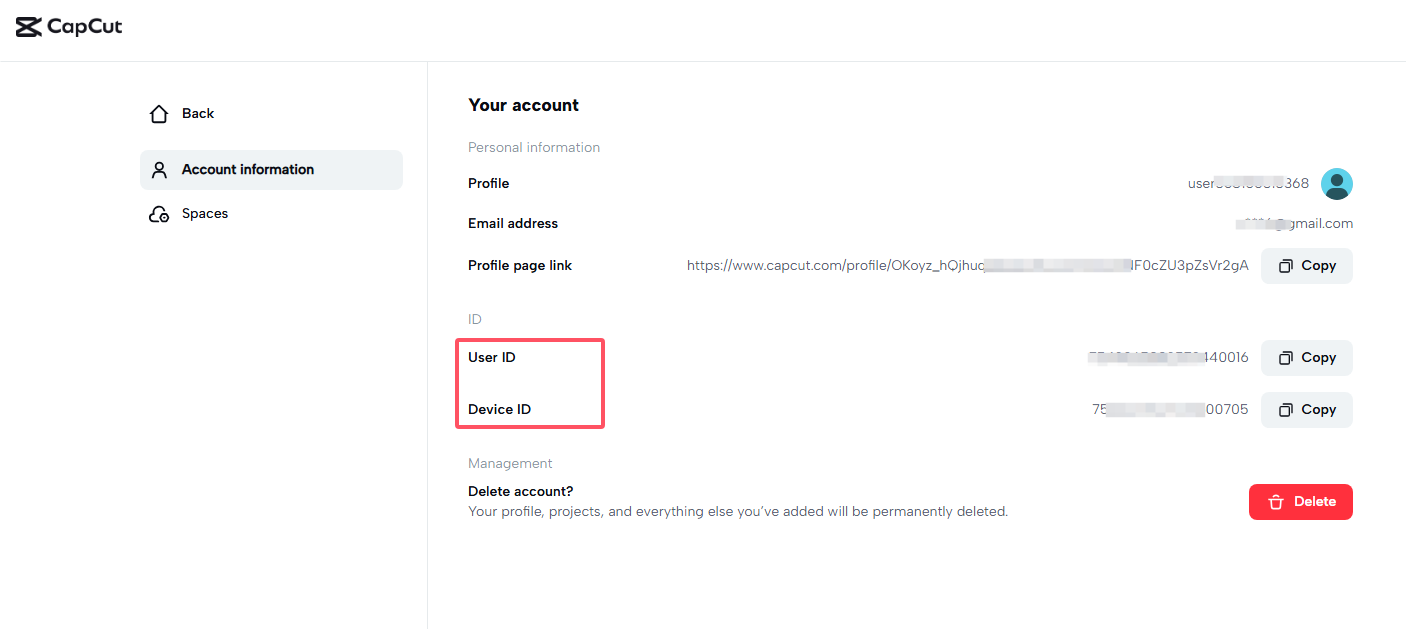
Paste this copied UID directly into the order field on VGTopup before proceeding to checkout.
Kafu Chat In-App Benefits: SVIP Privileges, Room Gifts, and Games
Having an active coin balance unlocks a wide range of social features and interactive experiences within the Kafu community:
- Dynamic Room Gifts: Surprise your favorite broadcasters and room hosts with interactive 3D gifts, luxury vehicle animations, and room-wide celebration effects that showcase your support.
- SVIP Membership Status: Level up your SVIP rank to receive exclusive chat bubbles, entry banner animations when entering voice rooms, custom profile badges, and dedicated customer assistance.
- Profile Customization: Personalize your presence across the platform with animated avatar frames, special microphone wave effects, and unique room entrance titles.
- Social Mini-Games: Use coins to participate in popular in-room mini-games, casual board games, and community prize draws alongside your voice room friends.
| Feature Category | In-App Coin Use | Main Benefit |
|---|---|---|
| Room Gifting | Sending luxury animated gifts | Boost host popularity and gain room recognition |
| SVIP Privileges | Unlocking SVIP tier ranks | Exclusive badges, entrance animations, and frames |
| Room Management | Upgrading room capacity & tags | Attract larger audiences and host community events |
| Interactive Games | Joining social party games | Compete with room members and win in-app items |
Safe and Password-Free Kafu Chat Recharge on VGTopup
Account safety should always be your top priority when purchasing digital currencies. VGTopup operates on a strictly password-free model for Kafu Chat recharges.
- No Password Required: We will never ask for your account password, email access, phone verification codes, or linked social media logins.
- Direct UID Delivery: Orders are fulfilled directly using your public numeric UID. This eliminates account hijacking risks, unauthorized login attempts, and privacy concerns.
- Protected Payment Channels: Every transaction is processed through encrypted payment gateways, ensuring that your financial data remains secure at all times.
- Transparent Live Checkout: The checkout module above displays up-to-date coin denominations, active regional rates, and payment options without hidden processing fees.
Supported Payment Options for Kafu Chat Top Up
VGTopup provides access to a broad selection of trusted payment options so you can complete your Kafu Chat recharge smoothly from anywhere. Depending on your region, you can choose from major credit and debit card networks, reputable e-wallets, online banking transfers, and convenient local payment channels.
Live pricing, regional currency conversions, and available payment methods are updated automatically in the checkout selector above. Simply select your package, enter your UID, and review the live payment list to pick the option most convenient for you.
Frequently Asked Questions About Kafu Chat Recharges
What is a Kafu Chat UID and where can I find it?
A Kafu Chat UID is a unique numeric account identifier assigned to every registered user. You can locate it by opening the Kafu app, tapping the Profile icon in the bottom-right corner, and checking the numeric ID displayed under your avatar and nickname.
Do I need to provide my Kafu Chat password to top up?
No. VGTopup never requests your password, security codes, or social media login details. You only need to provide your public numeric UID to receive your coins.
How long does it take for Kafu Chat coins to reflect after payment?
Coin deliveries are processed promptly once your payment is confirmed by your chosen payment provider. In most cases, your new coin balance appears in your in-app wallet shortly after checkout is finalized. If you already have the app open, restart it or refresh your wallet tab to update the display.
Can I recharge a Kafu Chat account for a friend using their UID?
Yes. You can purchase coins for friends, family, or room hosts. Simply obtain their exact numeric UID from their profile, enter it into the UID field on VGTopup, choose the coin pack, and complete the payment. The coins will be delivered directly to their account.
What should I do if my Kafu Chat top up balance does not show up?
First, verify your transaction status in your VGTopup account and restart the Kafu app to refresh your wallet balance. If the coins have not appeared after a short wait, check your order confirmation to ensure the UID entered was correct. If you need further help, reach out to VGTopup customer support with your order number for fast verification.
Which payment methods are accepted for Kafu Chat recharge on VGTopup?
VGTopup supports various payment solutions, including international credit and debit cards, popular digital wallets, and regional payment systems. Available methods for your area are displayed clearly in the checkout section before you finalize your order.
Select Denomination
Tax, payment fees and eligible coupons are calculated at checkout.
| Package | Price |
|---|---|
| Kafu Chat - Kafu Chat*2000 | USD 2.02 |
| Kafu Chat - Kafu Chat*5000 | USD 5.04 |
| Kafu Chat - Kafu Chat*10000 | USD 10.09 |
| Kafu Chat - Kafu Chat*15000 | USD 15.13 |
| Kafu Chat - Kafu Chat*20000 | USD 20.18 |
| Kafu Chat - Kafu Chat*25000 | USD 25.22 |
| Kafu Chat - Kafu Chat*50000 | USD 50.44 |
| Kafu Chat - Kafu Chat*100000 | USD 100.88 |
| Kafu Chat - Kafu Chat*1000 | USD 1.01 |

































































