



Haki Top Up: Fast Coin Recharges with Player ID
Haki coins serve as the primary currency within the Haki community, allowing users to send interactive gifts, customize their profiles, enter premium voice rooms, and support favorite creators. Running low on balance can interrupt live conversations and events. Getting a direct Haki top up through VGTopup allows you to reload your account in seconds using only your Player ID.
VGTopup simplifies the recharge process by cutting out complex account verifications. You do not need to link third-party social media accounts or hand over private credentials. Simply select the coin package that fits your needs, enter your Haki Player ID, and complete your order through our verified payment gateway.
How to Top Up Haki Coins with Player ID Step-by-Step
Reloading your Haki balance takes only a few straightforward steps. Follow this guide to ensure your order processes without delay:
- Select Your Package: Review the available Haki coin denominations on the VGTopup catalog and choose the quantity you wish to purchase.
- Enter Your Account Information: Type your exact Haki Player ID into the designated field. Double-check the number to avoid sending coins to an incorrect profile.
- Select Your Payment Option: Pick your preferred payment method from the available local or international checkout options.
- Confirm and Pay: Review your order summary and complete the transaction through the encrypted payment portal.
- Check Your In-App Balance: Open the Haki app, visit your user wallet, and confirm the new coin balance.
Haki Top-Up Order Summary Overview
| Detail | Information |
|---|---|
| Product Name | Haki In-App Coins |
| Required Account Field | Haki Player ID (UID) |
| Password Requirement | None (100% Password-Free) |
| Delivery Method | Direct UID Account Credit |
| Platform Support | iOS & Android App Builds |
| Pricing | Live at Checkout on VGTopup |
How to Find Your Haki Player ID Inside the App
Your Player ID is a unique numeric identifier tied to your Haki profile. Because transactions rely on this number, locating and copying it correctly ensures your coins arrive in the right account.
Follow these steps inside the Haki application:
- Launch the Haki app on your mobile device.
- Tap the Profile or Me icon located in the bottom navigation bar.
- Look directly beneath your avatar and display name on your profile dashboard.
- Locate the numeric string labeled as ID or UID.
- Tap the copy icon next to the number, or write it down carefully.
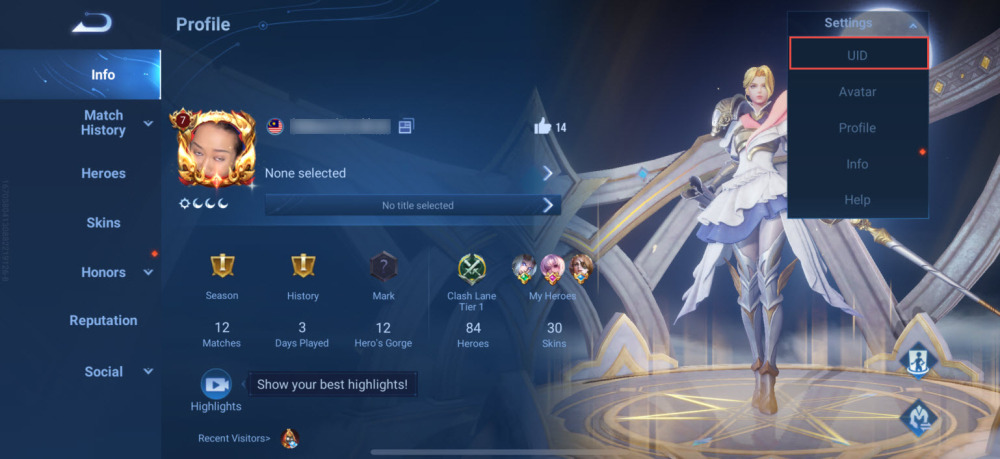
Always use the in-app copy function whenever possible. Manually typing the numbers can introduce typos, which may delay processing or credit the wrong account.
Safe Haki Recharge: Why No Password Is Ever Required
Account safety is a major priority when buying digital currency online. VGTopup operates on a direct-to-ID fulfillment architecture. This means our system only needs your public Player ID to process coin deliveries.
Here is why buying through VGTopup keeps your account secure:
- Zero Password Requests: We will never ask for your Haki login password, recovery codes, or linked phone numbers.
- No Account Handover: You retain full ownership and control of your account throughout the entire transaction.
- Encrypted Processing: Checkout data is transmitted over secure, encrypted protocols to protect personal payment information.
- Official Delivery Standards: Coins are credited directly through the standard server credit channels, protecting your profile from policy violations.
If any website or seller asks for your Haki password or SMS verification codes, do not share them. Legitimate top-up services only need your public ID.
Supported Payment Methods and Global Currency Options in 2026
Users access Haki from all around the world, which requires flexible payment channels. In 2026, VGTopup supports a comprehensive range of localized and international payment solutions to make every transaction convenient.
Depending on your country, you can choose from:
- Major Credit and Debit Cards: Visa, Mastercard, and international card networks.
- Digital Wallets & Local Gateways: Popular regional e-wallets tailored to local banking infrastructures.
- Direct Online Bank Transfers: Secure bank transfers and local checkout rails.
Live pricing is calculated automatically and displayed directly on the product checkout page before you pay. You will always see the exact total with no surprise fees at checkout.
What You Can Unlock with Haki In-App Coins
Haki coins give you access to the interactive and social features across the platform. Here is how active users utilize their coins:
- Animated Gifts for Broadcasters: Send dynamic virtual gifts to show appreciation for room hosts, singers, and content creators.
- VIP Badges and Tier Status: Upgrade your account status to gain special chat badges, entrance banners, and priority placement in popular voice rooms.
- Custom Profile Decorations: Personalize your profile with custom avatar frames, animated nameplates, and unique chat bubble themes.
- Voice Room Atmosphere Boosters: Trigger room-wide visual effects, lucky draws, and interactive mini-games during group voice sessions.
Keeping your balance topped up ensures you are always ready to participate in community events, support friends, and stand out in active voice rooms.
Troubleshooting Common Haki Top Up and Balance Errors
If you experience an issue after placing your order, follow these troubleshooting steps:
1. Balance Not Showing Immediately
In most cases, coins reflect shortly after payment confirmation. If your balance has not updated:* Close the Haki app completely and restart it.* Navigate to your profile wallet to force a server refresh.* Check your email or VGTopup account order history to ensure payment was marked as completed.
2. Typo in Player ID
If you submitted an incorrect Player ID during checkout:* Contact VGTopup customer support right away through the live support desk.* Provide your order transaction number and the correct Haki Player ID.* If the order has not yet been processed by the automated dispatch queue, support can update the destination ID for you.
3. Payment Pending or Failed
If your transaction shows as pending on your bank statement but not on VGTopup:* Wait a few minutes for your payment provider to clear the authorization.* If the payment fails, verify that your card has international or online transactions enabled, then try again.
Frequently Asked Questions About Haki Top Up
Where can I buy Haki coins safely online?
You can buy Haki coins safely on VGTopup. The platform provides a direct, password-free checkout where you only provide your Player ID to receive coins directly into your account.
How do I find my Haki Player ID for a recharge?
Open the Haki app and tap the Profile icon on the bottom right. Your Player ID is displayed directly under your profile picture and username. Tap the copy icon next to it to copy the numeric ID.
Do I need to share my Haki login credentials or password?
No. You never need to share your password, login credentials, or verification codes. VGTopup only requires your public Player ID to credit your coins.
How long does it take for Haki coins to arrive after payment?
Coin deliveries are initiated as soon as your payment clears through the checkout system. Once processed, the coins are applied straight to your in-app wallet.
What should I do if I entered the wrong Haki Player ID?
Contact the VGTopup 24/7 customer support team immediately with your order reference number. If the order has not yet been delivered to the server, our agents will assist in updating your details.
Are Haki coin top-ups supported across all regions in 2026?
Yes, VGTopup supports global Haki recharges across international regions in 2026. As long as you provide a valid Haki Player ID, your account can receive coins regardless of where you reside.
Select Denomination
Tax, payment fees and eligible coupons are calculated at checkout.
| Package | Price |
|---|---|
| Haki - Haki*30000 | USD 15.01 |
| Haki - Haki*50000 | USD 25.02 |
| Haki - Haki*70000 | USD 35.02 |
| Haki - Haki*100000 | USD 50.03 |
| Haki - Haki*200000 | USD 100.07 |
| Haki - Haki*500000 | USD 250.17 |
| Haki - Haki*700000 | USD 350.24 |
| Haki - Haki*10000 | USD 5.00 |






























































