



Habby Top Up: Instant Recharge via UID in 2026
Getting in-game resources for Habby titles is straightforward with direct UID-based processing. A Habby top up enables players to acquire gems, resource packs, event passes, and specialized balance points like Aurocite without handling complex redemption codes or sharing sensitive login credentials.
On VGTopup, you can complete your Habby recharge by entering your numerical Player ID (UID). Your order routes directly to your game profile across global game servers, ensuring quick access to upgrades, chests, and seasonal events.
How to Top Up Habby Account via UID in 2026
To buy Habby game currency and direct packs, follow these direct steps on VGTopup:
- Select Your Game Product: Browse the available item packs, gems, or Aurocite amounts listed on the live checkout interface.
- Enter Your UID: Type or paste your in-game Player ID into the designated UID input box.
- Review Selection: Verify that your entered UID matches your profile exactly to avoid misrouted orders.
- Complete Checkout: Select your preferred local payment method and confirm the transaction.
- Check In-Game Inbox: Open your Habby game client. The purchased items or currency balances will reflect directly in your account or system mailbox.
Step-by-Step Guide: How to Find Your Habby UID in In-Game Settings
Every Habby title assigns a unique numerical or alphanumeric User ID to your local game account. Because checkout requires only this identifier, locating it accurately ensures your top-up arrives without delay.
- Launch your Habby game on your iOS or Android device.
- Tap the Settings (Gear icon) located on the main menu or profile interface.
- Locate the field labeled Player ID, UID, or User ID at the bottom of the settings menu or under your account tab.
- Tap the Copy icon next to the number to copy your UID directly to your clipboard.
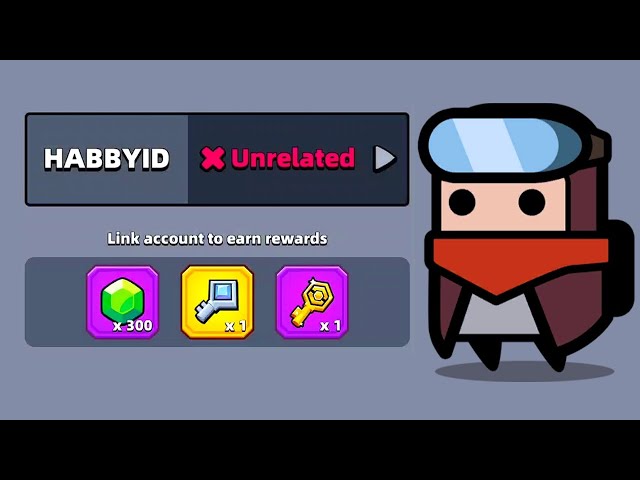
Make sure to copy the full string without adding extra spaces or symbols.
Habby Store Packs, Aurocite, and In-Game Balance Overview
Habby utilizes direct item bundles, standard premium currencies, and proprietary web-store balances such as Aurocite. Depending on your game, Aurocite serves as a flexible currency token that allows players to exchange for premium in-game items, event chests, and seasonal passes directly inside supported Habby web interfaces.
| Item Category | Supported Items | Delivery Method | Common In-Game Use |
|---|---|---|---|
| Aurocite Packs | Aurocite bundles (tiered) | Direct account credit | Universal exchange for store packages and passes |
| Direct Gem Packs | Tiered game gems / diamonds | Direct balance update | Opening chests, stamina refresh, equipment upgrades |
| Event & Battle Passes | VIP cards, Season passes | In-game activation / Mail | Unlocking tier rewards, bonus energy, exclusive hero skins |
| Resource Bundles | Keys, scrolls, upgrade materials | In-game mailbox | Character leveling, equipment fusing, talent progression |
Note: Exact currency rates, bundle contents, and pricing are displayed in real-time on the live checkout page.
Safe UID-Only Checkout: No Account Passwords Required
Account security is essential when purchasing online digital game goods. VGTopup operates using a strict UID-only fulfillment model for all Habby products:
- No Passwords Requested: You never need to share your Apple ID, Google account, Facebook login, or game password.
- Zero Account Access: Top-up processing occurs externally through server-level routing to your public player identifier, meaning nobody logs into your game client.
- Protected Personal Data: Your private credentials remain on your device, preventing unauthorized access, security flags, or risk of account bans.
This player-first setup ensures that transactions remain private, secure, and compliant with account safety standards.
Supported Habby Titles and Regional Compatibility
Habby publishes several mobile titles worldwide across both Android and iOS ecosystems. UID recharge options generally support global versions of popular releases, including:
- Archero
- Survivor.io
- Capybara Go!
- PunBall
- Kinja Run
- Souls
Because Habby routes player profiles through global account databases, UID top-ups function across North America, Europe, Asia-Pacific, Latin America, and Middle East regions. Always ensure you are playing on an official global build to guarantee UID recognition.
Common Habby Top-Up Mistakes and UID Troubleshooting
If you experience any issues receiving your items after completing an order, check these common troubleshooting scenarios:
- Mistyped UID String: Entering an incorrect character or leaving out digits will cause the server request to fail or credit an unintended account. Always use the built-in copy button from the in-game settings screen.
- Client Cache Delay: Sometimes your mobile device maintains a cached balance. Force close the game application completely, wait 30 seconds, and restart it to refresh your profile balance.
- Unclaimed Mailbox Items: Certain event packs or bonus items arrive as in-game system mail rather than directly increasing the top-bar counter. Check your in-game mailbox and tap "Claim All".
- Maintenance Windows: When a game server is undergoing active maintenance or patch deployment, order deliveries may queue until servers return online.
If your balance does not update after restarting your game client, prepare your VGTopup order number and your Player UID, then contact VGTopup customer support for assistance.
Frequently Asked Questions
What is a Habby UID and where can I find it?
A Habby UID is your unique player account number assigned to your game profile. You can find it by launching your Habby game, opening the in-game Settings menu (gear icon), and looking at the bottom of the screen or your user profile section.
Do I need to provide my account login password to top up Habby?
No. VGTopup only requires your public Player UID. You do not need to share passwords, verification codes, or third-party login details to receive your items.
How long does it take for a Habby top up to reflect in-game?
Most orders are processed promptly once payment is confirmed. In rare cases of server traffic or client sync delays, delivery may take a few minutes. Restarting your game app helps refresh your wallet balance.
What games published by Habby support UID recharge?
Major titles including Archero, Survivor.io, Capybara Go!, PunBall, and Souls support UID-based order fulfillment on compatible global versions.
What should I do if my Habby recharge balance has not arrived?
First, restart your game app and check both your in-game mailbox and inventory. If the items are still missing, reach out to VGTopup customer support with your order ID and UID for verification.
Can I top up Habby for a friend using their UID?
Yes. Because the checkout system only requires a valid UID, you can enter your friend's Player ID during purchase to send gems, Aurocite, or bundles directly to their account.
Select Denomination
Tax, payment fees and eligible coupons are calculated at checkout.
| Package | Price |
|---|---|
| Habby - Habby*10000 | USD 0.96 |
| Habby - Habby*15000 | USD 1.45 |
| Habby - Habby*20000 | USD 1.93 |
| Habby - Habby*25000 | USD 2.41 |
| Habby - Habby*50000 | USD 4.82 |
| Habby - Habby*100000 | USD 9.64 |
| Habby - Habby*500000 | USD 48.21 |
| Habby - Habby*1000000 | USD 96.42 |
| Habby - Habby*5000 | USD 0.48 |

































































