


How to Top Up BEST LIVE with UID on VGTopup
Recharging your BEST LIVE account takes only a few steps on VGTopup. Because our system uses direct account crediting, you never need to hand over your login credentials or social account bindings.
Follow these steps to complete your purchase:
- Select Your Coin Package: Browse the coin denominations listed on the VGTopup product page and pick the amount you want to add to your balance.
- Enter Your BEST LIVE UID: Type your numeric account UID accurately into the required input field. Double-check the digits to ensure coins arrive in the correct account.
- Proceed to Checkout: Click the purchase button and select your preferred payment channel from the available options shown on the checkout screen.
- Complete Payment: Follow the secure on-screen instructions to finalize your transaction.
- Check In-App Balance: Open the BEST LIVE application, pull down on your profile screen to refresh, and verify your updated coin total.
| Order Step | Action Required | Expected Result |
|---|---|---|
| 1. Coin Selection | Pick your desired coin bundle | Package confirmed at live checkout price |
| 2. UID Input | Enter numeric User ID | Direct link established to your account |
| 3. Payment | Complete transaction via chosen gateway | Instant payment processing and dispatch |
| 4. Verification | Refresh your profile in the app | Coin balance updates automatically |
Where to Find Your BEST LIVE UID
Your BEST LIVE UID (User Identification Number) is a unique sequence of numbers assigned to your profile when you register. This ID directs the coin transfer straight to your account.
Follow this guide to locate and copy your UID:
- Launch the BEST LIVE app on your mobile device.
- Tap the Profile or Me icon located in the bottom navigation bar.
- Look directly beneath your profile avatar and display name.
- Locate the numeric string labeled UID or ID.
- Tap the copy icon next to the number, or write down the exact numbers carefully.
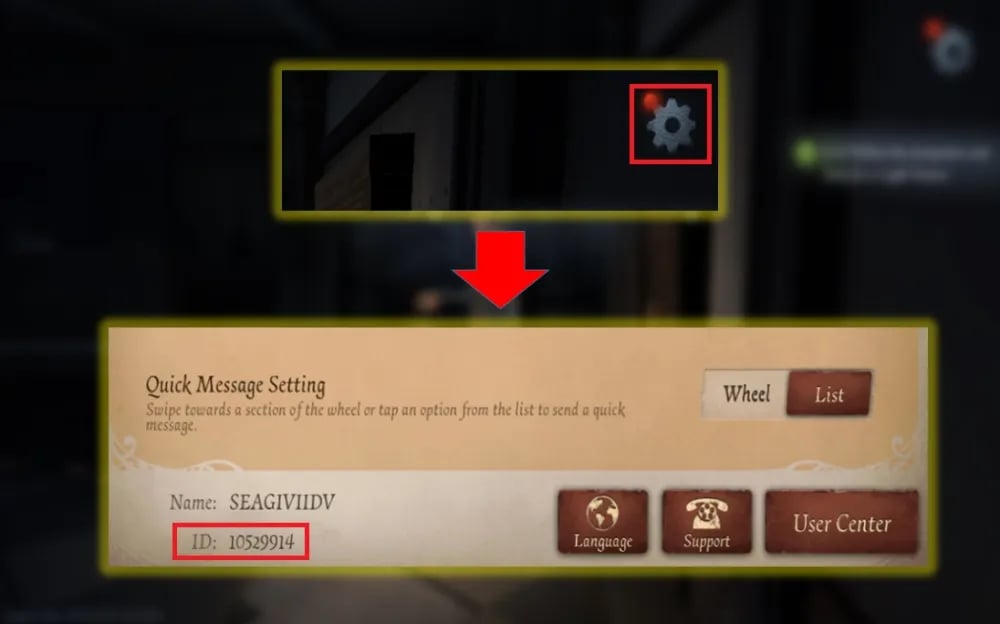
Always paste your copied UID directly into the input field on VGTopup to avoid typos. If you manage multiple profiles or sub-accounts, make sure you are logged into the intended account before grabbing the UID.
What Are BEST LIVE Coins and Platform Perks
Coins serve as the primary virtual currency across the BEST LIVE streaming platform. Acquiring coins allows you to interact directly with broadcasters and access special interactive features.
Creator Gifting and Virtual Reactions
BEST LIVE hosts live entertainment, music, gaming, and lifestyle broadcasts. Viewers use coins to send virtual gifts ranging from small applause animations to full-screen dynamic effects. Sending gifts boosts a broadcaster's rank during daily streaming competitions and highlights your presence inside the live chat room.
VIP Status and Supporter Badges
Consistent gifting and high coin usage grant access to platform tier levels. Higher tiers unlock customized entrance effects when you join a stream, exclusive chat bubble colors, and distinguished profile badges that mark you as an active community supporter.
Interactive Minigames and Privileged Rooms
Certain broadcasters run coin-enabled audience games, fan club lotteries, or private stream sessions. Having a healthy coin balance gives you direct entry into these exclusive events without waiting for approvals.
| Feature | Required In-App Asset | Main Benefit |
|---|---|---|
| Standard Gifting | Platform Coins | Shows appreciation and supports stream rankings |
| Animated Effects | Platform Coins | Displays full-screen visual gifts in chat |
| VIP Tier Progression | Cumulative Coin Usage | Grants custom entrance effects and badges |
| Exclusive Chat Access | Platform Coins / Fan Passes | Unlocks special rooms and fan-club perks |
Account Safety: Why You Never Need to Share Passwords
Account protection is essential when buying in-app currency online. VGTopup operates entirely via direct UID top-ups, meaning our service requires only your public account number.
Zero Login Sharing
You will never be asked for your BEST LIVE password, SMS verification codes, or third-party login credentials (such as Google, Apple, or Facebook logins). By eliminating the need for login sharing, you remove risks associated with account theft, unauthorized data access, or session hijacking.
Safe and Encrypted Transactions
All payment processes on VGTopup are shielded with modern industry encryption protocols. Your financial details remain fully protected during checkout, ensuring safe transactions every time you recharge.
Supported Payment Methods for BEST LIVE Recharge in 2026
VGTopup provides access to a comprehensive selection of modern payment channels to support users around the globe in 2026. Because payment channel availability and local processing fees can change depending on your region and currency, all available options are displayed dynamically on the live checkout screen.
Available categories at checkout include:
- Major Credit and Debit Cards: Visa, Mastercard, and other international card networks.
- Digital Wallets & Local Gateways: Popular regional e-wallets tailored for smooth cross-border checkouts.
- Direct Online Banking: Secure bank transfer integrations based on supported regions.
Select your package, enter your UID, and head to the checkout page to view the live payment options available for your location.
Troubleshooting Common BEST LIVE Top-Up Issues
Transactions on VGTopup process quickly, but minor delays or mistakes can happen if incorrect details are submitted. Use the following guide to resolve common situations.
Coins Have Not Appeared Yet
If your order status on VGTopup shows completed but your in-app coin balance has not changed:1. Fully close the BEST LIVE application on your phone.2. Clear your mobile app cache if necessary.3. Reopen the app and visit your profile page to check your balance again.4. Allow a few moments during peak traffic times for the network servers to refresh.
Incorrect UID Entered During Checkout
Coins delivered to a valid UID cannot be reversed or transferred to a different account once processed. If you notice an error immediately after placing the order and before processing completes, contact VGTopup customer support right away with your order number. To avoid this issue, always copy and paste your UID rather than typing it by hand.
Payment Completed but Order Pending
If your payment went through but your order status shows pending, your payment provider might be performing a routine security check. Keep your transaction confirmation ID ready and monitor your order status page.
If you need further assistance, reach out to the VGTopup customer support team through the help desk on our website. Include your VGTopup order number and your BEST LIVE UID so our support agents can assist you promptly.
Frequently Asked Questions
How do I find my BEST LIVE UID for top up?
Open the BEST LIVE app, tap the Profile icon in the bottom right corner, and look below your profile picture. Your UID is the numeric sequence shown there. Tap the copy icon next to the number to copy it to your clipboard.
Is it safe to top up BEST LIVE using only my UID?
Yes. Direct UID top-up is completely safe because it requires only your public account identifier. You never share your password, email address, or third-party login credentials.
How long does it take for BEST LIVE coins to reflect in my balance?
Most orders process promptly once your payment is confirmed. After checkout, refresh your BEST LIVE profile screen to view your updated coin balance.
What should I do if I entered the wrong BEST LIVE UID?
If your order has not yet been processed by our automated system, reach out to VGTopup customer support immediately with your order number and the correct UID. If the coins have already been delivered to the submitted UID, the transaction is irreversible.
Can I top up BEST LIVE coins for another user or friend?
Yes. Because the top-up process only requires a UID, you can send coins to any streamer, friend, or family member by entering their numeric UID in the checkout field instead of your own.
What payment options are available for BEST LIVE top up in 2026?
VGTopup supports an array of global and regional payment options in 2026, including major credit and debit cards, local digital wallets, and online banking systems. Check the live checkout page to see the exact payment methods supported in your country.
Select Denomination
Tax, payment fees and eligible coupons are calculated at checkout.
| Package | Price |
|---|---|
| BEST LIVE - BEST LIVE*5000000 | USD 8.33 |
| BEST LIVE - BEST LIVE*10000000 | USD 16.65 |
| BEST LIVE - BEST LIVE*50000000 | USD 83.25 |
| BEST LIVE - BEST LIVE*100000000 | USD 166.50 |
| BEST LIVE - BEST LIVE*1000000 | USD 1.67 |

































































