Learn how to complete an IMO top up, locate your numeric account ID, choose diamond bundles, and verify wallet balance delivery without delay in 2026.
IMO runs on live broadcasts, group video chats, and gifting. Diamonds—often referred to as IMO Coins—are the platform's spending currency. Viewers send them to stream hosts to trigger on-screen animations, unlock custom chat stickers, and collect profile badges. While buying them seems straightforward, app store checkouts and third-party web portals route orders differently.
Enter the wrong ID, and your money is gone. Diamond dispatches are final across all delivery networks, with zero recall options once completed.
Where to Find Your Real IMO Account ID
Routing failures almost always trace back to one error: submitting a display nickname instead of a numeric user ID. Automated recharge APIs do not parse display names. You need the raw numeric identifier tied to your account.
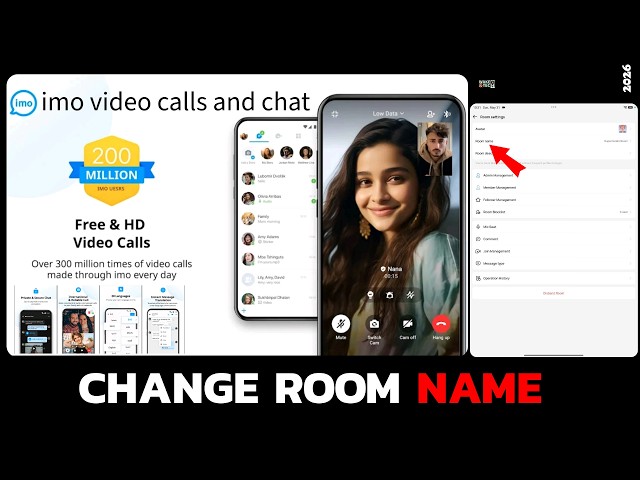
To find it in the mobile app:
- Open IMO and check the top-center menu bar.
- Tap My Room.
- Tap your profile picture in the upper-right corner to load the Online Ranking screen.
- Locate the numeric string printed right under your display name.
- Copy this number exactly.
Your IMO account ID is strictly a 7-to-10-digit number. It contains no letters, spaces, or symbols.
Certain web portals ask for your registered mobile number rather than your numeric ID. When prompted for a phone number, always add your international country code (such as +1 or +44) with no leading zeroes or hyphens. Verify every digit before authorizing payment.
Diamond Packs and Pricing Benchmarks
In-app microtransactions carry app store processing surcharges. For example, buying 100 IMO Diamonds directly through Google Play or Apple billing costs approximately $2.29 to $2.39, while off-app portals sell that bundle closer to $1.99.
| Diamond Bundle | External Base Price | Standard Storefront Baseline |
|---|
| 100 Diamonds | $1.99 | $2.39 |
| 420 Diamonds | $8.33 | $9.20 |
| 1,680 Diamonds | $33.34 | $36.80 |
| 4,200 Diamonds | $83.32 | $92.00 |
| 21,000 Diamonds | $426.55 | $460.00 |
Unit costs drop as bundle sizes increase, making bulk orders more economical for active gifters.
To bypass mobile app store surcharges without sharing your account password, you can purchase an imo top up directly using your numeric ID.
How to Complete an IMO Diamonds Top Up Step-by-Step
Web-based checkouts avoid linking personal credit cards to mobile app store wallets. With your numeric ID ready, checkout takes under two minutes.
1. Pick your bundle. Choose the bundle that covers your gifting needs in a single transaction to avoid repeating minimum processing fees.
2. Enter your account identifier. Input your 7-to-10-digit numeric IMO ID. If the portal requires a telephone number instead, format it with your international dialing code.
3. Review the preview screen. Check the recipient UID one more time before paying. Once an automated recharge dispatches, delivery cannot be reversed.
4. Pay and track fulfillment. Complete checkout. Authorized channels credit target accounts within two minutes, though network traffic can occasionally cause short delays.
5. Refresh your app. Force-close IMO from your phone's task manager and relaunch it. This forces the client to pull your updated diamond balance from the server.
Legitimate Recharge vs Scam Checklists
Third-party recharge safety rests on a single technical rule: automated top-up APIs only ever require your public recipient ID.
The table below contrasts genuine top-up mechanics with common phishing tactics.
| Verification Metric | Genuine Top-Up Service | Credential Theft Risk |
|---|
| Account ID | Requires 7 to 10 digit numeric UID | Demands login email or raw phone password |
| Verification | None needed on your phone | Asks for incoming SMS OTP / 6-digit code |
| Delivery Method | Direct server push to IMO Wallet | Demands account login access to "inject" packs |
| Payment Step | Encrypted checkout screen | Requests gift card codes sent via private chat |
Any service claiming to deliver free or heavily discounted diamonds in exchange for an SMS verification code is attempting account takeover.
Verifying Your Balance and Fixing Missing Diamonds
Your updated balance appears directly in your client profile upon settlement. To check it:
- Open IMO and tap Me in the bottom navigation bar.
- Tap IMO Wallet (labeled My Diamonds on some client builds).
- Check your primary diamond balance.
Settled transactions show the status recharged in your order history.
Delivery speed varies by payment channel. External digital portals finalize delivery within two minutes. In contrast, in-app purchases processed through Google Play or Apple App Store billing can take up to 3 working days to clear, displaying a status of recharging until settled.
If you paid via Google Play and diamonds do not appear after that window:
- Clear the app cache for Google Play Store in your Android device settings.
- Verify your Google Play account session is active.
- Copy your GPA transaction number (formatted as GPA.1234-1234-1234-12345) from your purchase receipt.
- Submit this receipt number to IMO in-app customer support.
On iOS, Apple's privacy architecture blocks IMO support from viewing transaction states directly. Stalled iOS purchases that remain uncredited after 48 hours must be refunded through Apple Support rather than IMO.
To skip multi-day app store billing queues, order your imo diamonds top up through an external direct-delivery catalog.
Diamonds vs Beans: The Live Creator Economy
Diamonds and Beans serve two distinct functions in IMO's dual-currency model. Viewers purchase Diamonds to send gifts. When a broadcaster receives a live gift, the system credits their profile with Beans.
Creators receive roughly 50% of the gift's diamond value as Beans. From there, hosts can either convert accumulated Beans toward real cash withdrawals or exchange them back into Diamonds.
| Asset Type | Primary Role | Acquisition Channel | Withdrawal Eligibility |
| :--- | :--- | :--- |
| Diamonds | Spending currency | Cash top-up, daily ad tasks, promo codes | Non-withdrawable |
| Beans | Creator earnings | Received via viewer live gifts | Cash-out or convert to diamonds |
Inside the wallet, Beans convert into Diamonds at a 1:1 ratio. Broadcasters can recycle their earned Beans to tip other creators without making out-of-pocket deposits.
Free Diamonds: Tasks, Streaks, and Voucher Codes
Casual users can collect small amounts of currency through built-in platform activities.
Daily Ad Tasks
Under IMO Wallet > Free Diamonds, watching a 15-to-30-second sponsored video awards 5 to 10 diamonds. Users who clear their daily video quotas earn between 150 and 300 diamonds each week.
Login Streaks
Consecutive daily check-ins through the wallet hub grant scaling rewards. Fresh accounts start with a baseline streak reward of 25 diamonds, which increases with unbroken check-in streaks.
Referral Milestones
Inviting new contacts generates 10 to 50 diamonds per completed registration via your invite link. Registering five referrals unlocks an extra 200-diamond milestone bonus.
IMO occasionally releases 8-to-16-character alphanumeric promotional codes during regional events, awarding 10 to 50 diamonds.
To redeem a code:
1. Tap Me > IMO Wallet.
2. Tap Recharge.
3. Select Enter Code.
4. Paste your alphanumeric code.
Balances update within 1 to 5 minutes of entering a valid code.
Recommendations by Spender Tier
Match your purchasing method to your activity level to avoid overspending on processing markups.
The Casual Chatter (Free-to-Play)
If you primarily use IMO for direct messaging and rarely tip in broadcasts, stick to free acquisition channels. Watching ad clips, maintaining check-in streaks, and redeeming seasonal voucher codes yields 150 to 300 diamonds per week at zero cost.
The Stream Regular (Mid Tier)
If you drop gifts in community rooms weekly, free tasks will not cover your gifting volume. Avoid buying 100-diamond bundles through app stores, where micro-fees inflate the per-unit price. The 420 or 1,680 diamond bundles on web portals offer a much better diamond-to-dollar ratio.
The Guild Supporter (Heavy Spender)
Pushing creators up the Online Ranking leaderboards requires larger bundles. Choose the 4,200 or 21,000 diamond tiers to minimize payment processing overhead and maximize volume discounts. For fast delivery on bulk orders, order an imo recharge directly to your numeric UID.
FAQ
Where can I find my IMO ID for a diamond top-up?
Open IMO, tap the top-center menu to enter My Room, and tap your avatar to access Online Ranking. Your 7 to 10 digit numeric account ID appears directly below your nickname.
Do I need to enter my account password when purchasing diamonds?
No, legitimate top-ups require only your numeric IMO ID or registered phone number with international country code. Never share your IMO account password or SMS verification codes with any storefront.
How do I check if my IMO Diamonds have arrived?
Open IMO, tap Me in the bottom navigation bar, and select IMO Wallet or My Diamonds. Your updated diamond total appears on screen, and finished orders will show a recharged status in your transaction history.
What should I do if my payment was deducted but no diamonds were credited?
Official app store transactions can take up to 3 working days to clear, during which orders display a recharging status. If you purchased via Google Play and diamonds are missing after that window, clear the Play Store app cache and submit your GPA receipt number to IMO support.
Can I receive a refund if I entered an incorrect IMO ID during recharge?
No, automated diamond fulfillment runs immediately upon payment verification and cannot recall or reverse completed orders. Double-check your 7 to 10 digit numeric ID before confirming checkout.
What is the difference between IMO Diamonds and Beans?
Diamonds are purchased by users to send gifts and unlock stickers, whereas Beans are earned by broadcast hosts when receiving gifts. Hosts receive roughly 50% of the gift's value in Beans, which they can convert back into diamonds at a 1:1 ratio or withdraw as real funds.
How do I redeem an IMO diamond gift card code?
Go to Me > IMO Wallet > Recharge and select Enter Code. Enter your 8 to 16 character alphanumeric voucher code and confirm the prompt to receive your 10 to 50 diamonds within 1 to 5 minutes.
Final Advice
Always copy your 7-to-10-digit numeric ID directly from My Room > Online Ranking instead of guessing your public username. Web portals reduce per-diamond costs compared to mobile storefronts and eliminate multi-day app store billing delays. Confirm every digit before submitting payment, force-close the app to refresh your wallet balance, and never hand over account passwords or SMS codes to any service.









Comments