Which "receipt" actually holds up under pressure
Nearly every guide on this assumes "receipt" means "the confirmation email," and if the email never showed, you're empty-handed. I think that's backwards, and it doesn't take much poking to see why.
Frame it as a simple test. A receipt earns its keep by doing two things: it survives long enough for you to find it later, and it carries the reference numbers a refund or missing-credits claim hangs on. So the question isn't "where's my email?" It's which record scores highest on survivability and field completeness. Whatever wins, that's what you lead with.
If the email were genuinely the strongest evidence, you'd expect it to be tough to lose and packed with detail. It's neither. It's one message that can drown in a spam filter, get swept off by an auto-delete rule, route to an address you abandoned years ago, or simply fail to send because a mail server on the processor's end hiccuped at the wrong second. The platform's own purchase history, by contrast, is a server-side record bolted to your account. You can't delete it by accident, and it couldn't care less what your inbox is up to.
So here's the working theory: store-side history is the canonical record, and the email is a convenience copy. Let's see whether the per-platform reality backs that up.
Where the proof sits, sorted by how you paid
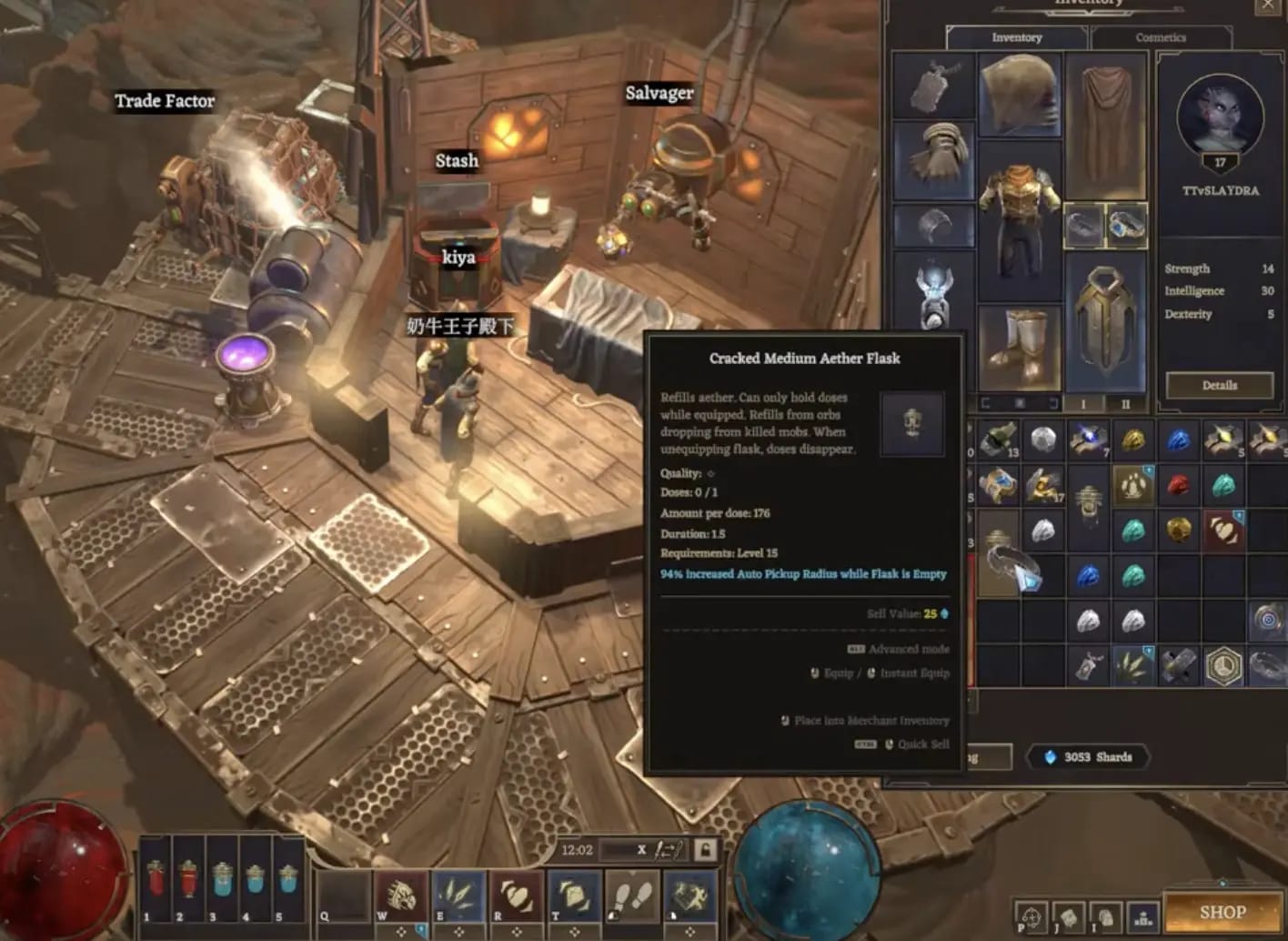
The biggest hole in most write-ups is treating every purchase route as identical. Where you actually bought your Crystalfall credits changes both where the receipt lives and what it shows. Pay through Apple's App Store and your purchase is governed by Apple's billing machinery, not Crystalfall's, and that gap becomes very real the second you go hunting for a record.
Here's the map I wish someone had slid across the table the first time round.
| Where you bought |
Where the record lives |
How to retrieve it |
What fields you get |
| Google Play (Android) |
Google account order history |
Play Store → profile → Payments & subscriptions → Budget & history; or pay.google.com |
Order number (GPA.xxxx), date, amount, payment method, item line |
| Apple App Store (iPhone/iPad) |
Apple ID purchase history |
Settings → your name → Media & Purchases → Purchase History; or reportaproblem.apple.com |
Document/order number, date, amount, the in-app item |
| Steam (PC) |
Steam account history |
Steam → account name → Account details → View purchase history |
Steam transaction record, date, amount, payment method |
| Web / portal (e.g. VGTopup) |
Portal order dashboard + its own email |
Log into the portal account → order history |
Order ID, server/character target, amount, status |
| In-game / Crystalfall web store |
Account purchase log + processor email |
Crystalfall account settings → purchase/transaction log |
Order ID, credit pack, timestamp, status |
Compiled from each platform's standard purchase-history retrieval flow.
Look at what the table quietly admits: on three of the four routes, the email is surplus to requirements. The record stands whether or not a message ever found your inbox.
The auto-confirmation email and its love of the spam folder
In theory the email should turn up within minutes, since most processors fire it off almost instantly. But "should" is carrying an awful lot here. Two failure modes account for nearly every missing-email complaint I've come across in player threads: it got filtered, or it sailed off to the wrong address.
Before you decide it failed, search your whole mailbox, not just the inbox, for things like "Crystalfall," "credits," "order," "receipt," and the name of the payment processor. Trawl spam, promotions, updates, the lot. Mobile clients are especially fond of feeding transactional mail straight into the promotions tab. And some processors send from a bland billing domain with no "Crystalfall" anywhere in it, so a name-only search comes up dry. If the name turns up nothing, search by amount or by date instead.
If it genuinely never arrived, don't spiral. A missing email is not a missing purchase. It just means you fall back on the ledger.
Store-side history: the record a filter can't eat
On Android, your top-up lands in your Google Play order history whether or not the email did. Open the Play Store, tap your profile, head into Payments & subscriptions, then Budget & history. Or grab the full list from your Google account on the web. Every entry carries an order number (that GPA-prefixed string), and that string is your proof.
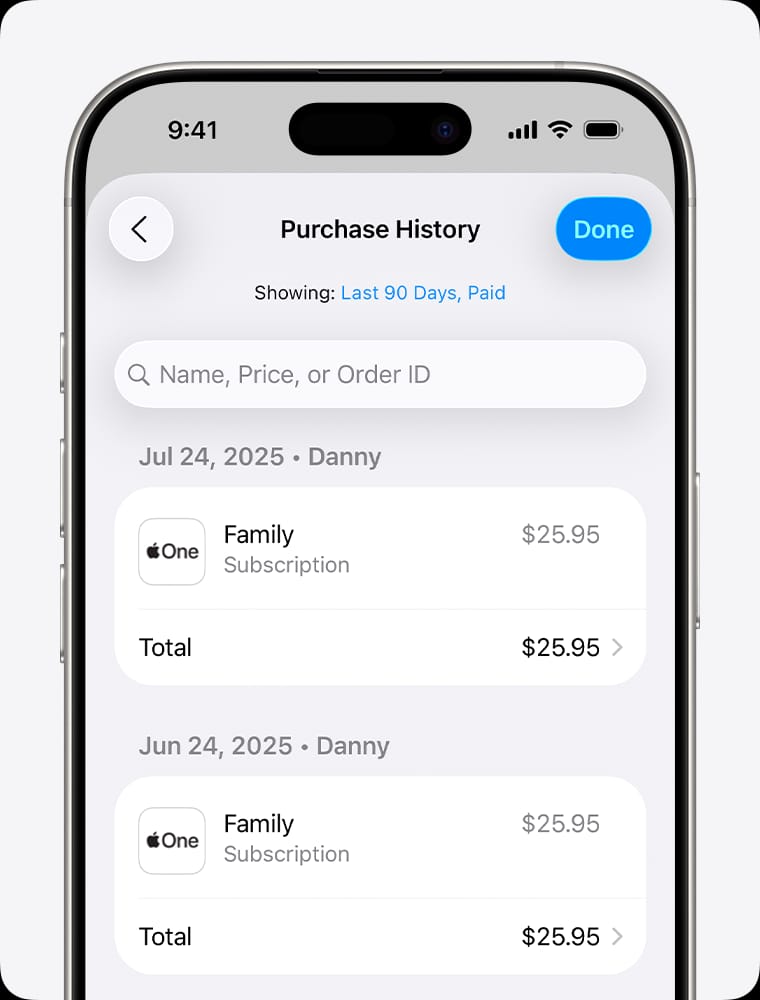
On iPhone and iPad, the trail runs through your Apple ID rather than the game itself. Settings → your name → Media & Purchases → Purchase History surfaces every charge, while reportaproblem.apple.com gives the same data with a tidier per-item view. Here's the one that snags people endlessly: Apple often files the line as a generic "in-app purchase" rather than anything saying "Crystalfall," so players scroll straight past their own receipt convinced it's gone. Match by date and amount, never by the game's name.
Steam is the most candid of the lot. Account details → View purchase history lists each transaction with date, amount, and payment method, and that's that. If you ever wanted a clean argument for why store history trumps email, this is it. Nothing to filter, nothing to mislay.

Web and portal purchases
Top up through a web portal rather than a mobile store and your record splits across two homes: that portal's order dashboard and the confirmation it emails. Log into the portal account, open order history, and you'll usually find an Order ID, the target server or character, the amount, and a status field. The whole appeal of a clean portal flow is exactly this traceability. The order confirmation gets generated at checkout with an Order ID attached, so your proof exists the instant you pay rather than waiting on a message to arrive. (For transparency: VGTopup is one such portal, and that traceable order-confirmation step is the practical reason I lean on portal records over chasing an inbox.) If you're deciding where to buy next time, that "proof saved at the point of sale" quality is worth more than shaving a few cents off the price. You can compare options for Crystalfall top up with that in mind.
Order ID and Transaction ID are not the same number
This is the distinction that scuppers more support tickets than anything else, and barely a guide bothers to flag it. A complete proof of purchase carries two separate reference numbers, and they pull different shifts.
The Order ID is the game's (or store's) internal note for what you bought: the credit pack, the date, the account it went to. The Transaction ID is the payment processor's note for the money moving. It's the tag your bank, card issuer, or gateway uses to pin down the charge.
Why care? Because which one support asks for depends entirely on the problem:
- Charged but no credits arrived → support wants the Transaction ID to trace the payment and the Order ID to confirm what should've shown up. Bring both.
- Refund or chargeback dispute → the Transaction ID is the backbone of the case; your bank speaks that, not the game's order number.
- Wrong account or server got the credits → the Order ID plus your account details handle it.
A receipt worth its salt (the sort that settles a dispute in one reply) shows all of it: the game and item, the credit amount, the price paid, the date and timestamp, the account or character it credited, and both reference numbers. If yours is missing the Transaction ID, the store-side history almost always holds it. That's one more vote for treating the platform ledger as primary.
And one trap I'd underline: a pending transaction can spit out a temporary reference number that is not the final Transaction ID. Hand support the pending placeholder and you've bolted a pointless round-trip onto your ticket while they work out it matches nothing in the processor's system. Wait for the charge to settle, then copy the real number.
The in-game purchase log nobody bothers to open
Tucked inside Crystalfall's account settings sits a purchase or transaction log, and it's the backup proof most players never lay eyes on. It records top-ups against your account directly, independent of your email, independent of the store's interface.
What makes it quietly handy: the log can show a successful top-up even when the confirmation email failed to send without a peep. Credit delivery and the email are two separate events on the processor's side, and one can fire while the other doesn't. So with an empty inbox but the credits visibly sitting in your balance, this log is the artifact proving the purchase actually landed.
When the log and the email disagree (the email claims success but the log shows nothing, or the reverse), trust the log on whether credits arrived and trust the store history on whether money moved. Those are two different questions, and muddling them is precisely how people end up topping up twice by mistake.
Nothing arrived? The recovery path that isn't "open a ticket"
The reflex when proof goes missing is to fire off a support request. I'd resist it. For a missing receipt, the quickest fix is nearly always self-service, and the ticket queue is the slow lane.
Run it in this order:
- Search the whole mailbox (spam, promotions, all-mail) by name, processor, amount, and date.
- Open the store-side history for whatever platform you paid on. Your proof is almost certainly already there.
- Check the in-game purchase log in account settings to confirm the credits posted.
- Use the store's resend/report tool. Google Play, Apple's reportaproblem page, and Steam all let you re-surface or report on a specific order without ever dragging the game's support into it.
- Only then contact Crystalfall support, and only if the issue is delivery (charged, no credits) rather than just a missing copy of the email.
Pending, failed, duplicate: read the status before you do anything
Most "missing receipt" panic is really just a misread status. Here's the matrix I keep in my head.
| Symptom |
Likely cause |
The fix |
Proof to capture |
| No email, but credits are in-game |
Email delivery failed; purchase succeeded |
Use store history + in-game log as proof; resend email via store tool |
Order ID, Transaction ID, in-game log screenshot |
| Charge shows "pending," no credits yet |
Authorization not yet finalized |
Wait — do not re-buy; most settle shortly |
Screenshot of the pending charge with timestamp |
| Charged, finalized, but no credits after a reasonable wait |
Delivery hiccup on game/processor side |
Contact support with both reference numbers |
Transaction ID, Order ID, balance screenshot |
| Two identical charges |
You re-bought a "pending" you assumed had failed |
Request refund of the duplicate with proof |
Both Transaction IDs, both timestamps |
| Email arrived, no credits, no charge on card |
Transaction failed; nothing was actually taken |
Nothing to recover; retry the purchase |
The failed-status record |
Built from common community-reported top-up failure modes.
The line in that table I'd cheerfully laminate for every new spender: pending is not failed. A pending authorization that hasn't posted yet is a normal, fleeting state. Re-buying because you reckon it bounced is the single most popular way people conjure a duplicate charge, and then they're chasing two receipts and a refund instead of nothing at all. Give it time before you give it a card again.
Charged but no credits? Build the proof before you say a word
If money genuinely moved and credits genuinely didn't, the speed of your fix is set almost entirely by the quality of the proof you arrive with. A ticket reading "I bought credits and didn't get them" earns a templated reply asking for details. A ticket with the details already attached gets resolved.
Screenshot this lot before you open the support form:
- The charge in your bank app or store history, showing amount, date, and status (finalized, not pending).
- The Transaction ID and Order ID, both, in full, copy-pasteable rather than a blurry photo.
- Your current credit balance in-game, proving the credits aren't sitting there.
- The confirmation email if it exists, or a note that it didn't turn up.
- Your account identifier: the server, character, or account the top-up was meant for.
Gather all of that in one place and your support thread shrinks from a multi-day back-and-forth into one exchange. It works because every question support would otherwise have to ask, you've answered in advance. That's the whole trick.
A word on tax invoices, while we're here. A basic confirmation and a proper tax invoice are not the same document, and the auto-email is usually just the former. For an itemized invoice with a tax breakdown (the version your accountant or an expense claim actually wants), you generally have to ask for it: through the store's purchase-history "request invoice" option where one exists, or directly from support with your Order ID. If there's any chance you'll need it, ask early. Reconstructing one months on is the slow path.
Why I save the proof at checkout, not afterwards
The cleanest receipt habit I've settled on has nothing to do with retrieving anything. It's screenshotting the order the moment it confirms. That checkout screen shows the item, the amount, and the reference numbers all together, before any of it can get filtered, expire, or scroll out of sight. Ten seconds at purchase time heads off the overwhelming bulk of the headaches this whole article exists to address.
So if I'm ranking what to trust: store-side purchase history at the top, the in-game purchase log second, the confirmation email a distant and slightly disappointing third. The email is the thing everyone grabs for and the thing most likely to let them down. Lead with the ledger, save the screenshot, and before you ever re-buy, read the status, because "pending" has cost more players a duplicate charge than any genuine payment failure ever managed.
Frequently Asked Questions
Why didn't I get a Crystalfall confirmation email even though I was charged?
Email delivery and credit delivery are separate events on the processor's side, so one can fail while the other succeeds. Search your spam and promotions folders by amount and date, not just the game name, since some processors send from a generic billing domain. If the credits are in-game, the purchase worked regardless, and your store history serves as proof in place of the missing email.
Can I get my Crystalfall receipt resent to a different email address?
Usually not directly. The auto-confirmation goes to the address tied to the payment account, and you can't always redirect it after the fact. The cleaner route is to pull the record from your store history (Google Play, Apple ID, or Steam), which leans on no email at all, then forward or export that. For a fresh copy at a new address, contact support with your Order ID.
Where do I find my Crystalfall purchase on an iPhone if it's not listed under the game name?
Go to Settings → your name → Media & Purchases → Purchase History, or use reportaproblem.apple.com. The catch: Apple often labels game top-ups as a generic "in-app purchase" rather than "Crystalfall," so people scroll straight past it. Match by the exact date and amount of the charge instead of searching for the game's name.
My charge says "pending" and credits haven't arrived. Should I buy again?
No, wait. A pending authorization that hasn't finalized is normal and usually settles on its own before long. Re-buying is the commonest way players land a duplicate charge, because the first one posts after they've already paid twice. Screenshot the pending status with its timestamp, give it time, and only escalate if it finalizes with no credits delivered.
How do I get a proper tax invoice for Crystalfall credits, not just a confirmation?
The auto-email is typically a confirmation, not a tax invoice. For an itemized invoice with a tax breakdown, request it through your store's purchase-history "request invoice" option where one exists, or ask Crystalfall support directly with your Order ID. Ask early, because reconstructing an invoice well after the fact is far slower than getting it issued near the transaction date.











Comments