



Super Meet Top Up: Direct In-App Recharge
Super Meet connects users worldwide through interactive live streaming, real-time voice chat, and social discovery features. To initiate private conversations, send dynamic gifts to broadcasters, and unlock premium profile badges, you need an active balance of in-app credits. A Super Meet top up on VGTopup gives you immediate access to your preferred coin balance so you can participate in live rooms and connect with creators without interruptions.
VGTopup provides an efficient recharge system that connects directly to your game profile using your Player ID. You do not need to share sensitive account passwords or link personal third-party credentials. Select your credit bundle, complete the checkout process, and watch your balance update in your Super Meet account.
How to Top Up Super Meet Using Player ID
Recharging your Super Meet account on VGTopup takes just a few steps. Follow this guide to submit your order accurately:
- Select Your Credit Denomination: Browse the available credit and coin packages on the VGTopup product page and pick the amount that matches your needs.
- Input Your Player ID: Enter your unique Super Meet Player ID into the designated input box. Double-check the digits to prevent delivery delays.
- Review Checkout Options: Check the live pricing and select your preferred payment method from the available local and global options displayed at checkout.
- Confirm Payment: Complete the transaction through the secure payment gateway.
- Check Your In-App Balance: Open Super Meet on your mobile device, access your wallet, and verify your updated balance.
How to Find Your Super Meet Player ID
Your Player ID is the unique numeric identifier tied directly to your Super Meet account. Because VGTopup uses direct ID-based processing, locating this number accurately ensures your purchased credits reach your wallet instantly.
- Launch the Super Meet app on your mobile device.
- Tap the Profile or Me icon located in the bottom navigation bar.
- Look directly beneath your avatar and display name to locate your numeric User ID / Player ID.
- Tap the copy icon next to the number or write it down carefully before pasting it on VGTopup.
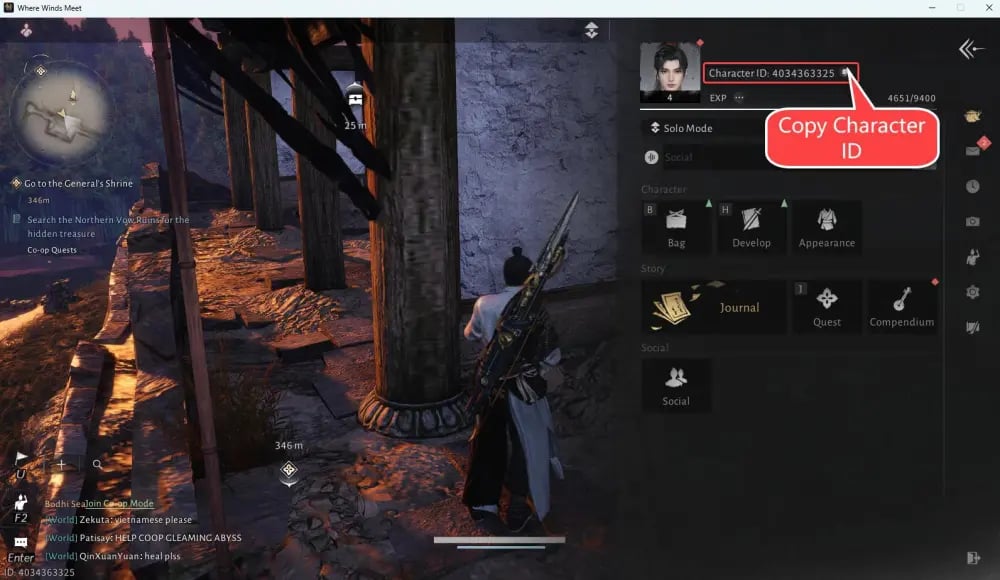
Always copy and paste the ID directly from the app interface to eliminate any risk of manual typing errors.
Super Meet In-App Credits and Usage
Super Meet credits serve as the core virtual currency within the platform. Having a ready credit balance allows you to enjoy the full suite of social and interactive live features without hitting communication blocks.
| Super Meet Feature | Credit Usage Purpose | Primary Benefit |
|---|---|---|
| Direct Messaging | Unlocking private chat sessions | Connect directly with new friends and creators |
| Virtual Gifting | Sending animated stickers in live streams | Support broadcasters and highlight your profile |
| Live Room Interactions | Entering exclusive group voice rooms | Participate in interactive social discussions |
| Profile Badges | Activating VIP borders and entrance effects | Stand out across public chat lobbies |
Acquiring credits in advance ensures you never get disconnected in the middle of a live conversation or miss out on sending time-sensitive support gifts during your favorite creator broadcasts.
Safety and Account Security for Super Meet Recharge
Account safety is a top priority when purchasing digital currencies online. VGTopup operates on a strict ID-only fulfillment model, protecting your personal profile from unauthorized access.
- No Passwords Required: You only need to provide your public Super Meet Player ID. VGTopup will never ask for your account password, email access, or social login credentials.
- Zero Account Sharing: Because our system processes recharges directly through your ID, you never need to hand over account control to third parties.
- Encrypted Checkout: Every transaction is protected with standard data encryption protocols, keeping your billing details completely confidential.
- Safe Profile Delivery: Credits are applied directly to the official account balance tied to your Player ID, keeping your account in full standing.
Super Meet Top-Up Delivery Time and Order Tracking
Orders placed on VGTopup are processed automatically upon payment confirmation. Once the transaction clears through our payment system, the recharge order is transmitted directly to the game server.
- Live Processing: Most orders finish within moments of successful payment.
- Order History Tracking: You can review the real-time processing status of your transaction anytime through the VGTopup order history page.
- Balance Verification: If your balance does not update immediately on your screen, fully close the Super Meet app from your device background and reopen it to refresh your wallet data.
Troubleshooting Common Super Meet Recharge Issues
If you run into any issues during or after your recharge, use these straightforward solutions to resolve them:
- Credits Not Showing Immediately: Restart the Super Meet app to refresh your profile cache. Check your device network connection to ensure the app is syncing with live servers.
- Incorrect Player ID Entered: If you accidentally submitted an incorrect Player ID, contact VGTopup customer support immediately with your order number. Once an order is fully completed and credited to an active account on the server, transactions cannot be reversed, so prompt notification is essential.
- Payment Pending Status: If your payment provider shows a pending charge but the VGTopup order page has not updated, wait a brief moment for gateway confirmation or check your email for a payment receipt.
For any unresolved questions or order discrepancies, the VGTopup customer assistance team is available to assist you with order verification and resolution.
Frequently Asked Questions About Super Meet Top Up
How do I find my Super Meet Player ID for top-up?
Open the Super Meet app and tap the Profile icon in the bottom menu. Your Player ID is displayed as a sequence of numbers directly underneath your profile picture and nickname. Tap the copy icon next to it to paste it directly into the order field on VGTopup.
Do I need to share my Super Meet password to recharge?
No. VGTopup only requires your public Super Meet Player ID to process your credit top-up. Never share your password, login verification codes, or personal account credentials with anyone.
How long does it take for Super Meet credits to arrive?
Credits are dispatched automatically as soon as your payment is verified. In most cases, your in-app wallet balance updates shortly after transaction completion. You can track your purchase progress on the VGTopup order status page.
What should I do if I entered an incorrect Super Meet Player ID?
Contact the VGTopup customer support team as quickly as possible with your order reference number. If the order has not yet been processed by the automated dispatch system, our support team can help adjust the details. Once credits are delivered to an existing account, they cannot be transferred or retrieved.
What can Super Meet credits and coins be used for?
Super Meet credits are used to send virtual gifts during live broadcasts, unlock private messaging and voice calls, access VIP room features, and customize your profile with special entrance animations and badges.
Is it safe to top up Super Meet on VGTopup?
Yes. Recharging on VGTopup is safe because the process relies entirely on your public Player ID. Your private login details remain protected, and all financial transactions are processed through encrypted payment channels.
Select Denomination
Tax, payment fees and eligible coupons are calculated at checkout.
| Package | Price |
|---|---|
| Super Meet - Super Meet*10000 | USD 0.34 |
| Super Meet - Super Meet*30000 | USD 1.01 |
| Super Meet - Super Meet*50000 | USD 1.68 |
| Super Meet - Super Meet*70000 | USD 2.35 |
| Super Meet - Super Meet*100000 | USD 3.35 |
| Super Meet - Super Meet*200000 | USD 6.71 |
| Super Meet - Super Meet*500000 | USD 16.76 |
| Super Meet - Super Meet*700000 | USD 23.47 |
| Super Meet - Super Meet*1000000 | USD 33.53 |
| Super Meet - Super Meet*2000000 | USD 67.05 |






























































