
Nahki Top Up: Refill Coins for Live Voice Rooms and Social Features
Nahki is an interactive voice chat and social entertainment application designed for communities across international and MENA regions. Users join live audio rooms, connect with friends, participate in casual group games, and share interactive moments. Inside the app, coins serve as the primary virtual currency used to support hosts, send customized digital gifts, and access premium profile effects.
Performing a Nahki top up on VGTopup provides an instant balance update straight to your profile. By supplying only your unique User ID (UID), you keep your account safe while enjoying direct access to every in-app feature.
What Are Nahki Coins Used For?
Nahki coins give you full access to the platform's social and interactive economy:
- Animated Voice Room Gifts: Send virtual gifts ranging from simple badges to full-screen luxury animations to celebrate room hosts and performers.
- Profile Customization: Personalize your presence across chat rooms with unique avatar frames, profile themes, and exclusive chat bubble styles.
- Entrance Effects: Display custom entry banners and audio-visual announcements whenever you join popular voice rooms.
- Interactive Social Mini-Games: Participate in live community activities and games hosted directly inside voice channels.
- VIP Membership Badges: Stand out in community leaderboards and public chat channels with distinguished supporter status.
How to Find Your Nahki UID in the App
To ensure your Nahki recharge reaches the right profile, you only need to locate your numeric user ID inside the application. Follow these steps to find and copy it:
- Open the Nahki app on your mobile device.
- Tap the Profile or Me tab located in the bottom navigation bar.
- Look beneath your avatar and display nickname to find your UID (a series of numbers).
- Tap the copy icon next to your UID or write it down carefully for checkout.
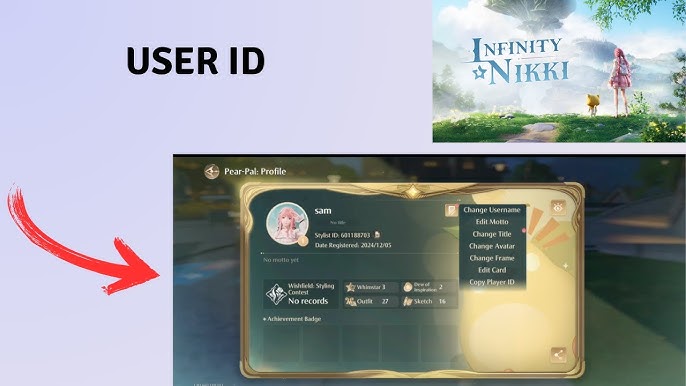
Double-check that the copied UID matches your profile exactly before placing an order to prevent delivery delays.
Step-by-Step Guide to Top Up Nahki on VGTopup
Recharging your balance on VGTopup is straightforward and requires zero login credentials. Follow this guide to complete your transaction:
- Select Your Coin Package: Browse the available Nahki coin amounts on the live VGTopup product page and choose the pack you need.
- Enter Your Nahki UID: Paste your numeric UID into the designated player ID field on the checkout screen.
- Choose Your Preferred Payment Option: Pick your payment method from the available local or international channels displayed at checkout.
- Complete the Payment: Finalize the secure transaction through our checkout system.
- Check Your In-App Balance: Open Nahki, refresh your profile or wallet tab, and verify your updated coin balance.
| Order Detail | Requirement | Notes |
|---|---|---|
| Account Identifier | Nahki UID | Numeric ID found in your profile menu |
| Password Required | No | VGTopup never asks for your login credentials |
| Delivery Target | Direct in-app credit | Coins transfer straight to the submitted UID |
| Availability | 24/7 Live Checkout | Check current pack prices on the product selector |
Why UID-Only Recharge is the Safest Way to Buy Nahki Coins
Account safety is a top priority when purchasing digital currencies online. Traditional top-up methods that ask for login details expose your profile to serious vulnerabilities. VGTopup relies solely on your Nahki UID, offering clear security benefits:
- Zero Password Sharing: You never need to reveal your account password, email access, or social login credentials.
- No Verification Codes: You will never be asked for SMS one-time passwords (OTP) or third-party authentication prompts.
- Protection Against Account Takeover: Because no login session is transferred, your account remains fully in your hands at all times.
- Gift Directly to Friends: UID top-ups allow you to send coin gifts directly to friends, streamers, or family members simply by entering their ID.
Supported Payment Methods and Live Checkout on VGTopup
VGTopup provides a smooth purchasing experience supported by multiple payment channels tailored for global and regional users. Depending on your region, you can complete your Nahki top up using credit and debit cards, e-wallets, bank transfers, or local digital payment networks.
Live pricing, active denomination sizes, and available currency options are displayed dynamically in the checkout interface above. Review the total price and pack sizes on the live selection panel before placing your order.
Troubleshooting Common Nahki Top-Up Questions
If you experience any delay or issue with your order, use these troubleshooting steps to verify your delivery:
- Restart the Nahki App: If coins do not show up immediately, completely close the Nahki application from your background apps and relaunch it to force a balance refresh.
- Verify Your Profile ID: Check your VGTopup order confirmation to ensure the UID entered matches your in-app profile. A single incorrect digit can send coins to a different account.
- Check Payment Status: Make sure your payment went through and that your banking provider did not place a temporary authorization hold.
- Contact VGTopup Support: If your balance has not updated after payment confirmation, reach out to the 24/7 VGTopup customer service team with your Order ID and Nahki UID for immediate assistance.
Frequently Asked Questions About Nahki Top Up
What is a Nahki UID and where can I find it?
A Nahki UID is a unique numeric identifier assigned to your personal account. You can find it by opening the Nahki app, tapping the Profile / Me section in the bottom menu, and checking the number displayed right under your avatar.
Do I need to share my Nahki account password to recharge?
No. Recharging on VGTopup requires only your Nahki UID. We never request your password, verification codes, or login credentials.
How quickly will the top-up balance reflect in my Nahki app?
Orders processed through VGTopup are dispatched automatically once payment is verified. In most cases, coins reflect in your Nahki wallet right after the transaction completes. You may need to refresh your app to see the updated total.
Can I top up Nahki coins for a friend using their UID?
Yes. Because VGTopup only requires a UID, you can recharge for friends or content creators by entering their specific Nahki UID in the account field at checkout.
What should I do if I entered the wrong Nahki UID during checkout?
Because UID-based digital recharges are processed immediately and automatically, transfers sent to valid but unintended accounts cannot be reversed. Always double-check your UID before finalizing payment. If the order is still processing, contact VGTopup customer support immediately.
What payment methods can I use to top up Nahki on VGTopup?
VGTopup supports a broad selection of regional and international payment options, including major bank cards, digital wallets, and local payment gateways. View the live checkout screen to see all active payment channels for your location.
Select Denomination
Tax, payment fees and eligible coupons are calculated at checkout.
| Package | Price |
|---|---|
| Nahki - Nahki*15000 | USD 1.50 |
| Nahki - Nahki*20000 | USD 2.00 |
| Nahki - Nahki*25000 | USD 2.50 |
| Nahki - Nahki*50000 | USD 5.00 |
| Nahki - Nahki*100000 | USD 10.00 |
| Nahki - Nahki*500000 | USD 49.98 |
| Nahki - Nahki*1000000 | USD 99.95 |
| Nahki - Nahki*10000 | USD 1.00 |