



Fast and Reliable Dawa Top Up Online
Dawa is a popular mobile social entertainment and voice live-streaming platform where users connect, share interactive voice rooms, and support their favorite content creators in real time. Unlike pharmaceutical or retail products that share a similar phonetic name, the Dawa app is strictly an interactive digital social hub.
To participate in premium audio rooms, send animated gifts, and unlock exclusive community badges, users need in-app credits. A direct Dawa top up on VGTopup delivers coins straight to your account balance using only your user identification number. You can reload your digital balance at any time, keep your live conversations going, and show appreciation to hosts during live broadcasts.
How to Top Up Dawa Using Player ID
Recharging your Dawa wallet through VGTopup takes only a few quick steps. Because the process is automated via direct Player ID credit, you do not need to log into third-party interfaces with your personal social media accounts or private credentials.
Follow these steps to complete your order:
- Select your coin denomination: Browse the available coin packages on the VGTopup product page and pick the amount that matches your needs.
- Input your Dawa Player ID: Carefully enter your numeric user ID into the required account field.
- Review live pricing: Check the exact order total displayed on the live checkout screen before proceeding.
- Select a payment option: Choose your preferred payment method and confirm the transaction.
- Receive your credits: Once payment confirmation completes, your coins are credited directly to your Dawa profile.
After finalizing your payment, restart or refresh your Dawa application to view your updated coin balance.
How to Locate Your Dawa Player ID in the App
Every Dawa account has a unique numeric identifier assigned upon registration. Entering the correct Player ID ensures that your coin pack reaches your personal wallet without delay.
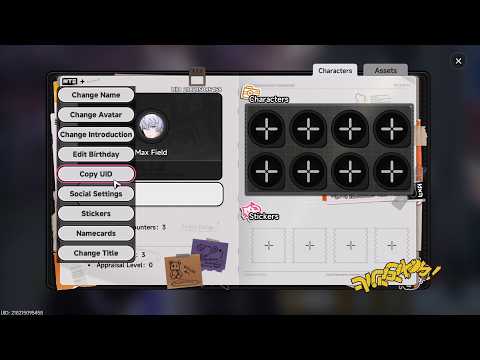
To find your Player ID inside the Dawa mobile application:
- Launch the Dawa app on your Android or iOS device.
- Tap the Profile or Me icon located in the bottom right corner of the navigation bar.
- Look directly beneath your profile picture and nickname at the top of the screen.
- Locate the line labeled ID or User ID.
- Tap the copy icon next to the number, or write down the digits accurately to paste them into the VGTopup order field.
Double-check the copied numbers to prevent typos, as credits are distributed directly based on the exact numeric string provided.
Safe and Password-Free Dawa Top Up with VGTopup in 2026
Account safety is a core priority when buying digital currency online. VGTopup uses direct API-driven direct recharge methods that require only your public Player ID. You never have to reveal your account password, phone verification codes, or third-party linked credentials.
| Recharge Feature | Direct UID Top Up on VGTopup | Account Sharing / Login Methods |
|---|---|---|
| Password Required | No | Yes (High Risk) |
| Security Level | Maximum Protection | Risk of Account Compromise |
| Delivery Method | Direct System Injection via ID | Manual Account Takeover |
| Ease of Use | Fast & Convenient | Complex Verification Steps |
| Privacy Protection | Complete User Privacy | Personal Chats & Details Exposed |
By keeping your password private and relying solely on UID injection, you maintain total ownership of your social account while enjoying top-tier digital delivery speeds.
Supported Payment Options for Dawa Recharge
VGTopup provides access to secure digital payment methods tailored for regional and international users. The real-time cost for each coin denomination is displayed transparently on the live checkout page, allowing you to review the exact total before confirming the transaction.
Whether you use major credit cards, regional digital wallets, or local online payment options, all transactions are processed through encrypted payment gateways. This guarantees that your sensitive financial data remains shielded while you buy Dawa coins.
Using Dawa Credits for Live Chat and Interactive Social Features
Coins are the primary driver of interactive engagement on the Dawa social platform. Once you complete your Dawa recharge, you can use your balance across several app features:
- Animated Virtual Gifting: Send stunning visual gifts to room hosts, broadcasters, and singing talents to increase their popularity rankings.
- VIP Entrance Effects: Stand out in crowded voice rooms with custom entry announcements, specialized name frames, and dynamic chat bubbles.
- Interactive Room Games: Join in-room entertainment mini-games and voice party challenges with community members.
- Private Audio Connections: Access private audio sessions, direct messaging perks, and exclusive community channels.
Having an active balance allows you to participate in trending room activities without interruptions.
Common Dawa Top Up Errors and Troubleshooting Tips
While direct top-ups process smoothly, minor user errors or local app sync delays can occasionally occur. Here is how to resolve the most common issues:
- Typo in Player ID: If you entered an incorrect ID belonging to an active user, the coins will be delivered to that account. Always double-check your ID before checkout. If you entered a non-existent ID, contact VGTopup customer support with your order number immediately.
- Balance Not Updating Immediately: Close the Dawa application completely from your device multitasking menu and reopen it. Check your in-app wallet page to trigger a local data sync.
- Network Latency: Weak Wi-Fi or cellular connections can prevent the app from fetching the latest profile data. Switch connections or restart your device.
- Payment Pending: Check your payment account to ensure the transaction was fully cleared. Once the payment provider confirms completion, VGTopup processes the delivery.
VGTopup customer support is available 24/7 to review transaction logs and assist with order tracking.
Frequently Asked Questions About Dawa Recharge
How do I top up my Dawa account online?
Select your desired Dawa coin amount on VGTopup, input your numeric Player ID, choose your payment option, and complete the checkout. Your coins will be added directly to your in-app balance.
Where do I find my Dawa Player ID?
Open the Dawa app, tap the Me or Profile tab in the bottom right corner, and find your numeric ID listed beneath your username and profile photo.
Do I need to share my Dawa account password for top up?
No. VGTopup only requires your public Player ID. Never share your password, SMS codes, or private login credentials with anyone.
How fast will my Dawa recharge be delivered?
Recharges are processed automatically via direct system delivery right after payment confirmation. In most cases, the coins reflect in your wallet within moments.
Can I recharge Dawa for another user using their Player ID?
Yes. You can send coins to friends or favorite streamers by entering their Player ID into the order field during checkout instead of your own.
What should I do if my Dawa top up balance does not update?
First, restart the Dawa app to refresh your profile balance. If the coins still do not appear after a few minutes, reach out to VGTopup customer support with your order number and Player ID for real-time assistance.
Select Denomination
Tax, payment fees and eligible coupons are calculated at checkout.
| Package | Price |
|---|---|
| Dawa - Dawa*70000 | USD 0.95 |
| Dawa - Dawa*100000 | USD 1.36 |
| Dawa - Dawa*200000 | USD 2.73 |
| Dawa - Dawa*500000 | USD 6.81 |
| Dawa - Dawa*700000 | USD 9.54 |
| Dawa - Dawa*1000000 | USD 13.63 |
| Dawa - Dawa*2000000 | USD 27.25 |
| Dawa - Dawa*5000000 | USD 68.13 |
| Dawa - Dawa*10000000 | USD 136.26 |






























































