Need to mute the announcer? Learn how to turn off commentary in Dunk City Dynasty while keeping sharp sneaker squeaks, block whistles, and ball sound effects.
Running perimeter defense in Dunk City Dynasty requires razor-sharp focus. You are guarding an opposing guard who is hunting for an ankle-breaker, and every split second counts. Suddenly, Kendrick Perkins starts bellowing play-by-play commentary directly into your eardrums, drowning out the audio cue of your opponent's step-back jumper. You miss the contest timing, give up an open three, and drop another ranked game.
NetEase brought in real basketball personalities to give the game broadcast flavor, featuring Kendrick Perkins alongside brand ambassador Jordan Clarkson. That voiceover work creates an authentic court atmosphere early on, but it quickly becomes a tactical liability in serious competition. Play-by-play chatter masks the exact acoustic cues required to time blocks, challenge perimeter shooters, and contest rebounds.
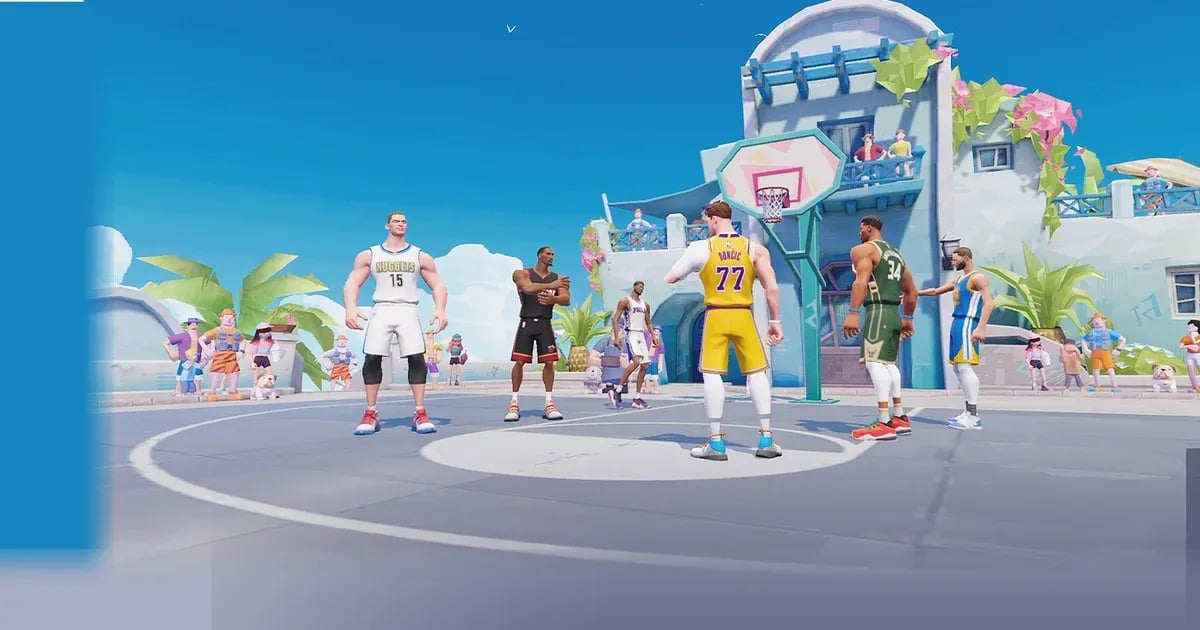
You do not have to mute your phone to fix the problem. Adjusting a few slider values shuts down commentary, drops music, and keeps court sound effects running at maximum volume.
Core 11-point matches in Dunk City Dynasty average roughly three minutes of continuous intensity. Because there is no traditional game clock, possessions alternate in seconds. A single misread on a drive can immediately give up an open dunk or a kick-out three-pointer. In this environment, audio cues provide faster reaction triggers than visual animations alone.
Every character on the court features six passive skills and one Ultimate ability, adding up to seven unique skill triggers per archetype. Many of these abilities produce distinctive audio cues the moment they activate. When an opposing superstar triggers their signature drive or pulls up for an unblockable jumper, the sound effect fires fractions of a second before the animation fully develops. If an announcer line is playing over that interaction, your brain has to process the visual information without auditory reinforcement. You react late. You get scored on.
Looping voice lines create unnecessary cognitive drag during tight possessions. Muting the broadcast channel clears that friction, letting you rely strictly on physical audio cues.
Step-by-Step Guide to Adjusting Dunk City Dynasty Sound Sliders
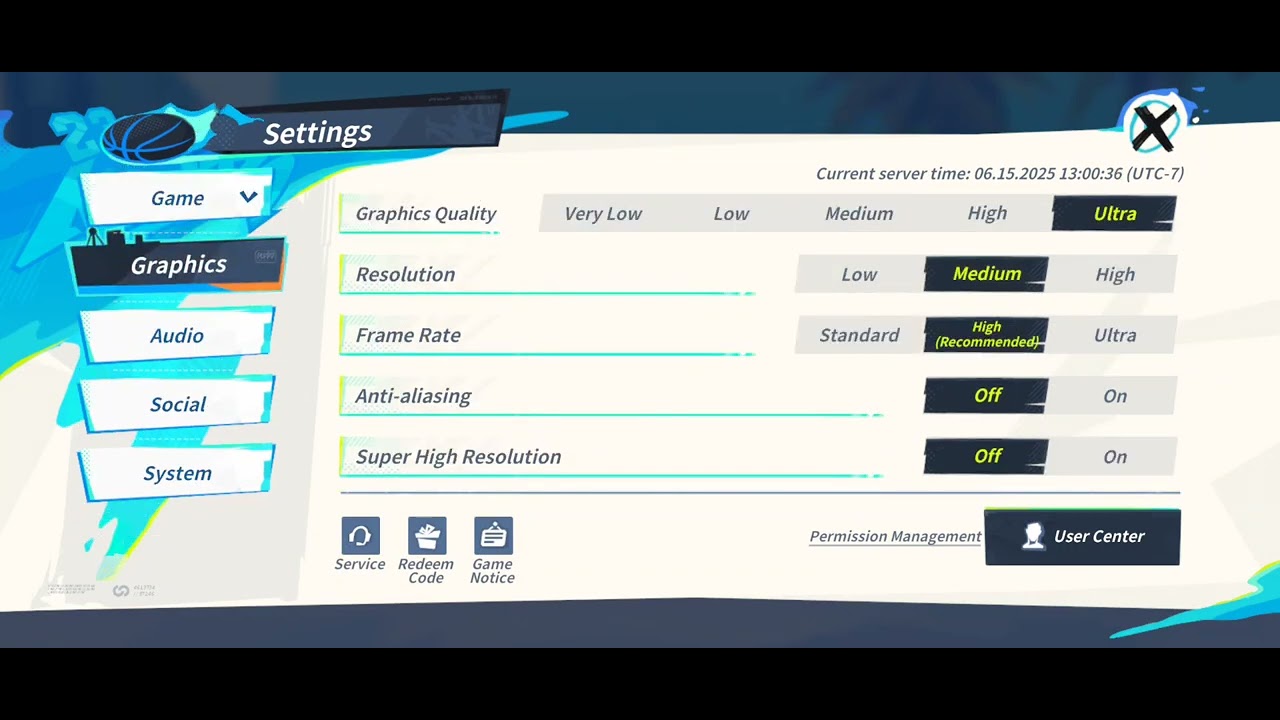
The audio customization menu in Dunk City Dynasty is straightforward once you know where to tap. NetEase built dedicated volume channels into the client, meaning you do not have to settle for an "all-or-nothing" master mute.
Follow these steps to access your sliders:
- Launch Dunk City Dynasty and let the title screen load into the primary streetball lobby.
- Locate the small gear icon sitting in the upper right corner of your screen and tap it to open the Settings interface.
- On the left-hand navigation rail of the Settings window, tap the Audio or System tab to reveal the sound adjustment options.
- You will see several independent volume channels, typically scaled on a 0 to 10 slider bar: Master Volume, BGM (Background Music), SFX (Sound Effects), and Commentary / Voice Speech Volume.
- Drag the Commentary / Voice Volume slider all the way down to 0.
- Adjust the BGM slider down to 0 or leave it at a low level (1–2) if you prefer subtle rhythm beats between possessions.
- Ensure the SFX / Sound Effects slider remains at 10 (maximum).
- Tap the back button or exit prompt to save your audio preferences. The game applies these changes immediately.
You can also make these adjustments mid-match. If you forgot to silence the announcer before queueing, tap the pause icon in the upper corner during live play, select Settings, and pull the speech slider to zero. The commentator stops talking the moment you unpause.
Recommended Audio Profile for Competitive 3v3 Streetball
Not every sound slider deserves the same treatment. Leaving everything at default creates a messy soundscape, but muting everything robs you of critical tactical feedback. Here is the exact sound balance I use for ranked climb sessions.
Optimal slider configuration across primary audio channels:
| Audio Channel | Recommended Value (0–10) | Tactical Purpose |
|---|
| Master Volume | 10 | Keeps the overall client output strong so your headset can capture subtle cues. |
| SFX Volume | 9–10 | Amplifies rim clangs, sneaker squeaks, block whistles, and ability activations. |
| Commentary / Voice | 0 | Completely mutes play-by-play shouting from guest announcers like Kendrick Perkins. |
| BGM (Music) | 0–2 | Eliminates distracting hip-hop beats during defense; optional low ambient volume. |
| Voice Chat (Mic/Squad) | 7–8 | Keeps direct communication with club teammates audible above court contact sounds. |
Locking Commentary to 0 while keeping SFX near 10 isolates rim audio, whistle triggers, and jump cues for optimal reaction speed.
When should you deviate from this profile? If you are streaming the game or playing casual exhibition matches with friends, bumping Commentary back up to 4 or 5 can add broadcast energy. However, if your goal is grinding high-tier ranked brackets or entering the 16-player Super League introduced in the 2026 Vigorous Spring update, that speech slider should stay at zero permanently.
Isolating Court SFX for Blocks, Rebounds, and Archetype Skills
Defensive success in streetball hinges on microsecond timing windows.
Take rim protection as an example. The optimal block window in Dunk City Dynasty occurs the exact instant a shooter leaves the floor. If you jump too early, you get baited into a foul or sail past the ball. If you jump too late, the shot registers as uncontested. Hearing the clean physical sound of the shooter launching off the hardwood gives you an instantaneous prompt to hit your contest button.
Rebounding follows a similar principle. While securing boards requires tracking the landing circles on the paint floor, jumping the instant the ball flashes white on the rim dictates who gets box-out priority. When commentary is blaring, your sensory bandwidth gets split between processing speech and watching the rim. With commentary turned off, court acoustics provide clean confirmation of every shot contest, rim bounce, and loose-ball scramble.
There is also the matter of player abilities. Each superstar brings six passives and an Ultimate. When Stephen Curry triggers his quick-release mechanics or Giannis Antetokounmpo powers up a signature drive toward the rim, distinctive sound effects ring out across the court. Hearing those audio signatures without Perkins shouting over them tells you whether you need to play drop coverage or commit to an immediate double-team.
Roster value itself remains a fierce debate in the community. For example, some scouting reports rate LeBron James as an indispensable S-Tier lockdown defender capable of shutting down elite perimeter scorers, while opposing tier analyses place him in A-Tier, arguing his kit underperforms relative to specialized picks. Similarly, Jamal Murray gets pegged as a mediocre B-Tier option by some players, yet others rank him in S-Tier as an elite point guard capable of rivaling Luka Doncic's playmaking. Regardless of which side of that tier debate you fall on, maximizing your defensive mechanics through clean court sound makes any character perform noticeably better in your hands.
A common fear among players looking to silence the announcer is accidentally cutting off their teammates. You might worry that muting the "Voice" channel will disable your squad's microphone communication during high-stakes games.
Fortunately, NetEase separated recorded speech from real-time communication protocols. Pre-recorded game speech—such as Kendrick Perkins' guest lines, arena public address calls, and automated character voice lines—runs through the game's internal broadcast sound engine. Real-time squad voice chat operates on an entirely distinct communication layer.
When you pull the Commentary or Voice Volume slider down to zero in the primary audio menu:
- Guest broadcast commentary is silenced completely.
- Arena PA announcer calls are muted.
- Live microphone inputs from your club squad or premade party remain functional.
- In-match team callouts continue transmitting through your headset.
This separation means you can coordinate rotations, call out screens, and plan fast breaks with your squad without having a recorded announcer screaming about a basic crossover right over your friend's voice.
While Dunk City Dynasty runs natively on mobile, many competitive players run the client on PC emulators for physical gamepad support. That hardware split creates distinct differences in driver overhead and audio latency.
The game installation requires Android 5.0 or higher with an installation footprint of approximately 3.7 GB. On mobile devices, user distribution leans heavily toward Apple hardware; iOS accounts for the majority of active daily users, sustaining roughly 4.2 times more monthly active users and 6.2 times more daily active users than Google Play. On both iOS and Android mobile devices, audio processing is handled directly by your phone's sound hardware, giving you minimal audio latency when using wired or low-latency Bluetooth earbuds.
PC players running BlueStacks encounter a slightly different configuration. By pressing Ctrl + Shift + A, emulator players can open the Advanced Keymapping interface to bind physical controller buttons for shot contests and directional steals. However, emulator audio must route through virtualization layers, which can introduce slight sound processing delays if your emulator settings are poorly configured.
Audio performance and configuration parameters by platform:
| Platform | Client Footprint | Primary Audio Advantage | Configuration Consideration |
|---|
| iOS Devices | ~3.7 GB storage | Clean native sound processing; lowest output latency. | Relies on quick access via the top-right cog icon; uses system volume limiters. |
| Android Devices | ~3.7 GB (Android 5.0+) | Direct control over individual hardware media streams. | Background notifications can occasionally disrupt SFX priority. |
| PC (BlueStacks) | ~3.7 GB + VM overhead | Full physical gamepad mapping (Ctrl + Shift + A). | Requires matching emulator audio output rates to avoid delayed block cues. |
Mobile offers pristine latency for physical court sounds, while PC players must ensure their emulator audio buffer does not delay split-second contest triggers.
If you play on BlueStacks, check that your emulator audio output is set to standard stereo 48000 Hz. Pairing physical gamepad responsiveness with unlagged court SFX makes tracking perimeter drives substantially easier.
In-Game Resources, Account Growth, and Super League Focus
Dialing in your audio profile pays immediate dividends once you hit level 15. That milestone unlocks 16-player Super League tournaments, where both Manager Mode and Manual Mode brackets punish missed defensive reads.
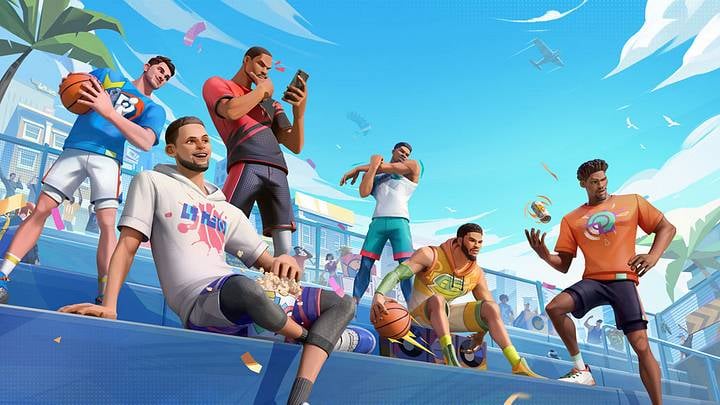
Building a roster that can compete in high-tier manual brackets requires steady resource management. As an officially licensed NBA and NBPA title, Dunk City Dynasty allows players to build rosters featuring real NBA superstars, spending Tokens and Diamonds to acquire and upgrade player cards, equip custom streetwear cosmetics, and refine character gear.
Keeping your resource wallet stocked is straightforward if you track in-game distributions. NetEase routinely takes the servers down for scheduled four-hour maintenance windows (typically running between 00:00 and 04:00 UTC-7). Every maintenance window distributes 300 Diamonds straight to player mailboxes as downtime compensation, with items remaining claimable for 30 days. Be sure to log in after major updates to claim those mail rewards before they expire.
Promo codes are another way players seek extra resources, though community tracking is notoriously inconsistent. Community reports frequently contradict each other over whether codes like THANKSHOOPERS and 6DCDS7VOL2 are still actively redeemable or long expired. Rather than banking on stale promotional text codes, relying on scheduled maintenance mail and active recharge milestone events is far more dependable.
When gearing up for ranked streetball with fresh cosmetics, topping up your Dunk City Dynasty account provides the Tokens required for seasonal milestones. During active multi-phase top-up events, spending thresholds grant substantial extra materials to accelerate your squad upgrades.
Milestone reward tiers during active recharge bonus cycles:
| Tokens Spent / Recharged | Bonus Reward Items | Event Utility |
|---|
| 60 Tokens | Diamond x100 | Tier 1 bonus; easy boost for daily energy or talent upgrades. |
| 120 Tokens | Diamond x100 + Superstar Voucher x1 | Tier 2 bonus; adds voucher progression toward premier player pulls. |
| 300 Tokens | Diamond x100 + Fashion Voucher x1 | Tier 3 bonus; unlocks cosmetics and streetwear gear upgrades. |
Hitting spending thresholds during event cycles awards extra Diamonds and Vouchers on top of baseline currency purchases.
If you are building a competitive roster for the 16-player bracket, you can buy Dunk City Dynasty Tokens online to unlock Superstar Vouchers quickly during active events. To claim extra Diamond rewards before entering manual mode, picking up an instant Dunk City Dynasty recharge package helps satisfy tier thresholds without missing a beat.
FAQ
Where do I find the audio settings in Dunk City Dynasty?
Tap the gear icon located in the upper right corner of the primary lobby screen. Once the main settings window appears, select the Audio tab on the navigation rail to access your volume sliders.
Open the audio menu and drag the Commentary or Voice Volume slider down to zero. Keep your SFX or Sound Effects slider set to maximum so that sneaker squeaks, referee whistles, and rim clangs remain loud and clear.
Former NBA player Kendrick Perkins serves as a featured guest commentator alongside brand ambassador Jordan Clarkson. While his energetic delivery adds broadcast flair, his voice lines can be muted completely through standard game settings.
No, in-game commentary lines and team squad communications run on separate sound layers. Muting the commentary slider silences pre-recorded announcer voiceover without affecting your live microphone chat with club teammates.
Why is keeping sound effects important for competitive defense?
Audio cues alert you to skill activations and shot contests faster than visual animations alone. Clear court acoustics allow you to time defensive blocks the exact instant an opposing shooter leaves the hardwood.
Yes, you can tap the pause icon in the upper corner of the screen during live gameplay to open settings. Any adjustments you make to commentary or music sliders apply immediately to the active possession.
Muting the commentary slider will not raise your frame rate or decrease your network ping. Its sole benefit is clearing cognitive clutter from your audio feed so you can react faster to defensive cues.
Final Verdict: Clear Court Sound for Ranked Climbing
Leaving Dunk City Dynasty on its default audio profile puts you at a distinct disadvantage in high-tier streetball. Kendrick Perkins' guest voiceover and the default hip-hop soundtrack are fun for your introductory matches, but they actively work against you when you need to time split-second shot contests. In an 11-point game format where every turnover costs a possession, you cannot afford to miss defensive audio prompts.
Head straight into the top-right cog menu, slide Commentary and BGM down to zero, and push SFX to ten. The court instantly becomes quieter, cleaner, and dramatically more competitive. Your block timing will sharpen, loose balls will be easier to track off the rim, and your squad comms will come through without a guest announcer shouting over your rotations. Fix your sliders today and start locking down the perimeter.









Comments