Choosing between in-app purchases and external web top-ups in Heartopia alters your checkout security, platform overhead, and how bonus items arrive. Mobile app stores process transactions through preset operating system billing, whereas direct web top-ups route through publisher gateways like XD WebPay or authorized player identification recharge portals using only public account credentials. Neither option holds an absolute advantage across every country: in-app purchases offer unified dispute channels at the cost of standard app store commissions, while external UID top-ups skip app store storefront fees but vary by payment processor availability.
When buying Heart Diamonds inside the mobile game client, transactions run directly through Apple App Store or Google Play billing systems. These storefronts take a platform cut of up to 30% on standard digital transactions, though Apple adjusted its rate in China to 25% in 2026, according to Mirava's analysis of app store price tiers. Developers incorporate these overheads into fixed pricing tiers, meaning regional mobile app store prices reflect native currency adjustments, platform commissions, and local digital sales taxes.
Official web top-up transactions avoid app store billing structures by routing payments elsewhere. The official Heartopia site directs players to XD WebPay, as documented in Heartopia's official top-up guide. On that payment portal, players confirm their server region, Account ID, and package selection before completing payment via alternative merchant providers. Because direct web top-ups bypass mobile marketplace margins, publishers can retain higher margins or distribute promotional bundles without app store restrictions.
Google Play Restrictions: Balance Locks and Expirations
Players using Google Play credit face specific account boundaries. Google Play balance is strictly non-transferable; balances cannot be shared between separate Google accounts, even if both profiles belong to the same player, according to Google Play Help documentation.
Prepaid cards and stored play balances also face regional regulatory terminations. For example, Google Play gift cards and prepaid balances expired in Singapore on February 1, 2025, and in Malaysia on February 1, 2026 (Google Play Help). Players holding leftover balance in affected regions cannot redeem those funds toward mobile in-app transactions once those calendar cutoffs pass. External web platforms circumvent Google Play wallet limitations by accepting independent local banking cards and digital wallets.
Security Profiles: UID Recharges vs Account-Sharing Services
External storefronts process orders through two distinct mechanisms with contrasting risk profiles.
Web Top-Up Pathways:
├── UID Recharges (Credential-Free)
│   └── Requires: User ID + Account ID + Server
│   └── Password: None requested
│   └── Risk: Zero account compromise
└── Login Recharges (Credential-Based)
    └── Requires: Email/Social Login + Password
    └── Verification: Live 2FA email codes to agent
    └── Risk: High account security violation
Direct UID recharge services—such as VGTopup's Heartopia portal and the UID option on TopupCheap—require only public identifiers. You supply your server, character User ID, and master Account ID. The service pushes currency through API routes to the server. No passwords, social logins, or authentication codes change hands.
In contrast, certain third-party sellers (such as TopUpLive and Buffbuff) offer credential-based login top-ups. These require you to submit your Google or Facebook username and password, remain logged out of Heartopia, and communicate in real time with a support agent to hand over two-factor authentication (2FA) email verification codes. Handing login details and live security codes to third parties exposes personal data and risks account revocation.
Locating Your Account Identifiers and UI Discrepancies
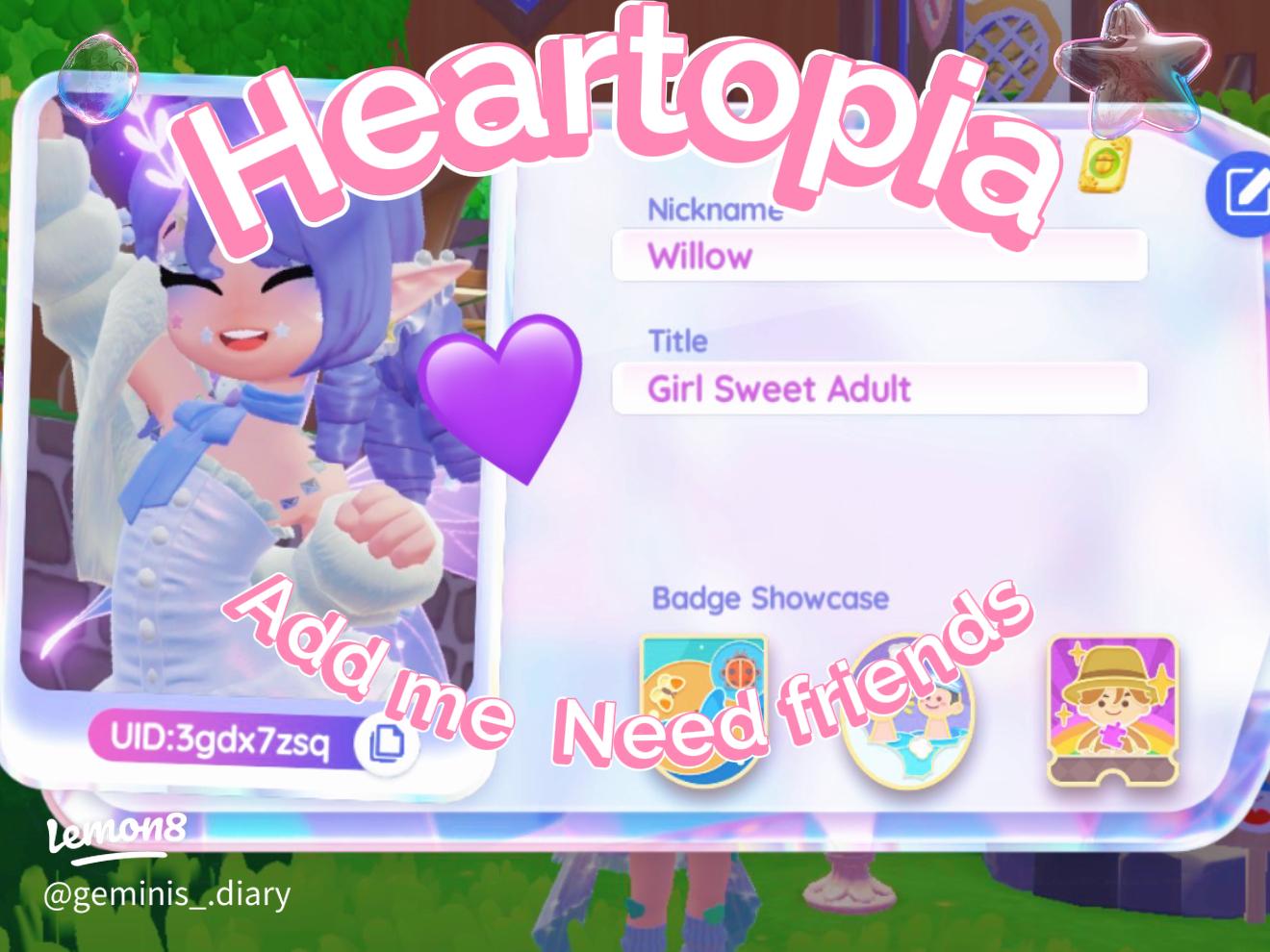
Direct web top-ups depend on entering correct identifiers. Heartopia uses two distinct numbers:
- User ID (UID): Identifies your individual character.
- Account ID: Identifies your master profile within the server architecture.
Third-party platforms disagree slightly on UI layout instructions. Documentation from VGTopup states that tapping your avatar in the top-left corner of the main screen reveals your character profile and User ID, while tapping the Settings gear in the top-right corner and opening the Account tab displays your Account ID.
Conversely, instructions from Buffbuff indicate tapping a watch icon in the top-right corner before opening the avatar profile. Check both corners of your interface if your client version has a modified layout. Direct UID platforms require selecting the exact regional server: Global, SEA, America, Asia, or TW,HK,MO. An incorrect server assignment or mistyped UID causes delivery failures.
Delivery Destinations: Currency Counters vs In-Game Mail
In-game purchases credit base Heart Diamonds directly to your top-bar balance upon confirmation. However, promotional tiers, first-purchase rewards, event packs, and GAMG membership perks follow different delivery rules.
According to VGTopup's delivery instructions, these extra currencies, subscription perks, and event packs route to your in-game mailbox instead of updating the live counter. Checking only the top-bar balance often leads players to assume an order failed when items are simply waiting in uncollected mail.
If items do not display immediately after completing a web recharge:
- Open your in-game mailbox to collect pending attachments.
- Fully close and relaunch the Heartopia game client.
- Allow the client to complete a clean server handshake on login.
Heartopia supports cross-platform play across mobile devices and personal computers. Premium currency bought via external web top-ups is tied to the central server account rather than an isolated client installation.
According to VGTopup's technical specifications, Heart Diamonds credited via external UID portals appear whether you log in from an iOS device, an Android phone, or a PC client, provided your server region and master account match. Third-party storefronts report conflicting PC platform details: Buffbuff claims its top-up options exclude Steam-linked accounts, whereas Allkeyshop documents Heartopia PC distribution on Steam. If your game account was created through Steam, confirm server-binding compatibility before ordering from secondary vendors.
Side-by-Side Comparison: Mobile IAP vs Web Top-Up
Key differences across native mobile purchases and external web top-up models:
| Feature | Mobile App Store (Apple / Google) | Direct UID Web Top-Up | Credential-Based Web Top-Up |
|---|
| Credential Safety | Native OS biometric / password check | Zero passwords; public IDs only (VGTopup) | Requires full login and live 2FA codes (TopUpLive) |
| Platform Overhead | Standard 30% cut (25% in China, 2026) (Mirava) | Bypasses app store commissions (XD WebPay) | Bypasses app store commissions |
| Stored Balance Transfer | Non-transferable; regional gift card cutoffs (Google Play) | Uses external payment gateways | Uses external payment gateways |
| Bonus & Mail Delivery | Direct balance update; some gifts to mail | Tier bonuses frequently sent to mailbox (VGTopup) | Sent to mailbox; buyer must remain logged off |
| Dispute Resolution | Centralized through Apple or Google | Store-specific merchant support | Dependent on third-party broker |
| Cross-Platform Sync | Fully synced across linked PC / mobile | Fully synced across linked PC / mobile | Subject to seller account constraints |
Frequently Asked Questions
Where do I find my Heartopia User ID and Account ID for web top-ups?
Your User ID sits under your character profile; access it by tapping the avatar in the top-left corner of the screen. Your Account ID requires tapping the Settings gear icon in the top-right corner and opening the Account tab, according to VGTopup's guide.
Do I need to provide my Heartopia password for web top-ups?
No. Legitimate UID web recharges require only your public Account ID, User ID, and server region (VGTopup). You should never share your account password or two-factor authentication codes with sellers requiring manual account logins.
Why haven't my purchased Heart Diamonds appeared in my balance counter?
Promotional bonus diamonds, event bundles, and GAMG membership perks are delivered to your in-game mailbox instead of updating your balance bar instantly. Restarting your Heartopia application forces a server refresh and populates unread mail (VGTopup).
Will Heart Diamonds bought on the web show up on PC?
Yes. Heartopia uses cross-platform data synchronization. Any Heart Diamonds credited via external top-up portals remain accessible across mobile devices and the PC client, provided you connect to the identical server and master account (VGTopup).









Comments