Buying Cash and Coins through web storefronts instead of mobile in-app billing yields higher currency totals because web checkouts avoid app store platform commissions while continuing to credit VIP tier multipliers. Mobile purchases route through Google Play or Apple App Store billing rails, whereas authorized web channels deliver currency straight to your numeric Unique ID without requiring account passwords or login handoffs.
Mobile purchases route directly through Apple App Store or Google Play billing systems, where platform operators collect standard commission fees on every in-app transaction. Publishers absorb this platform cut or price bundles to offset it.
Web portals bypass these mobile platform fees entirely. According to Miniclip's official 8 Ball Pool support portal, verified purchasing venues include the official 8 Ball Pool Web Shop and partnered services such as Codashop. Transactions completed through verified web channels still earn VIP points and activate account VIP multipliers for accounts past Bronze rank. Storefronts list base pack amounts without projecting these multipliers at checkout, meaning the final credited balance frequently exceeds the catalog figure.
Pack Availability and Direct Top-Up Fulfillment
Direct recharge services fulfill balances using only your numeric Unique ID. For example, VGTopup lists standard Cash denominations (20, 50, 110, and 250 Cash) alongside Coin tiers (20,000, 52,000, 112,000, and 256,000 Coins). Live gateway surcharges and regional sales taxes appear during final payment selection.
| Item Tier | Platform Delivery Requirement | VIP Point Eligibility | Source |
|---|
| 20 Cash | Unique ID Only | Multiplier Eligible | VGTopup |
| 50 Cash | Unique ID Only | Multiplier Eligible | VGTopup |
| 110 Cash | Unique ID Only | Multiplier Eligible | VGTopup |
| 250 Cash | Unique ID Only | Multiplier Eligible | VGTopup |
| 20,000 Coins | Unique ID Only | Multiplier Eligible | VGTopup |
| 52,000 Coins | Unique ID Only | Multiplier Eligible | VGTopup |
| 112,000 Coins | Unique ID Only | Multiplier Eligible | VGTopup |
| 256,000 Coins | Unique ID Only | Multiplier Eligible | VGTopup |
Because base catalog values omit variable gateway processing fees and regional tax rates, reviewing the live checkout screen provides the only accurate final sum before ordering.
Account Security: UID Top-Ups vs Login Sharing
Delivery mechanics mark the critical boundary between legitimate recharge platforms and gray-market storefronts. Secure web top-ups require only your public Unique ID: enter the numbers, complete checkout, and the assets deposit straight into your profile.
Never surrender your login credentials. Miniclip Help warns that unauthorized third-party platforms pose severe security risks to account ownership and personal data. On peer-to-peer marketplaces like Eldorado.gg, certain sellers require buyers to hand over game passwords or verification codes to fulfill currency orders. Sharing login credentials breaches Miniclip terms of service and risks permanent account bans or theft. Stick strictly to zero-credential, UID-based services.
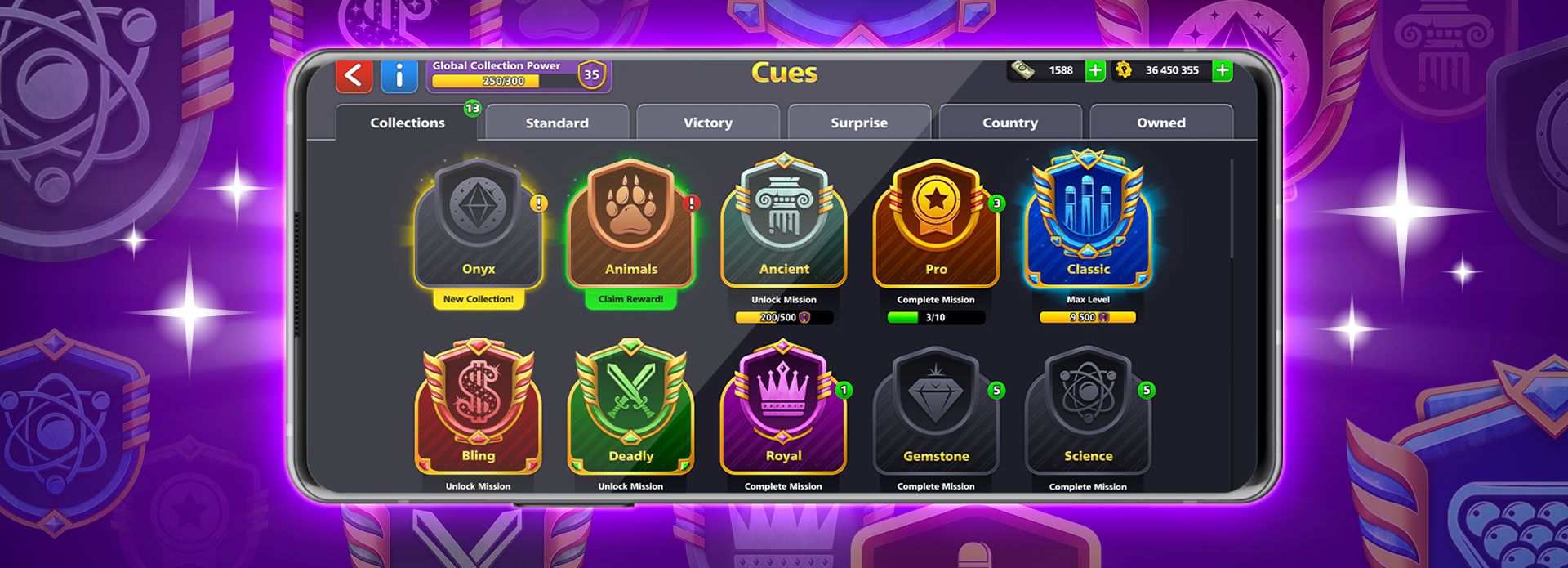
Currencies and cue cosmetics do not share identical cross-platform availability. Per 8 Ball Pool official documentation, Cash, Coins, minigames, and rare, epic, or legendary surprise boxes sync across web and mobile platforms. Any currency balance credited via web stores is instantly playable across all connected devices.
Cue inventory follows stricter platform limits. Standard cues, cue pieces, and promotional boxes remain mobile-only assets. If a bundle contains cue parts, those parts will not load or display when running the game inside a desktop web browser. Switch to the native mobile app on iOS or Android to inspect cue collections or unbox promotional crates.
Troubleshooting Delayed Balance Updates
Most web orders finalize within seconds, though backend network sync can introduce brief delivery lag. If your purchased Coins or Cash do not show up immediately, follow this checklist:
- Check your transaction status on your storefront order screen to confirm completed processing.
- Fully close the 8 Ball Pool app from your device's active application tray.
- Relaunch the game to force a complete handshake with Miniclip servers.
- Trigger an immediate balance refresh by entering an offline practice match or collecting a free daily spin.
Frequently Asked Questions
How do I find my 8 Ball Pool Unique ID for web top-ups?
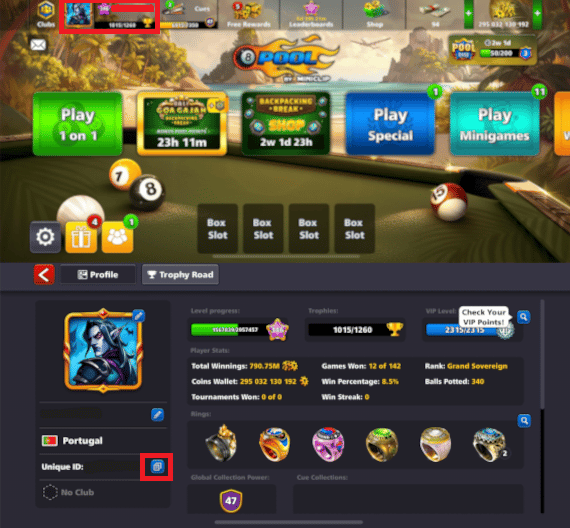
Open 8 Ball Pool, tap your profile avatar located in the top-left corner of the main screen, and look at the top-right corner of your profile card to view your numeric Unique ID.
Do web storefront top-ups require sharing your game password?
No. Legitimate storefronts like Codashop and VGTopup rely strictly on your numeric Unique ID. You should never share passwords, multi-factor verification codes, or personal account access.
Confirm the order status on your order invoice, force-close and restart the mobile application, or trigger a profile balance update by claiming a daily free spin or entering a quick practice match.
Do web storefront purchases award VIP points and multipliers?
Purchases processed across official channels and supported web platforms award VIP points and respect account VIP multipliers, helping you progress toward Silver, Gold, Platinum, Diamond, and Black Diamond tiers.









Comments