



Sawalfna Top Up: What is Sawalfna and How Coins Work in Voice Chat Rooms
Sawalfna is an interactive group voice chat application designed for real-time audio interaction, community discussions, casual gaming, and live broadcasting. Users connect across themed voice rooms, participate in group activities, and interact with room hosts through speech and animated gifts. The application relies on an internal virtual currency, commonly referred to as Sawalfna coins or diamonds, to power its social features.
Coins act as the primary medium of exchange inside the Sawalfna app. When you possess coins in your balance, you can send virtual gifts to speakers on stage, activate custom entry animations when joining rooms, unlock VIP status banners, and participate in interactive room mini-games. Purchasing coins through a trusted platform like VGTopup ensures that your account is loaded quickly using your public player ID, allowing you to maintain your active participation in your favorite voice communities without interruptions.
How to Top Up Sawalfna Balance on VGTopup in 2026
Topping up your account balance on VGTopup is straightforward and requires only your numeric user identifier. Follow these steps to complete your transaction in 2026:
- Select the Coin Amount: Browse the available Sawalfna coin packages displayed on the live product catalog and pick the denomination you need.
- Provide Your User ID: Type your numeric Sawalfna UID into the designated player ID field on the checkout screen.
- Review Your Information: Confirm that the entered ID matches your in-app account exactly to avoid delivery delays or misdirected orders.
- Choose Payment Option: Pick your preferred payment method from the available checkout choices.
- Complete Checkout: Follow the on-screen payment instructions to finalize your order.
- Verify Balance: Open the Sawalfna app on your phone, go to your personal wallet or profile tab, and confirm that your coin total has updated.
| Step | Action Required | Details |
|---|---|---|
| 1 | Locate Account UID | Open profile settings in the Sawalfna mobile app |
| 2 | Choose Coin Package | View available quantities and prices live on checkout |
| 3 | Enter Account ID | Paste the exact numeric UID in the input box |
| 4 | Finalize Payment | Complete checkout via supported payment channels |
| 5 | Verify In-App Balance | Refresh the wallet screen inside Sawalfna |
How to Find Your Sawalfna UID (Player ID)
Your Sawalfna User ID (UID) is a unique sequence of numbers assigned to your profile upon registration. Because VGTopup uses direct UID delivery, finding and entering the correct ID ensures instant processing.
To locate your Sawalfna UID:
- Launch the Sawalfna application on your mobile device.
- Log in using your registered account credentials.
- Tap on the Profile or Me icon located in the bottom navigation bar.
- View the area directly underneath your profile picture and display username.
- Locate the numeric string labeled ID or UID.
- Tap the copy icon next to the number sequence to save it to your clipboard.
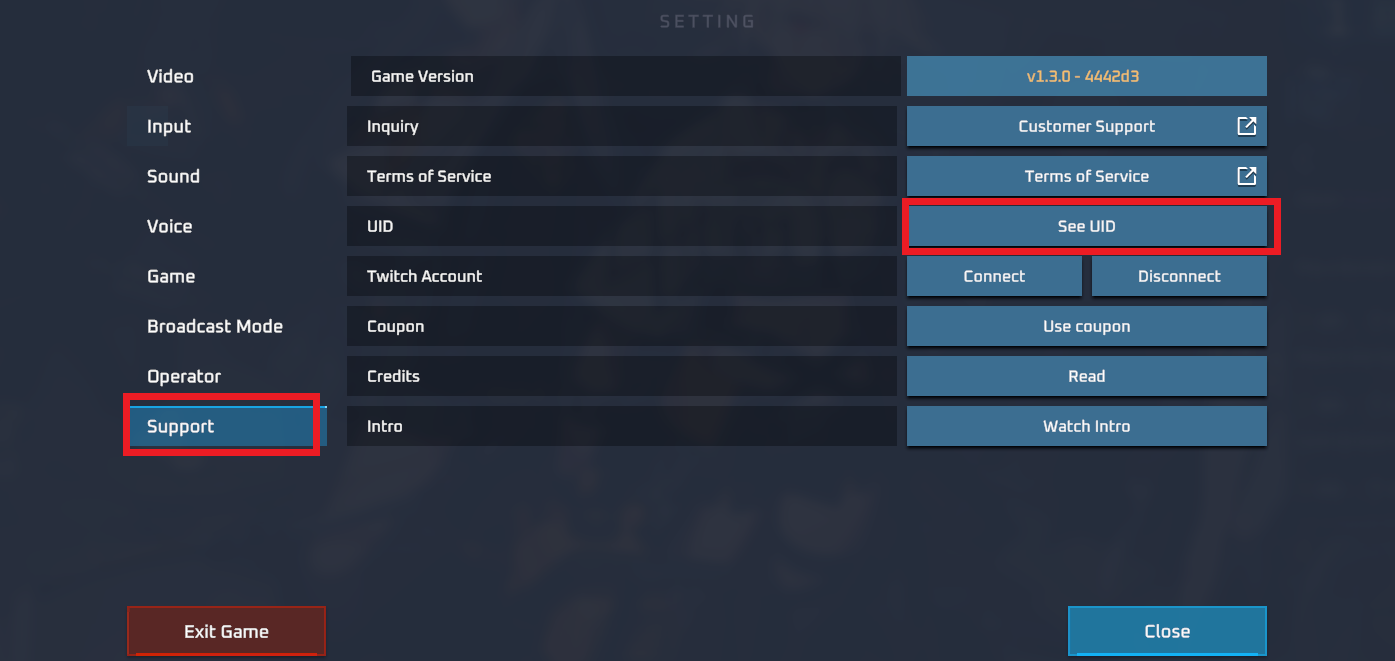
Always double-check the pasted sequence before completing checkout on VGTopup. Verifying every digit ensures that your coins arrive directly in your wallet.
Benefits of Topping Up Sawalfna Coins for Gifts and Room Privileges
Having an active coin balance in Sawalfna unlocks a variety of interactive features designed to improve your voice room experience:
- Support Content Creators and Hosts: Sending virtual gifts is the most effective way to reward room hosts, vocal talents, and friends during live voice broadcasts.
- Animated Room Entrance Effects: Special entrance animations announce your arrival whenever you join popular voice rooms, showing your status to everyone in the channel.
- VIP Badges and Account Leveling: Spending coins increases your account experience, granting access to premium name frames, exclusive profile badges, and higher room visibility.
- Interactive Games and Community Events: Many voice channels feature games and community competitions that require coins for entry or participation.
- Custom Chat Styling: Unlock distinctive chat bubble colors, unique emojis, and special text effects to make your written messages stand out in crowded room chats.
Safe and Secure UID-Only Sawalfna Recharge Without Passwords
Security is a fundamental requirement when purchasing digital credits online. VGTopup uses a UID-only direct recharge system, eliminating the risks associated with account sharing.
- No Passwords Requested: You never need to supply your login password, phone verification codes, or third-party authentication tokens to complete a recharge.
- Direct Balance Crediting: All top-ups are processed through the public player ID system, routing coins directly into the specified account.
- Order Tracking: Every order generated on VGTopup receives a unique transaction identifier that allows you to monitor its status in real time.
- Dedicated Support: If you encounter an unexpected delay or have questions regarding your order status, VGTopup customer support is available to assist with transaction verification.
Frequently Asked Questions About Sawalfna Top Up
How do I top up my Sawalfna account using my UID?
Select your desired coin package on the VGTopup product page, enter your numeric Sawalfna UID into the input field, proceed to checkout, and complete the payment. Your coin balance will be updated automatically once payment confirmation is received.
Where can I locate my Sawalfna User ID (UID)?
Open the Sawalfna app, select the profile or personal center tab in the bottom right corner, and look below your profile picture. Your numeric UID is displayed there with a convenient copy button.
Do I need to share my Sawalfna password to recharge?
No. VGTopup processes your order using only your public Sawalfna UID. You should never share your account password, email login, or verification codes with anyone.
What are Sawalfna coins used for in the app?
Coins are spent inside Sawalfna to send animated virtual gifts to room hosts, unlock exclusive entrance animations, purchase VIP profile badges, customize chat bubbles, and participate in voice room activities.
How fast will my Sawalfna balance be updated after payment?
Orders processed through VGTopup are dispatched promptly following successful payment confirmation. In most cases, you will see the updated coin total in your Sawalfna wallet immediately after refreshing the app.
What should I do if I enter the wrong UID during checkout?
Because UID-based top-ups are credited automatically, digital recharges sent to a valid but incorrect ID cannot be reversed once processed. If you notice an error immediately after placing an order, contact VGTopup customer support right away with your transaction details for assistance.
Select Denomination
Tax, payment fees and eligible coupons are calculated at checkout.
| Package | Price |
|---|---|
| Sawalfna - Sawalfna*15000 | USD 1.36 |
| Sawalfna - Sawalfna*20000 | USD 1.82 |
| Sawalfna - Sawalfna*25000 | USD 2.27 |
| Sawalfna - Sawalfna*50000 | USD 4.55 |
| Sawalfna - Sawalfna*100000 | USD 9.09 |
| Sawalfna - Sawalfna*500000 | USD 45.45 |
| Sawalfna - Sawalfna*1000000 | USD 90.89 |
| Sawalfna - Sawalfna*10000 | USD 0.91 |

































































