If your Dragonheir: Silent Gods Dragon Crystals have not appeared after payment, wait up to 30 minutes to account for peak server delays, then completely restart the game client and check your in-game mailbox for delivery messages. If the balance remains unchanged, confirm whether the purchase was affected by one-time bonus limits or manual daily subscription claims before submitting a support ticket with your numeric Player ID and payment receipt.
A transaction can be processed successfully on the payment gateway while the game client remains out of sync. When Dragon Crystals do not reflect in your balance right away, exit Dragonheir: Silent Gods completely and relaunch the application. Closing the app forces a clean connection to the game servers and refreshes your account data.
After reconnecting, do not look only at the top-right currency counter. Premium deliveries frequently arrive as system mail. Open your in-game mailbox and inspect all uncollected messages, as items attached to delivery notices must be claimed manually before they transfer into your active balance (VGTopup).
Normal Delivery Windows and Server Traffic Delays
Most direct top-up orders credit within 5 minutes of a confirmed transaction. However, processing queues can lengthen during scheduled server maintenance or heavy traffic periods.
According to BuffBuff, delivery times can stretch up to 30 minutes under high network load. Different platforms make distinct delivery representations: BuffBuff cites a 3-minute delivery baseline with extensions up to 30 minutes, whereas VGTopup provides automated delivery without citing an explicit minute guarantee. If 30 minutes have not elapsed since your payment cleared, wait for the processing window to close before contacting support.
Verifying Your Player ID Versus Character Nickname
Routing errors account for many uncredited purchases. Dragonheir: Silent Gods assigns every account a fixed numeric Player ID tied directly to character data on the game server. Custom character nicknames are not globally unique across servers and cannot be used to route currency (VGTopup).
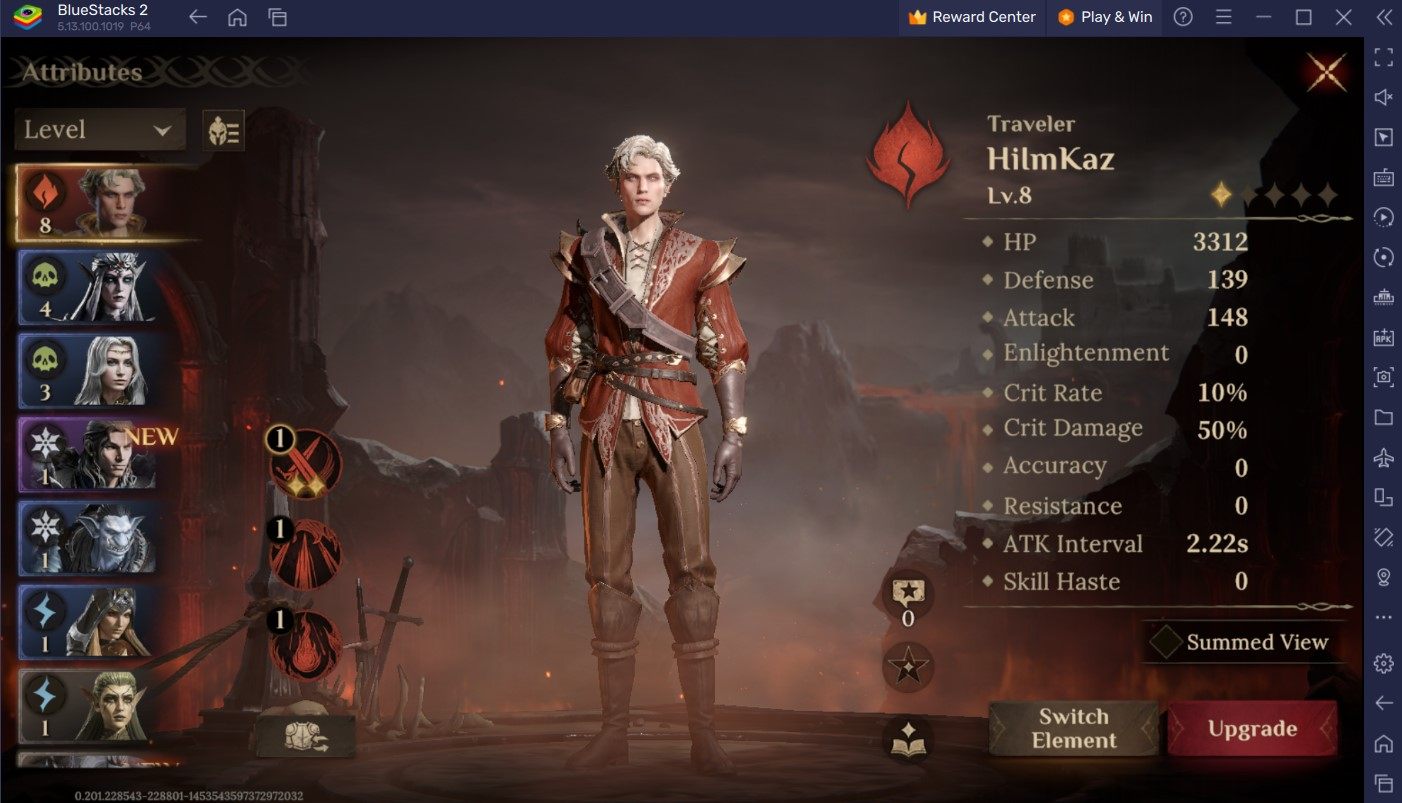
To verify that the correct account was credited:
- Open Dragonheir: Silent Gods and tap your character avatar in the upper-left corner of the main screen.
- Locate the numeric Player ID displayed on the profile overview.
- Tap the copy icon beside the number.
- Compare this number against the recipient ID shown on your purchase invoice or checkout confirmation.
Input requirements differ across platforms. VGTopup and BuffBuff request only the Player ID for direct delivery, whereas DearPlayers requires both the Player ID and the server name.
Double-checking this detail prior to checkout is essential. Once a top-up transaction processes through the delivery network, it cannot be canceled, refunded, or reversed. Entering an incorrect Player ID sends the currency permanently to that destination account without a option for manual reassignment (DearPlayers).
Misconceptions: First-Purchase Bonuses and Subscriptions
Some missing crystal reports stem from misunderstood item mechanics rather than delivery failures. Dragon Crystals serve as the premium currency for summons, resource bundles, seasonal progression passes, and stamina refills, but certain packages distribute rewards conditionally.
First-Time Double Bonus Multipliers
If you received fewer crystals than expected, verify the bonus eligibility of the purchased tier. First-time double bonuses apply strictly once per denomination. Purchasing a specific pack tier a second time awards only the standard base amount. The 2x bonus does not re-trigger unless the game developers issue an official server-wide reset (BuffBuff).
Daily Subscription Pack Allocation
Subscription bundles do not deliver all items as an upfront lump sum. These packs split their value between an immediate deposit and daily recurring allocations:
- Daily Supply from Three Ears: Grants 680 Dragon Crystals and 10 Heliolite Dice instantly, followed by 2 daily dice for 30 days.
- Wyrmarrow Mining Warrant: Grants 350 Dragon Crystals instantly, followed by 100 daily Wyrmarrow for 30 days.
Players must log in and claim these daily allocations manually. If you miss a day, that day's allotment expires permanently and will not be reissued (BuffBuff).
How to Submit an Airtight Support Ticket
If 30 minutes have passed, your game client has been restarted, your mailbox is empty, and your recipient ID matches your profile, you need to contact customer support. Providing complete documentation on your initial message eliminates back-and-forth delays.
Prepare the following details before submitting your request:
- Player ID: The exact numeric string copied from your profile screen.
- Server Name: The server where your character resides (if requested by the platform).
- Order Number / Transaction ID: The unique alphanumeric code generated by your payment provider or the checkout platform.
- Pack Details: The exact crystal denomination or bundle purchased.
- Proof of Payment: An uncropped receipt or invoice showing the transaction timestamp, payment status, and charged total.
If you purchased through an external merchant, contact that platform's customer support first with your order number and Player ID (VGTopup). If the vendor confirms successful delivery to the server but the items are not in your client, escalate the issue to Dragonheir in-game support with the confirmed transmission receipt.









Comments